UIFe: Icon in Launcher should be home folder icon
| Affects | Status | Importance | Assigned to | Milestone | |
|---|---|---|---|---|---|
| Ayatana Design |
Fix Released
|
Undecided
|
Unassigned | ||
| Unity |
Fix Released
|
Medium
|
Unassigned | ||
| Unity Asset Pool |
Invalid
|
Undecided
|
Unassigned | ||
| unity-2d |
Fix Released
|
Medium
|
Florian Boucault | ||
| ubuntu-mono (Ubuntu) |
Fix Released
|
Critical
|
Vish | ||
| unity (Ubuntu) |
Fix Released
|
Undecided
|
Unassigned | ||
| unity-asset-pool (Ubuntu) |
Invalid
|
High
|
Paul Sladen | ||
Bug Description
Binary package hint: nautilus
The file manager (nautilus) icon in the Unity launcher is a folder with a pointer. That is a bug, because it puts a phantom pointer on the screen. The default icon there should be the home folder icon, and the icon should open the home folder (/home/<user>).
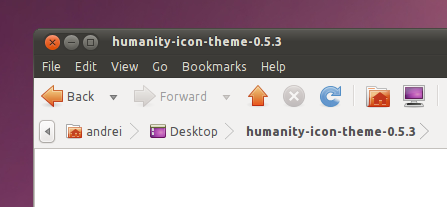
some hints for prospective contributor: nautilus.desktop is opening a file from the humanity-icon-theme named
humanity-
We can either point nautilus.desktop to another file, or change this one. The impacts have to be looked at though.
the issue seems an icon theme one rather than a nautilus or unity bug though...
reassigning to humanity-icon-theme but we should make sure that design knows about it because it seems nobody is watching the icon theme bugs on their side and nobody in the desktop team is likely to draw icons
As mentioned in the bug report description, for the default folder icon to be the home folder icon, Unity needs to use the icon "/usr/share/
This icon already exists, we just need to switch to the right icon.
Hey Vish, sorry but you are wrong ;)
The icons comes from bamf matching nautilus to a desktop file. The nautilus desktop file contains system-
But changing the 'system-
Off the top of my head, the 'system-
As we discussed on -desktop, a solution would be to provide a "nautilus-
Its also used for the Applications menu items> (1)File Browser , (2)File Manager and system preferences menu item > (3)File Management. Replacing all these with the Home folder icon is not right.
Didier mentioned we would look into this again on Monday(he is busy with crashes today ;p )
I think the "system file manager" icon could be updated to not have the
pointer, for a start. Separately, we should figure out how to make the
"home folder" icon be on the launcher, since it says very clearly what
you'll get when you click on it :-)
Mark
Regarding changing the icon to a home icon by adding the nautilus-
<didrocks> vish: but I'm afraid that when you start it, you will be matched against nautilus.desktop
<didrocks> vish: this needs a try :)
<didrocks> there was a hook for that case in maverick, not sure it survived natty though.
So bitesizers, need to check if a nautilus-
If that does not work, then we'd have to hack it in Humanity as a last resort. But that is not a pretty option, since it breaks the above menu items(and not sure what other third party apps use it) and I'd be left with bugs regarding wrong icons used.. :p
For updating the "system-
So, just to highlight that the default should be "nautilus-
@Florian: I think there will be nothing to do in unity-2d on your side as bamf makes the matching and the gsettings favorites are common ;)
Unity 2d hasn’t switched to gsettings yet, it’s still building its list of favorites from gconf. This will eventually happen but if we want to fix this bug in the meantime we’ll have to update the package’s default gconf settings.
Could someone examine the patch, please?
Merged the gsettings schema! Will be in 3.6.2. Thanks a lot Marco :)
This bug was fixed in the package unity - 3.6.2-0ubuntu1
---------------
unity (3.6.2-0ubuntu1) natty; urgency=low
* New upstream release:
- unity-window-
g_
- blinking screen at searching "gn" (LP: #674022)
- Top panel isn't multimonitor aware (LP: #675862)
- Leaving fullscreen causes the launcher to rapidly appear and then
disappear (LP: #718054)
- migrate_
directory name: "/desktop/
Shows.
(LP: #722403)
- does not display icons until hovered (LP: #726033)
- Unintuative Application Matching (LP: #726711)
- icons missing in the dash recent files and directory search returns
(LP: #727824)
- some result cache broke the dash search (LP: #728961)
- Protect against conflicts with unity super keys (LP: #729166)
- not installed apps sorting in global search (LP: #636996)
- No 'safely remove' option is present in the unity menu when a usb disk
is inserted (LP: #660010)
- Dash - Implement new Dash design! (LP: #683762)
- Expose or add missing nux functions for a11y support (LP: #701672)
- Launcher - A single finger 'hold' on a Launcher app icon should open the
quicklist (LP: #702486)
- No "Search" default entry (LP: #710794)
- Icon in Launcher should be home folder icon (LP: #721121)
- Launcher bindings require Super to be held down to work (LP: #727580)
- compiz crashed with SIGSEGV in nux::CairoGraph
(LP: #727636)
- Unity "Lens" do not scroll to bottom (LP: #719616)
- Double-click on panel to unmaximize only works in right half
(LP: #725529)
- clicking multiple time on the bfb makes the logo darker and darker
(LP: #727146)
- the launcher should go away if it has been open using the keyboard and
the mouse is not moved while the cursor is on it (LP: #727746)
- migrate_
Permission denied: '/home/
- No feedback when unmounting busy device in Unity (LP: #730638)
-- Didier Roche <email address hidden> 2011年3月07日 19:10:27 +0100
I think I'm up to date, and this isn't fixed :-(
status triaged
Mark
If the patch here was the only change done for this bug, looks like the patch only changed schema and no new nautilus-
Just to clarify: the file nautilus-
This means that your current account will not be changed (because nautilus.desktop is in your favorite list). Try to create a new user on your computer and you'll see that the default icon is now the home icon (that opens /home/<user>).
Sorry, guys, that's not a proper fix.
Mark, but it's not a quite intrusive action simply change the favorite list of users?
Anyway, if this will be done, the action must be thinked very well. When (I mean, in which part of Unity loading) the icon will be changed? And if the user puts the nautilus.desktop icon on launcher again? Unity shouldn't modify it again. And probably there is some other points to think about.
hum, Mark could you explain what is the issue? do you want migration code to be written which deal with natty alpha version updates to newer alpha versions?? we could do that but it seems we would better work on fixing extra bugs that handling cosmetic details for earlier testers
Fair point. Please file a separate bug on the pointer-on-icon icon.
Not sure if there is a misunderstanding there Mark, the launcher configuration has been changed to list "nautilus-
"Name=Home Folder
Comment=Open your personal folder
Icon=user-home"
The icon used is "user-home" which is the home directory one so the pointer-on-icon should be resolved?
some settings -> those settings
The pointer-on-folder icon will be resolved once humanity-icon-theme (0.5.3.5) hits the archives.
- folder-recent.svg Edit (7.1 KiB, image/svg+xml)

Sorry guys, but the home folder icon is just not good enough.
Please can we have a folder with a home on it, which follows the pattern established in the Humanity icon theme folder-recent.svg and folder-ubuntu.svg, which I attach as examples. The "big orange home" in user-home or folder-home is NOT A FOLDER and does not look like a folder and therefor does not fix the bug.
Also, we need the File Manger icon to look like a variation on a set-of-folders, NOT a filing cabinet.
I'm marking this critical because this is the TOP item on the launcher for EVERY new user, and currently the icon fails to convey it's intended meaning.
Reopening on Unity for desktop team visibility till it is fixed.

Explained the icon changes on their respective bugs:
Bug #737183 : Home Folder
Bug #689486 : File Manager icon(I just removed the confusing icon since neither of us had any better idea..)
I did think of doing File Manger icon as a bunch of folders; but that would basically be ripping of Windows Explorer's icon :-) > http://

Incomplete = blocked on design. I'll turn that in a UIF exception once we get the icon.
Copy pasting from Bug #737183 since Mark seems to prioritize "message-rationale: Unity" bug mail... ;-)
=====
The fact that the /home/$USER is a folder is inconsequential,
the same way that / can also be considered a folder inside the location computer:///
Or, the way any partition or external-
And we dont etch a partition/device on a folder icon for either of them even though they are folders within a higher folder hierarchy. They are each Top levels for that location.
No one wants to interact _with_ the Home(folder) , they want to interact with files or folders _inside_ Home . Further, so many actions are not available for interaction on the /home/$USER folder. It is better we differentiate it like how we differentiate the / and other devices.
At a time when we are trying to move away from the hierarchal arrangement of folders, It is to eliminate that Home is a folder metaphor and to treat it as a higher level location like / or /media/$foo where folders exist.
It is to show that Home is a similar higher level place where user just has _their_ folders or files .
This icon change is inline with nautilus design specification for a "Consistent name for home", which calls for the use of name "Home" everywhere(not Home folder). I would rather like to see *some* attention focused on improving the user experience > Bug 372703 , we have a completed design specification and a patches in bugzilla and it has recently been fixed upstream too. But still we have been sitting on it since Karmic.
====
However, If you dont like the current icon, I could work on iterations which do not require showing the folder metaphor... :-)
But I'm sorry Mark, I wont be adding a folder icon for user-home in Humanity. :-(
If you only require user-home to be shown as a folder icon; pls *kindly* add it to ubuntu-mono which is set as the default icon theme for Ubuntu.
I'm moving the task to ubuntu-mono where the change can be done.
This is same in launcher too: even "Trash" is a nautilus folder, and clicking on the monochrome-trash icon on launcher brings up the nautilus trash *folder*. But we dont show trash as a folder either.. :-)
(just a note: That ^ "No" is from the only remaining Humanity author who has _always_ been willing to change icons as per design team's suggestions) was not easy for me either, to say No to Mark. :s
I think there is nothing more to do on unity. The unity task is already fix release.
OK, thanks for the copy-paste, I'll reply on the humanity-icon bug.
I respect the Humanity icon theme designer's preference to design
Humanity icons the way they feel it's best. Nevertheless, I'd like this
changed in ubuntu-mono so that it's fixed for all Ubuntu users by
default. The icon should be a folder, with the home on it.
Please update the bug tasks accordingly, and let me know who's tackling
it in ubuntu-mono.
Mark
I think the options here are:
a. Forward port the previous Folder-with-home from Humanity into unity-assert-
b. Forward port the previous Folder-with-home from Humanity into ubuntu-mono.
c. From-scratch design a symbolic Folder-with-home and put into unity-asset-
d. From-scratch design a symbolic Folder-with-home and put into ubuntu-mono.
What's the preference here?
Clarified with Mark: both the Filing Cabinet in the Unity Launcher and the icon seen when doing `nautilus /home` should be an orange folder with a house:
Proposed icon (thanks to the speedy work of Vish) pushed to:
http://
For the filing cabinet which is currently coming from:
/usr/
pushing a 'system-
$ grep Icon /usr/share/
Icon=
or point to something other than 'nautilus.desktop'.
Nota Bene to above. Compositing the Folder and House from Humanity elements probably creates a combined work. I believe Unity Asset Pool currently requires copyright assignment.
Copyright assignment would require removing the copyright ownership from the Humanity/Tango authors (GPLv2/PD/GPLv3) before attempting to insert the result into the Ubuntu-Mono (CC-BY-SA-3.0) and Unity Asset Pool (CC-BY-SA-3.0 CAA Canonical).
I have filed a request with Legal, about whether the icons, as "simple geometric shapes" are insignificant enough to fall outside copyright, in which case there would not be a problem, as the copyright would not need to be transferred.
(FWIW, to my knowledge all of the authors are perfectly comfortable for their work to be used and under whatever licence is required).
Also to note that Tango authors have noting to do with the Humanity folders, they are attributed in Humanity for other icons we may have used in the earlier releases of Humanity.
And as the only person actively involved and in-charge of Humanity I dont mind if they are copied.. And i dont plan on going crazy over licenses ever (never understood them and dont plan to think about it.. ) ;p
I don't think the generic "file manager" icon should have a home on it.
I think the icon on the launcher by default should be the "home folder",
not "file manager".
On Mon, 2011年04月04日 at 20:24 +0000, Mark Shuttleworth wrote:
> I don't think the generic "file manager" icon should have a home on it.
Cool! then that should solve Paul's worry about the copyright and unity asset pool..
Vish: sadly, the opposite. It means that the reference in 'nautilus.desktop' to 'Icon=system-
Or coming up with new names, or new symlinks, or whipping up from-scratch a non-derived icon.
Paul, ah! OK. My understanding was that if something from Humanity was being included, in unity-asset-pool to *hardcode* for the filemanager icon, there is this copyright problem. And thought that since Mark dint want the Home+folder icon from Humanity it wasnt an issue now.
We are yet to come up with an acceptable generic icon for filemanager, and that new icon would not have anything to do with Humanity. Maybe we can use the old Unity places folder icon(it is already be in asset pool > browser.svg in http://
( not sure if it is any better than cabinet though...)
- file-manager.png Edit (2.9 KiB, image/png)

We could just draw the background orange; we'd be using unity-icon-theme and this was once an accepted icon for the Places launcher..
When I start nautilus I get a gray closet icon without a pointer; was that fixed and the bug not updated, or am I seeing something else?
You are seeing the hideous File Manager icon. We should have a
folder-with-home icon, which opens in ~/
Mark
+ UIFe: Icon in Launcher should be home folder icon
Pushed the Nautilus side (Humanity-style icon into Ubuntu-Mono): [ubuntu/natty] ubuntu-mono 0.0.28 (Waiting for approval)
Pitti: the Unity Launcher part still needs doing into unity-asset-pool, so that it overrides what Nautilus looks like when on the Launcher (anything better than the original dull grey filing cabinet from 'gnome-icons') but doesn't override it in the rest of the system.
This bug was fixed in the package ubuntu-mono - 0.0.28
---------------
ubuntu-mono (0.0.28) natty; urgency=low
[K.Vishnoo Charan Reddy]
* User-home should be folder. (LP: #721121)
[Olivier Tilloy]
* Removed a suspicious 'fill="none"' attribute from some paths in the
start-here icons, this was resulting in fully transparent rendering
with Qt’s SVG engine. (LP: #752607)
-- Paul Sladen <email address hidden> 2011年4月11日 11:24:58 +0100
- Ubuntu-Home.png Edit (166.1 KiB, image/png)

I have updated my system and still not seeing the Home Folder in my launcher.
I did a unity --reset command too
Hey Giovanni,
The icons aren't reset on purpose with unity --reset, only the compiz configuration is.
You have unity --reset-icons to explicitly reset all icons that are in your launcher to the default.
Tks Didier for suggestion, now launcher looks ok :)
Confirming that with today’s round of updates, in Unity 2D the default icon for the home folder in the launcher is the desired home folder icon.
This is already done as per: ubuntu-mono (0.0.28)