Localization
Change language
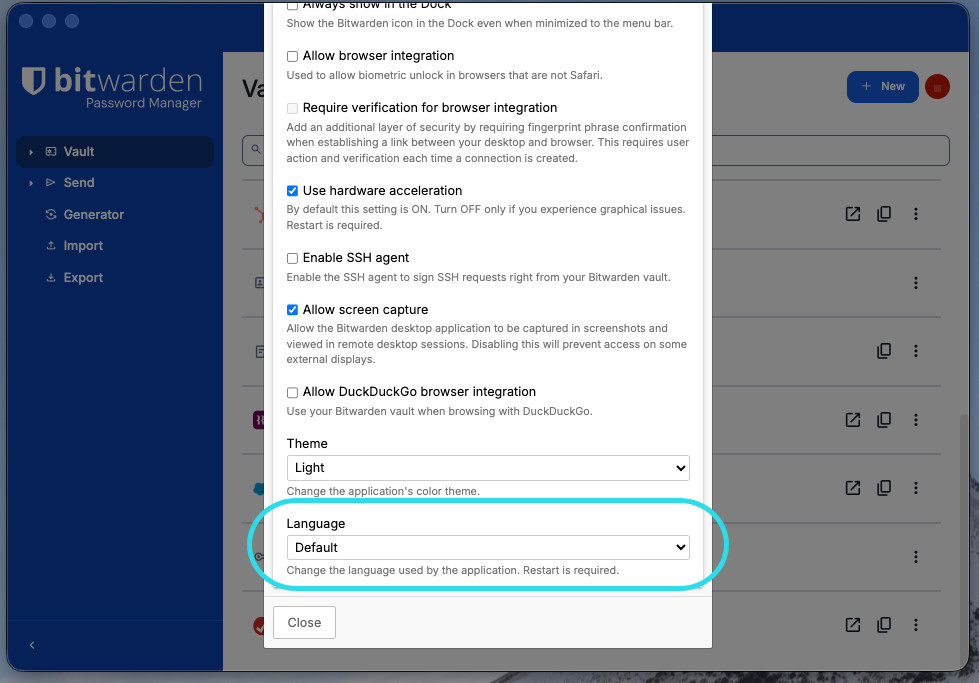
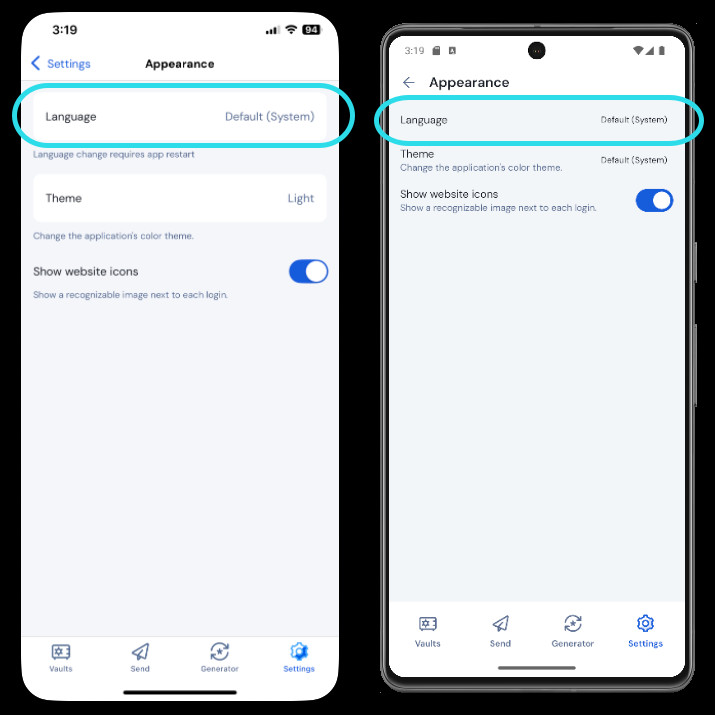
To change the language of a Bitwarden app:
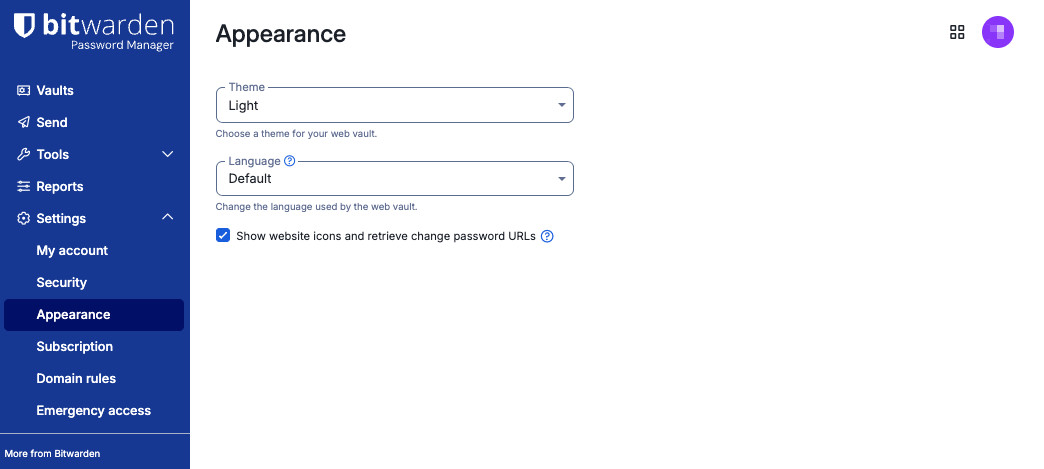
The Bitwarden web app will default to the chosen language of your web browser, which is often in turn determined by your device's system language. To manually override this default and set a different language for the Bitwarden web app:
Select Settings → Appearance from the navigation:
Web app appearance Select a language from the Language dropdown.
Currently supported languages
The following languages are currently supported. Please note, not all languages are available for all client applications:
Symbol | Language |
|---|---|
af | Afrikaans |
ar | الفصحى العربية |
az | Azərbaycanca |
be | Беларуская |
bg | български |
ca | català |
cs | čeština |
cy | Welsh |
da | dansk |
de | Deutsch |
el | Ελληνικά |
en | English |
en-GB | English (British) |
eo | Esperanto |
es | español |
et | eesti |
fa | فارسی |
fi | suomi |
fr | français |
gl | Galician |
he | עברית |
hi | हिन्दी |
hr | hrvatski |
hu | magyar |
id | Bahasa Indonesia |
it | italiano |
ja | 日本語 |
ko | 한국어 |
lv | Latvietis |
ml | മലയാളം |
mr | मराठी |
my | မြန်မာဘာသာ |
nb | norsk (bokmål) |
ne | नेपाली |
nl | Nederlands |
or | ଓଡ଼ିଆ |
pl | polski |
pt-BR | português do Brasil |
pt-PT | português |
ro | română |
ru | русский |
sk | slovenčina |
sr | Српски |
sv | svenska |
te | తెలుగు |
th | ไทย |
tr | Türkçe |
uk | українська |
vi | Tiếng Việt |
zh-CN | 中文(中国大陆) |
zh-TW | 中文(台灣) |
Don't see your language?
If your language isn't listed in the web vault or desktop app, or if your browser extension or mobile app isn't dynamically using your language, we want your help!
Bitwarden uses a translation tool called Crowdin to manage our localization effort across many different languages (no programming knowledge required).
To contribute to or make corrections to an existing translation, join our project.
To start translating Bitwarden to a new language, join our project and contact the project owner.