

Proton Authenticator
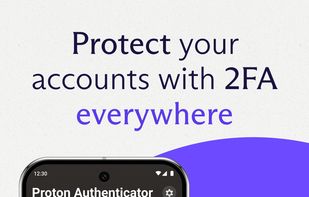
Protect your accounts with Proton Authenticator, a private and secure cross-device two-factor authentication (2FA) that works offline. Created by Proton, the creators of Proton Mail, Proton VPN, Proton Drive, and Proton Pass.
Platforms
- Mac
- Windows
- Linux
- Online
- Android
- iPhone
- Android Tablet
- iPad
- F-Droid
- OpenAPK

Features
Properties
- Privacy focused
- Lightweight
Features
- Biometric Authentication
- Ad-free
- No registration required
- Works Offline
- Dark Mode
- Cloud Sync
- FIDO U2F (2FA) support
- Automatic Backup
- No Tracking
- End-to-End Encryption
- Two-factor Authentication
- Time-based One-time Password
- AES-256 Encryption
- Cross-Platform
Proton Authenticator News & Activities
Recent News
- Proton launches business suite offering to compete with Microsoft 365 and Google Workspace
Proton has launched Proton Workspace, uniting all of its privacy-focused tools into a single platfo...
- Proton Authenticator launches on F-Droid with version 1.3.4
Proton Authenticator is now available on F-Droid as of Version 1.3.4, expanding access beyond Googl...
- Proton launches new free open-source Authenticator with E2E encryption on all platforms
Proton has launched Proton Authenticator, a new open source two-factor authentication app with priv...



Recent activities
Overall pretty good-- but no way to remove authenticators from the list?


Featured in Lists
DeMicrosoft Your Life
Recommended Software for the Average Joe and Jane [1/3]
Official Links
AppStores & Other Links
What is Proton Authenticator?
Protect your accounts with Proton Authenticator, a private and secure cross-device two-factor authentication (2FA) that works offline. Created by Proton, the creators of Proton Mail, Proton VPN, Proton Drive, and Proton Pass.
Proton Authenticator is open-source, end-to-end encrypted, and backed by Swiss privacy laws. It’s the safest way to generate and store your one-time passwords (TOTP) for 2FA Login.
Why Proton Authenticator?
- Free to use: No Proton account required, ad-free.
- Offline support, on mobile and desktop apps
- Sync your 2FA codes to all your devices with end-to-end encryption.
- Enable automatic backups for peace of mind
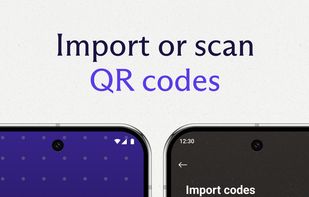
- Easily import from other 2FA apps, or export from Proton Authenticator.
- Protect your account with biometrics or a PIN code.
- Open-source transparency, verifiable code.
- Protected by Switzerland’s privacy laws.
Trusted by millions. Built by Proton.
Proton Authenticator information
Developed by
CH flagProtonLicensing
Open Source (GPL-3.0) and Free product.Rating
Average rating of 4.8 (12 ratings)Alternatives
79 alternatives listedNews
3 news article related to Proton AuthenticatorBadge
Get an embeddable badge for Proton AuthenticatorSupported Languages
- English
- Dutch
- French
- German
- Italian
- Polish
- Portuguese
- Russian
- Spanish
- Turkish
AlternativeTo Categories
Security & Privacy, Backup & SyncApple AppStore
- Updated
- 4.38 avg rating
GitHub repository
- 340 Stars
- 29 Forks
- 0 Open Issues
- Updated
Our users have written 4 comments and reviews about Proton Authenticator, and it has gotten 119 likes
Comments and Reviews
Not as good as Ente yet but they've worked out all the major issues since first launch and now I use this as backup. It's easily the 2nd best behind Ente and the only other TOTP authenticator I recommend.
Overall pretty good-- but no way to remove authenticators from the list?
I like proton authentificator because its the only authentificator that also runs on windows and where i can sync the codes encrypted between my phone and laptop. And its pretty basic
I'm truly honored to be using this app right from version 1.0.0, mere hours after it was announced on the site. The sync feature with my Proton account is a game-changer. UI/UX-wise, it's as smooth as Proton's other offerings. That said, the icon selection is limited and non-customizable at the moment. Still, it meets my needs perfectly for a v1 release, working great on both desktop and mobile. I've tried tons of auth apps in the past—Google Authenticator, Microsoft Authenticator, Ente Auth, 2FAS, Aegis, you name it—but I'm switching to Proton full-time, with Ente as my backup plan.