
PrivacyNotes
Workspace with end-to-end encryption, zero-knowledge security, rich notes, private journal, encrypted file storage, password management, cross-platform browser access, open-source cryptography, optional Pro features, and no recurring subscription fees.
Cost / License
- Freemium (Pay once)
- Open Source (AGPL-3.0)
Application typeApplication types
Origin
- US flagUnited States
Platforms
- Mac
- Windows
- Linux
- Online
- Android
- iPhone
- iPad
- Google Chrome
- Software as a Service (SaaS)
- Mozilla Firefox

Features
Properties
- Privacy focused
- Lightweight
- Distraction-free
- Support for Themes
Features
- AES-256 Encryption
- Private notes
- No registration required
- Dark Mode
- End-to-End Encryption
- Automatic Backup
- No Tracking
- Encrypted Backup
- Reminders
- Support for MarkDown
- Full-Text Search
- Works Offline
- Live Preview
- WYSIWYG Support
- Subtasks
- Cloud Sync
- Syntax Highlighting
- Ad-free
- No Logs
- File Tagging
- No Coding Required
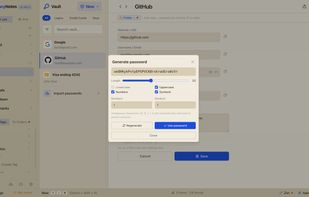
- Password Generator
PrivacyNotes News & Activities
Recent News
- AlternativeTo welcomes PrivacyNotes as our new official partner!
We're thrilled to announce that PrivacyNotes is joining the AlternativeTo family as our newest offi...

Recent activities




What is PrivacyNotes?
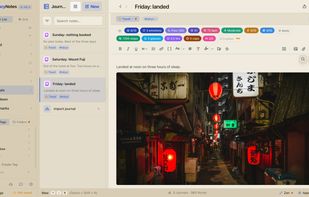
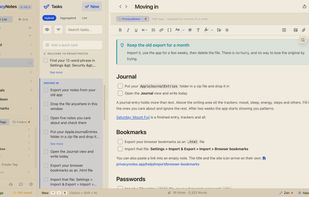
PrivacyNotes is an encrypted workspace for everything you'd never trust to a regular notes app. It brings three tools together in one place: rich notes, to-dos and tasks, and a private journal, plus encrypted file storage and a built-in password vault.
Everything is end-to-end encrypted and zero-knowledge by default. Your data is encrypted on your device before it ever leaves it, so no one else can read it, including the team that built the app. Unlike cloud notes apps that scan your content or lock sync behind a monthly subscription, PrivacyNotes is privacy-first by design.
PrivacyNotes information
Developed by
US flagLifetimeLabsLicensing
Open Source (AGPL-3.0) and Freemium product.Pricing
One time purchase (perpetual license) ranging between 48ドル and 89ドル + free version with limited functionality.Written in
TypeScript iconTypeScriptRating
Average rating of 4.7Alternatives
58 alternatives listedBadge
Get an embeddable badge for PrivacyNotesSupported Languages
- English
- Arabic
- Catalan; Valencian
- Czech
- Dutch
- French
- German
- Italian
- Japanese
- Korean
- Polish
- Portuguese
- Spanish
- Swedish
- Chinese
- Turkish
AlternativeTo Categories
Security & Privacy, Office & Productivity, Backup & Sync, File ManagementApple AppStore
- Updated
- 5 avg rating
GitHub repository
- 472 Stars
- 37 Forks
- 50 Open Issues
- Updated
Our users have written 4 comments and reviews about PrivacyNotes, and it has gotten 31 likes
Comments and Reviews
I like it, it is functional, reliable, and goodlooking
The application has many strengths, yet it also presents an equal number of limitations.
To elaborate: as a note‐taking tool, it is well‐designed with solid search, tagging, rich note editor, very responsive and lightning sync across desktop and mobile. At one stage, I genuinely believed I had found my next long‐term note‐taking solution, and I even considered upgrading to the Pro plan. However, each time I reached the checkout, I hesitated, as several essential features for my workflow were missing.
Naturally, every user’s use case is different. For me, one of the primary concern was storage. The free plan is clearly structured to encourage an upgrade, but the 500 MB limit did not inspire confidence. Having taken notes for 15–18 years exclusively plain text, with no attachments, my library is extensive. I imported a small portion into Privacynotes without issue, only to immediately encounter a storage warning. This raised another important question: even with a Pro subscription, how much of that 500 MB would my full archive occupy? Later on, I imported around ~11 000 notes. The application handled them flawlessly, but syncing ceased due to the storage cap. As someone who writes/takes notes frequently, that constraint alone made me reconsider. I deleted a huge chunk to be within the storage limit to facilitate syncing.
Despite this, I continued to use the app occasionally alongside my primary tool (One Jotter). Over time, however, I noticed additional shortcomings. Many features were understandably placed behind the Pro paywall (nothing wrong), but some fundamental functions such as folders were also restricted. Even after deleting my entire imported library, the empty folders remained, which was frustrating.
Ultimately, the decisive factor was the inability to share notes on mobile. I initially overlooked this limitation, but given how I work, the absence of mobile sharing rendered the app impractical for my needs and led me to discontinue its use.
Amazing app I cant live without
Nothing in the market like this. Its everything private note app should be
Bip 39 are you kidding me - out of this world
I've been using PrivacyNotes for a while now, and it's replaced a bunch of apps I used before. Instead of juggling separate apps for notes, habits, mood tracking, activities, and important dates, I just keep everything here.
The free version is already generous, but I upgraded because syncing between my phone and PC was something I actually needed. The one-time payment means I never have to think about another subscription, which is honestly a huge relief.
Since I track some really personal things, I like knowing my data isn't just being used to build an advertising profile and used to sell me stuff.