Protect your important data with Automated File Backup Tool, a reliable, secure, and lightweight Windows application for automatic file backup and folder synchronization. Whether you need to backup files to an external hard drive, NAS, network drive, or local disk, this tool...
Protect your important data with Automated File Backup Tool, a reliable, secure, and lightweight Windows application for automatic file backup and folder synchronization. Whether you need to backup files to an external hard drive, NAS, network drive, or local disk, this tool automates the process and ensures your data is always safe.
Why Choose Automated File Backup Tool?
• 100% Private & Secure – No cloud required. All data stays on your local drives, external USBs, or network storage. No data is ever sent to external servers.
• 15-Day Free Trial – Test all features with zero commitment. One-time purchase, use forever!
• Set It and Forget It – True automation that runs efficiently in the background without slowing down your PC.
Key Features:
• Smart Incremental Backup – Copies only new and modified files, saving massive time and disk space.
• Multi-Destination Support – Back up to multiple locations simultaneously (USB, NAS, Local Disks) for maximum data security.
• Automatic Scheduler – Set a recurring backup schedule (hourly, daily, weekly) and let the tool handle the rest.
• Preserves Folder Structure – Maintains the original folder hierarchy, making file restoration quick and intuitive.
• Long Path & UNC Support – Flawlessly handles file paths longer than 260 characters, including network drives and shared folders.
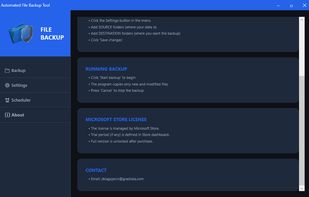
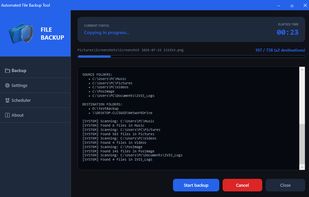
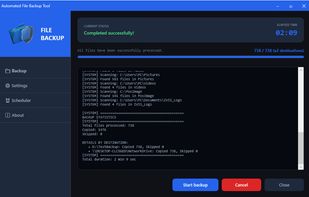
• Modern & Intuitive Interface – Clean, dark-themed UI with real-time progress tracking and detailed execution logs.
• Portable Configuration – Settings are stored locally in %LocalAppData% – easy to back up and restore.
How It Works:
Configure – Add source folders (your data) and destination paths (where you want the backup).
Set Schedule – Choose when you want automatic backups to run (daily, weekly, or specific days).
Run – Start the backup manually with one click or let the automated scheduler run it in the background.
Monitor – Track progress in real-time with detailed logs and clear status indicators.
Ideal For:
• Business Users & Freelancers – Protect critical business documents, projects, financial records, and databases.
• Home Users – Safeguard priceless personal files, family photos, music, and videos.
• IT Professionals & SysAdmins – Perfect for automating routine backups on client PCs, network drives, and workstations.
Technical Specifications & Requirements:
• Platform: Windows 11 / Windows 10 (x64)
• Framework: .NET Framework 4.8 (automatically installed if missing)
• Storage: Only 100 MB available disk space required
• License: 15-day fully-featured free trial, followed by a one-time purchase (No subscriptions!)
Download Automated File Backup Tool today, secure your data, and enjoy total peace of mind!



No comments or reviews, maybe you want to be first?