Discover a free, open-source solution for disk imaging and cloning. Clonezilla ensures efficient large-scale deployment by simultaneously cloning over 40 computers. Supports unicasting and multicasting for versatile backup, based on Partclone and more for enhanced speed. Ideal for tech pros.
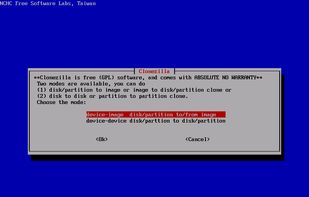
Choices to save or restore partition or disk in clonezilla
Comment summary: Clonezilla is widely regarded as an efficient and reliable cloning tool, with users appreciating its open-source nature and extensive support for various backup mediums, such as Samba, external, and internal drives, and USB. While it offers powerful features and a small footprint, some users note its limitations, like a lack of differential or incremental backups, requiring unmounted partitions before imaging, and a dated user interface. Its performance is often compared to alternatives like Macrium Reflect, which allows backups during system operation.
Top Positive Comment
Sharif
★★★★★
•
3
The tool is working well; I had to image the system using Clone in order to move the system to a new drive, and it works very well. I highly recommend it.
If you want to use this with windows, you’ll need to put the installation file on a bootable USB or CD/DVD, restart your PC, and boot from the USB or DVD. It takes an effort vs a program like Hasleo which makes cloning easy.
Setup and use are confusing starting with choosing the version Amd64, i686, or i686-pae, (my understanding is that you use i686 for 64bit intel systems) Generally your second drive must have an equal or larger capacity. Clonezilla optionally provides an advanced –icds mode, which can let Clonezilla ignore disk size while cloning or restoring. That’s to say, if you use this mode, Clonezilla will not check the destination disk size before creating partition table." .. doesn't sound safe.
Tiago Sousa
★★★★★
•
0
Best free-open tool. Better than payd tools
WeiHua Liu
★★★★★
•
Edited
0
Clonezilla can be installed and run on a live session or a locally installed GNU Linux distro.
Menu-based TUI cloud be a little inconvenient for Windows users.
tuva-hayabi
★★★★★
•
1
Clonezilla worked fine the one time that I used it so far. The clone ran flawlessly.
Guest
★★★★★
•
3
An important note: While the AlternativeTo page for it says it does, Clonezilla does NOT support Incremental or Differential Backups yet.
Review from a new or low-activity account — shown here, but not counted in the app rating.
DiskCrasher
★★★★★
•
1
It's decent for whole drive imaging but the UI is dated and options are rather confusing. I've had some issues with it in the past.
This is going to be a list of the free tools/software that can be used mostly in any field. it's based on websites recommendations, personal experience and YouTube videos. If there's any software that you like to be added here pls inform me so we can do it together. They won't be in the alphabetical order. Together we can do it. If you find any software in the list that's not free let me know
I have noticed in general that the recommendation list for alternatives on this site is broken when it comes to Linux Distros. Often times when looking for a server distro or gaming distros, I will get generic recommendations. This list seeks to provide true alternatives based on use-cases for the most popular Linux distributions out there!
Update: I've updated this list with new entries and categories for 2026 in a brand-new list:
Clonezilla is a free software disaster recovery, disk cloning and deployment solution.
You're probably familiar with the popular proprietary commercial package Norton Ghost®. The problem with these kind of software packages is that it takes a lot of time to massively clone systems to many computers. You've probably also heard of Symantec's solution to this problem, Symantec Ghost Corporate Edition® with multicasting. Well, now there is an OpenSource clone system (OCS) solution called Clonezilla with unicasting and multicasting!
Clonezilla, based on DRBL, Partclone and udpcast, allows you to do bare metal backup and recovery. There are two types of Clonezilla available: Clonezilla live and Clonezilla SE (server edition).
Clonezilla live is suitable for single machine backup and restore.
Clonezilla SE is for massive deployment, it can clone many (40 plus!) computers simultaneously.
Clonezilla saves and restores only used blocks in the harddisk. This increases the clone efficiency.









Comments and Reviews
The tool is working well; I had to image the system using Clone in order to move the system to a new drive, and it works very well. I highly recommend it.
If you want to use this with windows, you’ll need to put the installation file on a bootable USB or CD/DVD, restart your PC, and boot from the USB or DVD. It takes an effort vs a program like Hasleo which makes cloning easy. Setup and use are confusing starting with choosing the version Amd64, i686, or i686-pae, (my understanding is that you use i686 for 64bit intel systems) Generally your second drive must have an equal or larger capacity. Clonezilla optionally provides an advanced –icds mode, which can let Clonezilla ignore disk size while cloning or restoring. That’s to say, if you use this mode, Clonezilla will not check the destination disk size before creating partition table." .. doesn't sound safe.
Best free-open tool. Better than payd tools
Clonezilla can be installed and run on a live session or a locally installed GNU Linux distro.
Menu-based TUI cloud be a little inconvenient for Windows users.
Clonezilla worked fine the one time that I used it so far. The clone ran flawlessly.
An important note: While the AlternativeTo page for it says it does, Clonezilla does NOT support Incremental or Differential Backups yet.
It's decent for whole drive imaging but the UI is dated and options are rather confusing. I've had some issues with it in the past.