Showing posts with label iPhone. Show all posts

Monday, September 29, 2014

iPhone 6 PLUS versus HTC ONE (M8) preview


I finally got an iPhone 6 PLUS to go along with my HTC ONE(M8). This isn't meant to be a complete shoot-out. I'm just going to jot down some initial impressions. When I have more time, I may do a full write-up.

This might be an odd comparison since the HTC ONE M8 size is a closer match to the smaller 4.7" iPhone 6. However, because of the screen resolution, I think it is a better comparison to the 6 PLUS. The HTC ONE is straddled between both iPhones in terms of size.


Both are premium machined metal bodied made devices but I have to say the iPhone 6 feels really good in the hand. The HTC One is a bit fat in the middle. However, I'd say the HTC is a better one-handed phone to use. Prior, I was carrying the iPhone 5 and HTC ONE. Back then, I thought the HTC ONE was huge with it's 5" screen but after a week with the iPhone 6 PLUS, the HTC ONE feels really small. I guess what I am saying is you will get acclimated to the size difference.

The feeling of smallness on the HTC ONE is probably attributed to the UI of Android and HTC Sense. Even though both are 1080p (1920x1080) resolution screens and both have the same physical resolution real estate, the iPhone 6 Plus simply shows more data. The fonts/typeface (even at the smallest settings), the title bars, menu bars are simply way to big on the HTC ONE (M8). Screen real estate is also affected by the Android virtual soft key buttons.

Here are some examples. These are the screenshots of the mail list of my Outlook account in landscape mode.


The same list in portrait mode.


And the contents of the same email newsletter. Note, I had the fullest zoom-out on both emails.


You can say this is the fault of HTC's mail client and their apps. Yes, that is possible. However, even compared to Google's native GMAIL client, the iOS email experience is a little bit better. The gesture selection is very intuitive when it comes to deleting, filing and archiving emails on iOS.

However, not everything is perfect in iOS. There are apps that still need to be optimized for the new iPhone 6 and iPhone 6 PLUS. Legacy apps look blown up on the new iDevices. Case in point: Instagram and Facebook. These also suffer from overtly large UI elements. However, due to the volume of iPhone users, I'm pretty certain most apps will be upgraded soon enough. Twitter on iOS 8 looks very good.


Going back to iOS 8 after an absence is pretty good. I really missed the quality apps and I have to say, there are so many good iOS apps.

For example. SSH clients. This is what I use my phones for most of the time. To access remote UNIX/LINUX servers remotely.

Here is Cathode on iOS. A very cool and awesome SSH client.


Now compare it to what I've been using on Android for a while. JuiceSSH.


As you can see the HTC ONE (M8)'s UI is made smaller with status bars and the virtual soft keys. I simply think screen real estate management can be better handled on Android.

Now what looks more fun to use? Both have SSH-Key authentication and virtual soft keys. If you don't want silly geeky fun of Cathode, there are countless other great iOS SSH client apps. There are also better MySQL Clients, RDP, VNC,etc on iOS.

First party apps are also a joy to use on the new iPhone.

Pages compared to Google Docs.


and


Compared to Google Docs.


Simply, there is still a lot of awkwardness and I can't pinpoint it on the HTC. Maybe it is the careful selection of typography that Apple spends details on.


Again, the use of real estate on web browsing also makes a big impact on user interaction and satisfaction. I really like the feel and transitions of the full screen on Safari. I missed the tap to top for months and now I have it back with the iPhone 6.


By default, you don't get full screen on Android as the virtual keys take up space. However, there are 3rd party apps and full screen solutions on the Google Play Store (that don't seem to work quite well).


Again, I guess the point I am driving home with this comparison is that despite the fact both have the same screen resolution, the iPhone 6 Plus makes better use of it. As I said, the HTC ONE (M8) simply feels small now.

I really dig the landscape mode. Yes, I know I've been able to do it for years on Android with various launchers but it is really nice to use it on iOS. It makes having the Plus worth it for me over the standard iPhone 6. As most of my work revolves around emails, remote Linux server connectivity, and database work, I prefer the landscape orientation. I use my iPhone for work and now it is even a better tool at it.


There are also some other major differences. The iPhone 6's camera is simply awesome. I'm not going to go into detail here as you can read dozens of online reviews and analysis from such places as DxoMark. Simply, the iPhone 6 has a very good camera.
The HTC ONE M8 camera's IQ wasn't that bad. Not as bad as you would believe from Internet trolls. But the major problem with the HTC ONE isn't the picture quality, it was the physical construction. The iPhone 6 uses a sapphire coated lens whereas the HTC ONE uses some film coating which leads to scratches. Simply, it easily gets scratch and this really bothered me. I wrote about it here : http://fortysomethinggeek.blogspot.com/2014/08/htc-one-m8-little-details-that-piss-me.html

The scratched camera lens on the HTC is a common problem and it really pushed me away from using it for photography for months. For months, I carried my Fuji XF1 because I could not rely on the HTC.

Then there is the other issue with the HTC ONE (and Android in general). The SD card. I bought an 128GB microSD card and it was rendered useless as you can read here: http://fortysomethinggeek.blogspot.com/2014/05/htc-one-m8-android-kit-kat-sd-card.html .
Seriously, the idea of a removable SD card is a major selling point of the Android ecosystem and Google now has deemed it not worthy so they have been locking it down. For that reasons, I opted to get the 128GB iPhone 6 Plus. Considering the cost of an UHS-1 128GB micro SDXC card, the new Apple price tiering isn't so bad and actually worth it.

Then there is the issue of Linux compatibility. I could never get the HTC (or ANY Android device since the Galaxy Nexus) to properly mount in Debian based Linux. There were work-arounds and stuff like that but it never worked reliably. MTP Android and Linux is still an issue for me. The iPhones (and iOS devices in general) were always problem free for me. They simple mount on Linux and I can copy files easily to my apps. If I wanted to copy a 8GB MKV to a video player, it wasn't a big deal. This was all great until now. As of this writing, I can only mount iOS 8.0.2 and the iPhone 6 safe volume. This is the volume where you can pull images, PDFs,etc. At this time, I can't mount the other volume where I can drag and drop files for my 3rd party apps. So it isn't quite perfect right now but usually after a new iPhone introduction, the libimobile utilities are quickly updated.

Conclusion.

It is pretty obvious that I am enjoying the iPhone 6 Plus. With the exception of the camera and sdcard issues on the HTC ONE, they're both good phones. I just think Apple did a really good job on this new iteration. I can see how it can capture sales. This is a solid release. When I have more details, I may go into some more comparisons.


Wednesday, August 6, 2014

iPhone is still an awesome SysAdmin tool. Literally fighting and warding off hackers with an iPhone.


As many of my readers know, I carry two phones. An iOS and an Android phone. However, when it comes to any real work, I use my iPhone. It has been very reliable and I've been using different versions of the iPhone to avert disaster in the last 7 years. Sure, many of these things you can do with Android. However, I have had problems mostly with VPN connectivity. As many already know, Android did not support IPSEC group cisco-vpn for many, many years. Thus, I've been using iOS as my go-to device. The largest screen in the world can't help you if you don't have connectivity access.
I also prefer some of the iOS equivalent apps. For example, Connectbot and JuiceSSH are no equivalent to iSSH.

Well, here is an example I would share with some of my readers why the iPhone still rocks!
Typical crisis scenario: Waiting in line for the latest movie, Guardian of the Galaxy, and the phone is ringing off the hook with NAGIOS notifications. NAGIOS is telling you that some servers are degraded or offline. You can either rush to the car or back to the office or.... Server meltdown and crisis needs to be fixed ASAP. What do you do? Well, that has happen to me on many, many occasions. When it does happen, I rely on my iPhone. It also happend over the past weekend.

I use NAGIOS which is an enterprise grade network and intrusion monitoring. And boy, I constantly get text and email messages for down servers or degraded services. You know, the kind where Russian and Chinese hackers are chomping away. It is good to SSH in and apply a firewall rule just like that. I can restart services or launch redundant failovers.


Besides sysadmin duties, there are plenty of other scenarios where it comes in handy. Often times, I may be at lunch and a client wants me to export a MySQL report into an Excel spreadsheet. Easy. MysqlDump the query to a CSV delineated file then convert into Excel .XLS on the iPhone. And yes, I do this on a small 4" screen. iSSH has really good multi-touch gestures that makes up for a smaller screen. I actually prefer using iSSH over JuiceSSH on my HTC ONE M8. Thus, you can see why I a still a dedicated iOS user.

The other day, a client's email server was getting hammered with a brute dictionary attack. Within 15 minutes, I installed Fail2Ban and scp (Secure shell copied) a working configuration that monitors SASL intrusion with my iPhone. The attack was a coordinated brute force password "guessing" on the SMTP mail server. They hit the servers hundreds of times per second so that the server can't handle regular requests. With my iPhone, I logged in via SSH and scp a working /etc/ config (from another server) and bam, Fail2Ban was monitoring the mail logs and blocking African, Russian, and Chinese hackers in real-time. All of this was done in real time. And it was done using an iPhone.

Fail2Ban is actually very cool but that can be a different subject on a different blog post. Basically, it is a POSIX daemon that monitors log files and can be configured to block malicious intruders. You can configure it to monitor different services and if there are so many attempts (say 3-4), you can deny them via deny-host of through a firewall IPFW rule. If this sounds all alien to you, lets just say, all you need is console access to install, configure and set-up.


If I can get root and shell access, I can handle crisis like this with my 4" wonder gadget. Another crisis averted. So the point is, devices are tools and you make it is what you want it to be. Thus, I still get a laugh when people say you can't do real work on a mobile device.

Monday, July 14, 2014

iStabilizer Dolly Short Review


OK. I saw this in one of my Facebook feeds and it was marked down 40% off so I went for it.
The gadget is called the iStabilizer Dolly and I snagged one for 40ドル at this link.

It is a Panning "stabilizer" dolly for small cameras. It is targeted for iPhone and smartphone users. However, my larger HTC ONE M8 didn't fit the cradle. It has a standard tripod screw head so you can use any small camera/dSLR with it. Think of this as a mini tripod on wheels. I've always been trying to get the perfect panning shots and I figure 40ドル is a small price to pay for something that will improve my shots. You can read my short review and watch my demo shot to conclude if this is a cheap thrill gadget worthy of your consideration.

First, the packaging is real simple. The wheel base, the adjustable pod, and a smartphone cradle. I didn't even find any instructions nor did I need it. It is pretty easy to set-up.


Next, it has adjustable wheels so you can have it go in a curve, certain angle, or straight. The tripod stick articulates like a Joby and similar gadgets. This allows you to do crazy angles or pan an object in circles. It could come in handy if you wanted to shoot something like jewelry on a table.


Here are hero shots with the iPhone and Olympus Micro 4/3 OM-D camera. This is how it looks like with cameras/phones attached. It is very low to the ground. I think it is too short to be of meaningful use. I guess you can prop it up if you plan to improvise.


Next, I would not call this a "stabilizer." Panning Dolly, yes. It does work as a Panning Dolly but stabilization is out of the picture. I think the name is a bit misleading.

However, you will need a pretty flat surface. You can use plywood or something flat to help smooth out the panning but the wheels have no articulation or suspension to stabilize the shot. Shooting with an iPhone, I could not get any decent shots. This is mostly due to the focal length of the iPhone's lens. After most tries, I found it too jerky to be of any good. I had to resort to using my Olympus OM-D which has optical and digital built in stabilization. I shot in various locations around my house with hardwoord floors.

Here is a sample footage shot with an Olympus OM-D in 1080p.


Was it worth 40ドル? I don't really know. I'd need to be in a situation where I needed that panning B-roll shot. Still, I think it is cheaper than rolling my own contraption with various bits and pieces from a hardware store.

Monday, February 3, 2014

1.24.14 Apple Ad Shot with the iPhone.


So Apple put out a pretty cinematic TV ad, shot entirely on the iPhone. The director was Ridley Scott's son, the editor was the legendary Angus Wall and Lee Clow (Creative Director of the original 1984 Ad) collaborated. The video is pretty impressive but what I liked the most from reading the "behind the scenes" was not about the technology being used. It was .....

It was the chairs. Damn right, I was drooling over the Aluminum Group chairs used by the editing crew. So many of them! I was sitting in my Soft Pad Aluminum Group chair all weekend at home; wondering if I'd ever get the similar chairs at work in the office. That would be such a great perk to have. I rarely sit on mine because I'm rarely in my bedroom office. Most of the time, it is draped under a throw to protect it from the sun but when I sit on mine, I love it. I've been looking to add two more Task Chairs (like the ones pictured below) to compliment my Soft Pad.


(images by Apple)


iMacs, Macbook Pros, even the new trash can 2013 Mac Pro? Nah, I'm more interested in those chairs. Money shot right here folks. In 2-3 years when those computers get listed on Craigslist after their obsolescence, these chairs will still be worth money.

Just look at how many Eames Task chairs they have! Everyone has one. And they're not knock-offs either. 3200ドル a piece. Just drooling. And you thought I was going to talk about computers and gadgets in this post.


Friday, January 3, 2014

Cracking open an iPhone 5

Cracking open an iPhone is a lot easier than I thought. A few tools and youtube tutorial was all I needed.


Wednesday, December 18, 2013

Apple Misunderstood Commercial

I have to say this is one of the most compelling commercials Apple has ever made and it really hit home to me.


It is called "Misunderstood" and chronicles the holiday get-together with a lonesome teenager who seems to be pre-occupied with his smartphone. What the family doesn't realize until the end is a kid making a family video as a gift. It is a real tear jerker because I've experienced the same thing.

Our entire extended family expects me to be the videographer of family events. When I don't lug around a big SLR, they seem to be dissapointed but often get a pleasant surprise usually before the end of an event. At a wedding, baptism, or soccer game, I'll have a fully edited video using iMovie complete with opening titles, nice transitions, and color graded effects before everyone heads home. This is why the Apple ecosystem is inherently so powerful. At any given functions, I'll have relatives with the latest Note 3, Nexus 5 and ultra fast new smartphones but none of them can produce the level of video professionalism as an iPhone/iMovie combo. The look on the eyes of a braggart relative, with his latest and greatest tech gadget, is priceless when his enthusiasm is drowned out by the simplicity of a nicely edited, thoughtful video.

I've had some real tear-jerker moments that could be made into compelling commercials. For example, at the birth of my daughter, my then 4 year old son was at home with his grandma as hospitals don't allow minors in the delivery room. As my wife was giving birth to our daughter, I called him on Facetime. He, a four year old toddler, answered the call and said hi to his newly brand new little sister via video chat. The nurses and delivery doctors were impressed and said hi to my son. It was one of those most touching moments that I will never forget for the rest of my life. My son was elated to see his sister and felt like he, too, was experiencing the birth of a new human. Touching indeed. Facetime, simple idea, but inherently so powerful that can only be described when you experience it. There are hundreds of little other moments like that.

Hence, this is why people should not be caught up in tech specs. Good software design makes magic happen.

Monday, September 16, 2013

64 bit iPhone and the future of the iOS

The iPhone 5S has brought about a lot of disinformation on the internet. Everyone seems to have an opinion and I'll throw in my two cents.


See the picture above? That is a 1990s era Silicon Graphics Octane Irix Workstation that I used to work with in the 1990s. It has a total RAM configuration of 2 GB. Yep, 2 Gigs of RAM. All the MIPs based RISC workstations I worked on were all less than 4GB of RAM and ran 64 bit. DEC, SGI, Sun Solaris. What does it prove?

You don't need more than 4GB of RAM to realize the benefits of 64 bit computing. I don't profess to be an expert on 32/64 bit but I do know that there are many more advantages to 64 bit besides addressing more than 4GB of RAM. Addressing more than 4GB of RAM does not require 64 bit hardware/OS as we've seen with PAE extensions.

Now that we have that of the way, what are my thoughts?

Well, I do agree that the move to 64 bit will have very little material impact on consumers today. There will be some specific use cases but I think this is more about laying the ground work for the future.

A few scenarios. AppleTV and future iPads will benefit. I see Apple will venture into gaming in a big way. The original XBOX, Playstation all had 256-512MB of RAM. The newest forthcoming XBOX, PS4 now support 8GB of RAM. The AppleTV, in my opinion, may be a next platform gaming platform. IOS7 now has built in APIs for game controllers. iOS7 now supports OpenGL 3.0.

Next scenario is a hybridization of iOS and OSX. We may well see a Macbook AIR with ARM in 3-4 years. It is inevitable when all the pieces of the puzzle are in place.

In the near immediate future, the move to 64 bit iOS will allow OSX developers to easily port their great apps to iOS with the new improve Toolchain in XCode. I am thinking of ultra cool apps like Hype HTML5 animation and Pixelmator will be easier to port to iOS. To me, this is the biggest draw.

So what about everybody else? 64 bit in the mobile space is an will spread across all the platforms but for now, Apple does have the marketing and the rights to claim the first 64 bit smartphone. As for those who claim the Motorola Razor I with the ATOM z2480, they're completely wrong. The Z2480 SoC is a 32-bit SOC.

Android may go 64 bit. The GCC compiler was recently updated this May of 2013 to support 64 bit ARM so I don't expect we will see a 64bit OS on Android until version 5.

I doubt I will be getting a 5s. I carry two phones (Android and iPhone) and tick-tock updates every year. This year, I will probably get a Note 3 (from work) to compliment my iPhone 5. I will definitely be getting the next A7x powered iPad. The next year, I'll get the iPhone 6.


Monday, March 4, 2013

GeChic on-lap 2501m portable 15" monitor review


This is an interesting and highly unique monitor that deserves a review.


Summary: This is a laptop screen without the laptop. It is a battery powered HD 1336x768 15.6" monitor with HDMI, MHL and optional VGA inputs. It runs off battery or powered via USB. In short, a highly portable spare 15" monitor. This monitor can be purchased from NewEgg for 250ドル.

As you can see below, a single MHL cable is all that is needed to display from a Galaxy Nexus. Add a bluetooth keyboard and you have yourself a portable computer. The MHL cable even charges the phone. The picture above with the Macbook shows it can be used as a secondary display with HDMI. Everything is running off battery. It can be charged via USB as well.


Preface:

I was looking for a spare monitor for various projects I've been working on. No one sells a DVI/HDMI/VGA monitor under 15" anymore. Sure, you can get a used, refurb 15" Dell LCD on eBay that will be strictly VGA. There are a few 7-9" Liliputian monitors advertised as field monitors but they only have native resolution of 800x480/1024x600.

I thought about going the 720p TV route at the local Target/Walmart but those are still rather large. I also have a few small displaylink monitors that work great and only require a USB cable. Unfortunately, my Linux projects and old servers require VGA. I also have an itch to play with small embedded ARM devices like the Raspberry PI/MK802 Android sticks that require HDMI.
Hence my dilemma and it was easily solved by one company, GeChic.

They offer a 13" model for a modest 175ドル that accepts HDMI and is powered by USB.
Then, I saw a newer 15" model that was battery powered and also supports MHL (Mobile High DefLink) found in many new smartphones and tablets. Wow, this was the ticket to my dilemma.

And that is where we are now. Today, I'm going to give you my impressions of this highly unique product.

Impressions:

After reading many other reviews, this product addressed many of the shortcomings of the original 13" unit. It also appeared to be better than many of the Korean export Shimian MHL only 9.7" portable monitors. Unlike some of its competitors, this sports a 1336x768 resolution vs the Shimians or Liliputs at 1024x768 /1024x600. I'm not fond of that resolution but what else is there in this form factor? The GeChic are probably the best-in-class for this form factor.

Many of the other Korean/Chinese portable field monitors advertise being 1080p but when you read the find print, they are often only 1024x768 native and use scaling to accept 1080p video feeds. Translation, they look like crap. This particular monitor will also take 1080p feeds and it also looks like crap. Any downsampling will give you a muddy image. It would awesome to get a Nexus10 or Ipad3/4 class monitor in the 9-15" size but those are not available. The GeChic will be fine for 720p content.

Physical:


The construction is rather cheap. There are Faux silver finishes and it has an extremely light feel. In fact, it is too light and brittle. This is essentially a laptop monitor without the laptop. The only thing protecting the screen is a flip-over plastic screen protector that acts as the base. You can get colorful replacement screen protectors in various colors.


All ports run off the right side of the front facing screen. Two micro speakers adorn the back.

As you can see, compared to an iPad, it is pretty big. In my opinion, it is rather large. 15.6" screen is pretty big to lug around as an accessory.


It pretty much comes with everything you need minus the VGA adapter. HDMI, USB,MHL cables, a USB Charger are all included. The green pieces you see are alternate base grips. There is also a smartphone holder clip you can attach to the front face.


Usage:
This monitor can be powered from USB (it also comes with a USB charger) or the built in battery. So far,everything is good except it did not come with a VGA adapter cable. That is another 13ドル. The MHL port is a blessing and a curse. It charges my Galaxy Nexus and input videos in one single clean cable. Unfortunately, those cables are hard to find if you need a replacement. I could not find any extra dual-ended MHL cable online. All the ones I've seen are MHL-to-HDMI. So, if you lose the cable, good luck finding a replacement. HDMI is a standard micro HDMI-D that resembles a micro USB socket.


Onscreen display is standard affair. You can swap inputs, adjust brightness/contrast and the battery indicator is a nice touch.


Quality:

The screen is not going to blow your socks off. Actually,the display is mid-grade and offers a average adequate output. I knew this from the various reviews I've read. It is about the same quality as many 15.4-15.6 budget laptops you find at Staples or Best Buy in the 400 price range. It has similar quality to my wife's HP DV6 notebook.

Viewing angles is pretty much straight on. Colors are a bit muted. 1080p scaled resolution looks like crap. I guess it will be fine for watching movies off a Blu Ray player but I do not recommend it for text or computer usage at 1980x1080. It is best to stick with the default 1336x768 resolution.

Pictures below show how it would look like under a 1080p feed. Blurry. Native resolution at 1336X768 look fine and razor sharp.


However, average picture quality is not the reason to discount the product. The reason to buy this monitor is for the immense flexibility and portability.

I was imagining being able to use this as a portable monitor in the data-center; plugging into headless servers if needed. I could also turn my smartphone into a mobile workstation using MHL. The possibilities were endless. You can use this with XBOX/PS3 gaming consoles. Worst case scenario, you can use it as a portable secondary palette monitor. Most importantly, I no longer have to scramble and unseat an existing monitor to work on a project. Now, I could take out an old rack server or 10 year old PC in storage to refurbish in the garage with my battery powered GeChic.

Picture below is an excellent use case for this monitor. Connected to a MK802 Android stick and you have a portable workstation or thin client for fiddling around.


Battery Life: I've read claims of 6.5-9 hours from other various sources. Well, after 3 days of testing, I am getting well over 6 hours. I don't know how accurate the battery meter is but my phone shows it has been running over 8 hours with 1/2 charge left.


Unfortunately, it does take a while to charge up. Most use cases will probably entail using USB to power off your computer.


Competition and Conclusion:

DisplayLink monitors are the obvious direct competitors. Unfortunately, none of them can connect to a smartphone, XBOX, or DVD player. They're also problematic under Linux. DisplayLink also uses USB to drive the video. More than often, video and gaming playback suffer under DisplayLink as it passes through the USB bus. You have none of those problems with this display.


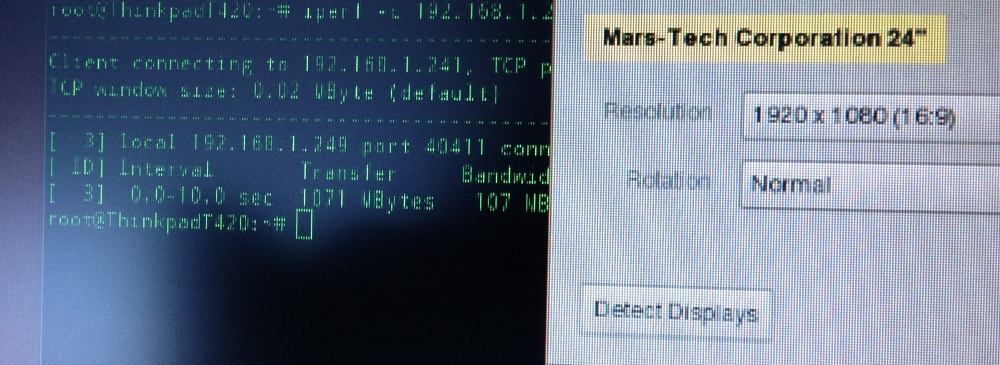
Mobile Linux users can now rejoice! It runs great off my Ubuntu Thinkpad T420. Nor more Xorg nonsense with DisplayLink.


Another competitor would be the Motorola Atrix lapdock. You can jury rig the Atrix lapdock with various adapters to make it a secondary HDMI display. It also has the added benefit of keyboard with some hardware fiddling. They're also cheap if you can find them but the issue I have is the lack of VGA.

Hence, the GeChic is an extroadinary unique device. I can see it being used for tradeshows. A mobile app developer using it demo mobile apps off smartphones and tablets. It can be used as part of a toolchest in the data-center. It can also be used as an on-site field monitor for a videographer or photographer. Or, it can be given to kids as a monitor for their gaming console. Again, the possibilities are endless.


Subscribe to: Comments (Atom)

AltStyle によって変換されたページ (->オリジナル) /