A few months ago, I reviewed a 9" Korean made portable HDMI/MHL monitor, the Popad. You can read it here on this blog. It is an iPad/Tablet shaped, sized portable battery powered monitor.
I haven't used it in months and decided to take it out of the box again.
I wanted to play with the Chromecast SDK and I needed something I could pop on my desk without taking up any extra space and this did the trick. I also didn't want to dedicate any of my main desktop pc display for just Chromecast. I think this did the trick.
Have in mind, the resolution isn't that great at 1280x720 (720p) but it does work. The Popad uses micro-HDMI and the MHL port can be used to power the Chromecast device.
As you can see below, everything works out pretty good. Both the white cables (micro USB/MHL and micro HDMI) connect to the Chromecast on both ends. The black cable is standard micro USB to power and charge the PoPad display.
Once it is fully charged, the PoPad can run for a solid 9 hours. I have to say, it could be a handy set-up for just watching Netflix while you are working.
My original Popad review:
Link: http://fortysomethinggeek.blogspot.com/2013/05/first-look-korean-export-9-inch-popad.html
Showing posts with label MHL. Show all posts
Showing posts with label MHL. Show all posts
Thursday, February 20, 2014


Wednesday, May 29, 2013
First Look: Korean export 9 inch PoPad HDMI MHL portable display
Have you ever wanted to use your 10" tablet as a portable monitor? I have and always wondered why companies haven't implemented HDMI inputs in their devices. Well, today I have what could be the next best thing. It is a Korean export 1280x800 portable HDMI/MHL monitor in a 9/10" tablet form factor. This is a rare bird you won't see often in the US - the iTechKorea Popad 9" portable HDMI/MHL monitor. Below, you can see it charging and providing external display for my Galaxy Nexus from a single USB MHL cable.

It also supports HDMI which means it can be used as a portable extended display for your laptop or computer.

Like the GeChic 2501m I reviewed months ago, this has similar I/O. It has micro HDMI, MHL, and USB. The MHL port also charges your phone while the micro USB port is used to charge the actual device.

The device is 240mm wide, 160 mm high, 12 mm thick. In comparison, the iPad 3/4 is 241.2 mm wide, 185.7mm high ands 9.4mm thick. The device is slightly narrower in height and girthier than the iPad. Here is a picture of it stacked on top of my iPad 3.


For now, this is a short first look. I will write a follow-up review when I have more time to play with it.

Labels:
gadget,
HDMI,
Korean,
MHL,
portable display,
portable HDMI
Thursday, May 16, 2013
Portable monitor solution round-up.
Have you ever wanted to have a portable monitor out in the field? Many of us work with multiple monitor displays in our homes and offices. Some of us, would love to have this option in the field. For example, editing videos or retouching photographs remotely with multiple displays would be pretty great. Well, I've been covering a few portable monitor solutions on my blog. Today, I am going to summarize some of those options in this one post.

Monday, March 4, 2013
GeChic on-lap 2501m portable 15" monitor review

This is an interesting and highly unique monitor that deserves a review.

Summary: This is a laptop screen without the laptop. It is a battery powered HD 1336x768 15.6" monitor with HDMI, MHL and optional VGA inputs. It runs off battery or powered via USB. In short, a highly portable spare 15" monitor. This monitor can be purchased from NewEgg for 250ドル.
As you can see below, a single MHL cable is all that is needed to display from a Galaxy Nexus. Add a bluetooth keyboard and you have yourself a portable computer. The MHL cable even charges the phone. The picture above with the Macbook shows it can be used as a secondary display with HDMI. Everything is running off battery. It can be charged via USB as well.

Preface:
I was looking for a spare monitor for various projects I've been working on. No one sells a DVI/HDMI/VGA monitor under 15" anymore. Sure, you can get a used, refurb 15" Dell LCD on eBay that will be strictly VGA. There are a few 7-9" Liliputian monitors advertised as field monitors but they only have native resolution of 800x480/1024x600.
I thought about going the 720p TV route at the local Target/Walmart but those are still rather large. I also have a few small displaylink monitors that work great and only require a USB cable. Unfortunately, my Linux projects and old servers require VGA. I also have an itch to play with small embedded ARM devices like the Raspberry PI/MK802 Android sticks that require HDMI.
Hence my dilemma and it was easily solved by one company, GeChic.
They offer a 13" model for a modest 175ドル that accepts HDMI and is powered by USB.
Then, I saw a newer 15" model that was battery powered and also supports MHL (Mobile High DefLink) found in many new smartphones and tablets. Wow, this was the ticket to my dilemma.
And that is where we are now. Today, I'm going to give you my impressions of this highly unique product.
Impressions:
After reading many other reviews, this product addressed many of the shortcomings of the original 13" unit. It also appeared to be better than many of the Korean export Shimian MHL only 9.7" portable monitors. Unlike some of its competitors, this sports a 1336x768 resolution vs the Shimians or Liliputs at 1024x768 /1024x600. I'm not fond of that resolution but what else is there in this form factor? The GeChic are probably the best-in-class for this form factor.
Many of the other Korean/Chinese portable field monitors advertise being 1080p but when you read the find print, they are often only 1024x768 native and use scaling to accept 1080p video feeds. Translation, they look like crap. This particular monitor will also take 1080p feeds and it also looks like crap. Any downsampling will give you a muddy image. It would awesome to get a Nexus10 or Ipad3/4 class monitor in the 9-15" size but those are not available. The GeChic will be fine for 720p content.
Physical:

The construction is rather cheap. There are Faux silver finishes and it has an extremely light feel. In fact, it is too light and brittle. This is essentially a laptop monitor without the laptop. The only thing protecting the screen is a flip-over plastic screen protector that acts as the base. You can get colorful replacement screen protectors in various colors.


All ports run off the right side of the front facing screen. Two micro speakers adorn the back.
As you can see, compared to an iPad, it is pretty big. In my opinion, it is rather large. 15.6" screen is pretty big to lug around as an accessory.


It pretty much comes with everything you need minus the VGA adapter. HDMI, USB,MHL cables, a USB Charger are all included. The green pieces you see are alternate base grips. There is also a smartphone holder clip you can attach to the front face.
Usage:
This monitor can be powered from USB (it also comes with a USB charger) or the built in battery. So far,everything is good except it did not come with a VGA adapter cable. That is another 13ドル. The MHL port is a blessing and a curse. It charges my Galaxy Nexus and input videos in one single clean cable. Unfortunately, those cables are hard to find if you need a replacement. I could not find any extra dual-ended MHL cable online. All the ones I've seen are MHL-to-HDMI. So, if you lose the cable, good luck finding a replacement. HDMI is a standard micro HDMI-D that resembles a micro USB socket.

Onscreen display is standard affair. You can swap inputs, adjust brightness/contrast and the battery indicator is a nice touch.

Quality:
The screen is not going to blow your socks off. Actually,the display is mid-grade and offers a average adequate output. I knew this from the various reviews I've read. It is about the same quality as many 15.4-15.6 budget laptops you find at Staples or Best Buy in the 400 price range. It has similar quality to my wife's HP DV6 notebook.
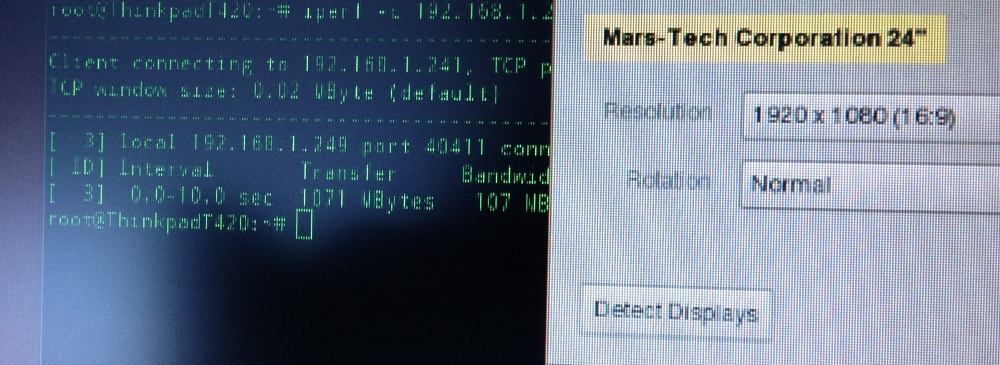
Viewing angles is pretty much straight on. Colors are a bit muted. 1080p scaled resolution looks like crap. I guess it will be fine for watching movies off a Blu Ray player but I do not recommend it for text or computer usage at 1980x1080. It is best to stick with the default 1336x768 resolution.
Pictures below show how it would look like under a 1080p feed. Blurry. Native resolution at 1336X768 look fine and razor sharp.

However, average picture quality is not the reason to discount the product. The reason to buy this monitor is for the immense flexibility and portability.
I was imagining being able to use this as a portable monitor in the data-center; plugging into headless servers if needed. I could also turn my smartphone into a mobile workstation using MHL. The possibilities were endless. You can use this with XBOX/PS3 gaming consoles. Worst case scenario, you can use it as a portable secondary palette monitor. Most importantly, I no longer have to scramble and unseat an existing monitor to work on a project. Now, I could take out an old rack server or 10 year old PC in storage to refurbish in the garage with my battery powered GeChic.
Picture below is an excellent use case for this monitor. Connected to a MK802 Android stick and you have a portable workstation or thin client for fiddling around.

Battery Life: I've read claims of 6.5-9 hours from other various sources. Well, after 3 days of testing, I am getting well over 6 hours. I don't know how accurate the battery meter is but my phone shows it has been running over 8 hours with 1/2 charge left.

Unfortunately, it does take a while to charge up. Most use cases will probably entail using USB to power off your computer.
Competition and Conclusion:
DisplayLink monitors are the obvious direct competitors. Unfortunately, none of them can connect to a smartphone, XBOX, or DVD player. They're also problematic under Linux. DisplayLink also uses USB to drive the video. More than often, video and gaming playback suffer under DisplayLink as it passes through the USB bus. You have none of those problems with this display.

Mobile Linux users can now rejoice! It runs great off my Ubuntu Thinkpad T420. Nor more Xorg nonsense with DisplayLink.

Another competitor would be the Motorola Atrix lapdock. You can jury rig the Atrix lapdock with various adapters to make it a secondary HDMI display. It also has the added benefit of keyboard with some hardware fiddling. They're also cheap if you can find them but the issue I have is the lack of VGA.
Hence, the GeChic is an extroadinary unique device. I can see it being used for tradeshows. A mobile app developer using it demo mobile apps off smartphones and tablets. It can be used as part of a toolchest in the data-center. It can also be used as an on-site field monitor for a videographer or photographer. Or, it can be given to kids as a monitor for their gaming console. Again, the possibilities are endless.


Labels:
15 HDMI,
2501M,
Battery powered 15.6,
DisplayLink,
Ge-Chic,
HDMI,
iPad,
iPhone,
MHL,
On-lap,
On-Lap 2501M,
portable HDMI,
Portable Monitor,
portable VGA,
review,
smartphone display,
smartphone monitor
Thursday, July 19, 2012
Transform the Galaxy Nexus into a desktop computer
With a simple adapter and bluetooth, you can convert a Samsung Galaxy Nexus into a full desktop computer.
You will need a micro USB to MH/HDMI adapter, a HDMI compatible monitor, and a set of bluetooth keyboard and bluetooth mouse. I use the Apple keyboard and bluetooth mouse.
This will basically mirror everything you see on the phone to the monitor. If you don't have an HDMI monitor, you can use a HDMI to DVI adapter like the one I use on this 24" Samsung.
The screen res will be what is on the phone, 1280x720. Some apps don't work quite right due to the fact they require or shift from landscape to portrait mode. For example, pulling up Netflix's movie browser looks like this:
Overall, it is a silly demo to show off your friends and colleagues. Running ICS on a large monitor is not really that intuitive when you consider the oversized icons and UI elements designed for a 4.65" phone. The phone should have outputted a 1920x1080 display which would have been my preference.
Now, if this could dual boot into something like Ubuntu, then I can see the value of it. The original Atrix and their webtop was a very promising idea in 2011. Since, it the concept and execution has sort of fizzled into obscurity.
One last note, the MHL adapter requires power. You will need to use the existing micro-usb power adapter to power it. This sorts of kills the whole idea of using the Galaxy Nexus as a portable presentation machine. In comparison, the iPhone 4S and iPad 2/3 can be docked with a 30pin-HDMI adapter and run on battery alone.
LINK for MHL adapter: http://www.amazon.com/Menotek-Adapter-IMPROVED-Protocol-Sensation/dp/B005F9W6DU/ref=sr_1_3?ie=UTF8&qid=1342718283&sr=8-3&keywords=MHL+adapter+nexus

You will need a micro USB to MH/HDMI adapter, a HDMI compatible monitor, and a set of bluetooth keyboard and bluetooth mouse. I use the Apple keyboard and bluetooth mouse.

This will basically mirror everything you see on the phone to the monitor. If you don't have an HDMI monitor, you can use a HDMI to DVI adapter like the one I use on this 24" Samsung.

The screen res will be what is on the phone, 1280x720. Some apps don't work quite right due to the fact they require or shift from landscape to portrait mode. For example, pulling up Netflix's movie browser looks like this:

Overall, it is a silly demo to show off your friends and colleagues. Running ICS on a large monitor is not really that intuitive when you consider the oversized icons and UI elements designed for a 4.65" phone. The phone should have outputted a 1920x1080 display which would have been my preference.
Now, if this could dual boot into something like Ubuntu, then I can see the value of it. The original Atrix and their webtop was a very promising idea in 2011. Since, it the concept and execution has sort of fizzled into obscurity.
One last note, the MHL adapter requires power. You will need to use the existing micro-usb power adapter to power it. This sorts of kills the whole idea of using the Galaxy Nexus as a portable presentation machine. In comparison, the iPhone 4S and iPad 2/3 can be docked with a 30pin-HDMI adapter and run on battery alone.
LINK for MHL adapter: http://www.amazon.com/Menotek-Adapter-IMPROVED-Protocol-Sensation/dp/B005F9W6DU/ref=sr_1_3?ie=UTF8&qid=1342718283&sr=8-3&keywords=MHL+adapter+nexus
Labels:
Android,
gadgets,
Galaxy Nexus,
HDMI,
Ice Cream Sandwich,
ICS,
MHL,
Samsung
Subscribe to:
Comments (Atom)