Building on their wonderful DynAssist, Noiseworks’ latest tool aims to do even more of the prep work for your vocal and dialogue recordings.
When Matt Houghton reviewed NoiseWorks’ DynAssist in SOS October 2025 he was clearly impressed, and VoiceAssist builds on that significantly. It’s available in three tiers: Basic, Standard and Advanced. These offer different processing options at different prices, the idea being that you can now pay only for what you need. VoiceAssist Basic provides only the detailed level riding of DynAssist, but for a keen price. VoiceAssist Standard essentially replaces DynAssist, and existing DynAssist owners get a free VoiceAssist Standard licence. Note, though, that DynAssist’s dedicated Instrument mode isn’t present (VoiceAssist focuses exclusively on vocals and dialogue), and if running DynAssist on an older macOS version (eg. Matt used Monterey for his DynAssist evaluation), you might need to update; DynAssist will continue to run on your older system though.
VoiceAssist Advanced adds de‐noise and de‐reverb processing, low‐ and high‐end restoration/enhancement and low‐frequency resonance reduction, along with simple spectral editing capabilities. Advanced can also run standalone, while all versions can be used as conventional VST, AU or AAX plug‐ins, or as an ARA extension in a suitable DAW. There’s also AudioSuite support for Pro Tools. Obviously, there are workflow implications for the different formats, and I’ll discuss that below.
Advance To Advanced
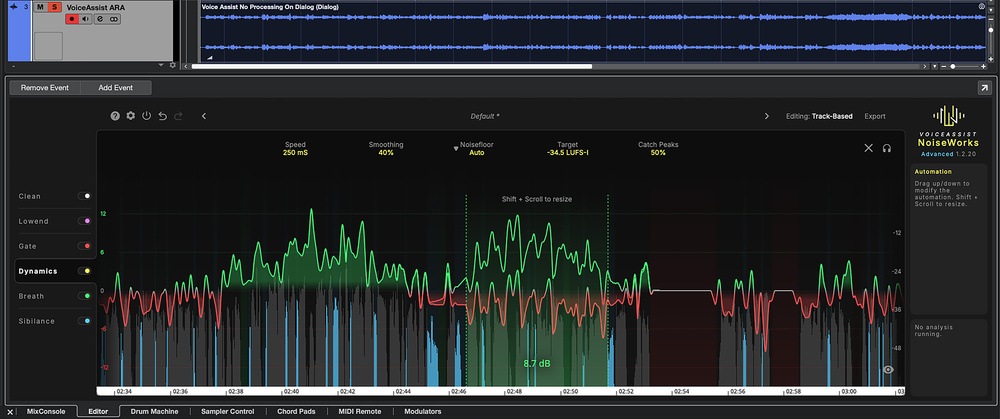
Matt’s review provides plenty of detail that translates directly to VoiceAssist Standard’s core dynamics, loudness, sibilance and breath control facilities. But all versions of VoiceAssist benefit from a refreshed GUI. The central area still includes a visual representation of the signal, but the processing modules are now activated and selected on the left. You see only your version’s modules: for Basic there’s just the Dynamics; Standard has Gate, Dynamics, Breath and Sibilance modules; and to that, Advanced adds Clean and Lowend modules. The selected module’s key controls sit above the audio display, and colour‐coded graphical elements overlaid on the audio indicate sections where the Gate, Breath and Sibilance modules are doing their thing. Overall, it feels slicker and more polished than DynAssist, especially the Dynamics module.
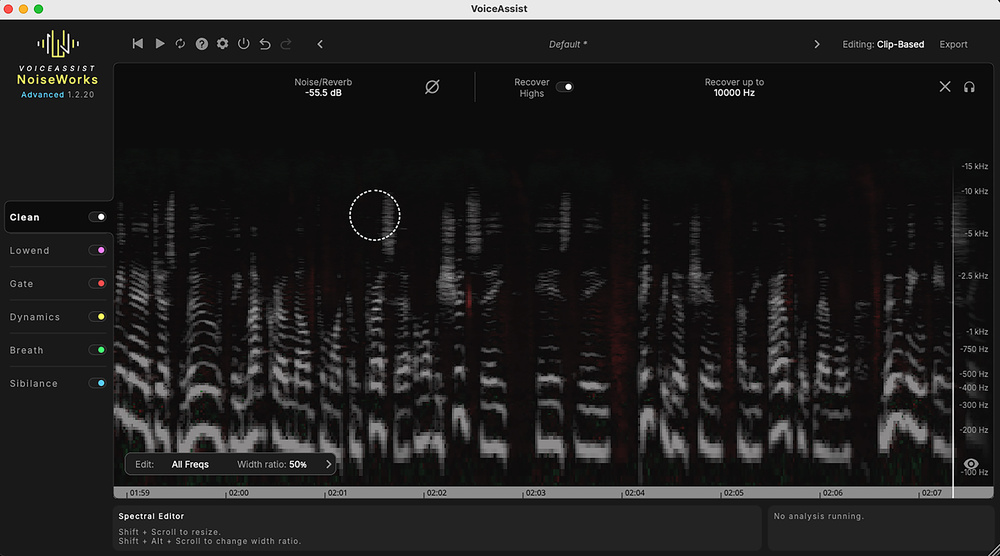
The Clean module of VoiceAssist Advanced provides de‐noise, de‐reverb and high‐frequency restoration processing, as well as simple spectral editing capabilities. The Clean module of VoiceAssist Advanced provides de‐noise, de‐reverb and high‐frequency restoration processing, as well as simple spectral editing capabilities.
I can only agree with Matt’s verdict on DynAssist’s level‐riding capabilities: it’s really effective. Whether running VoiceAssist standalone or as an insert or ARA plug‐in, it’s always an offline process, and that gives VoiceAssist an edge over, say, a real‐time compressor. The Speed and Smoothing controls let you fine‐tune precisely...
You are reading one of the locked Subscribers-only articles from our latest 5 issues.
You've read 30% of this article for FREE, so to continue reading...
- ✅ Log in - if you have a Digital Subscription you bought from SoundOnSound.com
- ⬇️ Buy & Download this Single Article in PDF format 0ドル.83 GBP1ドル.49 USD
For less than the price of a coffee, buy now and immediately download to your computer, tablet or mobile. - ⬇️ ⬇️ ⬇️ Buy & Download the FULL ISSUE PDF
Our 'full SOS magazine' for smartphone/tablet/computer. More info... - 📲 Buy a DIGITAL subscription (or 📖 📲 Print + Digital sub)
Instantly unlock ALL Premium web articles!We often release online-only content.
Visit our Shop Store.