So, you probably have heard of drush, and maybe you have not tried it yet. I tried it quite a while ago, and found it to be somewhat of a hassle. But I yesterday I decided to give it another go, and see all the buzz everyone's talking about.
I use ubuntu at home, and using the console to manage drupal sites seems like ideal, yet I didn't think drush was ready yet... seems like I wasn't paying enough attention!
So now to the meat of it. You will have to change username for the name of your user of course.
- Download drush, and uncompress it to your home directory. In my case, this leaves the files inside /home/manuel/drush
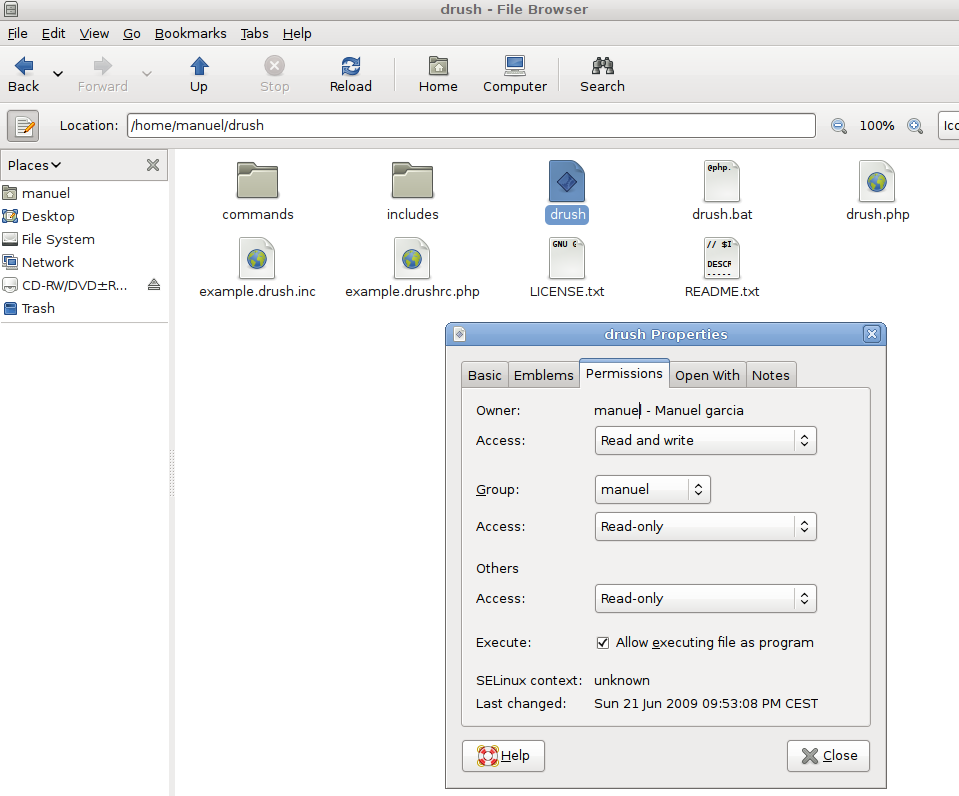
- Make sure the permisions to the drush file are set so that you can execute the file. See the screenshot below:
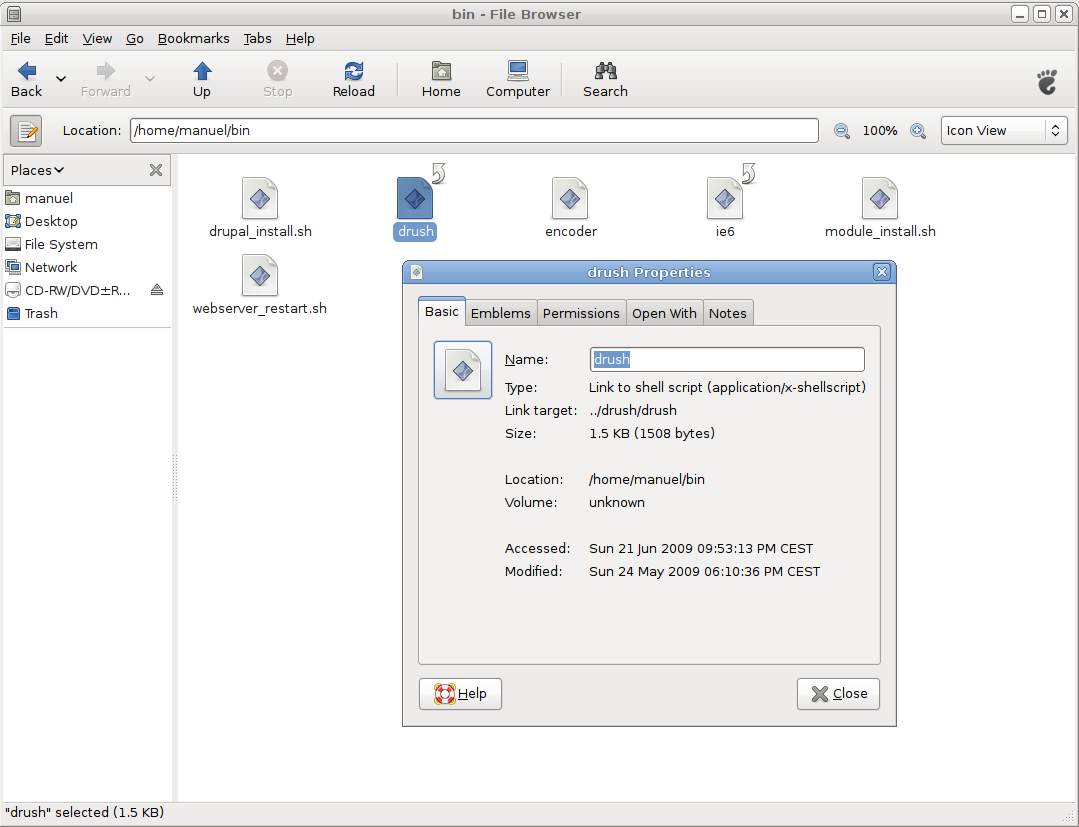
- If only you will be using the script, make a symbolic link to this file in your /home/username/bin (create the folder if you haven't already):
ln -s /home/username/drush/drush /home/username/bin/drush
After which, you should have a drush file in your bin directory like on the screenshot:
- UPDATE: To install Drush system wide, simply move the entire Drush directory to /usr/local/lib, and place your symbolic link in /usr/local/bin (thanks cjdavis)


And that is it my friends. You can now go to the root of your drupal installation, and let your jaw drop by executing drush sql dump, and then drush update, and look at it update all the modules on your site in 1 minute, while you go grab a beer.
A command you will want to use is drush help to find out what commands you have available. Enjoy, and long live drush!
[EDIT]
From Ubuntu Lucid on, you can install drush from Synaptic, or the command shell like sudo apt-get install drush However, in Lucid you'll only get the 2.x branch. In Maverick you get the 3.x branch. Not sure how maintained these packages are, if you care to help or wonder how this is going, head over to https://launchpad.net/ubuntu/+source/drush
| Attachment | Size |
|---|---|
| folder-permissions.png | 76.52 KB |
| symbolic-link.png | 83.25 KB |
Comments
Install to /usr/local for system-wide availability
On my server, I am hosting many sites for clients, so each one is running in a separate user account - I need Drush to be available to all users on the system. Perhaps Aegir would help simplify even more, but that's another project..
To install Drush system wide, simply move the entire Drush directory to /usr/local/lib, and place your symbolic link in /usr/local/bin - that's it.
Thanks, updated
I've updated the post to include that information -- thanks!
Thanks for this - for some
Thanks for this - for some reason I'm getting the following when I use this installation method:
Unable to download drupal-6.17.tar.gz to /var/www/ from [error]http://ftp.drupal.org/files/projects/drupal-6.17.tar.gz
An error occurred at function : drush_pm_download [error]
Everything seems to be in place, not sure what to try next. Has anyone else seen this?
Are you perhaps trying to
Are you perhaps trying to download it to a folder which you don't have permissions for? If so, maybe try "sudo drush whatever" instead of "drush whatever", or just try a "chown -R yourusername /var/www" to make yourself (not root) the owner of /var/www.
Yes, one of those dumb 'why
Yes, one of those dumb 'why didn't I do that first' moments - changing the owner of the /var/www directory worked, of course. I'm on a new install of Ubuntu, but I don't remember that issue with using Drush before. Thanks again!
so this would change the ln -s to . .
so if i was going to do this, I'd change the symbolic link to read:
ln -s path/to/drush/drush /usr/local/bin
?
what you don't know will inspire you
destination path or filename
ln -s path/to/drush/drush /usr/local/bin/ <- note the slash
ln -s path/to/drush/drush /usr/local/bin/drush
It is not working for me.
I download the latest release 7.x-4.5 and follow the instruction in Ubuntu but not working, and idea?
In Ubuntu 9.10 I had to do this:
$ sudo apt-get install php5-cli$ sudo ln -s /home/johnvsc/drush/drush /usr/bin/drushor, in other words :sudo ln -s /home/username/drush/drush /usr/bin/drushThe bin was in a different place on my install :)
enjoy!
Update PHP Cli memory limit
When I ran "drush features", just for fun, I got:
Fatal error: Allowed memory size of 33554432 bytes exhausted (tried to allocate 311296 bytes)
This requires upping the php memory limit for cli which in my case is in: /etc/php5/cli/php.ini
Set it to: memory_limit = 256M;
That sorted it!
Thanks for the post!
Don't forget to set this, as
Don't forget to set this, as we were having a similar Drush Memory Limit issue on our production server. Until I knew that command-line had a separate memory limit, I was baffled. Thankfully, I have some smart friends.
Ryan Price
DrupalEasy Podcast
Hi Manuel :) The actuality,
Hi Manuel :)
The actuality, drush is in repository of ubuntu, but is version 2.0 and drush make do not work.
Very true
You could just do
sudo aptitude install drushbut you'd only get drush 2.0-6 (in lucid).All the goodies are in Drush 3, so I stil would go with manualy installing, not that much to it =)
This gets me thinking... perhaps we should set up a PPA on launchpad with the the latest Drush... any takers?
[EDIT]
The 3.x branch is coming up on maverick, see https://launchpad.net/drush
I'm not very familiar with launchpad, but we should definetly setup a PPA for the latest stable Drush.
[EDIT2]
I have asked for this on there https://answers.launchpad.net/drush/+question/120987
So everyone doesn't have to wade through the launchpad thread
There's a ppa repository that has drush 4.4 at https://launchpad.net/~brianmercer/+archive/drush
You can add it from the commandline using
sudo add-apt-repository ppa:brianmercer/drush; sudo apt-get update;then install it from the commandline usingsudo apt-get install drushEdit: Whoops, just saw that you posted a link to this further down.
I've also updated the post
I've also updated the post with the information, thanks!
Install drush on Ubuntu 10.10
Go to this page and find the link to the release version you want:
http://drupal.org/node/97249/release
Then:
cd /usr/local/lib/
wget http://ftp.drupal.org/files/projects/drush-6.x-4.0-rc8.tar.gz <---- Change to the release you want
tar zxvf drush-6.x-4.0-rc8.tar.gz
cd drush/ <-----There is drush, just checking
cd /usr/local/bin
ln -s /usr/local/lib/drush/drush drush
Then:
Go to the root folder of your website
cd /root/folder/of/drupal/
drush
I dont know drush all that well but here are a few fun ones:
drush status <----- what version of drush are you running
drush dl drupal <------ will download current release of drupal
PPA
I see that someone has setup a PPA for drush 4.x branch, mind you I haven't tried it, nor do I know the person behind it. Just thought I'd let you guys know about it:
https://launchpad.net/~brianmercer/+archive/drush
I've been applying the new
I've been applying the new source packages to the debian package and uploading to my ppa. Haven't had any problems myself.
Antoine's been updating his debian repo also. http://packages.debian.org/sid/drush
If anyone has any issues with my ppa, let me know.
Having error.
Hi i m getting error while i tried any of the drush commands.
"cannot redeclare drush_test_clean() (previously declaredin /etc/drush/commands/core/test.drush.inc:50) in /usr/share/drush ......"
Siva
Sify
Search the drush issue queue
Search in the issue queue, see if anyone else has seen that problem. If you cant find anything, create a new issue there.
Try cleaning out old drush 3 files first
I had this same error when upgrading from Drush 3 to Drush 4. There were some old drush 3 files that were still sitting in my drush directory. To address this I just deleted my drush install and then re-installed Drush 4. All copacetic now.
Hope this helps.
It sure did, thank you.
It sure did, thank you.
John
Same problem
Hi all, I am using ubuntu 10.04.2.
I got the same problem, anyone know the solution??
remove the drush via sudo
sudo apt-get purge drush
then install manually...
or if you have Ubuntu 11 you can reinstall from apt-get and it will pull version 4.4
Works for me! Many thanks.
Works for me! Many thanks.
Drush in ubuntu repository
The version 4.4 of drush is available as per sudo apt-get install drush.
Installed from Ubuntu 11.04 w/o probls.
Jorge
How I installed drush on ubuntu 10.04 server
1- If in a vm, take a snapshot
2- Upgrade your ubuntu server. login via ssh as admin.
$sudo apt-get update
$sudo apt-get upgrade
3- install PEAR.
$sudo apt-get install php-pear
4- tell PEAR to update its own channel.
$sudo pear channel-update pear.php.net
5- tell PEAR to upgrade itself to the newest version.
$sudo pear upgrade-all
You should now have the newest version of PEAR installed.
6- Install drush
$sudo pear channel-discover pear.drush.org
$sudo pear install drush/drush
7- install Console_Table
$sudo pear install Console_Table
8- Update your drupal core
$cd /var/data/drupal
$drush pm-update
That's it. Pretty easy. Thanks everybody for your help.
Ubuntu 10.04LTS
In Ubuntu 10.04LTS, Drupal 7.14 and Drush 5.4
Manual installation
$ sudo chmod u+x /usr/share/drush/drush$ sudo ln -s /usr/share/drush/drush /usr/bin/drush$ cd /var/www/drupal7$ drush status