Cross-platform IDE for Python and Django with refactoring capabilities, code completion, VCS integration, deployment, issue tracking, remote debugging, and Community Edition, though lacking database support and web technologies.
Sluggish, because it's made of Java. I don't know about other OS'es, but under Linux, it has a lot of weird glitches due to the fact its not supporting Wayland. Also, for some reason, it doesn't allow launching multiple instances; you have to use the existing window's open project menu and choose "new window", but these don't work well under Linux's task bars like KDE or DashToPanel. That is, those task bars don't correctly recognise them as separate windows, and could show only one button. Also, debug on a qasync app makes the app not work. I tried debugging the same project in VS Code, and debugging worked fine there.
Review from a new or low-activity account — shown here, but not counted in the app rating.
RemovedUser
★★★★★
•
1
I like this IDE, for its ease and beauty, with good integration tools!
Very versatile, with great compatibility, usability and robustness. I use it a lot for my personal projects (automation and manipulation in my art projects, for example).
Review from a new or low-activity account — shown here, but not counted in the app rating.
Nathan Lile
★★★★★
•
0
The best IDE out there for python developers.
bsdz
★★★★★
•
0
Terrible handling of "-m" script invocation; should automatically convert paths to package names like pydev. One has to configure each script individually if one uses pycharm's recent "-m" capability (it had been a popular request in their issues list for years before actioned).
I personally don't like having one window open per project. It creates a lot of desktop clutter if you work on many projects simultaneously.
Review from a new or low-activity account — shown here, but not counted in the app rating.
viru_57
★★★★★
•
1
Code completion, Git integrations, remote debugging, fast and efficient workflow, appealing ui, community edition... :-)
cschill
Comment•
2
Nearly perfect integration of everything you need for Python development.
Software used by the hackers in the Emmy and Golden Globe award winning drama/thriller series Mr. Robot.
THIS LIST CONTAINS SPOILERS UP TO AND INCLUDING SEASON 3, EPISODE 10!
These are all the software I use on my windows machine. I am privacy freak. So, I mostly use open source software. Checkout "My Firefox setup" list for firefox extensions.
After a fresh Windows installation, new users might get frustrated by the weakness of the default Microsoft apps. So, in this list I'm going to cover applications that will enhance the user experience for everyday tasks. And for that, I only picked programs that meet these criteria:
• Should be free (not commercial), safe and preferably open-source.
• Should be an offline native desktop app/client.
• Does not require advanced technical knowledge.
Thus, the list is tailored to non tech-savvy home users, however, a section for people who are into computer programming and IT will be also added, which includes basic and commonly-used development and coding tools.
By Malaz YI·43 apps·Updated
Official Links
AppStores & Other Links
Social Networks
What is PyCharm?
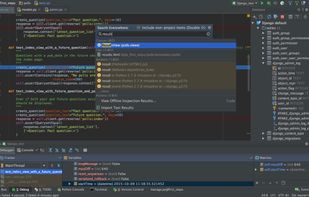
Python and Django IDE with refactorings, code completion, on-the-fly code analysis and other features, including version control integration, deployment, integration with issue trackers, and remote debugging. There is also an open source version, PyCharm Community Edition, which has some limitations: it does not support database/SQL, UML diagrams, code coverage, CSS and JavaScript.







Comments and Reviews
Better than anaconda in my opinion
Sluggish, because it's made of Java. I don't know about other OS'es, but under Linux, it has a lot of weird glitches due to the fact its not supporting Wayland. Also, for some reason, it doesn't allow launching multiple instances; you have to use the existing window's open project menu and choose "new window", but these don't work well under Linux's task bars like KDE or DashToPanel. That is, those task bars don't correctly recognise them as separate windows, and could show only one button. Also, debug on a qasync app makes the app not work. I tried debugging the same project in VS Code, and debugging worked fine there.
I like this IDE, for its ease and beauty, with good integration tools!
Very versatile, with great compatibility, usability and robustness. I use it a lot for my personal projects (automation and manipulation in my art projects, for example).
The best IDE out there for python developers.
Terrible handling of "-m" script invocation; should automatically convert paths to package names like pydev. One has to configure each script individually if one uses pycharm's recent "-m" capability (it had been a popular request in their issues list for years before actioned).
I personally don't like having one window open per project. It creates a lot of desktop clutter if you work on many projects simultaneously.
Code completion, Git integrations, remote debugging, fast and efficient workflow, appealing ui, community edition... :-)
Nearly perfect integration of everything you need for Python development.