A comprehensive collaboration platform within Office 365, providing centralized chat, file sharing, and HD video meetings. Accessible on multiple platforms, it offers enterprise-grade security and compliance, customizable notifications, and private to group chat sessions.
Comment summary: Microsoft Teams is favored for its integration with Office 365 and OneDrive, making it a natural choice for Windows users. It offers functionality in its free tier that competes with Slack. However, some users express dissatisfaction with its performance and forced autostart on Windows. Linux users face limitations due to the retirement of the native client, with the PWA version lacking features. Despite mixed reviews, many find it effective for collaboration.
Top Positive Comment
ushabuntu
★★★★★
•
-1
My university uses the platform, and I was pleasantly surprised how good it is, and I use it to collab with my friends from med school. Quite snappy, doesn't kill my PC (MacOS) and integrates the office suite and sharepoint very well.
Top Negative Comment
Mihai B.
★★★★★
•
2
No Linux support and slow performance. There are better options from competitors in my opinion
Doesn't support uploading basic image formats (like webp) as profile picture.
Darlene SonalderApp tester and reviewer at Great App Testing Ltd.
★★★★★
•
1
App tester and reviewer at Great App Testing Ltd.
Is that an Anti-Productivity tool?
Seriously UX is a disaster and the app is globally infuriating to use. If it was my company I would not even consider this as an option to work with...
Oh and Microsoft Office Suite is a privacy nightmare too
ZPRMNT
★★★★★
•
1
Has many widgets that can be useful for corporate meetings, but overall it's a clumsy, bloated and extremely resource intensive program that is profoundly unpleasant to use.
In September 2022, Microsoft announced that they'd be retiring their Linux Teams client in December 2022 in favour of a new "Progressive Web Application" (PWA) version of Teams.
zaru
★★★★★
•
1
Terrible experience on Windows:
eats resources (cpu + ram), is slow, and generally not pleasant to use.
Even worse experience on Linux:
only the web app (a.k.a. PWA, which is exactly the same as the web app) is supported. Basic things like seeing more than 4 participants in a call are not supported, no remote control, device settings are randomly broken (no mic and/or speakers), notifications not working consistently, ...
Choose freedom and continued democracy by switching away from big tech in your personal digital lives.
Not all apps and services listed will be open source or even free (as in free beer), but they will at the very least be privacy-respecting.
Of course, there will be a few exceptions, simply because they are necessary for some people, like for work.
BUT, THEY ARE NOT NECESSARY FOR YOUR PERSONAL LIFE. Work-life balance is important.
This list will get updated from time to time.
Each section lists my recommendations in order of best (in my opinion) to good enough. Except for the Docs and OS sections, which are listed from easiest for beginners to better for creatives, techies, and professionals. These and the Video Conferencing section, which is listed based on needed for work to good enough for personal use.
Lastly, the Linux operating systems (or distros) are at the end of the list because no matter which you choose, the majority of these apps can be installed on Windows, and can certainly be installed on any of the distros.
Microsoft Teams is the chat-based workspace in Office 365 that integrates your team's people, content, and tools to be increase engagement and efficacy.
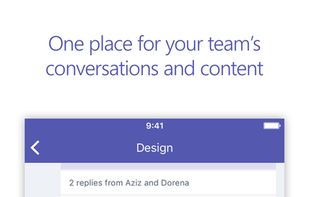
All your team conversations, files, meetings, and apps can be found in a single workspace you share with your coworkers and peers. Teams is also supported across Android, iOS, Windows, and the web.
Features:
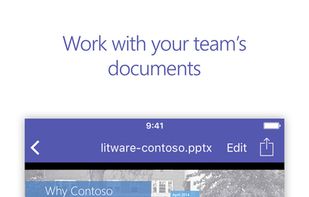
• Easily manage your team’s projects with file editing and sharing on the go
• Connect face-to-face with HD audio and video, and join meetings from almost anywhere
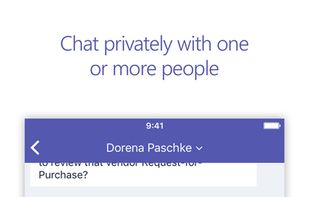
• Chat privately, in selected groups, or communicate with the entire team in dedicated channels
• @ mention individual team members, or the whole team at once, to get your colleagues’ attention
• Support for saving important conversations and custom notification patterns
• Search your chats and team conversations to quickly find what you need
• Get enterprise-level security and compliance alongside the rest of the Office 365 suite







Comments and Reviews
My university uses the platform, and I was pleasantly surprised how good it is, and I use it to collab with my friends from med school. Quite snappy, doesn't kill my PC (MacOS) and integrates the office suite and sharepoint very well.
No Linux support and slow performance. There are better options from competitors in my opinion
Doesn't support uploading basic image formats (like webp) as profile picture.
Is that an Anti-Productivity tool?
Seriously UX is a disaster and the app is globally infuriating to use. If it was my company I would not even consider this as an option to work with... Oh and Microsoft Office Suite is a privacy nightmare too
Has many widgets that can be useful for corporate meetings, but overall it's a clumsy, bloated and extremely resource intensive program that is profoundly unpleasant to use.
In September 2022, Microsoft announced that they'd be retiring their Linux Teams client in December 2022 in favour of a new "Progressive Web Application" (PWA) version of Teams.
Terrible experience on Windows: eats resources (cpu + ram), is slow, and generally not pleasant to use.
Even worse experience on Linux: only the web app (a.k.a. PWA, which is exactly the same as the web app) is supported. Basic things like seeing more than 4 participants in a call are not supported, no remote control, device settings are randomly broken (no mic and/or speakers), notifications not working consistently, ...