Comprehensive multimedia framework for decoding, encoding, transcoding, muxing, demuxing, streaming, filtering, and playback of nearly any audio or video format, with command-line tools, integrated libraries, portable code, and regular security updates for users and developers.
We generate every social asset for a job board with it: two vertical videos a day for TikTok, carousel frames for Instagram, OG cards, plus narration audio. Nothing else covers all of that in one binary, and the fact that it behaves identically on a laptop and on a cheap droplet is why our whole pipeline is a shell script instead of a service. The trap is that valid output and accepted output are two different things: our default MP4 carried an ICC colour-profile atom that TikTok's uploader...
Comment summary: FFmpeg earns praise as a powerful, reliable foundation for video conversion, recording, transcoding, deinterlacing, image manipulation, and media pipelines across desktops and inexpensive servers. Users value its broad format support and integration into many applications, often replacing paid tools. The main drawback is its command-line-only workflow and steep learning curve; even technically valid output may require platform-specific adjustments for services such as TikTok.
Top Positive Comment
Olorin
★★★★★
•
4
This is at the core of many video editing/transcoding applications.
Top Negative Comment
ab1
★★★★★
•
-2
CLI editors for videos and images are insane or very special purpose.
FFmpeg is not exception.
HamidoSan
Comment•
Replying to @ab1
My thoughts exactly: "a CLI tool for media editing / conversion? are you insane?!"
But, after trying a whole bunch of apps with disappointing results, I started using this CLI insanity and figured out how powerful & downright convenient it can be...
And then there's the fact that this CLI tool in particular is the brains behind almost all GUI apps for media editing / conversion / streaming / playing... so yeah, color me a fan.
Anton KylikovFounder at SpinHire
★★★★★
•
0
Founder at SpinHire
We generate every social asset for a job board with it: two vertical videos a day for TikTok, carousel frames for Instagram, OG cards, plus narration audio. Nothing else covers all of that in one binary, and the fact that it behaves identically on a laptop and on a cheap droplet is why our whole pipeline is a shell script instead of a service. The trap is that valid output and accepted output are two different things: our default MP4 carried an ICC colour-profile atom that TikTok's uploader silently refused, and ffmpeg was right the entire time, the file was fine and the platform simply would not take it. So you end up keeping a per-destination recipe file, and the error that sends you there always comes from the platform, never from ffmpeg. Learn the flags once and it outlives every GUI tool you would otherwise pay for.
gibeonapologist
★★★★★
•
0
Fantastic tool for managing everything related to media converting and playback. Without FFmpeg the internet wouldn't be the same at all.
Review from a new or low-activity account — shown here, but not counted in the app rating.
deanmsands3
★★★★★
•
2
FFMPEG is the ImageMagick-equivalent for video processing. It's supremely powerful and the basis for many other tools. You've probably used it without even realizing. However, it's command line only and has an instruction manual 100's of pages long. But if your Google-Fu is strong, it is an excellent tool for video processing.
NejyCR
★★★★★
•
0
Use it for screen-recording via ShareX. Reliable and never had any issues with it.
Fnalternativeto Lnalternativeto
★★★★★
•
3
The mother of all. Accept you must use the cli and you will do wonders with this.
Software used by the hackers in the Emmy and Golden Globe award winning drama/thriller series Mr. Robot.
THIS LIST CONTAINS SPOILERS UP TO AND INCLUDING SEASON 3, EPISODE 10!
This guide is designed for anyone looking to take greater control of their digital life by choosing open-source solutions developed and maintained within Europe. It highlights projects that promote transparency, reduce reliance on non-European tech ecosystems, and align with Europe’s strong commitment to privacy and data protection. The goal is to support digital autonomy in Europe while uplifting the local developers and communities who build trustworthy, user-centric software.
A list with 117 apps by RemovedUser without a description.
By RemovedUser·117 apps·Updated
Official Links
AppStores & Other Links
Social Networks
What is FFmpeg?
FFmpeg is the leading multimedia framework, able to decode, encode, transcode, mux, demux, stream, filter and play pretty much anything that humans and machines have created. It supports the most obscure ancient formats up to the cutting edge. No matter if they were designed by some standards committee, the community or a corporation. It is also highly portable: FFmpeg compiles, runs, and passes our testing infrastructure FATE across Linux, Mac OS X, Microsoft Windows, the BSDs, Solaris, etc. under a wide variety of build environments, machine architectures, and configurations.
It contains libavcodec, libavutil, libavformat, libavfilter, libavdevice, libswscale and libswresample which can be used by applications. As well as ffmpeg, ffplay and ffprobe which can be used by end users for transcoding and playing.
The FFmpeg project tries to provide the best technically possible solution for developers of applications and end users alike. To achieve this we combine the best free software options available. We slightly favor our own code to keep the dependencies on other libs low and to maximize code sharing between parts of FFmpeg. Wherever the question of "best" cannot be answered we support both options so the end user can choose.
Everyone is welcome in FFmpeg and all contributions are welcome too. We are happy to receive patches, pull requests, bug reports, donations or any other type of contribution.
Security is a high priority and code review is always done with security in mind. Though due to the very large amounts of code touching untrusted data security issues are unavoidable and thus we provide as quick as possible updates to our last stable releases when new security issues are found.






Comments and Reviews
This is at the core of many video editing/transcoding applications.
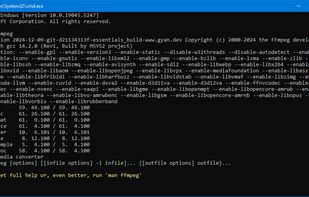
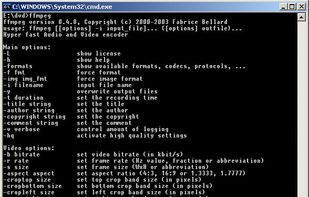
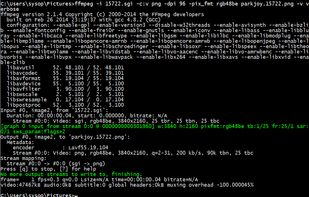
CLI editors for videos and images are insane or very special purpose.
FFmpeg is not exception.
My thoughts exactly: "a CLI tool for media editing / conversion? are you insane?!"
But, after trying a whole bunch of apps with disappointing results, I started using this CLI insanity and figured out how powerful & downright convenient it can be...
And then there's the fact that this CLI tool in particular is the brains behind almost all GUI apps for media editing / conversion / streaming / playing... so yeah, color me a fan.
We generate every social asset for a job board with it: two vertical videos a day for TikTok, carousel frames for Instagram, OG cards, plus narration audio. Nothing else covers all of that in one binary, and the fact that it behaves identically on a laptop and on a cheap droplet is why our whole pipeline is a shell script instead of a service. The trap is that valid output and accepted output are two different things: our default MP4 carried an ICC colour-profile atom that TikTok's uploader silently refused, and ffmpeg was right the entire time, the file was fine and the platform simply would not take it. So you end up keeping a per-destination recipe file, and the error that sends you there always comes from the platform, never from ffmpeg. Learn the flags once and it outlives every GUI tool you would otherwise pay for.
Fantastic tool for managing everything related to media converting and playback. Without FFmpeg the internet wouldn't be the same at all.
FFMPEG is the ImageMagick-equivalent for video processing. It's supremely powerful and the basis for many other tools. You've probably used it without even realizing. However, it's command line only and has an instruction manual 100's of pages long. But if your Google-Fu is strong, it is an excellent tool for video processing.
Use it for screen-recording via ShareX. Reliable and never had any issues with it.
The mother of all. Accept you must use the cli and you will do wonders with this.