Terminal AI assistant features deep codebase awareness, rapid code searches, multi-file edits, and advanced code understanding with explicit approval for changes, integration with VS Code and JetBrains, leverages build tools and test suites, and is highly configurable.
Comment summary: Claude Code receives consistently positive feedback for its deep codebase understanding, multi-file editing, and proactivity in debugging and setup tasks. Developers highlight its seamless integration with VS Code and terminal workflows, calling it a game changer for both experienced and low-code users. Its ability to manage complex projects efficiently and assist across various workflows is praised, making it a standout AI coding tool.
Top Positive Comment
MJ WebManaging Director
★★★★★
•
0
Managing Director
By far the best CLI frontier model, hope they continue stacking up the wins
Sung Yong UmFounder at Blitz Technologies Ltd.
★★★★★
•
0
Founder at Blitz Technologies Ltd.
I use Claude code everyday. This is my best co-worker in my life.
Review from a new or low-activity account — shown here, but not counted in the app rating.
Murf
★★★★★
•
0
Great for developing/exploring ideas (alongside of or separate from Claude). Amazing feature set.
Review from a new or low-activity account — shown here, but not counted in the app rating.
Jean-Baptiste BerthouxChief AI officer at mAIjin
★★★★★
•
0
Chief AI officer at mAIjin
Claude Code in the terminal is exceptional. Its understanding of an existing codebase and its ability to coordinate changes across multiple files make it feel like a genuine development partner.
Review from a new or low-activity account — shown here, but not counted in the app rating.
LSE_Group_Corporation
★★★★★
•
0
We been using it now for almost 30 projects and over a year and it is worth it when you know what you program with. Especially the addon into vscode helps a lot but you also need to check it's work.
Review from a new or low-activity account — shown here, but not counted in the app rating.
m34523412312n
★★★★★
•
0
Changed my life. Amazing.
Review from a new or low-activity account — shown here, but not counted in the app rating.
Jaime DelgadoCEO at Pickurai
★★★★★
•
0
CEO at Pickurai
I love this widget in visual studio code. It allows low coders to do code. It is a social elevator to non software engineers.
Review from a new or low-activity account — shown here, but not counted in the app rating.
Curated list of tools that write code for you — agentic IDEs, completion engines, and coding agents currently in active use in 2026. Pair with the companion list (AI Code Review & Governance Tools) which covers the other half of the loop: what governs and verifies what these tools produce.
A list with 30 apps by kulatynesmysl without a description.
By kulatynesmysl·30 apps·Updated
Official Links
AppStores & Other Links
Social Networks
What is Claude Code?
Your code’s new collaborator. Unleash Claude's raw power directly in your terminal. Search million-line codebases instantly. Turn hours-long workflows into a single command. Your tools. Your workflow. Your codebase, evolving at thought speed.
Command-line AI, from concept to commit
Watch as Claude Code tackles an unfamiliar Next.js project, builds new functionality, creates tests, and fixes what's broken—all from the command line. Join Boris and Cat as they show you what coding feels like when you're not doing it alone.
Deep coding at terminal velocity
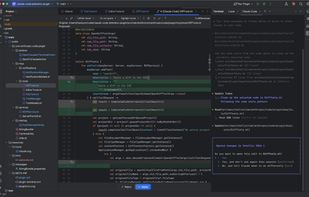
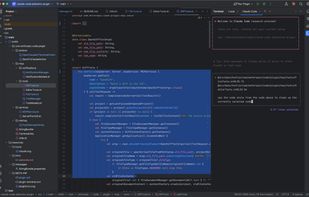
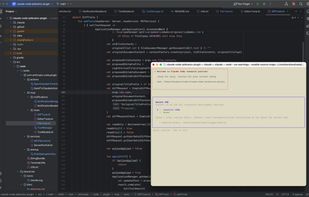
Claude Code embeds Claude Opus 4—the same model our researchers and engineers use—right in your terminal. It has deep codebase awareness and the ability to edit files and run commands directly in your environment.
Powerful intelligence
Uses agentic search to understand your entire codebase without manual context selection
Makes coordinated changes across multiple files
Optimized specifically for code understanding and generation with Claude Opus 4
Works where you work
Lives right inside your terminal—no context switching
Integrates with VS Code and JetBrains IDEs
Leverages your test suites and build systems
You’re in control
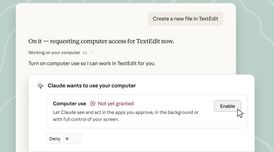
Never modifies your files without explicit approval
Adapts to your coding standards and patterns
Configurable; build on the SDK or run on GitHub Actions







Comments and Reviews
By far the best CLI frontier model, hope they continue stacking up the wins
I use Claude code everyday. This is my best co-worker in my life.
Great for developing/exploring ideas (alongside of or separate from Claude). Amazing feature set.
Claude Code in the terminal is exceptional. Its understanding of an existing codebase and its ability to coordinate changes across multiple files make it feel like a genuine development partner.
We been using it now for almost 30 projects and over a year and it is worth it when you know what you program with. Especially the addon into vscode helps a lot but you also need to check it's work.
Changed my life. Amazing.
I love this widget in visual studio code. It allows low coders to do code. It is a social elevator to non software engineers.