Backup Labs is free, open-source backup software for Windows 11. It backs up files, folders or whole drives to an external hard drive, a USB stick or a network share on a NAS, automatically.
Backup Labs was added to AlternativeTo by ProtagonistLabs on and this page was last updated .
No comments or reviews, maybe you want to be first?
Official Links
AppStores & Other Links
What is Backup Labs?
Backup Labs is free, open-source backup software for Windows 11. It backs up files, folders or whole drives to an external hard drive, a USB stick or a network share on a NAS, automatically.
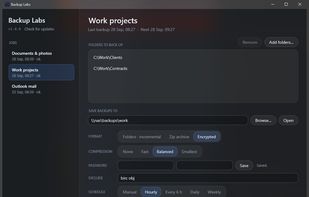
Incremental backups you can browse: every backup is a complete folder named by its date, and a file that did not change is an NTFS hard link to the copy already there, so it takes no extra space. A job can write zip archives instead, or archives encrypted with AES-256-GCM.
Backups run on a schedule, from hourly to weekly, in real time a minute after files change, or when the backup drive is plugged in. Smart retention keeps a day of everything, a month of dailies and a year of weeklies. Files held open by other programs, such as an Outlook .pst, are read from a Volume Shadow Copy.
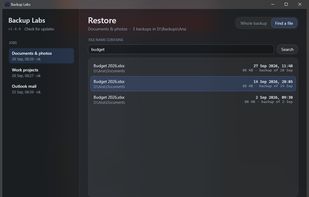
Restore a whole backup, or search every backup for one file and bring back any version of it.
Per-user installer that updates itself. No account, no cloud, no telemetry. MIT licence.



No comments or reviews, maybe you want to be first?