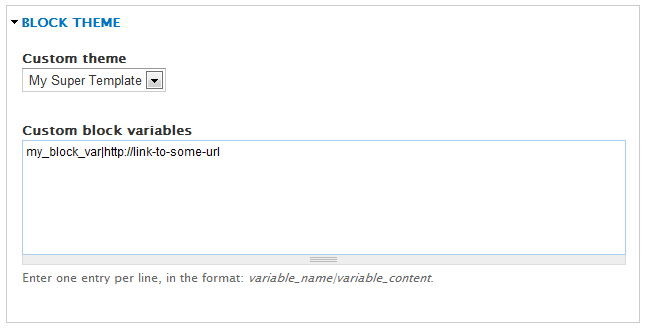
BlockTheme allows an admin to define tpl files for standard block templates and provides a select box on the block configure form so the user can select a tpl file to use as opposed to having to override the templates by block ID.
See an excellent video by Bob @ mustardseed on how to use this module (6.x version)
Installation
-
Enable the module
-
Drupal 8.x: go to admin/structure/block/blocktheme
Drupal 7.x: go to admin/config/user-interface/blocktheme
and add entries like:
customblocktemplate|My Custom Template superblock|My SuperTemplate -
Create twig/tpl files in your theme directory like:
Drupal 8.x: block--blocktheme--customblocktemplate.html.twig; block--blocktheme--superblock.html.twig
Drupal 7.x: block--blocktheme--customblocktemplate.tpl.php; block--blocktheme--superblock.tpl.php
-
Optionally, use the new $blocktheme variable in your block.tpl.php or block-*.tpl.php files to change template behaviour depending on the chosen blocktheme value
Usage
Go to the configure screen for any block and select the appropriate template.
Project information
- chart icon1,225 sites report using this module
- Created by JacobSingh on , updated
- shieldStable releases for this project are covered by the security advisory policy.
There are currently no supported stable releases.