The Tomcat plugin for Intellij IDEA
The SmartTomcat will auto load the Webapp classes and libs from project and module, You needn't copy the classes and libs to the WEB-INF/classes and WEB-INF/lib. The Smart Tomcat plugin will auto config the classpath for tomcat server. The Smart Tomcat support Tomcat 6+
-
Tomcat Server Setting
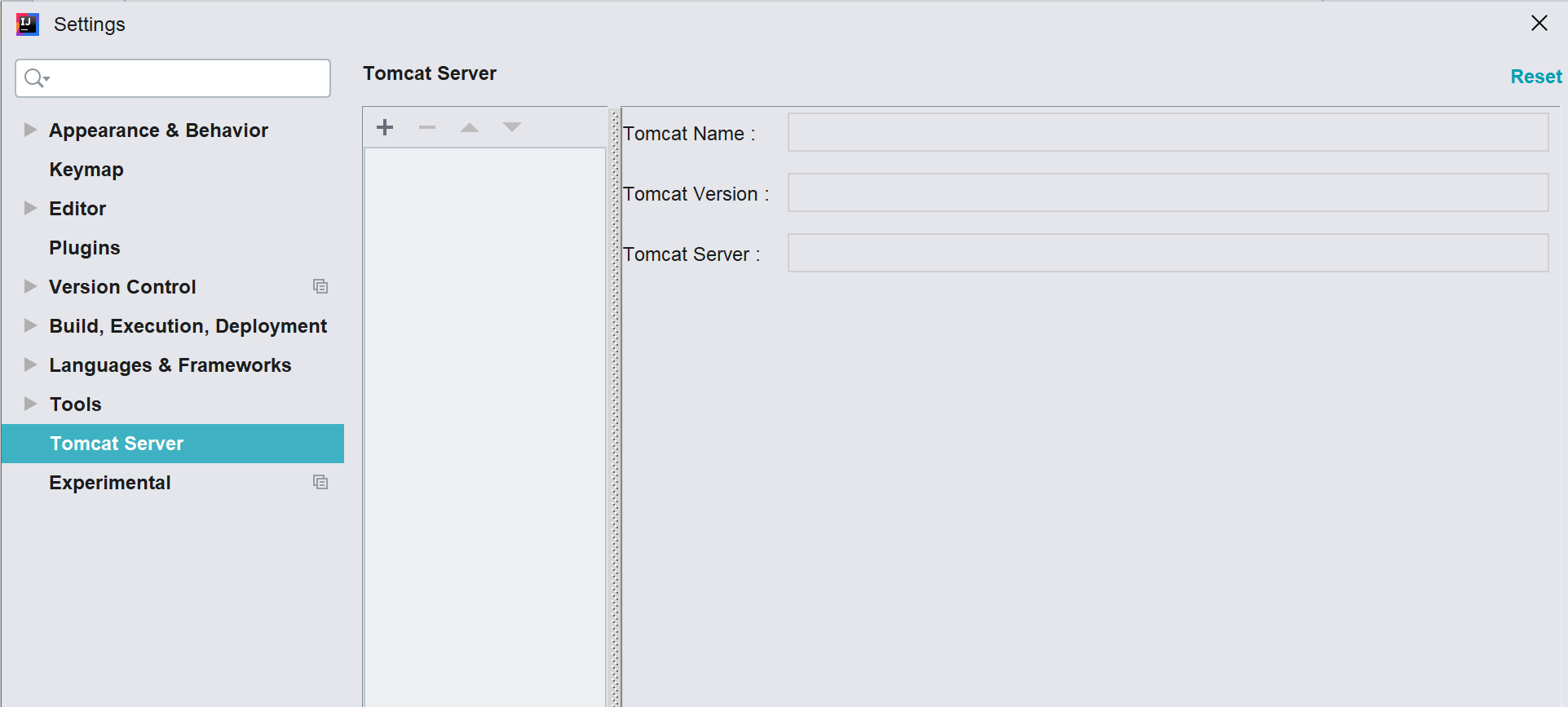
 Navigate File -> Setting or Ctrl + Alt + S Open System Settings.
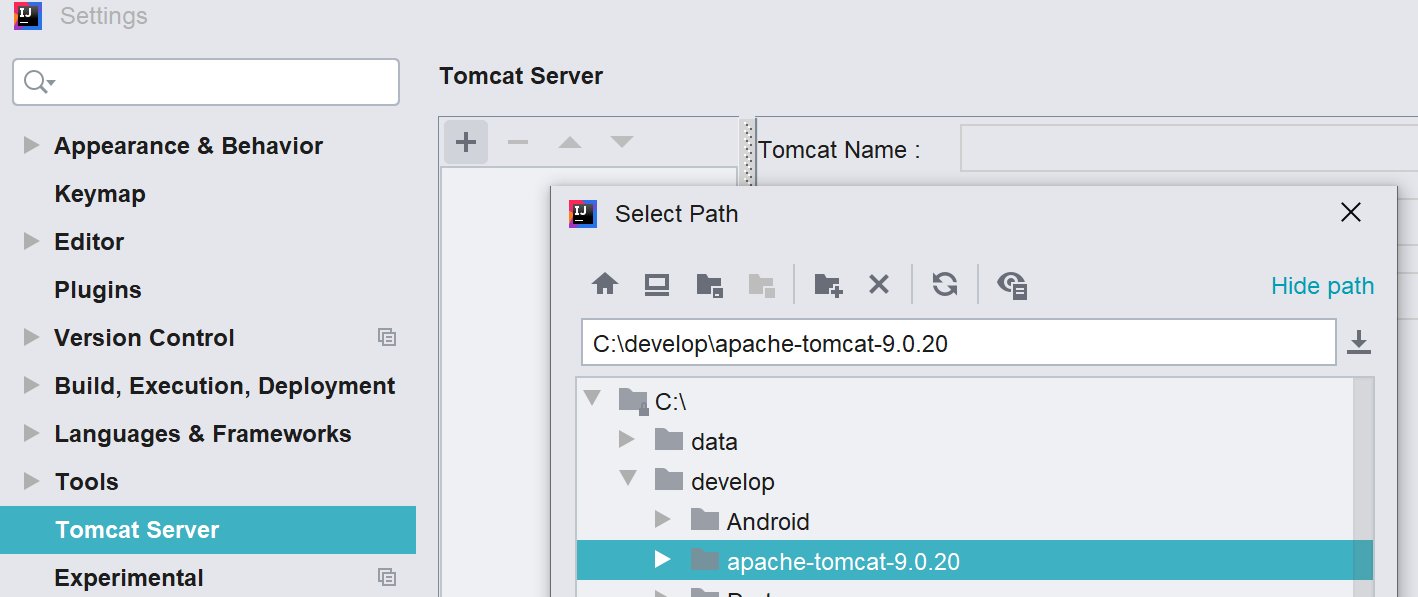
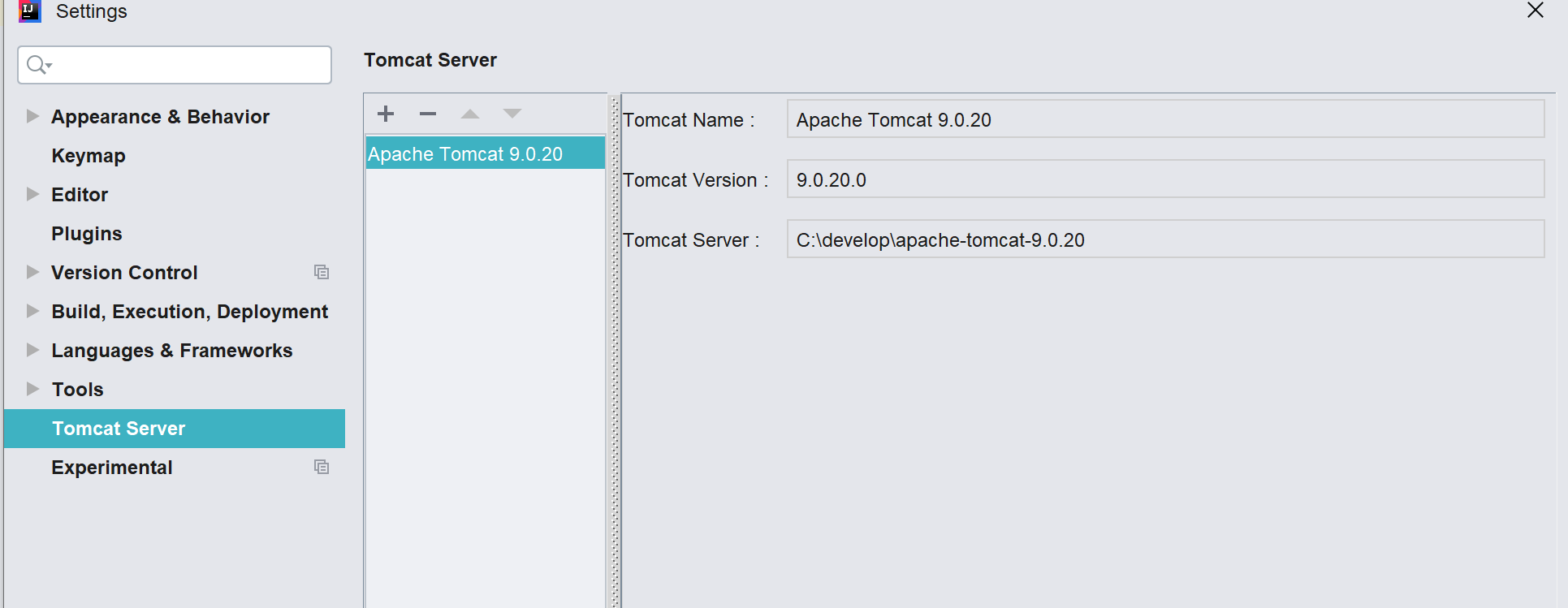
 In the Setting UI, go to Tomcat Server, and then add your tomcat servers, e.g. tomcat6, tomcat8, tomcat9
Smart Tomcat Setting1 Smart Tomcat Setting2 Smart Tomcat Setting2
-
Run/Debug setup
 Navigat Run -> Edit Configrations to Open Run/Debug Configrations.
 In the Run/Debug Configrations, add new configration, choose Smart Tomcat,
 for detail config as below
Smart Tomcat run1 Smart Tomcat run2 Smart Tomcat run3
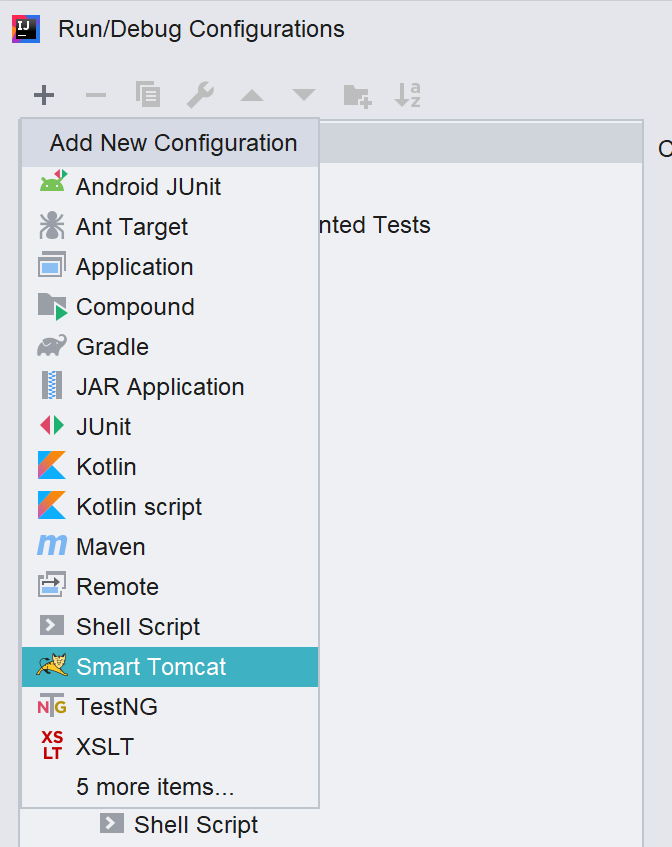
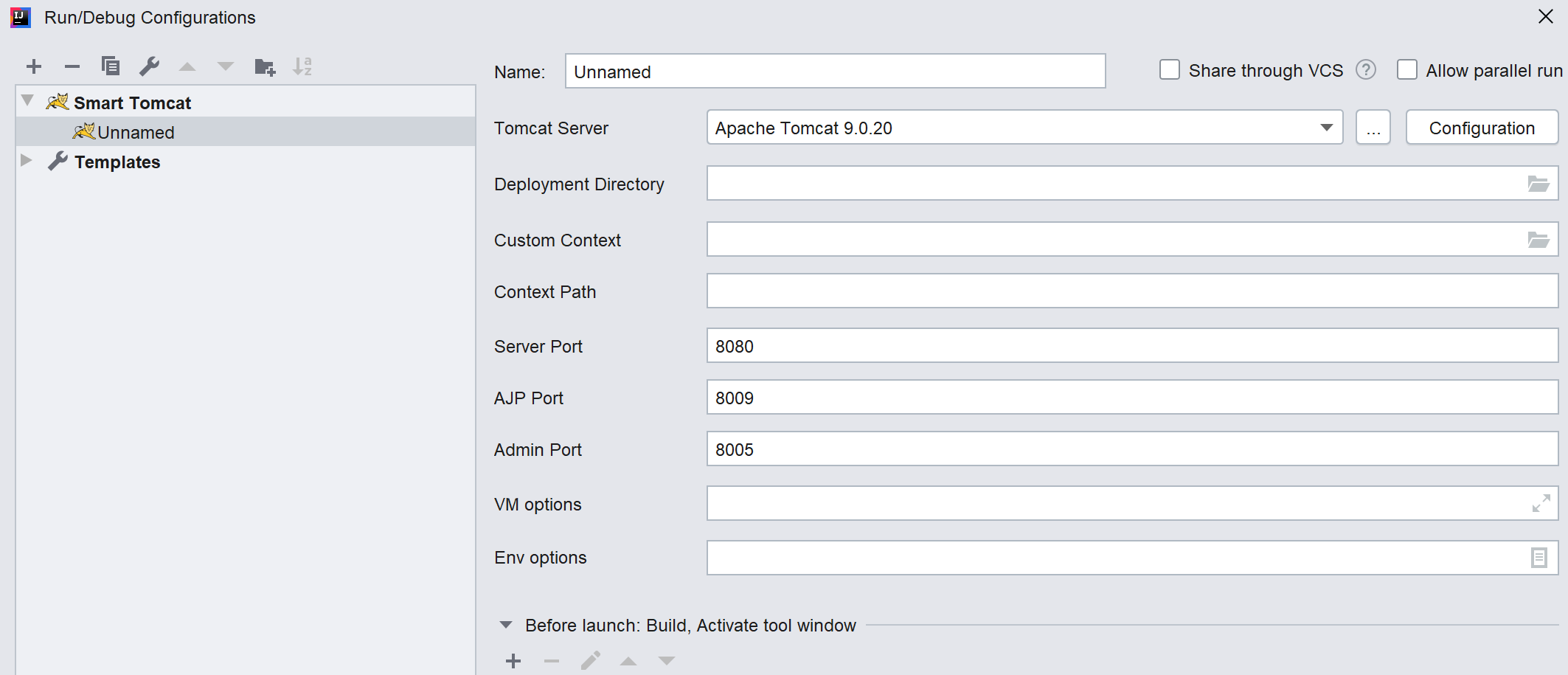
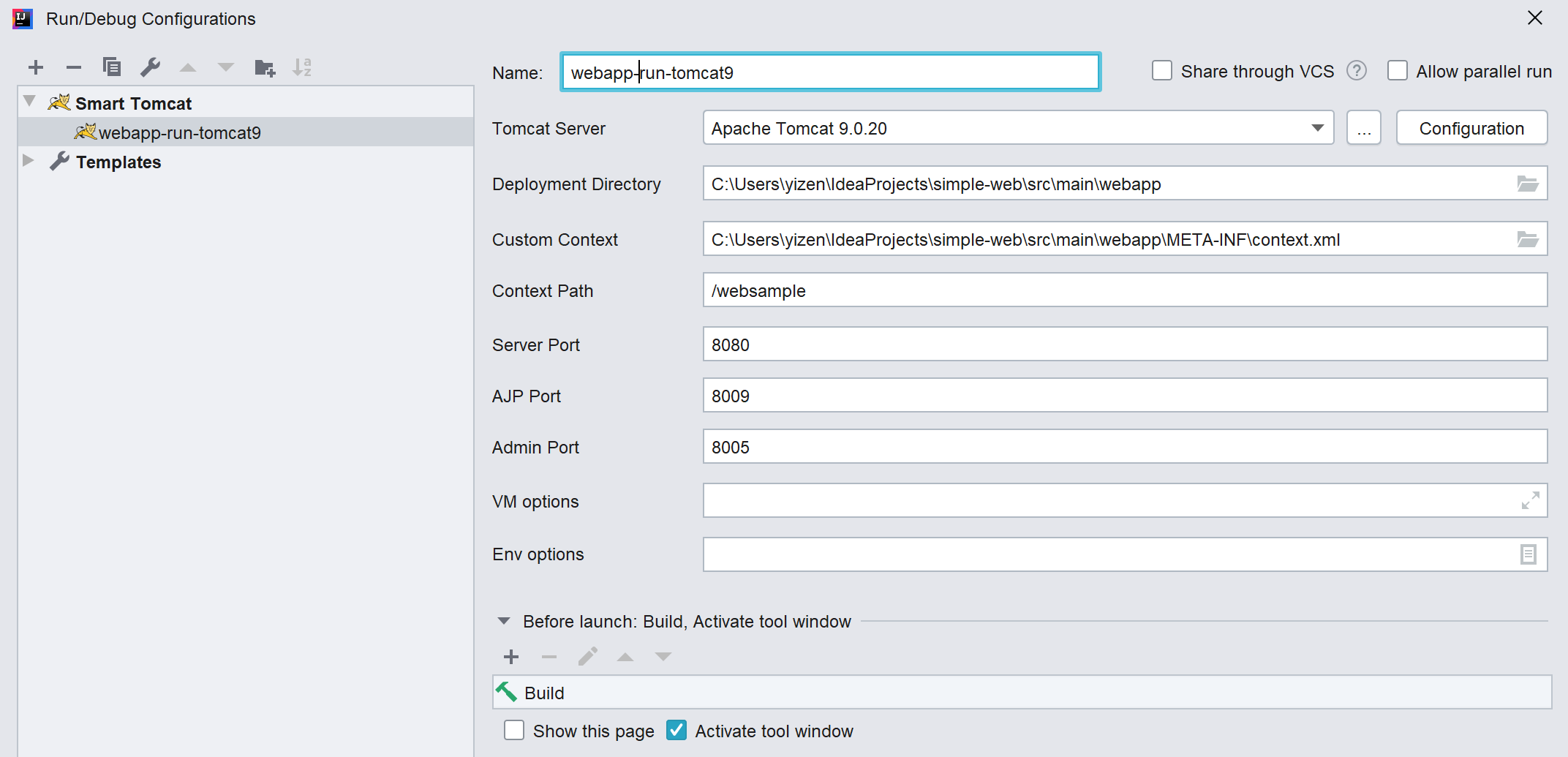
- Run/Debug config detail
-
Tomcat Server
choose the tomcat server. -
Deployment Directory
 the directory must be in project or module webapp.
 maven or gradle project, the default folder is <project_name>/src/main/webapp
DON'T add output webapp to deployment directory.
-
Custom Context
opional, if webapp/META-INF/context.xml, if will auto add it. sample context.xml:<?xml version="1.0" encoding="UTF-8"?> <Context> <Environment name="varName1" value="theValue1" type="java.lang.String" override="false"/> <Environment name="varName2" value="theValue2" type="java.lang.String" override="false"/> <Resource name="jdbc/ds" auth="Container" type="javax.sql.DataSource" username="sa" password="sa" driverClassName="org.h2.Driver" url="jdbc:h2:mem:db;DB_CLOSE_DELAY=-1" maxActive="8" maxIdle="4"/> </Context>
In Java Servlet, we can call it as below
 Context ctx = new InitialContext();
 ctx = (Context) ctx.lookup("java:comp/env");
 String value1 = (String) ctx.lookup("varName1");
 String value2 = (String) ctx.lookup("varName2");
 DataSource datasource = (DataSource) ctx.lookup("jdbc/ds");
-
Context Path
default value is '/<module_name>' -
Server Port
default value is 8080 -
(削除) AJP Port (削除ここまで)(削除) default value is 8009 (削除ここまで) -
Admin Port
default value is 8005 -
VM Options
extract tomcat VM options e.g. -Duser.language=en -
Env Options
 extract tomcat env parmaters
 e.g. param1=value1
-