重写StyleSheet.create方法,无损RN原生代码。 把任意屏幕宽分成375,快速实现适配任意分辨率的布局。
🤗 🤗 随手给颗星星呗,有bug或者交流,欢迎留言第一时间维护。🤗 🤗
yarn add react-native-program-stylesheet
index.js
import { AppRegistry } from 'react-native';
import App from './App';
//在程序入口处导入
import StyleSheet375 from 'react-native-program-stylesheet';
AppRegistry.registerComponent('example', () => App);
App.js (或者其他任意页面中使用)
const styles = StyleSheet.create({
 container: {
 flex: 1,
 justifyContent: 'center',
 alignItems: 'center'
 },
 cover: {
 position: 'absolute',
 width: 375, //屏幕宽度
 height: Number.MAX_SAFE_INTEGER, //屏幕高度
 backgroundColor: 0x00000050
 },
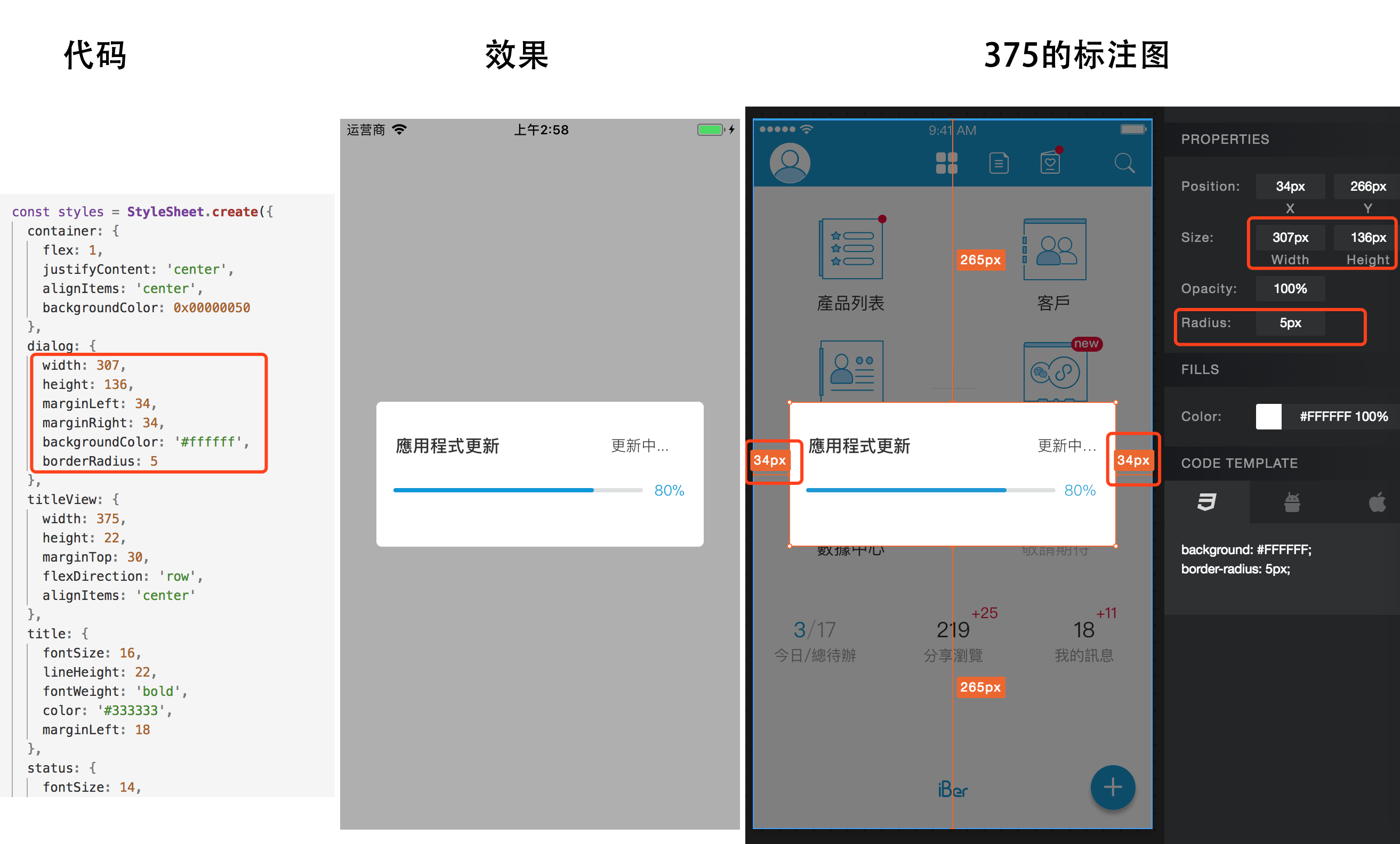
 dialog: {
 width: 307,
 height: 136,
 marginLeft: 34,
 marginRight: 34,
 backgroundColor: '#ffffff',
 borderRadius: 5
 },
 titleView: {
 width: 375,
 height: 22,
 marginTop: 30,
 flexDirection: 'row',
 alignItems: 'center'
 },
 title: {
 fontSize: 16,
 lineHeight: 22,
 fontWeight: 'bold',
 color: '#333333',
 marginLeft: 18
 },
 status: {
 fontSize: 14,
 fontWeight: '100',
 marginLeft: 104,
 color: '#333333'
 },
 progressView: {
 marginTop: 29,
 },
 progressBg: {
 width: 234,
 height: 4,
 marginLeft: 16,
 borderRadius: 4,
 backgroundColor: '#DEDFE0'
 },
 progressFg: {
 width: 188,
 height: 4,
 marginLeft: 16,
 borderRadius: 4,
 backgroundColor: '#1097D5',
 position: 'absolute'
 },
 progressText: { //在375机制下,可以放心使用这种方式布局
 fontSize: 14,
 lineHeight: 20,
 position: 'absolute',
 top: 73,
 right: 18,
 color: '#1097D5',
 fontWeight: '100'
 }
});
在继承自Component中使用,不是使用StyleSheet时,
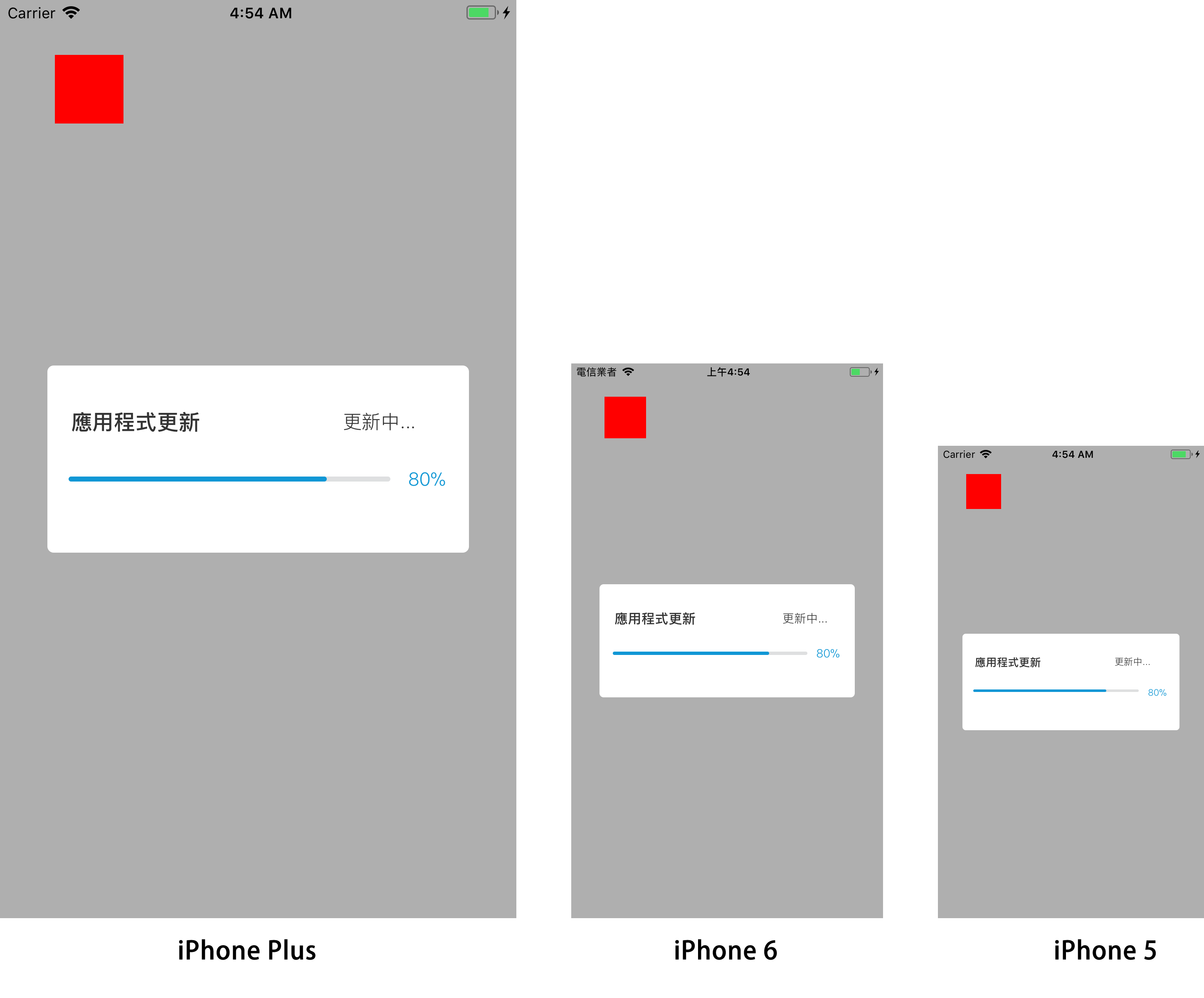
export default class App extends Component {
 render(){
 return <View style={{
 position: 'absolute',
 top: this.getSize(40),
 left: this.getSize(40),
 width: this.getSize(50),
 height: this.getSize(50),
 backgroundColor: '#ff0000'}}/>
 }
}
import ProgramStyleSheet from 'react-native-program-stylesheet';
export default class TestUtils {
 static computeSize(size) {
 return ProgramStyleSheet.getSize(size);
 }
}
一条水平分割线
<View style={{width: 375, height: 0.5, backgroundColor:'#dcdcdc'}}>
StyleSheet.create({
 container: {
 width: 375, //屏幕宽
 height: Number.MAX_SAFE_INTEGER, //屏幕高度
 }
})