Component like Select2 on web for React Native
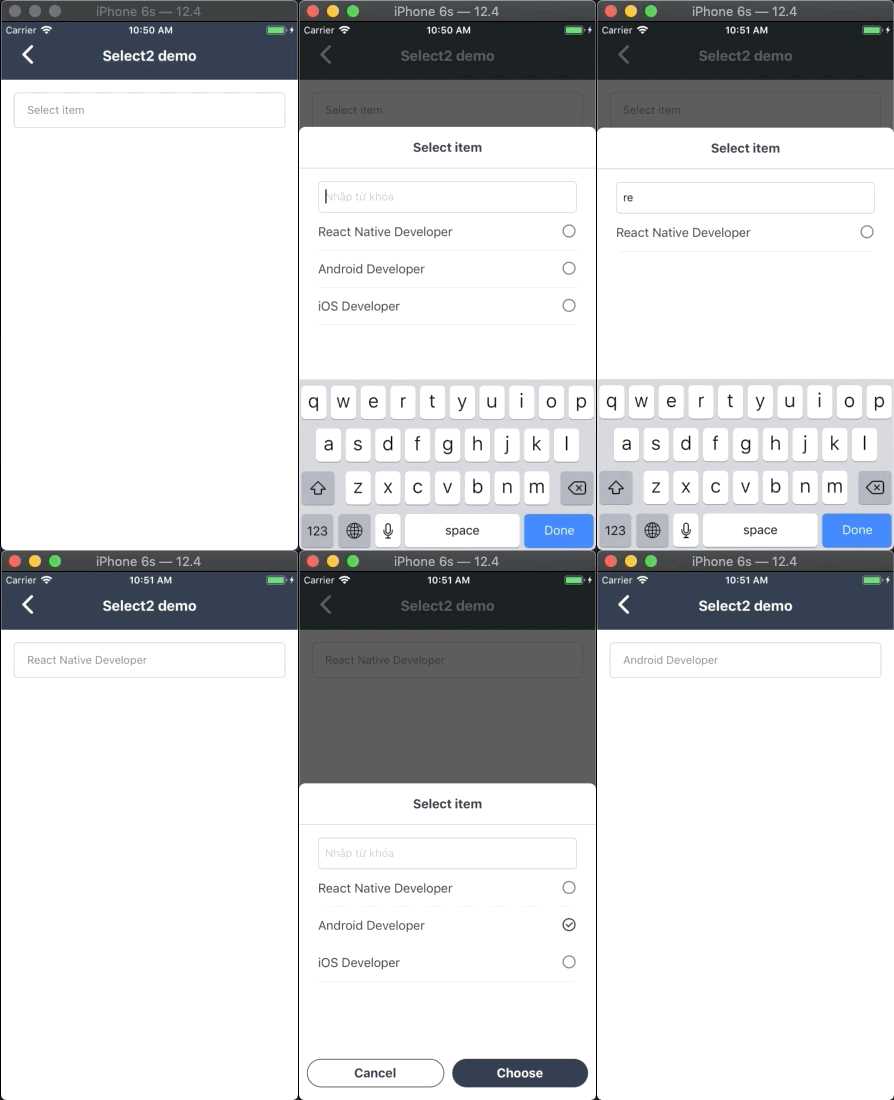
- Using NPM
npm install react-native-select-two - or:
- Using Yarn
yarn add react-native-select-two
import React, { Component } from "react"
import { View, Text, StyleSheet } from "react-native"
import Select2 from "react-native-select-two"
const mockData = [
 { id: 1, name: "React Native Developer", checked: true }, // set default checked for render option item
 { id: 2, name: "Android Developer" },
 { id: 3, name: "iOS Developer" }
]
// create a component
class CreateNewAppointment extends Component {
 render() {
 return (
 <View style={styles.container}>
 <Select2
 isSelectSingle
 style={{ borderRadius: 5 }}
 colorTheme="blue"
 popupTitle="Select item"
 title="Select item"
 data={mockData}
 onSelect={data => {
 this.setState({ data })
 }}
 onRemoveItem={data => {
 this.setState({ data })
 }}
 />
 </View>
 )
 }
}
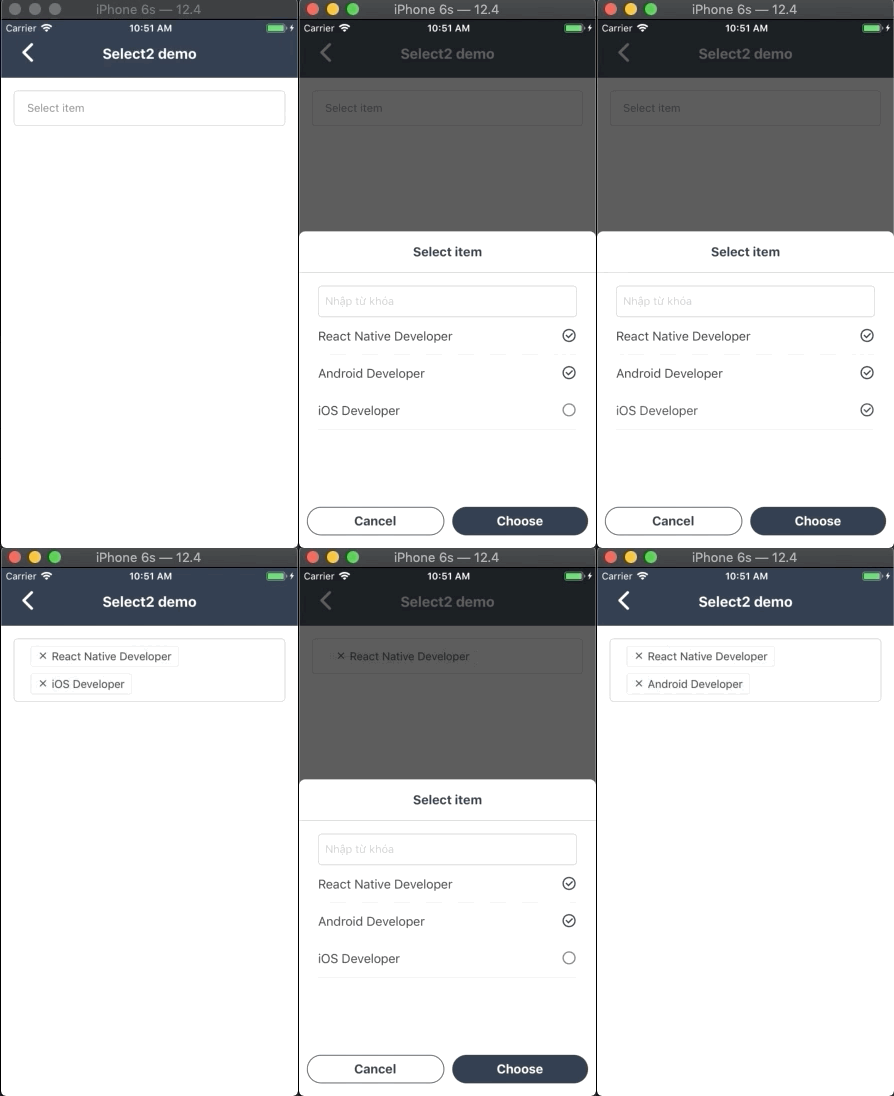
| Property name | Type | Default | Description |
|---|---|---|---|
| style | Object | none | Custom style for component |
| modalStyle | Object | none | Custom style for modal |
| title | String | none | String display when you don't select any item |
| data | Array | *required | Datasource of list options: an array of objects (each object have name and id property) |
| onSelect | Function | none | The callback function trigger after you press select button |
| onRemoveItem | Function | none | The callback function trigger after you press tags to remove them |
| popupTitle | String | none | Title of modal select item |
| colorTheme | string/color | #16a45f | Color for componet |
| isSelectSingle | Bool | false | Selelect only one option |
| showSearchBox | Bool | true | Show or hide search field |
| cancelButtonText | string | Hủy | Cancel button text title |
| selectButtonText | String | Chọn | Select button text title |
| searchPlaceHolderText | String | Nhập vào từ khóa | Placeholder text for search field |
| listEmptyTitle | String | Không tìm thấy lựa chọn phù hợp | Title to show when there's no item to be render |
| defaultFontName | String | none | Set custom font for all component |
| selectedTitleStyle | Object | none | Set custom style for display selected title text |
| buttonTextStyle | Object | none | Set custom button text style |
| buttonStyle | Object | none | Set custom button style |
MIT Licensed