the new demo apk can be downloaded here
c2d is a game engine, base on libgdx . Aim to easy use of the the libgdx api .I design c2d at my free time so if you have any ideas please give me feedback .
Maven:
<dependency>
 <groupId>com.github.xjjdog</groupId>
 <artifactId>c2d-core</artifactId>
 <version>2.0.0</version>
</dependency>
C2d built a readable and expandable API .
- Resources and loading
- Alias Resource Manager any resources my be had one or more alias so you can easy change the resource but not the codes.
- Custom resources load , you can change the subfix and protected your resources easily.
- Custom game loadding screen
- Event and Screen Switch
- EventManager ,fire the regiestered event anytime.
- TransitionScreen the animations of screen switch
- Graphics
- Animation Sprite support loop and LoopWithTime? mode.
- Parallax Layer the Parallax Layer ,you can custom the layer's content via ParallaxLayerDrawable?
- Surfaces support opengles1.x and 2.x .
- Pixmap HelperModifying textures using libGDX Pixmap in runtime
- Box2d
- Load the world from json the json file is designed with c2d-tools
Some games use c2d-engine.
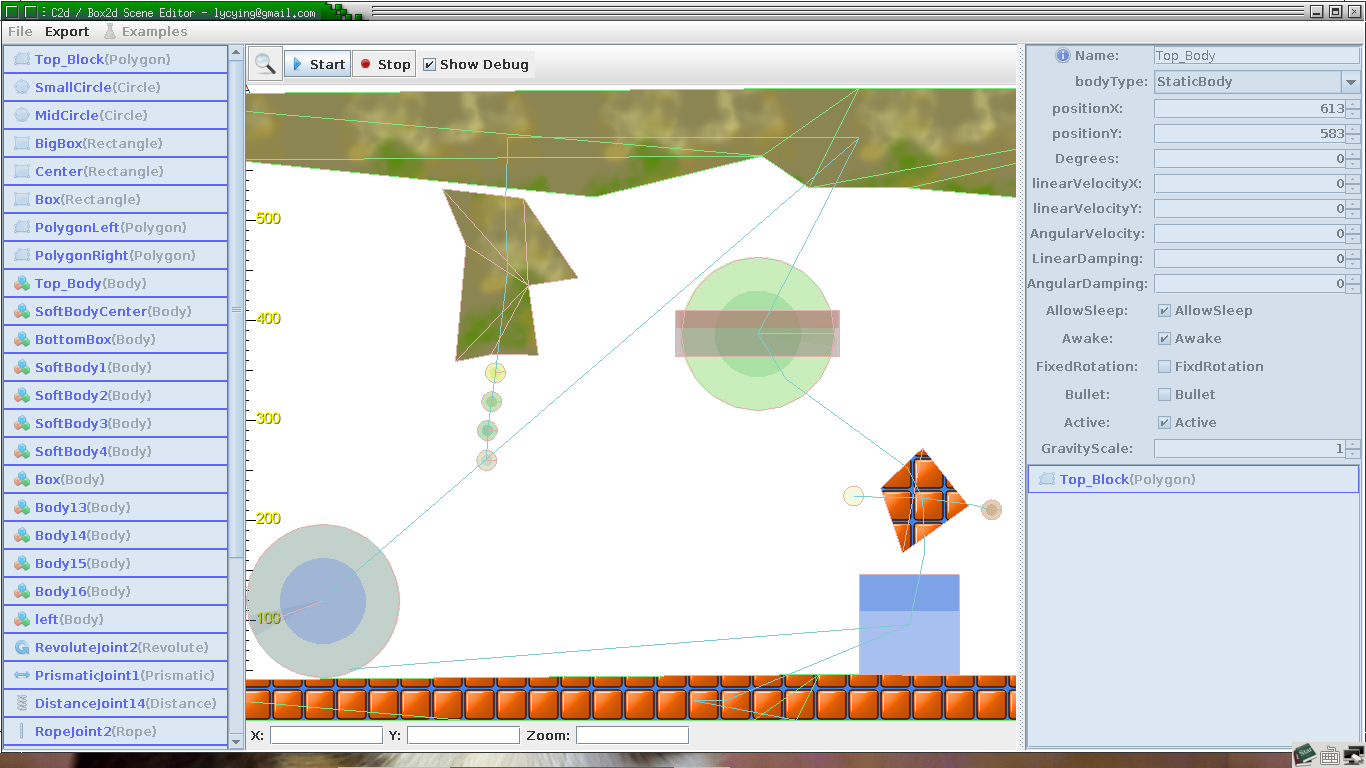
Be sure save it to disk first when u make a new scene.
Normal:
- Mouse wheel zooming scene
- Drag using Right mouse to move the scene.
- Click the examples under the test scenario for testing.
- Click the run test
- Right-click on the list on the left to add the Fixture, Body etc.
- Any change of the spinner or checkbox will be applied to the model.
Some Edit mode:
- Circle editing mode:
- Click on the screen, move the mouse to resize the circle, tap the screen again to end
- Box Edit mode:
- Click on the screen, and move the mouse to resize the box, tap the screen again to end
- Polygon mode(This May Has Error If too many confusion Clicks ):
- The left mouse button click on the screen to add point.
- Right Click actor point to delete point.
- Click the ritht-bottom-vertices editor to insert points or delete point between specific points.
- Dragging the actor points to adjust the position of the vertex
- Body edit mode:
- Right-click in the Right bottom Fixture list to add firmware
- Drag the body to move
- Drag the black area to rotate body
- Press "space" to enter joint mode
- Joint edit Mode:
- draw a straight line from object A to object B , select the joint mode at the pop-up menu
- Press Space to enter the body mode