___ __ ___ ___ ________ _______ ___ __ ___ _________
|\ \|\ \ |\ \|\ \|\ __ \|\ ___ \ |\ \|\ \ |\ \|\___ ___\
\ \ \/ /|\ \ \\\ \ \ \|\ /\ \ __/|\ \ \/ /|\ \ \|___ \ \_|
 \ \ ___ \ \ \\\ \ \ __ \ \ \_|/_\ \ ___ \ \ \ \ \ \
 \ \ \\ \ \ \ \\\ \ \ \|\ \ \ \_|\ \ \ \\ \ \ \ \ \ \ \
 \ \__\\ \__\ \_______\ \_______\ \_______\ \__\\ \__\ \__\ \ \__\
 \|__| \|__|\|_______|\|_______|\|_______|\|__| \|__|\|__| \|__|
Kubekit is a deployment toolkit, it provides offline installation solution for kubernetes. You can use it for deploying Kubernetes to OFFLINE production environment.
The Kubekit will install
- Docker (1.12.6)
- Kubernetes V1.7.2 and all its components
- Kubernetes dashboard, with default node port:31234
- Easy to bring up Kubernetes master by only one CLI command
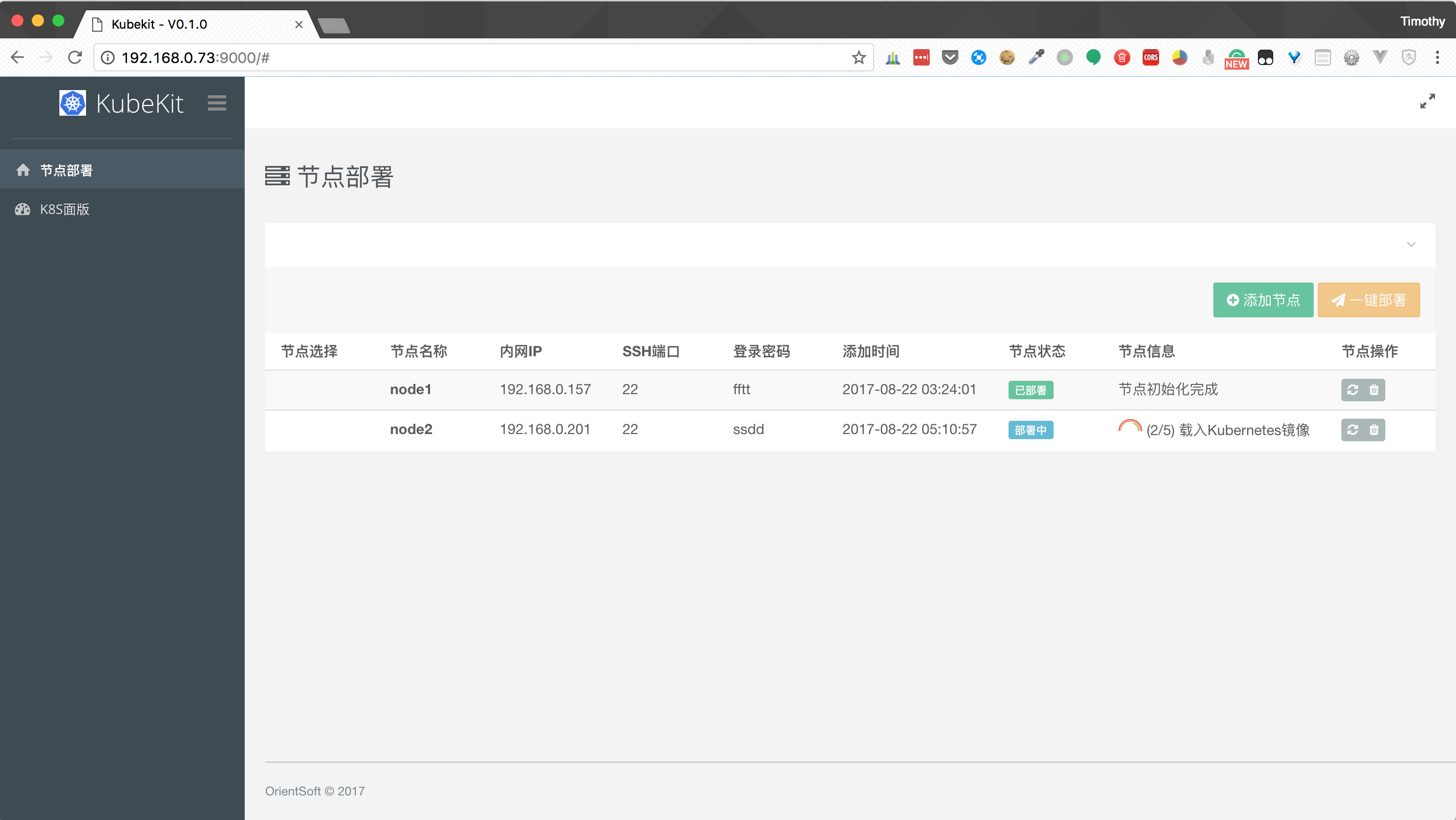
- Ease of use through Web UI portal
- Manage and initialize multiple nodes with "one-click"
- CentOS release 7.3.1611 (Already tested & Verified)
- Ubuntu 16.04 LTS (Planned to support)
-
Download latest release of kubekit from GitHub it, extract it to
./kubekit/ -
Download all the offline package from 百度网盘 with password
531vand with patience... -
Extract all the offline packages to
./kubekit/packages -
COPY ./kubekit to a node which is selected to be Kubernetes master.
-
Login to that node, initialize it with Kubernetes master by its IP:
./kubekit init 192.168.0.100
-
Take a cup of coffee and wait until master node is ready. And also, a Web UI portal will be available with default port: 9000.
-
Access the Web UI Portal with
http://MASTER_IP:9000and initialize other Kubernetes worker nodes through it.
→ ./kubekit h
NAME:
 KubeKit - A toolkit for Kubernetes & apps offline deployment.
USAGE:
 kubekit [global options] command [command options] [arguments...]
VERSION:
 0.1.0
COMMANDS:
 init, i Initialize current server with Docker engine & Kubernetes master.
 server, s Start kubekit file server & toolkit server.
 help, h Shows a list of commands or help for one command
GLOBAL OPTIONS:
 --help, -h show help
 --version, -v print the version
By default, kubekit will use port 8000 for file server and port 9000 for toolkit server, if they are conflicted with any running program, you can start kubekit with specified port.
USAGE:
 kubekit server FILE_SERVER_PORT TOOLKIT_SERVER_PORT
Get more help via:
./kubekit server -h
With Web UI Portal, you can manage all the Kubernetes worker nodes and initialize them, join them to Kubernetes cluster with "one-click".