An interactive Python implementation of the Gitmoji convention: gitmoji.dev/
uv tool run gitmopy
# or
uvx gitmopy
uv? Yes, in most cases you don't want to use gitmopyas a library but rather as a standalone CLI and you should therefore use uv rather than pip to install it. pip install gitmopy will work too if that's really what you want.
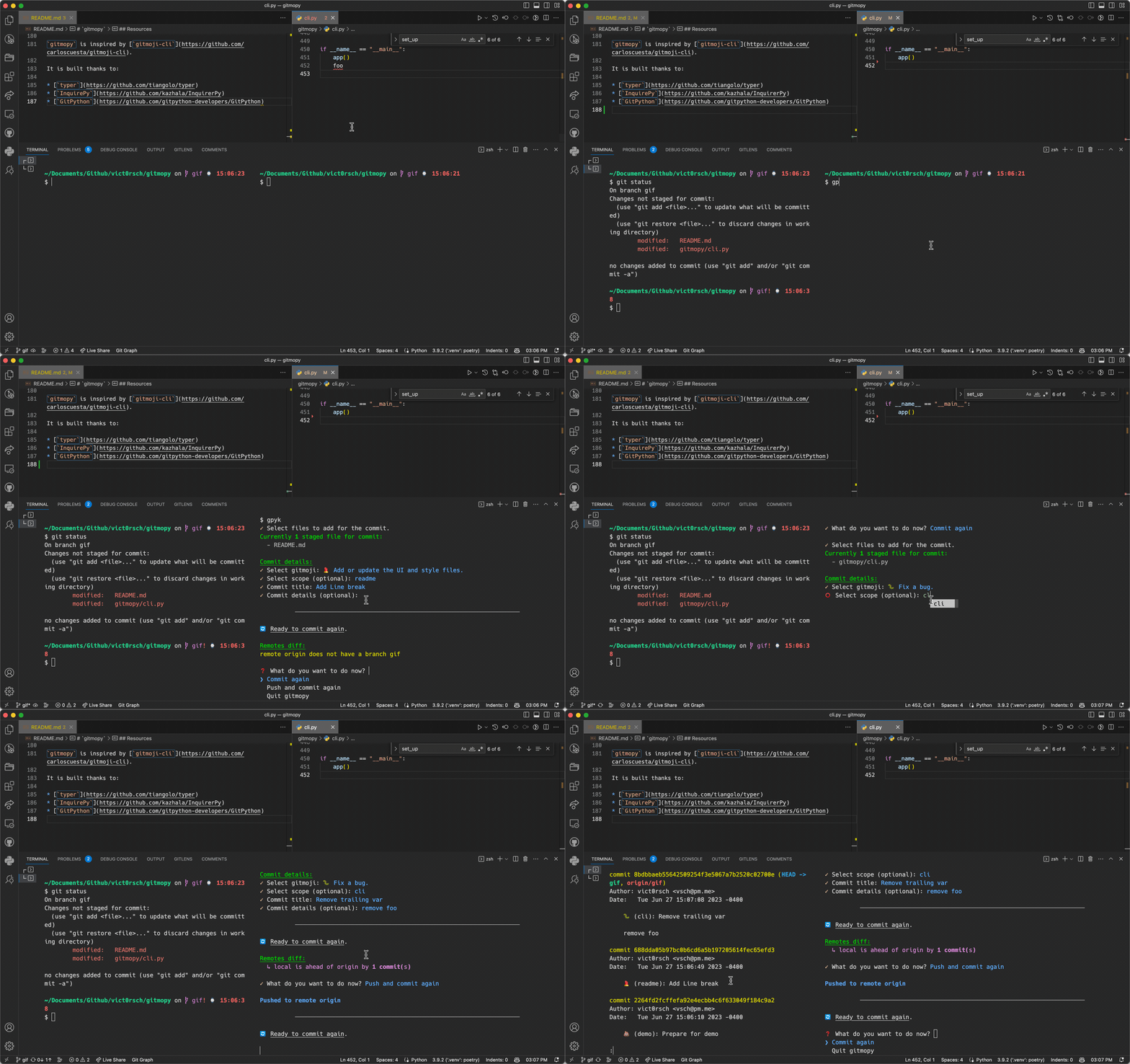
- I typically use
$ gitmopy commit --add --keep-alive - Navigate through options with ⬆️ and ⬇️
- Select files with
space - Validate selection with
enter - Press
tabto auto-complete- Press
tabon an empty line to see history
- Press
- Restart commit with
crtl+c- In the committing routine, press
ctrl+cto go back to the previous step (for instance if you made a mistake in the commit title)
- In the committing routine, press
- Push (and set upstream if need be)
- Commit again 🔄
You can also select another set of default emojis tailored towards AI/ML development by running gitmopy config then pressing Enter and choosing ai-devmojis as the config option.
Use your own emojis by editing the "custom emojis" file listed by gitmopy info!
alias gpy="gitmopy"
alias gpys="gitmopy start"
alias gpyc="gitmopy commit"
alias gpya="gitmopy commit --add"
alias gpyk="gitmopy commit --add --keep-alive"
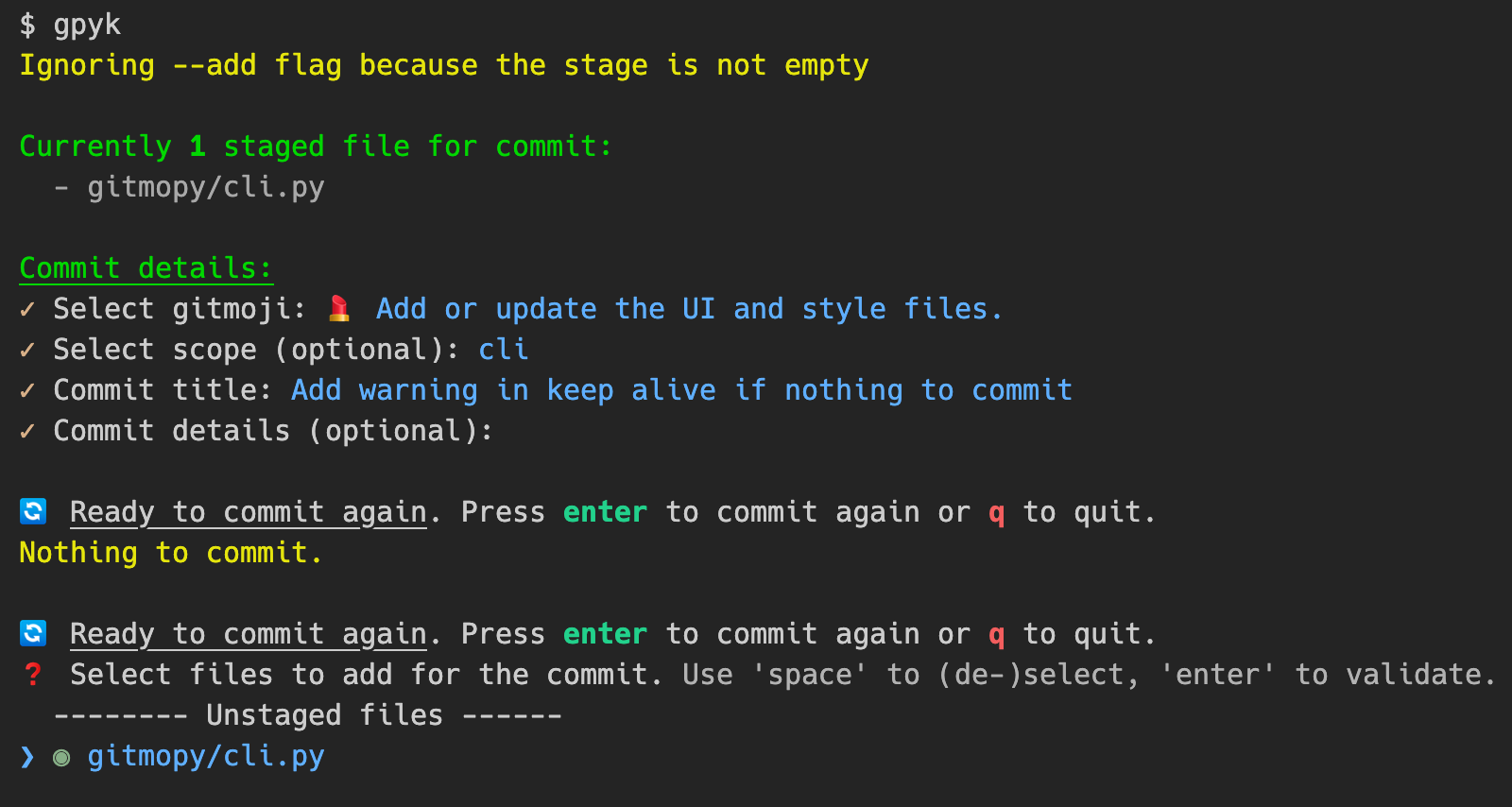
# Typical daily use-case
# ----------------------
# continuously commit, interactively select files to stage
$ gitmopy commit --add --keep-alive
# same using an alias, + push after every commit (could be dangerous)
$ gpyk --push
# use your default commit settings (configured via `gitmopy config`)
$ gitmopy start
# Specific usage
# --------------
# commit currently staged files. Will fail if no file is staged.
$ gitmopy commit
# Enable interactive file selection if no file is currently staged. Ignored if
# there are staged files.
$ gitmopy commit --add
# Commit continuously: don't leave the CLI after the first commit but restart
# the commit procedure.
$ gitmopy commit --keep-alive
# Push to remote repositories after commit.
# Interactively select remotes to push to if there are more than 1.
$ gitmopy commit --push
# Push to specific remotes
$ gitmopy commit --push --remote origin --remote upstream
# Make and display a commit message without staging/committing/pushing
$ gitmopy commit --dry
# configure gitmopy
$ gitmopy config
# print version, data paths and current configuration
$ gitmopy info
# print helps
$ gitmopy --help
$ gitmopy commit --help
pull then push but in the case of several remotes and the branch not existing on one of them, I recommend you deal with it with git manually.
$ gitmopy info
gitmopy info:
 version : 0.6.0
 app path : /Users/victor/.gitmopy
 history : /Users/victor/.gitmopy/history.json
 config : /Users/victor/.gitmopy/config.yaml
 custom emojis: /Users/victor/.gitmopy/custom_gitmojis.yaml
Current configuration:
 skip_scope : False
 skip_message : False
 capitalize_title : True
 enable_history : True
 emoji_set : gitmoji
 default_commit_flags: ['add', 'keep_alive', 'sign', 'simple']
 default_commit_args : {'remote': 'origin', 'repo': '.'}
Update configuration with
$ gitmopy config
❓ Configure gitmopy locally. Use 'space' to (de-)select, 'enter' to validate.
❯ ○しろまる Skip commit scope
 ○しろまる Skip commit message
 ◉ Capitalize commit title
 ◉ Remember commit history for auto-complete and emoji sorting
Config will be saved in /Users/victor/.gitmopy/config.yaml.
✓ Configure gitmopy locally.
❓ Emoji set to use for commits
❯ gitmoji
 ai-devmojis
❓ Default commit binary flags used in `gitmopy start`
❯ ◉ add
 ○しろまる dry
 ◉ keep_alive
 ○しろまる push
 ◉ sign
 ◉ simple
❓ repo (Path to the git repository): .
❓ remote (Comma-separated list of remotes to push to): origin
Get help with
$ gitmopy --help
 Usage: gitmopy [OPTIONS] COMMAND [ARGS]...
╭─ Options ───────────────────────────────────────────────────────────────────────╮
│ --install-completion Install completion for the current shell. │
│ --show-completion Show completion for the current shell, to copy it │
│ or customize the installation. │
│ --help Show this message and exit. │
╰─────────────────────────────────────────────────────────────────────────────────╯
╭─ Commands ──────────────────────────────────────────────────────────────────────╮
│ commit Commit staged files. Use --add to interactively select files to stage │
│ if none is already staged │
│ config Configure gitmopy │
│ info Print gitmopy info │
│ start Runs the commit command with the default arguments you have set in the │
│ configuration file. If no such arguments are set, you will be prompted │
│ to set them interactively. │
╰─────────────────────────────────────────────────────────────────────────────────╯
$ gitmopy commit --help
 Usage: gitmopy commit [OPTIONS]
 Commit staged files. Use --add to interactively select files to stage if none is
 already staged
╭─ Options ───────────────────────────────────────────────────────────────────────╮
│ --repo TEXT Path to the git repository │
│ [default: .] │
│ --add --no-add Whether or not to interactively select │
│ files to stage if none is already │
│ staged │
│ [default: no-add] │
│ --push --no-push Whether to `git push` after commit. If │
│ multiple remotes exist, you will be │
│ asked to interactively choose the ones │
│ to push to. Use --remote to skip │
│ interactive selection. Disabled by │
│ default. │
│ [default: no-push] │
│ --dry --no-dry Whether or not to actually commit. │
│ [default: no-dry] │
│ --remote TEXT Remote to push to after commit. Use to │
│ skip interactive remote selection when │
│ several exist. Use several '--remote │
│ {remote name}' to push to multiple │
│ remotes │
│ --keep-alive --no-keep-alive Whether or not to keep the app alive │
│ after commit, to be ready for another │
│ one. │
│ [default: no-keep-alive] │
│ --simple --no-simple Whether or not to use a simple commit │
│ which merges conventional commits and │
│ gitmoji. │
│ [default: no-simple] │
│ --sign --no-sign Whether or not to sign the commit with │
│ GPG. Equivalent to `git commit -S`. │
│ [default: no-sign] │
│ --help Show this message and exit. │
╰─────────────────────────────────────────────────────────────────────────────────╯
You can configure default settings for the gitmopy start command which will run gitmopy commit with your preferred arguments. To set these up:
- Run
gitmopy config - Navigate to "Default commit binary flags used in
gitmopy start" - Select the flags you want enabled by default (e.g.,
add,keep-alive,push, etc.) - Navigate to "Default commit arguments used in
gitmopy start" - Configure:
repo: Path to your git repository (default: ".")remote: Comma-separated list of remotes to push to (default: "origin")
Then simply run gitmopy start to use your default settings!
For example, if you always want to:
- Work in the current directory
- Be able to select files to stage
- Keep committing until you're done
- Sign your commits
- Push to origin
Configure these settings once with gitmopy config and just run gitmopy start instead of gitmopy commit --add --keep-alive --push --remote origin --sign!
- Features
- If requested:
- Install hook
git commitflags (like-S)- max history length (if loading the json becomes slow)
- If requested:
- Tests
- typer.tiangolo.com/tutorial/testing/
- 👋 Help wanted
- Docs
- Not critical
gitmopy is inspired by gitmoji-cli.
It is built thanks to: