
thanks for amix/vimrc .
Gopls Options for Golang development
Install an LSP plugin in Neovim editor more...
OR
go get golang.org/x/tools/gopls@latest
Download plug.vim and put it in the "autoload" directory.
curl -fLo ~/.local/share/nvim/site/autoload/plug.vim --create-dirs \
https://raw.githubusercontent.com/junegunn/vim-plug/master/plug.vimmd ~\AppData\Local\nvim\autoload $uri = 'https://raw.githubusercontent.com/junegunn/vim-plug/master/plug.vim' (New-Object Net.WebClient).DownloadFile( $uri, $ExecutionContext.SessionState.Path.GetUnresolvedProviderPathFromPSPath( "~\AppData\Local\nvim\autoload\plug.vim" ) )
The version includes a lot of great plugins, configurations and color schemes that make Neovim a lot better. To install it simply do following from your terminal:
git clone --depth=1 https://github.com/venjiang/nvimrc.git ~/.vim
sh ~/.vim/install.sh
nvim +PlugInstall
Just run nvim, have fun!!! 😄
Colors when editing a basic.vim:

Colors when golang development:
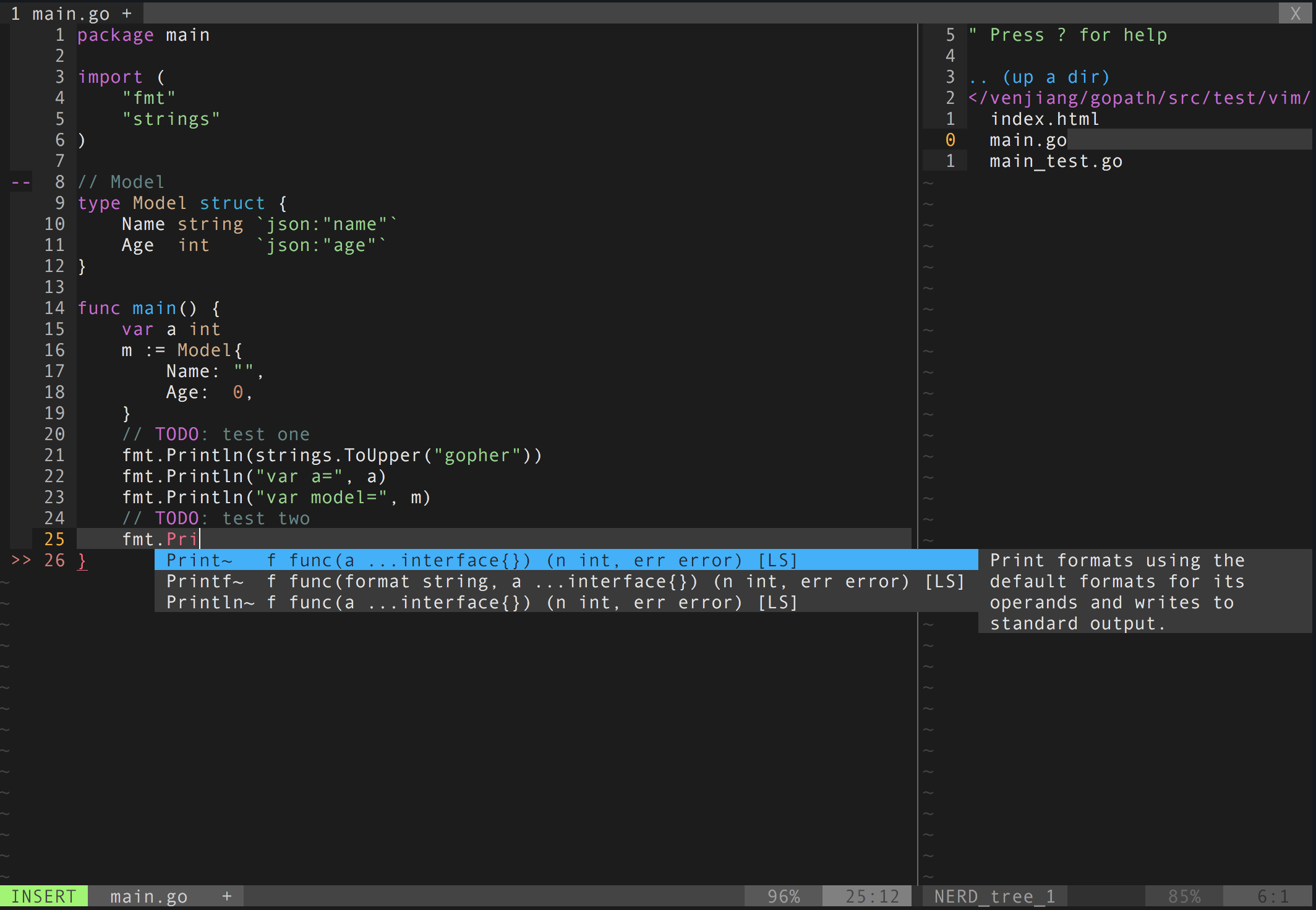
I recommend reading the docs of these plugins to understand them better. Each plugin provides a much better Neovim experience!
- ack.vim: Vim plugin for
the_silver_searcher(ag) or ack -- a wicked fast grep - bufexplorer.zip: Quickly and easily switch between buffers. This plugin can be opened with
<leader+o> - ctrlp.vim: Fuzzy file, buffer, mru and tag finder. It's mapped to
<Ctrl+F> - goyo.vim:
- lightline.vim: A light and configurable statusline/tabline for Vim
- NERD Tree: A tree explorer plugin for vim
- mru.vim: Plugin to manage Most Recently Used (MRU) files. This plugin can be opened with
<leader+f> - open_file_under_cursor.vim: Open file under cursor when pressing
gf - snipmate.vim: snipmate.vim aims to be a concise vim script that implements some of TextMate's snippets features in Vim
- ale: Syntax and lint checking for vim (ALE requires NeoVim >= 0.2.0 or Vim 8 with +timers +job +channel)
- vim-commentary: Comment stuff out. Use
gccto comment out a line (takes a count),gcto comment out the target of a motion.gcuuncomments a set of adjacent commented lines. - vim-expand-region: Allows you to visually select increasingly larger regions of text using the same key combination
- vim-fugitive: A Git wrapper so awesome, it should be illegal
- vim-indent-object: Defines a new text object representing lines of code at the same indent level. Useful for python/vim scripts
- onedark The default
- vim-one
- iceberg
- gruvbox
- Oceanic Next
- Deep Space
The leader is ,, so whenever you see <leader> it means ,.
Fast saving of a buffer (<leader>w):
nmap <leader>w :w!<cr>
Map <Space> to / (search) and <Ctrl>+<Space> to ? (backwards search):
map /
map ?
map :noh
Disable highlights when you press <leader><cr>:
map :noh
Smart way to move between windows (<ctrl>j etc.):
map j
map k
map h
map l
Closing of the current buffer(s) (<leader>bd and (<leader>ba)):
" Close current buffer
map bd :Bclose
" Close all buffers
map <leader>ba :1,1000 bd!<cr>
Useful mappings for managing tabs: map tn :tabnew map to :tabonly map tc :tabclose map tm :tabmove
" Opens a new tab with the current buffer's path
" Super useful when editing files in the same directory
map <leader>te :tabedit <C-r>=expand("%:p:h")<cr>/
Switch CWD to the directory of the open buffer: map cd :cd %:p:h:pwd
Open ack.vim for fast search:
map g :Ack
Quickly open a buffer for scripbble: map q :e ~/buffer
Toggle paste mode on and off: map pp :setlocal paste!
Visual mode pressing * or # searches for the current selection:
vnoremap <silent> * :call VisualSelection('f')<CR>
vnoremap <silent> # :call VisualSelection('b')<CR>
When you press gv you Ack.vim after the selected text:
vnoremap <silent> gv :call VisualSelection('gv', '')<CR>
When you press <leader>r you can search and replace the selected text:
vnoremap <silent> <leader>r :call VisualSelection('replace')<CR>
Surround the visual selection in parenthesis/brackets/etc.:
vnoremap 1ドル <esc>`>a)<esc>`<i(<esc>
vnoremap 2ドル <esc>`>a]<esc>`<i[<esc>
vnoremap 3ドル <esc>`>a}<esc>`<i{<esc>
vnoremap $$ <esc>`>a"<esc>`<i"<esc>
vnoremap $q <esc>`>a'<esc>`<i'<esc>
vnoremap $e <esc>`>a"<esc>`<i"<esc>
Quickly insert parenthesis/brackets/etc.:
inoremap 1ドル ()<esc>i
inoremap 2ドル []<esc>i
inoremap 3ドル {}<esc>i
inoremap 4ドル {<esc>o}<esc>O
inoremap $q ''<esc>i
inoremap $e ""<esc>i
inoremap $t <><esc>i
Insert the current date and time (useful for timestamps):
iab xdate <C-r>=strftime("%d/%m/%y %H:%M:%S")<cr>
$q is super useful when browsing on the command line. It deletes everything until the last slash:
cno $q <C-\>eDeleteTillSlash()<cr>
Bash like keys for the command line:
cnoremap <C-A>		<Home>
cnoremap <C-E>		<End>
cnoremap <C-K>		<C-U>
cnoremap <C-P> <Up>
cnoremap <C-N> <Down>
Write the file as sudo (works only on Unix). Super useful when you open a file and you don't have permissions to save your changes. Vim tip:
:W
Open bufexplorer to see and manage the current buffers (<leader>o):
map o :BufExplorer
Open MRU.vim to see the recently open files (<leader>f):
map <leader>f :MRU<CR>
Open ctrlp.vim plugin to quickly find a file or a buffer (<leader>j or <ctrl>f):
let g:ctrlp_map = ''
NERD Tree mappings:
map <leader>nn :NERDTreeToggle<cr>
map <leader>nb :NERDTreeFromBookmark
map <leader>nf :NERDTreeFind<cr>
ctrl-p mappings to easily find and open a file, buffer, etc.:
let g:ctrlp_map = '<C-f>'
map <leader>j :CtrlP<cr>
map <C-b> :CtrlPBuffer<cr>
vim-snipmate mappings to autocomplete via snippets:
ino <C-j> <C-r>=snipMate#TriggerSnippet()<cr>
snor <C-j> <esc>i<right><C-r>=snipMate#TriggerSnippet()<cr>
vim-surround mappings to easily surround a string with _() gettext annotation:
vmap Si S(i_<esc>f)
au FileType mako vmap Si S"i${ _(<esc>2f"a) }<esc>
ale to easily go to the next Ale syntax/lint error:
nmap <silent> <leader>a <Plug>(ale_next_wrap)
Pressing <leader>ss will toggle spell checking:
map <leader>ss :setlocal spell!<cr>
Shortcuts using <leader> instead of special characters:
map <leader>sn ]s
map <leader>sp [s
map <leader>sa zg
map <leader>s? z=
Query :help cope if you are unsure what cope is. It's super useful!
When you search with Ack.vim, display your results in cope by doing:
<leader>cc
To go to the next search result do:
<leader>n
To go to the previous search results do:
<leader>p
Cope mappings:
map <leader>cc :botright cope<cr>
map <leader>co ggVGy:tabnew<cr>:set syntax=qf<cr>pgg
map <leader>n :cn<cr>
map <leader>p :cp<cr>