GitHub repo size GitHub code size in bytes GitHub top language GitHub issues GitHub license
easy_loading_button is a simple, easy to use, and customizeable progress/loading Material Flutter Button that supports variety of button styles (elevated, outlined, text).
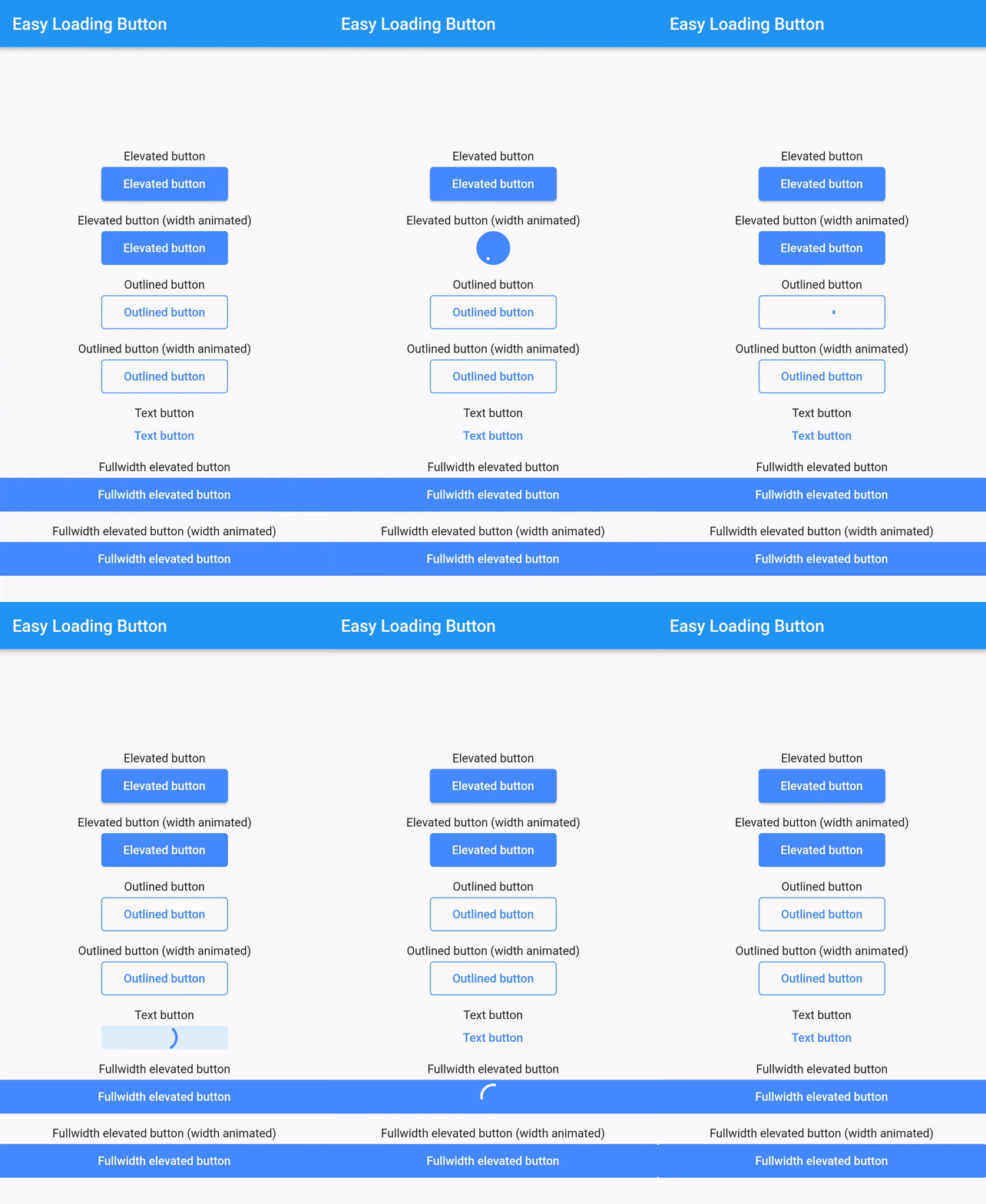
Or try the demo on DartPad
Add this to your package's pubspec.yaml file:
easy_loading_button: ^0.3.2
You can install packages from the command line:
$ flutter pub get
Alternatively, your editor might support flutter pub get.
Now in your Dart code, you can use:
import 'package:easy_loading_button/easy_loading_button.dart';
Add EasyButton to your widget tree:
EasyButton(
 type: EasyButtonType.elevated,
 // Content inside the button when the button state is idle.
 idleStateWidget: const Text(
 'Elevated Button',
 style: TextStyle(
 color: Colors.white,
 ),
 ),
 // Content inside of the button when the button state is loading.
 loadingStateWidget: const CircularProgressIndicator(
 strokeWidth: 3.0,
 valueColor: AlwaysStoppedAnimation<Color>(
 Colors.white,
 ),
 ),
 // Whether or not to animate the width of the button. Default is `true`.
 // If this is set to `false`, you might want to set the `useEqualLoadingStateWidgetDimension` parameter to `true`.
 useWidthAnimation: true,
 // Whether or not to force the `loadingStateWidget` to have equal dimension. Default is `true`.
 // This is useful when you are using `CircularProgressIndicator` as the `loadingStateWidget`.
 // This parameter might also be useful when you set the `useWidthAnimation` parameter to `true` combined with `CircularProgressIndicator` as the value for `loadingStateWidget`.
 useEqualLoadingStateWidgetDimension: true,
 // If you want a fullwidth size, set this to double.infinity
 width: 150.0,
 height: 40.0,
 borderRadius: 4.0,
 // The elevation of the button.
 // This will only be applied when the type parameter value is EasyButtonType.elevated
 elevation: 0.0,
 // The gap between button and it's content.
 // This will be ignored when the `type` parameter value is set to `EasyButtonType.text`
 contentGap: 6.0,
 // Color for the button.
 // For [EasyButtonType.elevated]: This will be the background color.
 // For [EasyButtonType.outlined]: This will be the border color.
 // For [EasyButtonType.text]: This will be the text color.
 buttonColor: Colors.blueAccent,
 onPressed: () {},
),
More parameters:
const EasyButton({
 Key? key,
 required this.idleStateWidget,
 required this.loadingStateWidget,
 this.type = EasyButtonType.elevated,
 this.useWidthAnimation = true,
 this.useEqualLoadingStateWidgetDimension = true,
 this.width = double.infinity,
 this.height = 40.0,
 this.contentGap = 0.0,
 this.borderRadius = 0.0,
 this.elevation = 0.0,
 this.buttonColor = Colors.blueAccent,
 this.onPressed,
}) : super(key: key);
Three types supported:
enum EasyButtonType {
 elevated,
 outlined,
 text,
}
Source code and example of this library can be found in git:
$ git clone https://github.com/usefulteam/easy_loading_button.git
Thanks to Yang JIANG for the flutter_progress_button package.
My package was based on it. You can also visit their package pub.dev page.