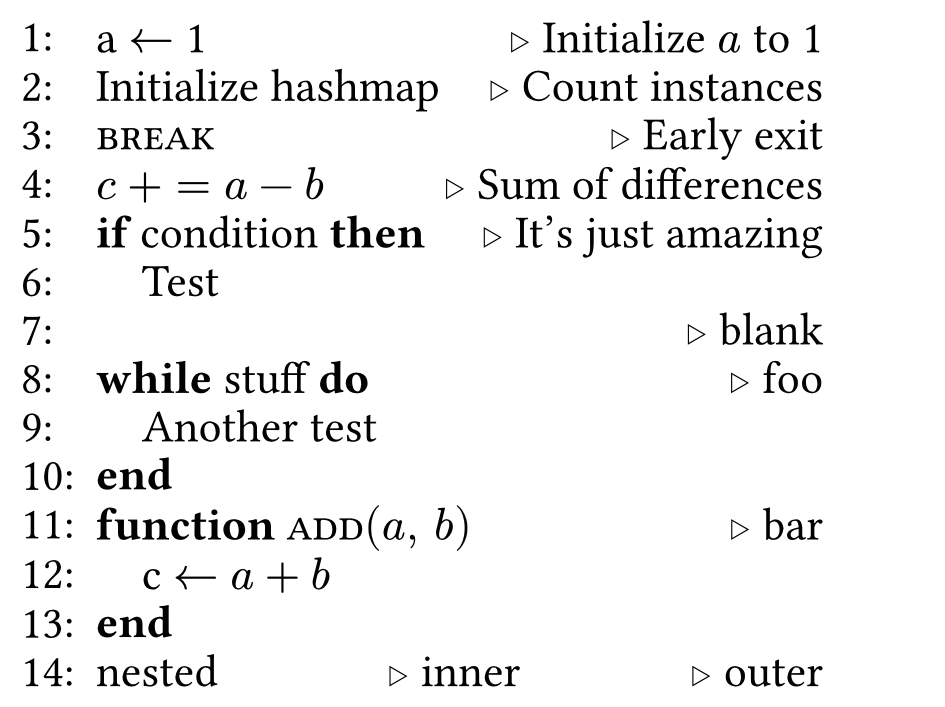
This is a package inspired by the LaTeX algorithmicx package
for Typst. It's useful for writing pseudocode and typesetting it all nicely.
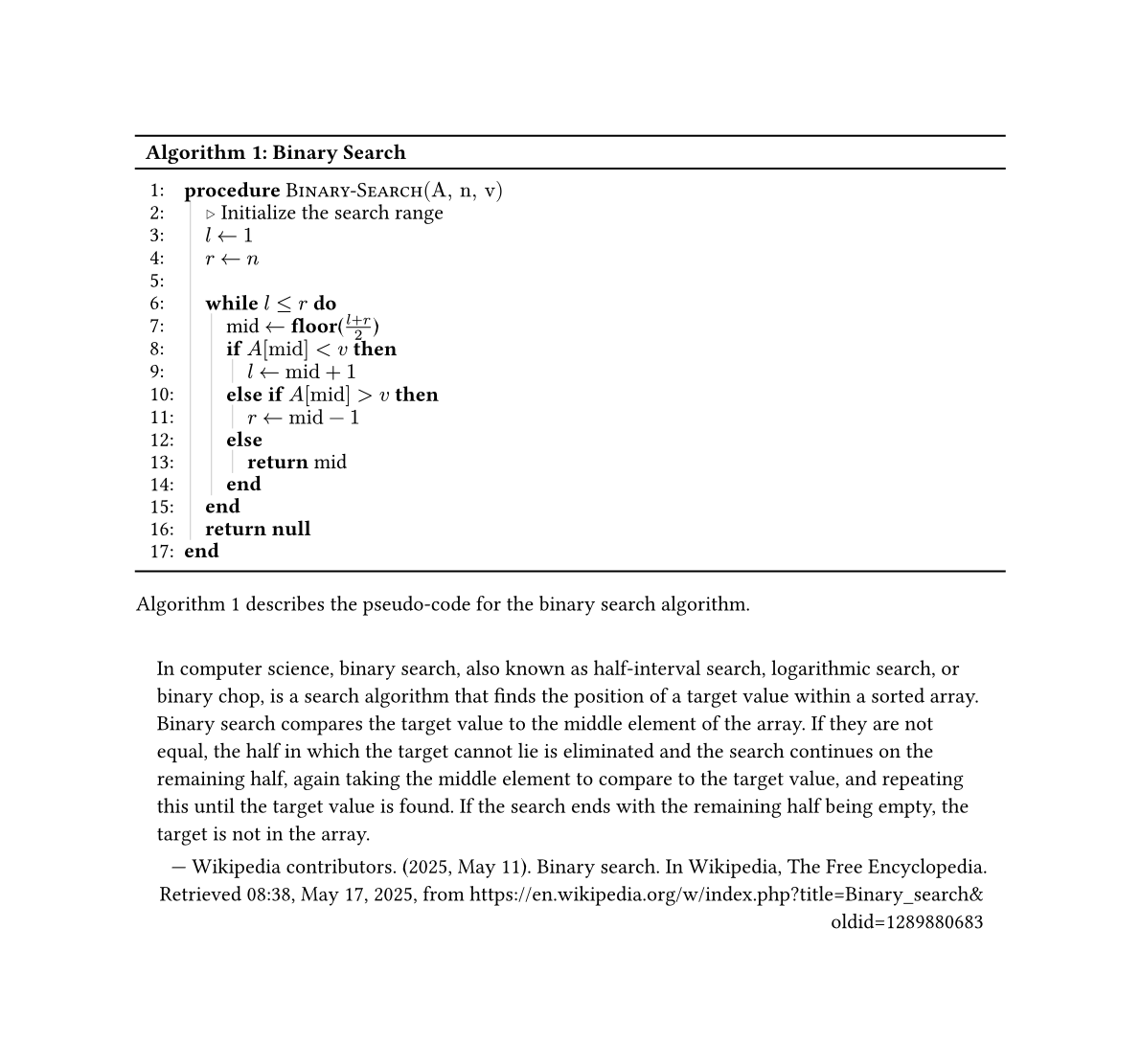
Example:
#import "@preview/algorithmic:1.0.7"
#import algorithmic: style-algorithm, algorithm-figure
#show: style-algorithm
#algorithm-figure(
 "Binary Search",
 vstroke: .5pt + luma(200),
 {
 import algorithmic: *
 Procedure(
 "Binary-Search",
 ("A", "n", "v"),
 {
 Comment[Initialize the search range]
 Assign[$l$][$1$]
 Assign[$r$][$n$]
 LineBreak
 While(
 $l <= r$,
 {
 Assign([mid], FnInline[floor][$(l + r) / 2$])
 IfElseChain(
 $A ["mid"] < v$,
 {
 Assign[$l$][$"mid" + 1$]
 },
 [$A ["mid"] > v$],
 {
 Assign[$r$][$"mid" - 1$]
 },
 Return[mid],
 )
 },
 )
 Return[*null*]
 },
 )
 }
)
This DSL is implemented using the same trick as CeTZ uses: a code block of arrays gets those arrays joined together.
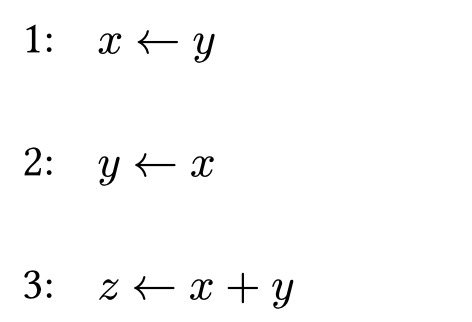
algorithm(inset: 0.2em, indent: 0.5em, vstroke: 0pt + luma(200), line-numbers: true, line-numbers-format: x => [#x:], ..bits)
This is the main function of the package. It takes a list of arrays and
returns a typesetting of the algorithm. You can modify the inset
between lines with the inset parameter.
If you want to customize line numbers, you can pass a function, that takes a number and returns content, to the line-numbers-format parameter instead of a default value.
#algorithm(
 inset: 1em, // more spacing between lines
 indent: 0.5em, // indentation for the algorithm
 vstroke: 0pt + luma(200), // vertical stroke for indentation guide
 line-numbers: true, // show line numbers
 line-numbers-format: x => [#x:], // change the line numbers format
 { // provide an array
 import algorithmic: * // import all names in the array
 Assign[$x$][$y$]
 },
 { // provide another array
 import algorithmic: *
 Assign[$y$][$x$]
 },
 { // provide a third array
 import algorithmic: *
 Assign[$z$][$x + y$]
 }
)
algorithm-figure(title, supplement: "Algorithm", inset: 0.2em, indent: 0.5em, vstroke: 0pt + luma(200), line-numbers: true, line-numbers-format: x => [#x:], ..bits)
The algorithm-figure function is a wrapper around algorithm that returns a
figure element of the algorithm. It takes the same parameters as
algorithm, but also takes a title and a supplement parameter for the figure.
#let algorithm-figure(
 title,
 supplement: "Algorithm",
 inset: 0.2em,
 indent: 0.5em,
 vstroke: 0pt + luma(200),
 line-numbers: true,
 ..bits,
) = {
 return figure(supplement: supplement, kind: "algorithm", caption: title, algorithm(
 indent: indent,
 inset: inset,
 vstroke: vstroke,
 line-numbers: line-numbers,
 ..bits,
 ))
}
In order to use the algorithm-figure function, you need to style the figure
with the style-algorithm show rule, or provide your own styling.
#import algorithmic: algorithm-figure, style-algorithm
#show: style-algorithm // Do not forget!
#algorithm-figure("Variable Assignment", {
 import algorithmic: *
 Assign[$x$][$y$]
})
style-algorithm provides several options to customize the appearance of the algorithm figure:
caption-style (function): strongis applied to the algorithm's title. Normal text can be used withcaption-style: text, orcaption-style: c => c.caption-align (alignment): startaligns the title to the start (left for LTR, and right for RTL languages) by defaultbreakable (bool): truecontrols whether or not the figure will break across pages.hlines (array of 3 content): (grid.hline(), grid.hline(), grid.hline())provides horizontal lines at the top, middle, and bottom of the algorithm figure.placement (none, auto, top or bottom): nonecontrols the float placement of the algorithm figure. Seefigure(placement)scope (string): "column"controls the floating scope of the algorithm figure. Seefigure(placement)
An example of how to style the algorithm figure:
#show: style-algorithm.with(
 breakable: false,
 caption-align: end,
 caption-style: emph,
 hlines: (grid.hline(stroke: 2pt + red), grid.hline(stroke: 2pt + blue), grid.hline(stroke: 2pt + green)),
 placement: none,
 scope: "column",
)
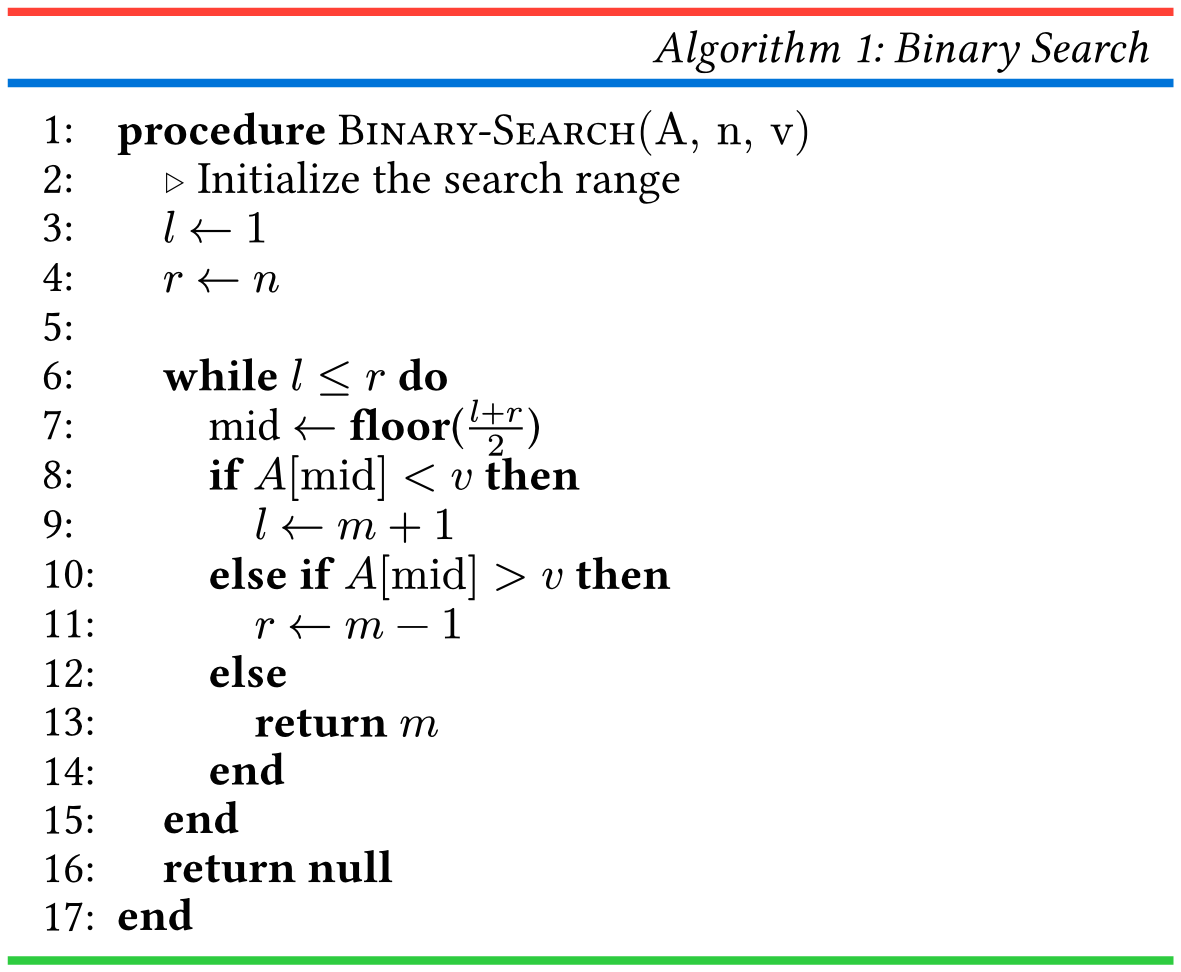
which will result in something like image of the binary search algorithm with a right-aligned and italics figure caption enclosed within a red and blue 2pt grid horizontal lines. The algorithm is finally ended with a green 2pt horizontal line.
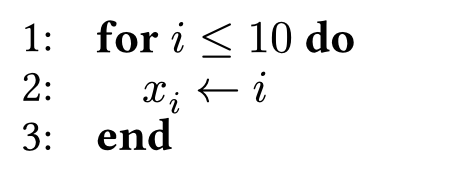
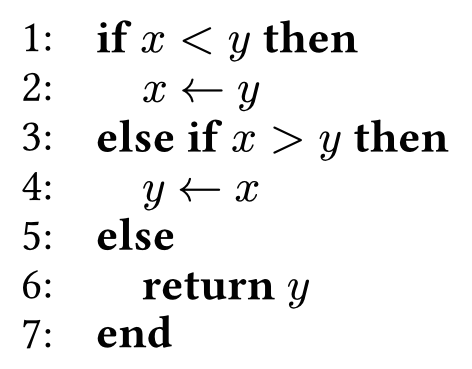
Algorithmic provides basic control flow statements: If, While, For,
Else, ElseIf, and a IfElseChain utility.
| Statement | Description | Usage | Example |
|---|---|---|---|
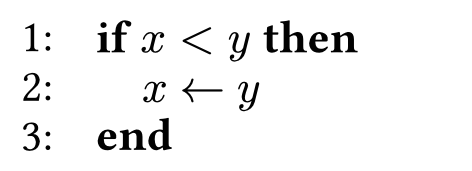
If |
If(condition: content, ..bits) |
If($x < y$, { Assign[$x$][$y$] }) |
image of an if statement with condition x < y and conditional statement assign y to x |
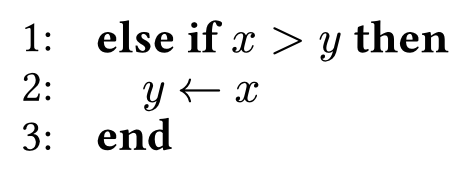
ElseIf |
ElseIf(condition: content, ..bits) |
ElseIf($x > y$, { Assign[$y$][$x$] }) |
image of an elseif statement with condition x > y and conditional statement assign x to y |
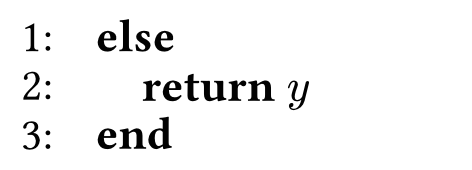
Else |
Else(..bits) |
Else({
 Return[$y$]
}) |
image of an else statement with conditional statement return y |
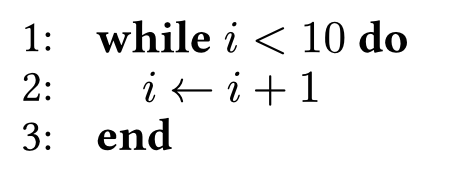
While |
While(condition: content, ..bits) |
While($i < 10$, { Assign[$i$][$i + 1$] }) |
image of a while statement with condition i < 10 and conditional statement assign i + 1 to i |
For |
For(condition: content, ..bits) |
For($i <= 10$, { Assign[$x_i$][$i$] }) |
image of a for loop with condition i <= 10 and conditional statement assign i to x_i |
IfElseChain |
IfElseChain(..bits) |
IfElseChain( // Alternating content and bits $x < y$, // If: content 1 (condition) { // Then: bits 1 Assign[$x$][$y$] }, [$x > y$], // ElseIf: content 2 (condition) { // Then: bits 2 Assign[$y$][$x$] }, Return[$y$], // Else: content 3 (no more bits afterwards) ) |
image of an ifelsechain statement with condition x < y and conditional statement assign y to x, then condition x |
IfElseInline |
IfElseInline(condition: content, true-case: content, false-case: content) |
Assign($m$, IfElseInline($x < y$, $x$, $y$)) |
image of an ifelseinline expression with condition x < y, true expression x, and false expression y being assigned to m |

The package provides a few commands: Function, Procedure, Assign,
Return, Terminate and Break.
| Command | Description | Usage | Example |
|---|---|---|---|
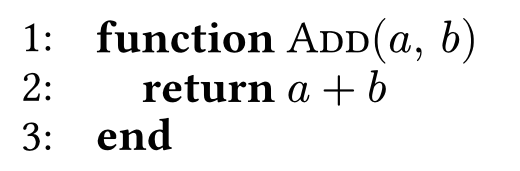
Function |
Function(name, args, ..bits)
|
Function("Add", ($a$, $b$), {
Assign[$a$][$b$]
}) |
image of a function definition with name 'Add' and arguments 'a' and 'b' with body 'return a+b' |
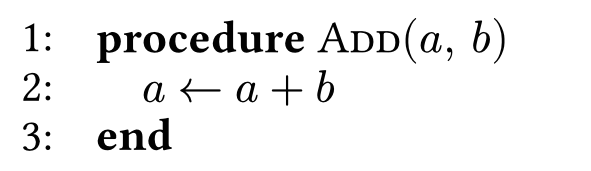
Procedure |
Procedure(name, args, ..bits)
|
Procedure("Add", ("a", "b"), {
Assign[$a$][$a+b$]
}) |
image of a procedure definition with name 'Add' and arguments 'a' and 'b' with body 'assign a+b to a' |
Assign |
Assign(var, value)
|
Assign[$x$][$y$] |
image of an assignment statement assigning y to x |
Return |
Return(value)
|
Return[$x$] |
image of a return statement returning x |
Terminate |
Terminate(value)
|
Terminate[$x$] |
image of a terminate statement terminating x |
Break |
Break()
|
Break() |
image of a break statement |
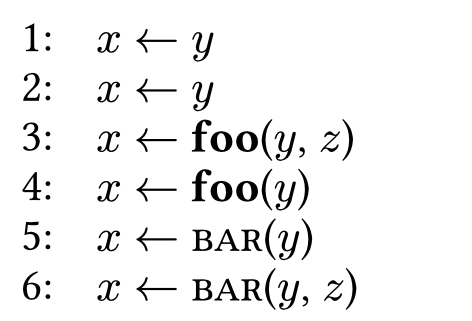
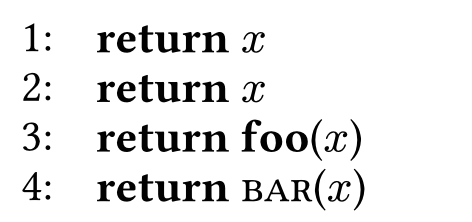


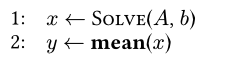
Users can also define their own commands using both Call(..args) and
Fn(..args) and their inline versions CallInline and FnInline.
#import "../../algorithmic.typ"
#import algorithmic: algorithm
#set page(margin: .1cm, width: 4cm, height: auto)
#algorithm({
 import algorithmic: *
 let Solve = Call.with("Solve")
 let mean = Fn.with("mean")
 Assign($x$, Solve[$A$, $b$])
 Assign($y$, mean[$x$])
})
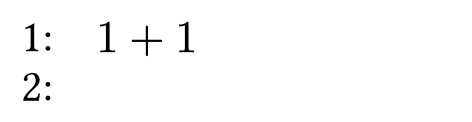
You can use Line to create a standalone line and LineBreak to insert a line break.
#algorithm({
 import algorithmic: *
 Line($1+1$)
 LineBreak
})
image of a standalone line with content "1+1" and a line break in the algorithmic environment
There are three kinds of comments: Comment, CommentInline, and LineComment.
Commentis a block comment that takes up a whole line.CommentInlineis an inline comment that returns content on the same line.LineCommentplaces a comment on the same line as a line of code to the right.
| Comment | Description | Usage | Example |
|---|---|---|---|
Comment |
Comment(content) |
Comment[This is a comment] |
image of a block comment with text 'This is a comment' |
CommentInline |
CommentInline(content) |
CommentInline[This is a comment] |
image of an inline comment with text 'This is a comment' |
LineComment |
LineComment(line, comment) |
LineComment(Assign[a][1], [Initialize $a$ to 1]) |
image of a line comment with text 'Initialize a to 1' |