-
Notifications
You must be signed in to change notification settings - Fork 45
Releases: tt-a1i/archify
v2.6.0
Full Changelog: v2.4.0...v2.6.0
Assets 3
v2.3.1 — Doc sync + menu polish + canvas guard
Audit-driven patch. Three Opus reviewers found a handful of stale statements and rough edges after the 2.0 -> 2.3 release sequence; this ships the fixes in one cohesive pass.
Fixed
- Stale docs. `SKILL.md` frontmatter and two "2x retina" bullets updated to the current ×ばつ pipeline. `README.md` cleaned in four places (intro paragraph, "What's new" table — now includes a v2.2 column —, Export menu description, and technical-details section).
- Canvas-size clamp. `rasterize()` now picks the largest integer scale in `{4,3,2,1}` whose target canvas fits under 16 Mpx. Default diagrams stay at ×ばつ; very large viewBoxes (×ばつ1200+) step down automatically instead of producing blank canvases on older iOS Safari.
- `?openExport=1` font race. `setTimeout(open, 60)` replaced with `document.fonts.ready.then(open)` + double `requestAnimationFrame`. No more flash on slow connections.
Added
- Export menu separators. Two `
` dividers split the menu into Copy / Raster / Vector. "Copy PNG" / "Download PNG" are no longer visually adjacent. - "Copy PNG" renamed to "Copy to clipboard" (PNG moved to hint badge). Destination is now in the primary label.
- Print CSS polish. `@page { size: landscape; margin: 1.5cm; }`, summary cards become a 2-column grid in print (no orphans), container width lifted, `page-break-inside: avoid` added alongside `break-inside: avoid`.
Install
Claude.ai: Settings → Capabilities → Skills → + Add → upload `archify.zip`.
Claude Code CLI:
```bash
rm -rf ~/.claude/skills/archify
unzip archify.zip -d ~/.claude/skills/
```
See CHANGELOG.md for line-by-line detail.
Assets 3
v2.3.0 — Sharp ×ばつ raster exports
Quality release. Fixes the reason raster exports looked soft, and removes the scale selector that was tempting users into soft output.
What was wrong
The export pipeline used to rasterize the SVG at its natural `viewBox` size (e.g., ×ばつ680), then `ctx.drawImage(img, 0, 0, width * scale, height * scale)` bitmap-upsampled that small raster onto a larger canvas. That just blew up pixels — the image got bigger, but no sharper. Even at ×ばつ the output looked soft.
What changed
`serializeSvg()` now sets the serialized SVG's `width` / `height` to `4 ×ばつ viewBox` (the viewBox itself is untouched, so coordinates don't shift). The browser rasterizes the vectors natively at that target resolution. `drawImage` then draws at the image's natural size with no scaling. Result: edges, text, arrowheads, dashed strokes are all genuinely crisp at ×ばつ.
The ×ばつ / ×ばつ / ×ばつ selector is gone — every raster export is now ×ばつ by default. A typical diagram exports at ×ばつ2720 (≈300-700 KB PNG). That's the sharpest you can get from the source, which is what you actually want when pasting into a slide deck or docs.
Also
- JPEG / WebP quality bumped 0.92 → 0.95 (tiny file delta, cleaner edges)
- Toast no longer echoes the scale (always ×ばつ now)
- Menu keyboard nav simplified; all other shortcuts preserved
- Preview screenshots and `examples/web-app.html` regenerated
Install
Claude.ai: Settings → Capabilities → Skills → + Add → upload `archify.zip`.
Claude Code CLI:
```bash
rm -rf ~/.claude/skills/archify
unzip archify.zip -d ~/.claude/skills/
```
See CHANGELOG.md for details.
Assets 3
v2.2.1 — Security group label padding fix
Patch release. Fixes a visual bug where the `sg-name :port` label on the dashed security-group boundary sat ~1px above the component inside it, crowding the box below.
Fix
- Expanded the template's security-group example from `y=265 h=80` to `y=250 h=100` and moved the label baseline from `y=279` to `y=268`, yielding a clean ~12px gap between the label and the inner component.
Docs
`SKILL.md` now has a dedicated Security Group & Region Boundary Padding section with the offset rule (boundary `y = inner.y - 30`, `h = inner.h + 50`, label 18px below boundary top) and a concrete example — so future Claude-generated diagrams inherit the spacing automatically.
Install
Claude.ai: Settings → Capabilities → Skills → + Add → upload `archify.zip`.
Claude Code CLI:
```bash
rm -rf ~/.claude/skills/archify
unzip archify.zip -d ~/.claude/skills/
```
Assets 3
v2.2.0 — Print stylesheet + local-font fallback
Polish release. Two small but delightful quality-of-life improvements.
Highlights
- Print stylesheet. Cmd+P now produces a clean printable page: toolbar and toasts hidden, dark background replaced with white, grid dropped, panel/card borders switched to light gray. `break-inside: avoid` keeps the diagram and summary cards intact across page boundaries. Works regardless of current theme.
- Better font fallback in exported images. The serialized SVG now carries a `local()`-only `@font-face` rule for JetBrains Mono so that raster exports can pick up a locally-installed JetBrains Mono and cleanly fall through to `ui-monospace` / Menlo otherwise.
Preview
Print-mode rendering of a diagram — toolbar and grid gone, background white, card borders soft gray:

Install
Claude.ai: Settings → Capabilities → Skills → + Add → upload `archify.zip`.
Claude Code CLI:
```bash
rm -rf ~/.claude/skills/archify
unzip archify.zip -d ~/.claude/skills/
```
See CHANGELOG.md for the full entry.
Assets 3
v2.1.0 — Copy to clipboard + ×ばつ export scale
Second release. Builds on v2.0.0 (theme toggle + multi-format export) with two high-frequency workflow upgrades.
Highlights
- Copy PNG to clipboard — one click writes the diagram straight to your system clipboard via `ClipboardItem`. Paste into Slack, Notion, GitHub, Figma, Keynote, anywhere. No download + drag dance.
- Export scale selector (×ばつ / ×ばつ / ×ばつ) at the top of the Export menu. ×ばつ for chat embeds, ×ばつ retina default, ×ばつ for conference slides and print. Selection persists per browser. Keyboard: `←` / `→` on the selector to switch.
- Toast feedback after copy so you know it landed.
- URL param `?openExport=1` auto-opens the menu on load — useful for screenshots and embedded demos.
Install
Claude.ai: Settings → Capabilities → Skills → + Add → upload `archify.zip`.
Claude Code CLI:
```bash
If you have v2.0 already installed, replace it
rm -rf ~/.claude/skills/archify
unzip archify.zip -d ~/.claude/skills/
```
Preview
The new Export menu with scale selector and Copy PNG:
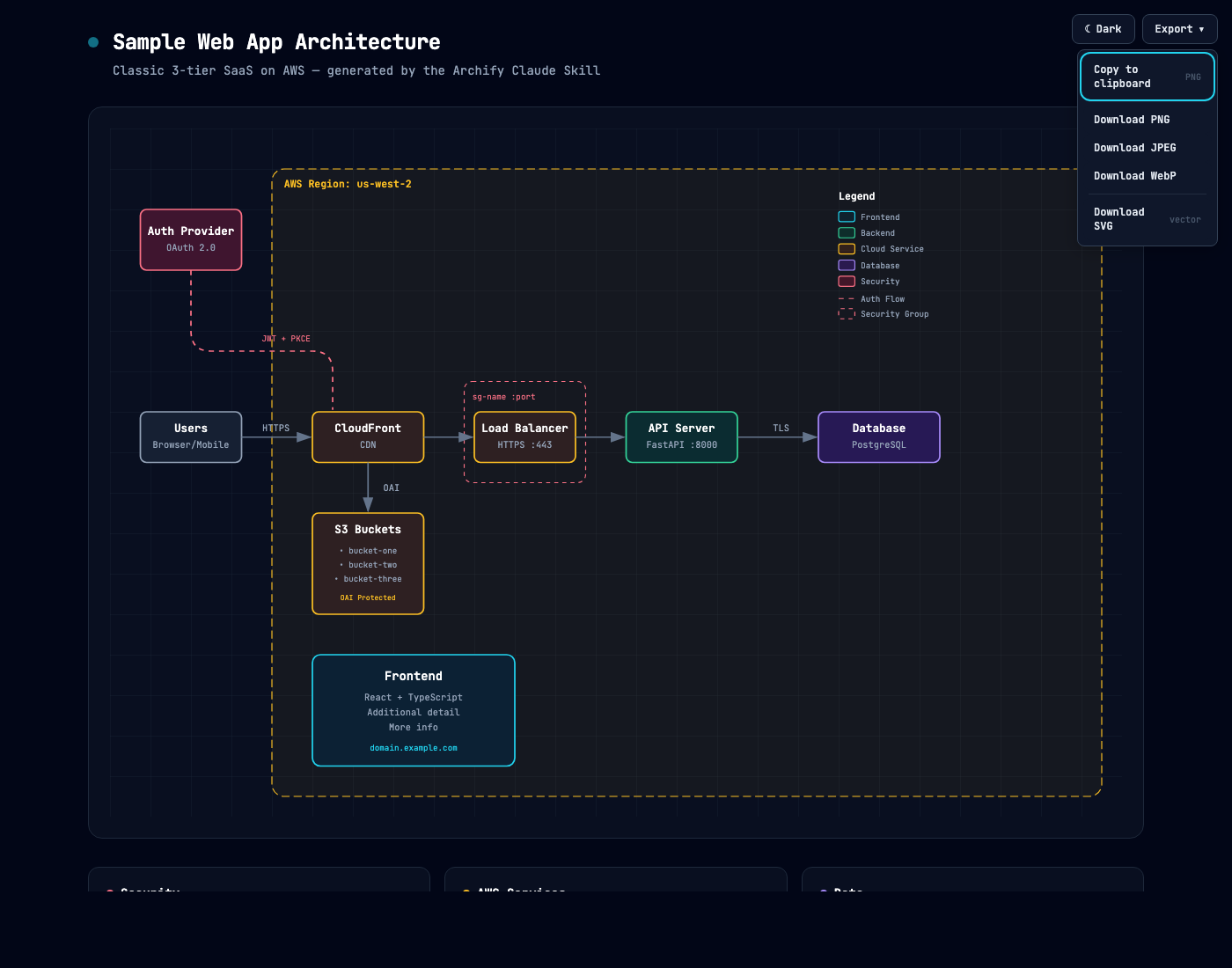
See CHANGELOG.md for the full list.
Assets 3
v2.0.0 — Theme toggle + multi-format export
First Archify release. Fork / rewrite of Cocoon-AI/architecture-diagram-generator v1.0 (MIT).
Highlights
- Dark / Light theme toggle — one click, persists in
localStorage, respectsprefers-color-scheme, overridable per-page via?theme=URL parameter. - One-click export — PNG, JPEG, WebP (×ばつ retina) and SVG (vector). Works entirely in the browser, no server.
- Keyboard shortcuts — `T` toggles theme, `E` opens Export. Menu supports Arrow / Home / End / Esc / Tab.
- CSS-variable theme system — one SVG markup, two themes.
- Accessibility — full ARIA semantics, keyboard navigation, focus-visible outlines.
Install
Claude.ai: Settings → Capabilities → Skills → + Add → upload `archify.zip`.
Claude Code CLI:
```bash
unzip archify.zip -d ~/.claude/skills/
```
Preview
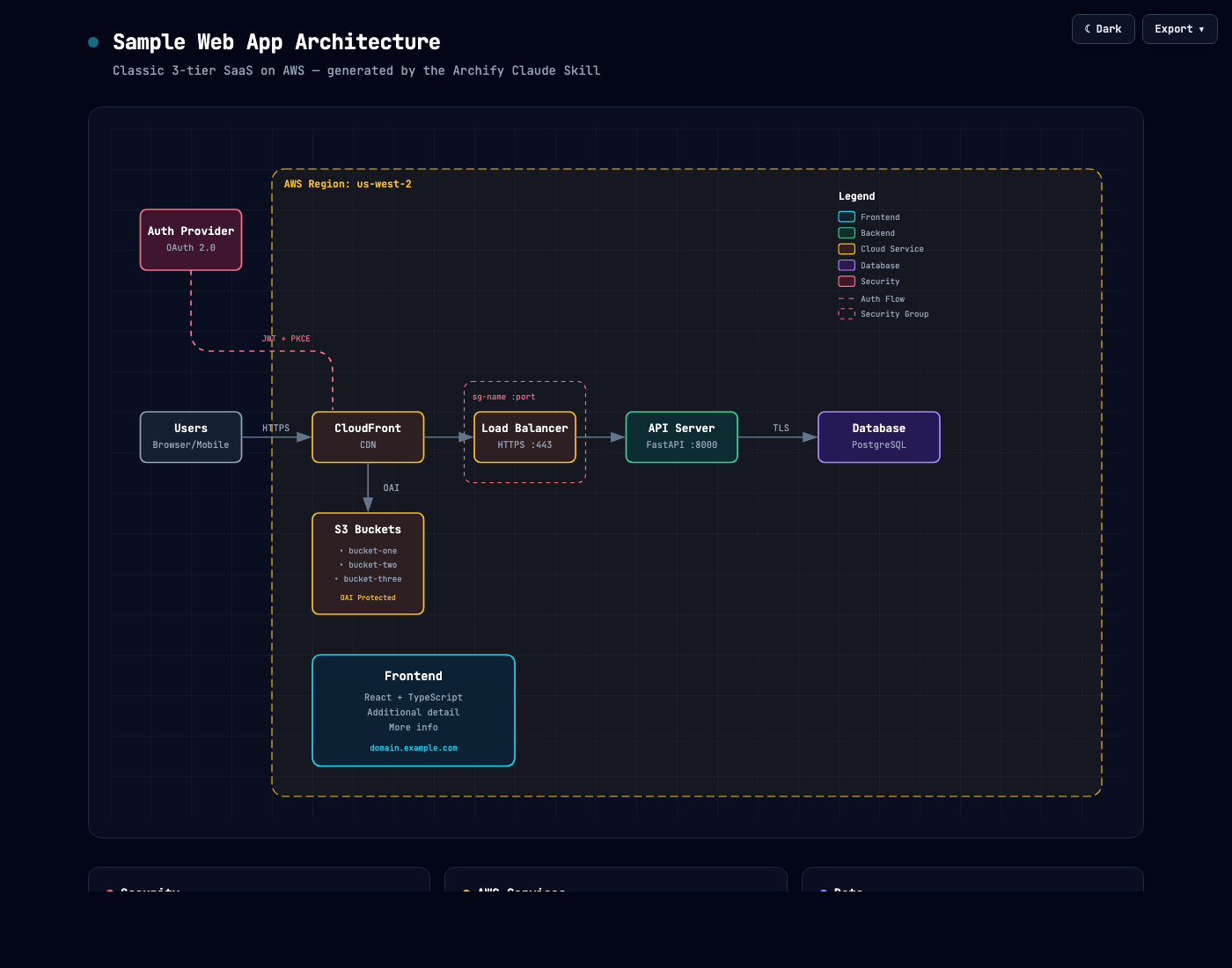
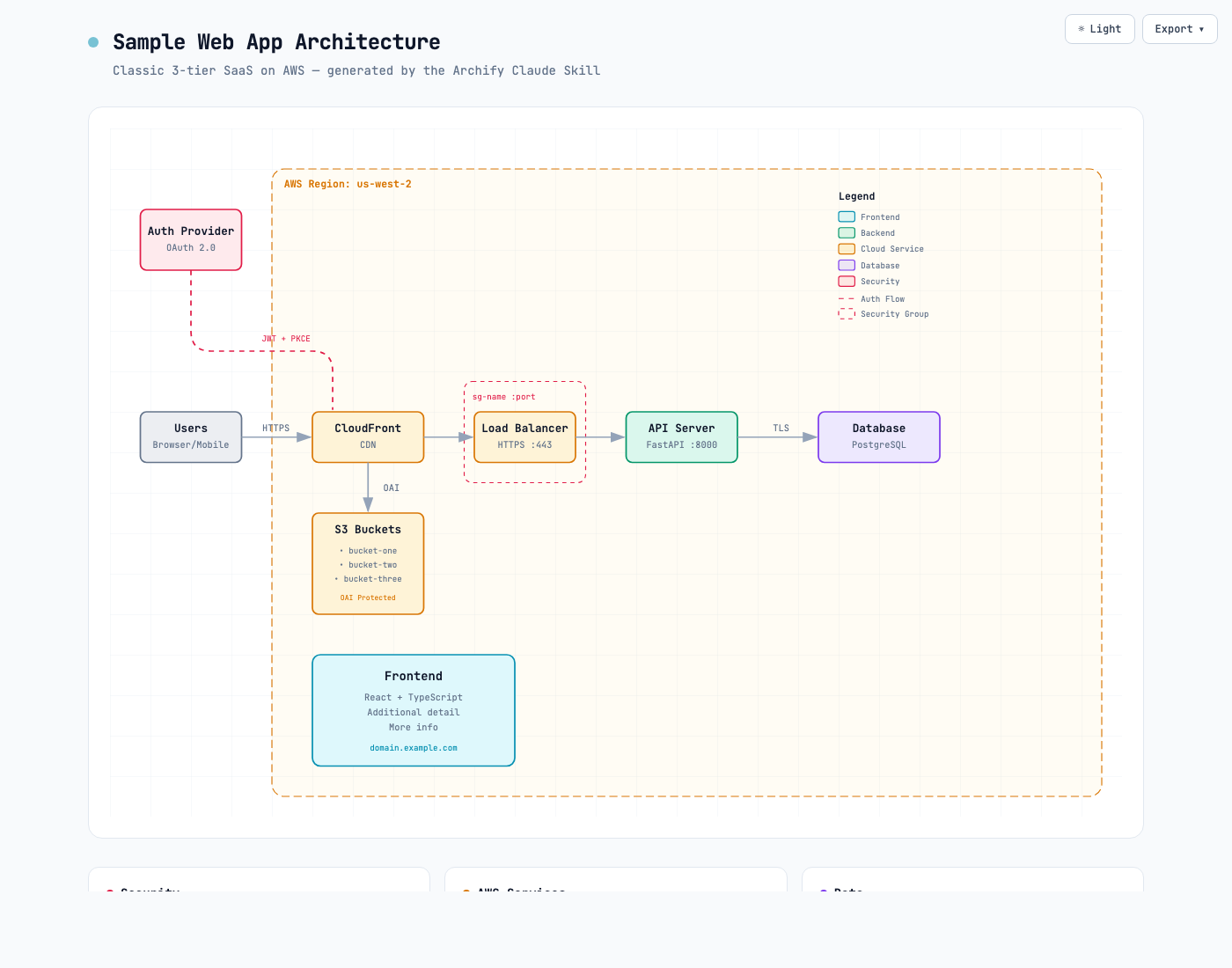
See CHANGELOG.md for the full list of additions and fixes.