破解限速的一种实现
路由器mentohust多进程多号/单号双拨认证
- 一个能刷的路由器,如斐讯k2
- 两个校园网账号,或一个能同时连两个设备的号
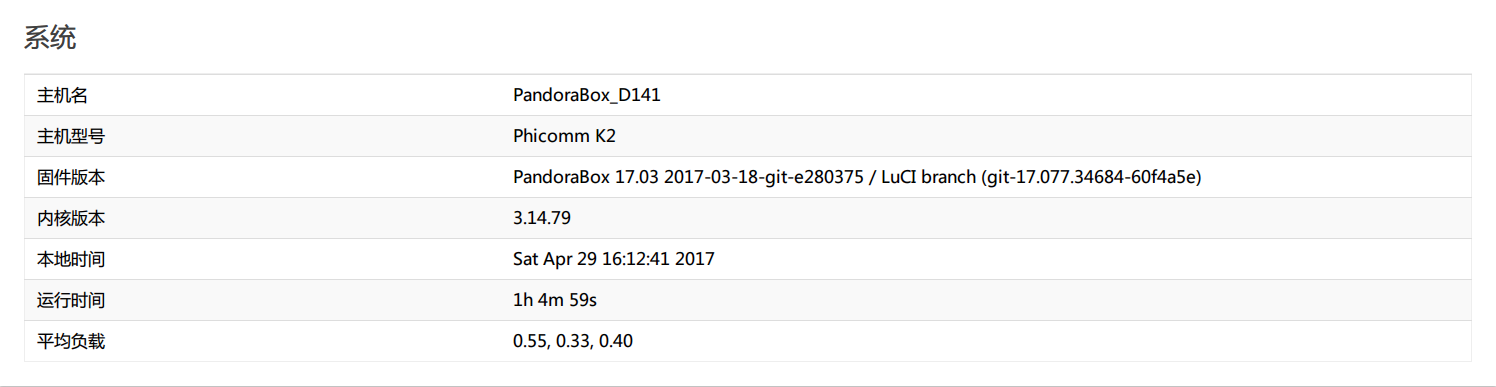
上传到/bin目录(一般/bin在PATH中,传到/bin下不用敲路径)
win下可使用winscp

linux下同样用scp协议传,为了方便,我在~/.ssh/config添加(需要openssh)
Host pandora
	HostName	192.168.1.1
然后使用scp命令传
scp /F:/desktop/vps/k2/mentohust pandora:/bin
有些固件重启清目录,得改改开机脚本,有些固件/bin不能放文件,放其他目录也可以
路由器web管理界面设置虚拟wan

按保存&应用即可,这里要等等
虚拟接口默认为pppoe拨号

而锐捷为DHCP,所以要修改 ScreenClip(7).png
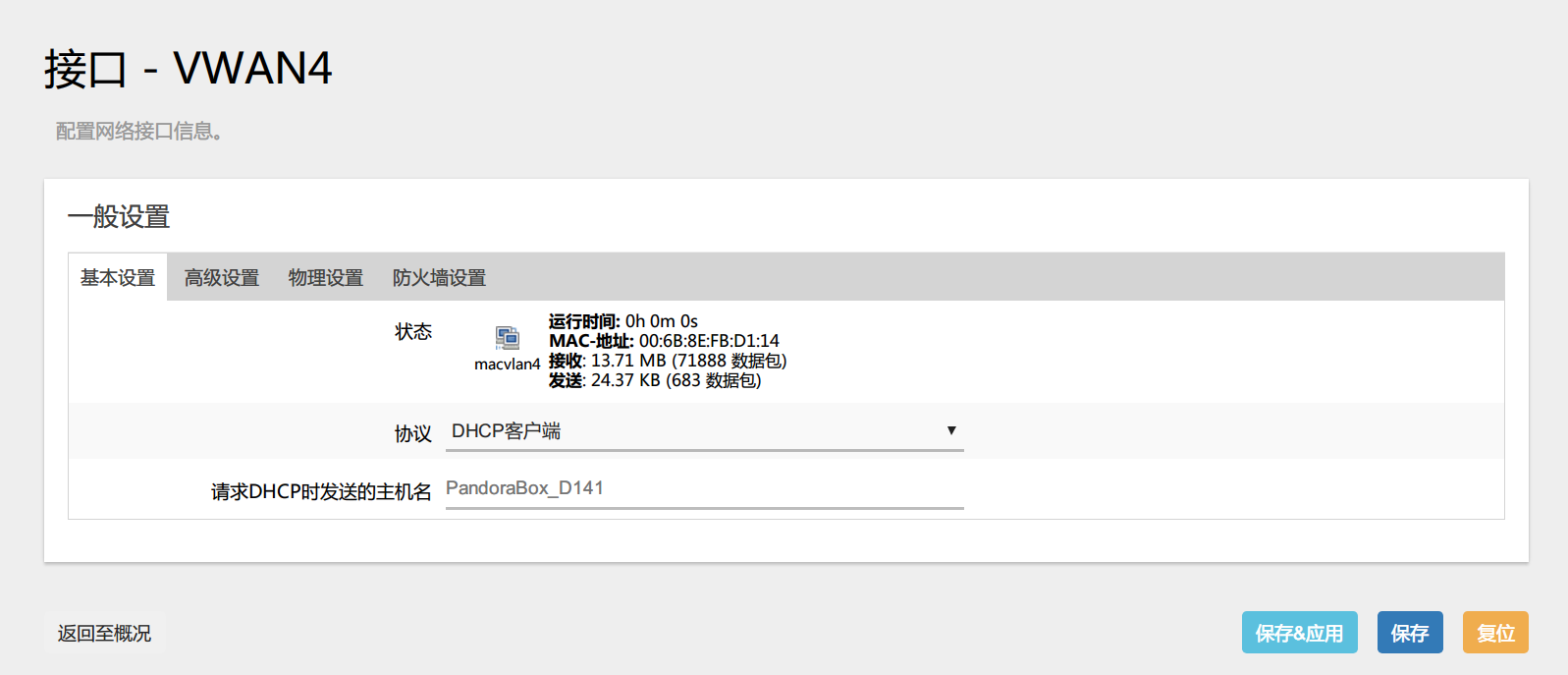
按下切换协议后按保存&应用, 每个要用的接口都要设置
使用任一ssh客户端软件,如xshell,putty,openssh
设置mentohust权限
chmod a+x /bin/mentohust
直接运行看看有哪些网卡,记录网卡名
 [root@PandoraBox_D141:/root]#mentohust
 欢迎使用MentoHUST	版本: 0.3.1
 Copyright (C) 2009-2010 HustMoon Studio
 人到华中大,有甜亦有辣。明德厚学地,求是创新家。
 Bug report to http://code.google.com/p/mentohust/issues/list
 ** 网卡[1]:	eth0
 ** 网卡[2]:	rai0
 ** 网卡[3]:	ra0
 ** 网卡[4]:	br-lan
 ** 网卡[5]:	eth0.1
 ** 网卡[6]:	macvlan1
 ** 网卡[7]:	eth0.2
 ** 网卡[8]:	macvlan2
 ** 网卡[9]:	macvlan3
 ** 网卡[10]:	macvlan4
 ** 网卡[11]:	macvlan5
 ** 网卡[14]:	nflog
 ** 网卡[15]:	nfqueue
 ?? 请选择网卡[1-15]:
按ctrl+c退出,试试单账号能不能跑
用户名:1111111,密码:22222,组播地址:锐捷 DHCP方式:二次认证 网卡:macvlan1
 [root@PandoraBox_D141:/root]#mentohust -u11111111 -p22222 -a1 -d1 -nmacvlan1
 欢迎使用MentoHUST	版本: 0.3.1
 Copyright (C) 2009-2010 HustMoon Studio
 人到华中大,有甜亦有辣。明德厚学地,求是创新家。
 Bug report to http://code.google.com/p/mentohust/issues/list
 ** 用户名:	111111111
 ** 网卡: 	macvlan1
 ** 认证超时:	8秒
 ** 心跳间隔:	30秒
 ** 失败等待:	15秒
 ** 允许失败:	8次
 ** 组播地址:	锐捷
 ** DHCP方式:	二次认证
 ** DHCP脚本:	dhclient/n** 本机MAC:	00:7b:9e:bb:00:21
 ** 使用IP:	172.10.12.170
 ** 子网掩码:	255.255.255.0
 ** 认证参数已成功保存到/etc/mentohust.conf.
 >> 寻找服务器...
 V4 type: 0
 ** 认证MAC:	00:4a:h9:1y:68:ed
 >> 发送用户名...
 V4 type: 0
 >> 发送密码...
 V4 type: 3
 >> 认证成功!
 $$ 系统提示:	?????1t1¤′?°θ
 $$ 计费提示:	?μ±???μ?t??internet;
 ??§???0.00?;
 ?????a30?°
 ?μ±???μ?????internet2;
 >> 正在获取IP...
 dhclient
 /bin/sh: dhclient: not found
 >> 操作结束。
 ** 本机MAC:	00:7b:9e:bb:00:21
 ** 使用IP:	172.17.12.171
 ** 子网掩码:	255.255.255.0
 >> 寻找服务器...
 V4 type: 0
 >> 发送用户名...
 V4 type: 0
 >> 发送密码...
 V4 type: 2
 >> 认证成功!
 $$ 系统提示:	?????1t1¤′?°θ
 $$ 计费提示:	?μ±???μ?t??internet;
 ??§???0.00?;
 ?????a30?°
 ?μ±???μ?????internet2;
 >> 发送心跳包以保持在线...
能上网就看两个能不能跑,按ctrl+c退出,先上第一个,用后台运行(也可以开两个终端来试,推荐)
 [root@PandoraBox_D141:/root]#mentohust -u11111111 -p222222 -a1 -d1 -nmacvlan1 -b1

 欢迎使用MentoHUST	版本: 0.3.1
 Copyright (C) 2009-2010 HustMoon Studio
 人到华中大,有甜亦有辣。明德厚学地,求是创新家。
 Bug report to http://code.google.com/p/mentohust/issues/list
进入后台运行模式,使用参数-k可退出认证。能上网则继续,这时的负载均衡 macvlan1也会绿ScreenClip(7).png

删去pid文件,使得mentohust能多进程运行(关键)
[root@PandoraBox_D141:/root]#rm /var/run/mentohust.pid -f上第二个,不使用-b1先看看,网卡用不同的如macvlan2
 [root@PandoraBox_D141:/root]#mentohust -u333333333 -p4444 -a1 -d1 -nmacvlan2
 欢迎使用MentoHUST	版本: 0.3.1
 Copyright (C) 2009-2010 HustMoon Studio
 人到华中大,有甜亦有辣。明德厚学地,求是创新家。
 Bug report to http://code.google.com/p/mentohust/issues/list
 ** 用户名:	3333333333
 ** 网卡: 	macvlan2
 ** 认证超时:	8秒
 ** 心跳间隔:	30秒
 ** 失败等待:	15秒
 ** 允许失败:	8次
 ** 组播地址:	锐捷
 ** DHCP方式:	二次认证
 ** DHCP脚本:	dhclient/n** 本机MAC:	00:7b:9e:bb:00:21
 ** 使用IP:	172.16.12.171
 ** 子网掩码:	255.255.255.0
 ** 认证参数已成功保存到/etc/mentohust.conf.
 >> 寻找服务器...
 V4 type: 0
 ** 认证MAC:	00:4a:h9:1y:68:ed
 >> 发送用户名...
 V4 type: 0
 >> 发送密码...
 V4 type: 3
 >> 认证成功!
 $$ 系统提示:	?????1t1¤′?°θ
 $$ 计费提示:	?μ±???μ?t??internet;
 ??§???0.00?;
 ?????a30?°
 ?μ±???μ?????internet2;
 >> 正在获取IP...
 dhclient
 /bin/sh: dhclient: not found
 >> 操作结束。
 ** 本机MAC:	00:7b:9e:bb:00:21
 ** 使用IP:	172.18.25.171
 ** 子网掩码:	255.255.255.0
 >> 寻找服务器...
 V4 type: 0
 >> 发送用户名...
 V4 type: 0
 >> 发送密码...
 V4 type: 2
 >> 认证成功!
 $$ 系统提示:	?????1t1¤′?°θ
 $$ 计费提示:	?μ±???μ?t??internet;
 ??§???0.00?;
 ?????a30?°
 ?μ±???μ?????internet2;
 >> 发送心跳包以保持在线...
看到发送心跳包以保持在线也不一定ok,先看看负载均衡有没有绿 ScreenClip(7).png

再跑个下载看看两个接口是不是都有

流量走的平均说明成功了
-
物理网卡eth0.2可以和macvlan一起用
-
如果一个账号能同时连两个设备,就可以用一个号实现
-
仓库里的mentohust来自mentohust-v4版本编译及ipv6的配置,在k2的pandora上运行良好,但认证需要两次尝试
-
前台运行退出用mentohust -k,对于pid文件被删掉的mentohust进程可以用ps查看进程pid再kill掉
[root@PandoraBox_D141:/root]#ps |grep mentohust
14093 root 2636 S mentohust -u111111111 -p22222 -a1 -d1 -nmacvlan2 -b1
14502 root 2636 S mentohust -u333333333 -p444444 -a1 -d1 -nmacvlan3 -b1
16645 root 1508 S grep mentohust
[root@PandoraBox_D141:/root]#kill 14093
-
新加坡do用aira2拖回本地对比
| 单号 | 双号 |
|---|---|


-
源自恩山
