travis-image npm-image lic-image
A hexo plugin that optimize the pages loading speed.
It will auto filter your html file, find the <link rel="stylesheet"> block and replace them into a javascript to optimize CSS delivery.
And inline the main.css into the html page like @maple3142 does.
It will improve your pages loading and get a higher score in the Google PageSpeed Insights.
Known Issues: This plugin may cause Font Awesome and PJAX to fail to load.
npm install hexo-filter-optimize
Activate the plugin in hexo's _config.yml like this:
filter_optimize:
 enable: true
 # remove the surrounding comments in each of the bundled files
 remove_comments: false
 css:
 # minify all css files
 minify: true
 # bundle loaded css files into one
 bundle: true
 # use a script block to load css elements dynamically
 delivery: true
 # make specific css content inline into the html page
 # - only support the full path
 # - default is ['css/main.css']
 inlines:
 excludes:
 js:
 # minify all js files
 minify: true
 # bundle loaded js files into one
 bundle: true
 excludes:
 # set the priority of this plugin,
 # lower means it will be executed first, default of Hexo is 10
 priority: 12
This plugin can be disabled by NODE_ENV in development to boost hexo generate:
export NODE_ENV=development
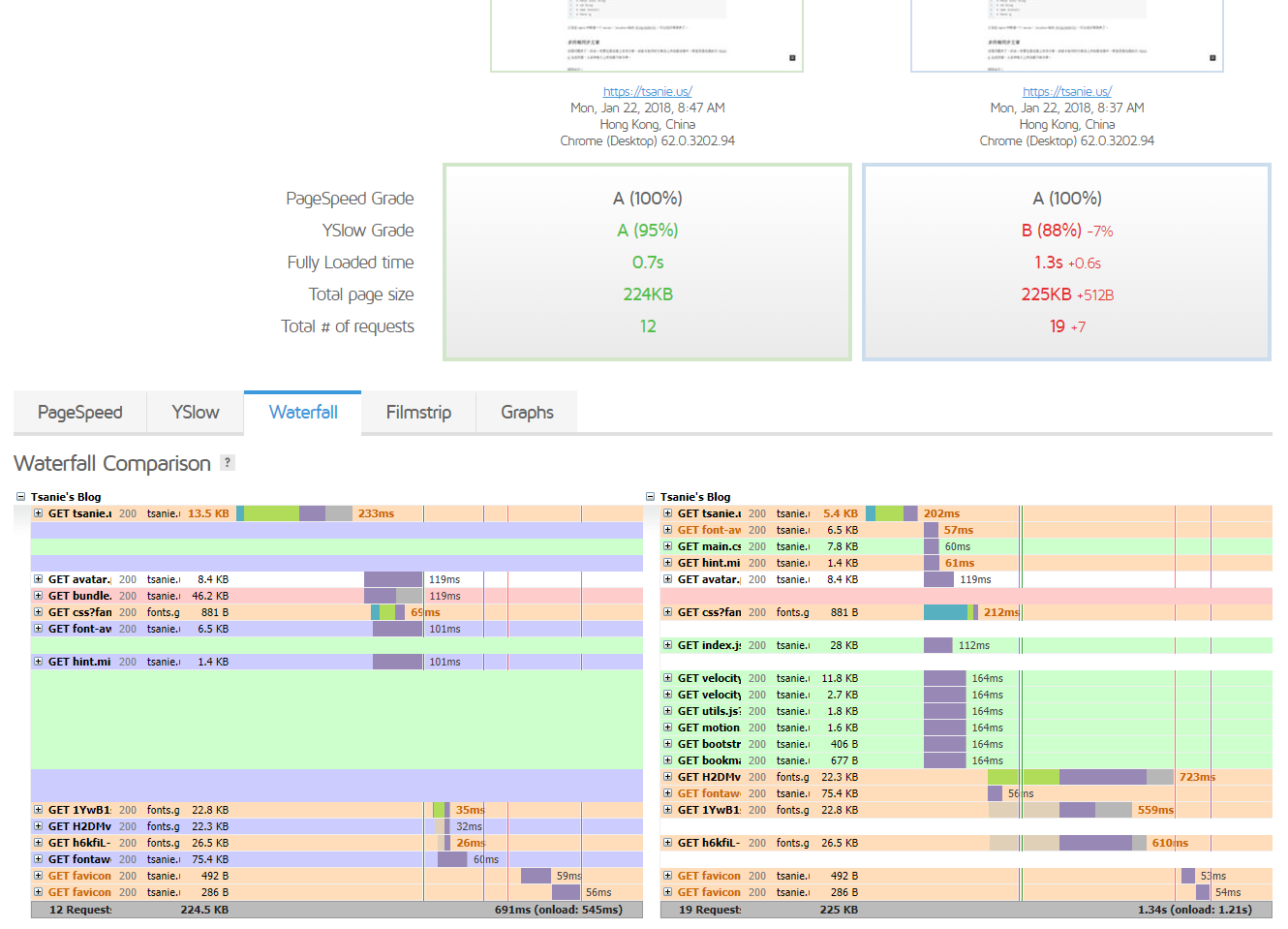
Here is a result from GTmetrix to show you the changes between before and after. (Same web server located in Tokyo, Japan, vultr.com)
- Remove query strings from static resources - let all the proxies could cache resources well. (https://gtmetrix.com/remove-query-strings-from-static-resources.html)
- Make fewer HTTP requests - through combined the loaded js files into the one.
- Prefer asynchronous resources - change the css delivery method using a script block instead of link tag.
- And TODOs ...