Built with Free Pascal cci-badge
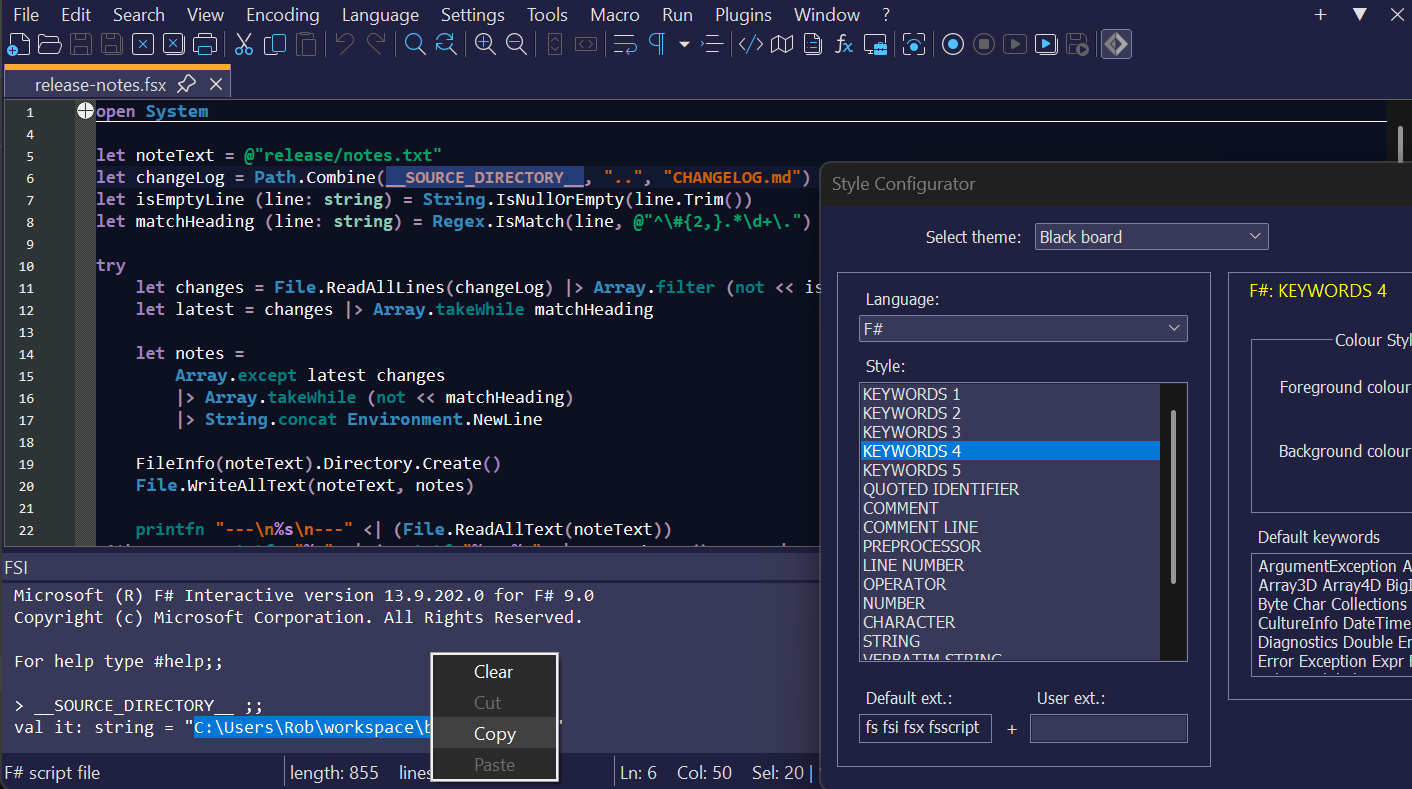
| Default shortcut | Command |
|---|---|
| Alt + Shift + F12 | open/close the FSI console window |
| Alt + Enter (with text selected) | evaluate the active selection in FSI |
| none | pass the current file to FSI's #load directive 1 |
Note
Console output can be selected and copied to the clipboard by right-clicking in the console window.
Opening any file with the extension *.fs, *.fsx, *.fsi or *.fsscript will activate Lexilla's F# lexer.
For dark themes, copy the Obsidian theme F# UDL into %AppData%\Notepad++\userDefineLangs (system-wide Notepad++ installation),
or the userDefineLangs folder of a portable Notepad++ installation.
For the default or a light theme, use the default F# UDL.
Note
Both UDLs have "transparent" backgrounds (i.e., colorStyle="1").
With the plugin loaded, modify your indentation preferences for F# (or "fsharp", if using version 0.2.2.0 and older).
-
Open the plugin options dialog:
plugin-options-menus -
To indent using spaces, check the box beside Convert tabs to spaces
-
To indent using hard tabs, uncheck the box beside Convert tabs to spaces
-
Set the number of spaces (or tab size) using the Tab length edit control
plugin-tab-settings-detail
To make 4 spaces the default tab setting for F# files when Notepad++ starts, do the following:
-
Open
NPPFSIPlugin.xmlin%AppData%\Notepad++\plugins\Configor$(PORTABLE_NPP_DIR)\plugins\Config -
Add the attribute
tabSettings="132"to the node/NotepadPlus/Languages/Language[@name="F#"](or/NotepadPlus/Languages/Language[@name="fsharp"], if using version 0.2.2.0 and older)For example:
- <Language name="F#" ext="fs fsi fsx fsscript" commentLine="//" commentStart="(*" commentEnd="*)">
+ <Language name="F#" ext="fs fsi fsx fsscript" tabSettings="132" commentLine="//" commentStart="(*" commentEnd="*)">
The "magic" number 132 is explained here.
A builtin plugin manager is available in Notepad++ versions 7.6 and newer.
Find Plugins on the main menu bar and select Plugins Admin. Check the box beside F# Interactive and click Install.
-
Download a release archive
-
Extract the
NPPFSIPlugin.dllmodule and subfolders (Doc,Config) -
Right-click on
plugin-file-propsNPPFSIPlugin.dlland select Properties: -
If the Unblock option is shown, click the checkbox and click Apply, then OK:
plugin-remove-MOTW -
System-wide Notepad++ installation
- Create a folder named
NPPFSIPluginunder%ProgramFiles%\Notepad++\plugins(64-bit), or%ProgramFiles(x86)%\Notepad++\plugins(32-bit)
- Create a folder named
-
Portable Notepad++
- Locate the
pluginsfolder wherenotepad++.exeis installed - Create a folder named
NPPFSIPlugin
- Locate the
-
Move the
plugin-install-dirsNPPFSIPlugin.dllmodule andConfigsubfolder into theNPPFSIPluginfolder: -
Restart Notepad++ if it’s already running
Original source code © 2010 Prapin Peethambaran, MIT License
The FpcPipes unit is adapted from source code believed to be in the Public Domain: https://github.com/marsupilami79/DelphiPipes#licensing
The F# Software Foundation logo for F# is an asset of the F# Software Foundation: https://foundation.fsharp.org/logo
Distributed under the terms of the GNU General Public License, Version 3 or later, in addition to the rights of past contributors mentioned in Copyright.txt.
Footnotes
-
Also starts a new FSI session if one is not currently active. ↩