✨ A GitHub (gh) CLI extension to display a dashboard with pull requests and issues by filters you care about.
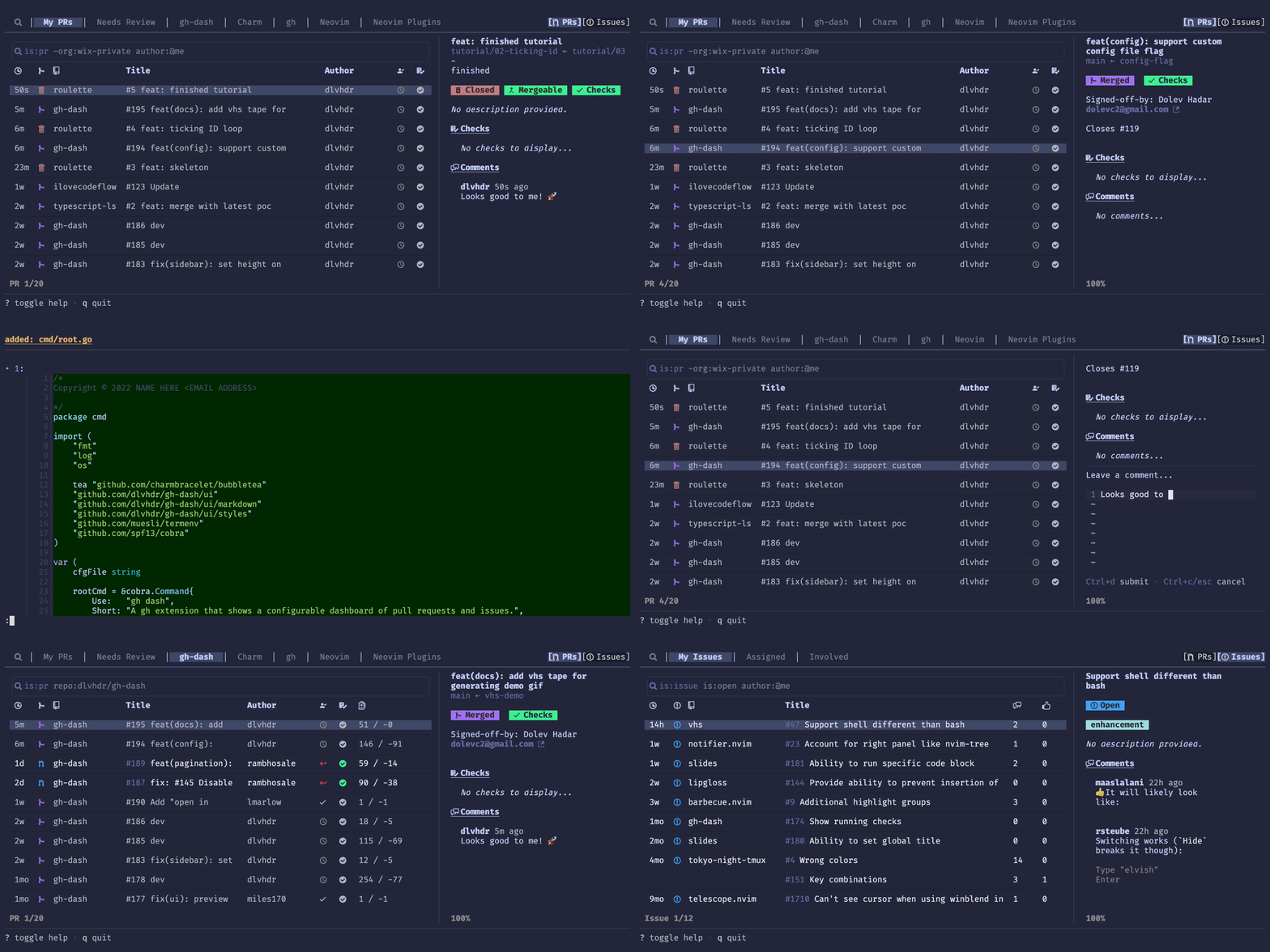
See the docs site at dlvhdr.github.io/gh-dash to get started.
Check out this 10/10 video by charm.sh ✨ explaining how gh-dash can help you manage your GitHub experience.
Manage open source like a boss (in the terminal)
- 🌅 fully configurable - define sections using GitHub filters
- 🔍 search for both prs and issues
- 📝 customize columns with
hidden,widthandgrowprops - ⚡️ act on prs and issues with checkout, comment, open, merge, diff, etc...
- ⌨️ set custom actions with new keybindings
- 💅 use custom themes
- 🔭 view details about a pr/issue with a detailed sidebar
- 🪟 write multiple configuration files to easily switch between completely different dashboards
- ♻️ set an interval for auto refreshing the dashboard
- 📁 smart filtering - auto-filter pr/issue lists to the remote tracked by the current directory
-
Install the
ghCLI - see the installationInstallation requires a minimum version (2.0.0) of the GitHub CLI that supports extensions.
-
Install this extension:
gh extension install dlvhdr/gh-dash
-
To get the icons to render properly you should download and install a Nerd font from https://www.nerdfonts.com/. Then, select that font as your font for the terminal.
Installing Manually
If you want to install this extension manually, follow these steps:
-
Clone the repo
# git
git clone https://github.com/dlvhdr/gh-dash
# GitHub CLI gh repo clone dlvhdr/gh-dash -
Cd into it
cd gh-dash -
Build it
go build
-
Install it locally
gh extension install .
Updating from an older version
gh extension upgrade dlvhdr/gh-dash
How do I get these exact colors and font?
I'm using Alacritty with the tokyonight theme and the Fira Code Nerd Font. For my full setup check out my dotfiles.
Run
gh dash
Then press ? for help.
Run gh dash --help for more info:
Usage:
 gh dash [flags]
Flags:
 -c, --config string use this configuration file
 (default lookup:
 1. a .gh-dash.yml file if inside a git repo
 2. $GH_DASH_CONFIG env var
 3. $XDG_CONFIG_HOME/gh-dash/config.yml
 )
 --debug passing this flag will allow writing debug output to debug.log
 -h, --help help for gh-dash
You can find all the details in the docs site under gh-dash/configuration.
Example configurations can be found on GitHub:
- The config for the gh-dash repo under .gh-dash.yml
- My config under my dotfiles repo dlvhdr/dotfiles
- Many other configs found by searching GitHub
gh-dash uses:
- bubbletea for the TUI
- lipgloss for the styling
- glamour for rendering markdown
- vhs for generating the GIF
- cobra for the CLI
- gh for the GitHub functionality
- delta for viewing PR diffs
Dolev Hadar dolevc2@gmail.com