English | 中文版
Let the code in Markdown run in real time, why is there such a need?
In our front-end team, technical-related documents are written in Markdown. There are often a lot of sample code in the documentation. We hope that when you read the documentation, you can run the sample code to see the rendering interface.
- Let the code in Markdown run and preview.
- The code can be edited online.
- Does not affect the layout of the entire document stream.
- Support React, support code highlighting.
- Babel can be configured.
After understanding the requirements, I wrote a React component to satisfy these functions, react-code-view , first look at the preview:
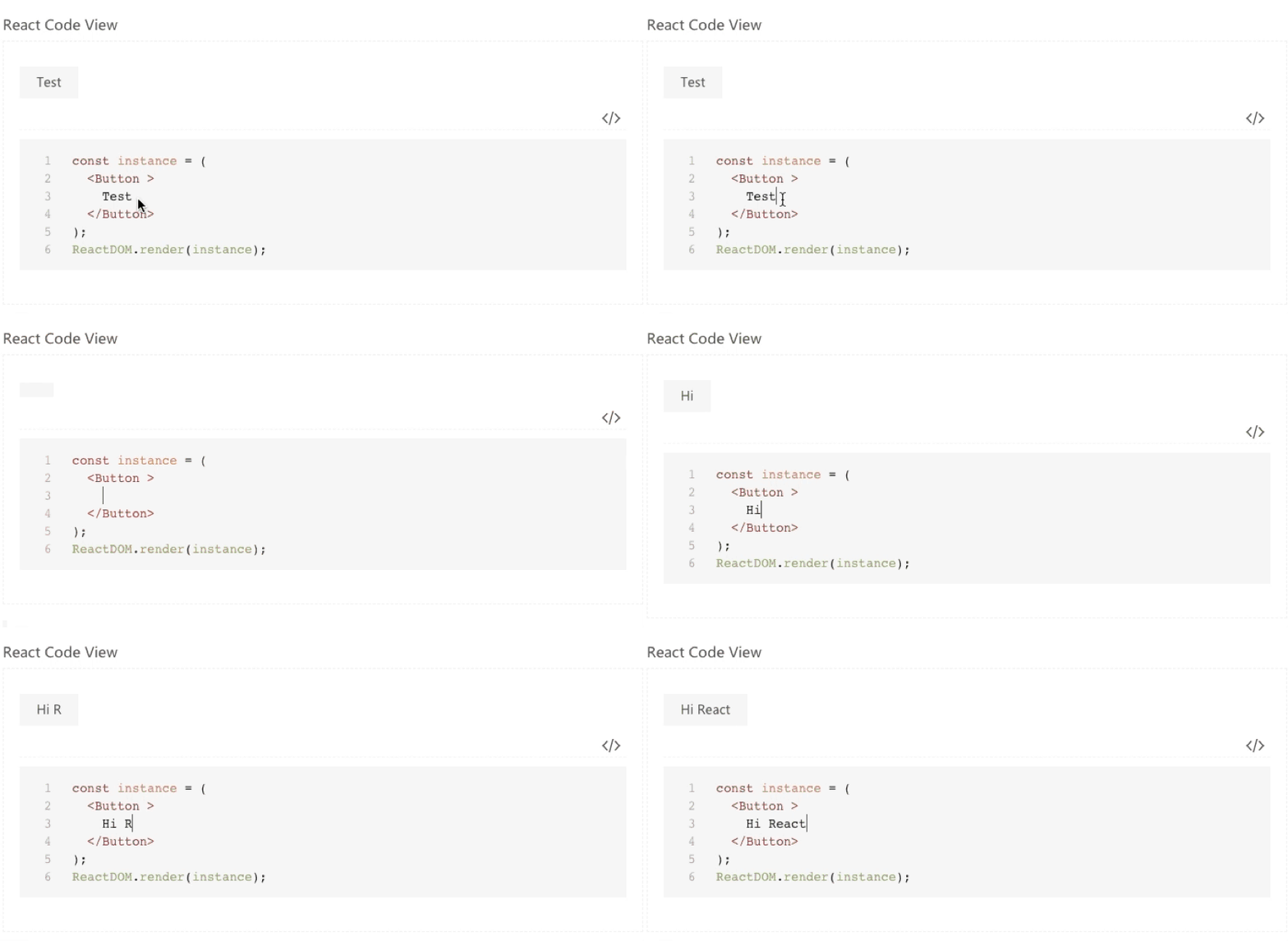
Preview: https://simonguo.github.io/react-code-view/
- Parse the Markdown document with
markdown-loaderandhtml-loader. - Take the code out of the regular expression and give it to
codemirror - Compile the code in
codemirrorthrough babel and render it to the specified container viaReactDOM.render.
npm install react-code-view
Support for markdown-loader needs to be added in webpack. Need to install:
npm install html-loader --save-dev
npm install markdown-loader@5.0.0 --save-dev
npm install react-markdown-reader@1.2.0 --save-dev
webpack.config.js
const markdownRenderer = require('react-markdown-reader').renderer;
...
{
 test: /\.md$/,
 use: [{
 loader: 'html-loader'
 }, {
 loader: 'markdown-loader',
 options: {
 renderer: markdownRenderer(/**languages:Array<string>**/)
 }
 }]
}
languages 默认值:["javascript", "bash", "xml", "css", "markdown", "less"];
The sample code usually uses ES2015+, React, etc., and needs to compile the code in real time, so introduce Babel in HTML:
<script
 type="text/javascript"
 src="//cdn.staticfile.org/babel-standalone/6.24.0/babel.min.js"
></script>
If
cdn.staticfile.orgis not well accessed in your area, you can change other CDN.
import CodeView from 'react-code-view';
import 'react-code-view/lib/less/index.less';
import { Button } from 'rsuite';
<CodeView dependencies={{ Button }}>{require('./example.md')}</CodeView>;
The source code is uniformly written in markdown, reference: example.md
The important thing to note here is that the code that needs to be run must be placed in
<!--start-code-->and<!--end-code-->between.
| Name | Type | Default value | Description |
|---|---|---|---|
| babelTransformOptions | Object | { presets: ['stage-0', 'react', 'es2015'] } | Babel configuration parameters options |
| dependencies | Object | Dependent components. | |
| renderToolbar | Function | Custom toolbar. | |
| showCode | boolean | true | Display code. |
| theme | string | 'light' | Theme, options light and dark. |