Package Version Downloads Hex Docs CI License
Pure-Gleam QR code generator for the Erlang and JavaScript targets.
Covers Standard QR (versions 1–40, ECC L/M/Q/H), Micro QR (M1–M4), rMQR (ISO/IEC 23941, 32 sizes), and Structured Append. Ships with terminal, SVG, and PNG renderers and content helpers for URL, WiFi, vCard, email, SMS, phone, geo, and calendar payloads.
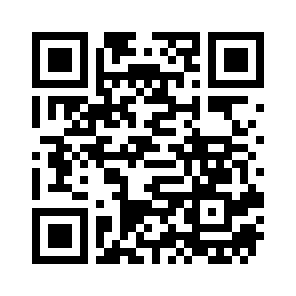
The QR below points to the project's GitHub Sponsors page. Try scanning it with your phone — every example in this README was used to render it.
gleam add qrkit
The shortest possible path: encode a string and print it to the terminal.
import gleam/io
import qrkit
import qrkit/render/ascii
pub fn main() {
 let assert Ok(qr) = qrkit.encode("https://github.com/sponsors/nao1215")
 io.println(ascii.to_string(qr))
}
qrkit.encode/1 picks the smallest version that fits and defaults to ECC level Medium. The returned QrCode is opaque — use the renderers in qrkit/render/* to turn it into pixels.
import qrkit
import qrkit/types
pub fn high_density_qr() -> qrkit.QrCode {
 let assert Ok(qr) =
 qrkit.new("https://github.com/sponsors/nao1215")
 |> qrkit.with_ecc(types.Quartile)
 |> qrkit.with_exact_version(4)
 |> qrkit.with_eci(26)
 |> qrkit.build()
 qr
}
with_ecc selects an error correction level, with_exact_version pins the symbol version (the build returns Error(DataExceedsCapacity) or Error(IncompatibleOptions) if the payload, mode, or ECC level does not fit at that version), and with_eci prepends an Extended Channel Interpretation header (26 for UTF-8). ECI is available on Standard QR only, and invalid designators surface as Error(InvalidEciDesignator(..)). When no exact version is configured, build picks the smallest version that fits. with_min_version is kept as a compatibility alias for older callers.
import qrkit
import qrkit/render/svg
pub fn render_svg() -> String {
 let assert Ok(qr) = qrkit.encode("https://github.com/sponsors/nao1215")
 svg.to_string(qr, svg.default_options())
}
The returned string is a complete <svg> document. Drop it into any HTML template; in Lustre, pass it to an unsafe-HTML helper after sanitising for your environment. Customise the look with the SVG builder:
import qrkit
import qrkit/render/svg
pub fn dark_themed_svg() -> String {
 let options =
 svg.default_options()
 |> svg.with_module_size(12)
 |> svg.with_margin(2)
 |> svg.with_dark_color("#22d3ee")
 |> svg.with_light_color("#0f172a")
 |> svg.with_background(True)
 let assert Ok(qr) = qrkit.encode("https://github.com/sponsors/nao1215")
 svg.to_string(qr, options)
}
import qrkit
import qrkit/render/png
pub fn render_png_bytes() -> BitArray {
 let assert Ok(qr) = qrkit.encode("https://github.com/sponsors/nao1215")
 png.to_bit_array(qr, scale: 8, margin: 4)
}
png.to_bit_array/3 returns raw PNG bytes. On the Erlang target a file IO library such as simplifile writes them to disk in one call:
import qrkit
import qrkit/render/png
import simplifile
pub fn save_png() -> Result(Nil, simplifile.FileError) {
 let assert Ok(qr) = qrkit.encode("https://github.com/sponsors/nao1215")
 png.to_bit_array(qr, scale: 8, margin: 4)
 |> simplifile.write_bits("qr.png", _)
}
ascii.to_string/1 uses ██ full blocks with a 4-module quiet zone. ascii.to_string_compact/1 halves the vertical size by using ▀/▄ half-blocks (the most compact for LLM chat windows and narrow terminals), and ascii.with_inverse/1 swaps light and dark for dark-themed terminals.
import gleam/io
import qrkit
import qrkit/render/ascii
pub fn main() {
 let assert Ok(qr) = qrkit.encode("https://github.com/sponsors/nao1215")
 io.println(ascii.to_string_compact(qr))
}
Running the snippet above prints (the leading / trailing blank lines are the 4-module quiet zone QR readers need):
 █▀▀▀▀▀█ ███▀ ▀▀█▀▀█ █▀▀▀▀▀█
 █ ███ █ █ █▀▀ ▀ ▀▄▀█▀ █ ███ █
 █ ▀▀▀ █ █▄▄▄████▄▄▄▀▀ █ ▀▀▀ █
 ▀▀▀▀▀▀▀ █▄▀ ▀▄▀▄█ ▀ ▀ ▀▀▀▀▀▀▀
 █ █▀██▀▄▄█▄█▀ ▀▀▀█▄▄█ ███▀▀ ▄
 █ ▀ ▀▄▀█▀█▄▀█ ▄█▀▀ ▄▀ ▀▄ ▄
 ▄▄▄▀▀▀▀▄▄ ▄▄▄▀▀▀ ▄█▄▄▄▄▀▀ ▄
 ▄ ▄█▀▄▀██▄▄█▄█▀▀ ▀█▄██▄▄█▀▀▄
 ▄ ▀██ ▀ ▀▄▄ ▀ ▀▀▀▀ █ █▄█▄▀█ ▄
 █ ▄█▄ ▀ ▀▀█ ▄█▀▀▀ █▄█▀▀ ▀▄
 ▀ ▀▀ ▄ ▀█▄▄▄▀▀██▀█▀▀▀█▄███
 █▀▀▀▀▀█ ▄▄ ███▀▀█▀ ██ ▀ █▀▀ ▄
 █ ███ █ █▀ █▀▄▀ ▄█▄▄█▀▀▀▀▄██▄
 █ ▀▀▀ █ ▀▄█▄▄▀▀█▀▀▄▀██▀█▀█▀█
 ▀▀▀▀▀▀▀ ▀▀▀ ▀▀ ▀ ▀ ▀ ▀▀▀ ▀
This block is scannable directly from the terminal screen with a phone camera — the QR decodes to https://github.com/sponsors/nao1215. For dark-themed terminals call ascii.with_inverse(qr) instead, and for double-width pixels use ascii.to_string(qr).
import qrkit
import qrkit/content
import qrkit/render/svg
pub fn wifi_qr_svg() -> String {
 let payload =
 content.wifi(
 ssid: "MyAP",
 password: "secret",
 security: content.Wpa2,
 hidden: False,
 )
 let assert Ok(qr) = qrkit.encode(payload)
 svg.to_string(qr, svg.default_options())
}
Phones recognise the WIFI: payload and offer a one-tap "join network" prompt.
import qrkit
import qrkit/content
pub fn contact_qr() -> Result(qrkit.QrCode, qrkit.EncodeError) {
 content.vcard()
 |> content.with_name("Naohiro Chikamatsu")
 |> content.with_email("nao@example.com")
 |> content.with_phone("+81-90-0000-0000")
 |> content.with_url("https://github.com/nao1215")
 |> content.vcard_to_string
 |> qrkit.encode
}
pub fn mail_qr() -> Result(qrkit.QrCode, qrkit.EncodeError) {
 content.email(to: "you@example.com", subject: "Hi", body: "Quick note")
 |> qrkit.encode
}
pub fn sms_qr() -> Result(qrkit.QrCode, qrkit.EncodeError) {
 content.sms(to: "+819000000000", body: "Hello!") |> qrkit.encode
}
pub fn phone_qr() -> Result(qrkit.QrCode, qrkit.EncodeError) {
 content.phone("+819000000000") |> qrkit.encode
}
pub fn map_pin_qr() -> Result(qrkit.QrCode, qrkit.EncodeError) {
 content.geo(latitude: 35.6812, longitude: 139.7671) |> qrkit.encode
}
import qrkit
import qrkit/content
pub fn meeting_qr() -> Result(qrkit.QrCode, qrkit.EncodeError) {
 // 2026年05月14日 10:00 UTC, ends 11:00 UTC.
 content.event(title: "Sync", start_unix: 1_778_752_800, end_unix: 1_778_756_400)
 |> content.with_location("Online")
 |> content.with_description("Project sync meeting")
 |> content.event_to_string
 |> qrkit.encode
}
The QrCode type is opaque, but every useful field is accessible through a small inspector API.
import qrkit
import qrkit/types
pub fn describe(qr: qrkit.QrCode) -> #(Int, Int, String, Bool) {
 let assert Ok(top_left) = qrkit.module_at(qr, 0, 0)
 #(
 qrkit.version(qr),
 qrkit.size(qr),
 qrkit.error_correction_designator(qrkit.error_correction(qr)),
 top_left,
 )
}
pub fn ecc_letter_for_quartile() -> String {
 qrkit.error_correction_designator(types.Quartile)
 // -> "Q"
}
qrkit.rows/1 returns the matrix as List(List(Bool)) for custom renderers. qrkit.module_at/3 returns Error(ModuleOutOfBounds(..)) for invalid coordinates instead of silently treating them as light modules.
Micro QR squeezes a small payload into ×ばつ11 — ×ばつ17 modules. M1 takes Numeric only; M2 adds Alphanumeric; M3 and M4 take all four modes. ECC level constraints follow ISO/IEC 18004 Annex K (M1 has error detection only, M4 supports up to Quartile).
import qrkit
import qrkit/types
import qrkit/render/svg
pub fn business_card_qr() -> String {
 let assert Ok(qr) =
 qrkit.new("01234567")
 |> qrkit.with_symbol(types.Micro)
 |> qrkit.with_exact_version(2)
 |> qrkit.with_ecc(types.Low)
 |> qrkit.build()
 svg.to_string(qr, svg.default_options())
}
Micro QR is not universally supported by consumer scanner apps; confirm against the target reader before relying on it.
ISO/IEC 23941 defines 32 rectangular sizes from ×ばつ43 to ×ばつ139, with only Medium and High error correction levels. Useful for narrow labels and packaging.
Reader support for rMQR is narrower than Micro QR — many consumer scanner apps do not recognise the rectangular symbol family. Check the deployment target before choosing it.
import qrkit
import qrkit/types
import qrkit/render/svg
pub fn label_qr() -> String {
 let assert Ok(qr) =
 qrkit.new("https://github.com/sponsors/nao1215")
 |> qrkit.with_symbol(types.Rectangular)
 |> qrkit.with_ecc(types.Medium)
 |> qrkit.build()
 svg.to_string(qr, svg.default_options())
}
qrkit.encode_split(data, max_version) chains up to 16 symbols so a single payload can be carried across multiple printed QR codes. Each returned symbol carries the ISO/IEC 18004 §8.2 header (mode indicator + symbol position + total − 1 + parity byte) so a compliant reader can stitch them back together.
import gleam/list
import qrkit
import qrkit/render/ascii
pub fn split_long_message() -> List(String) {
 let payload = "Lorem ipsum dolor sit amet, consectetur adipiscing elit."
 let assert Ok(shards) = qrkit.encode_split(payload, 2)
 list.map(shards, ascii.to_string)
}
When the payload already fits in one symbol at max_version, the returned list contains a single QR without the Structured Append header.
Structured Append reader support varies in practice — some scanner apps decode each symbol independently rather than stitching the payload back together. Verify against the target reader before relying on it.
with_mode_preference(qrkit.ForceByte) skips the segmenting optimiser and encodes the whole string as raw bytes — useful when you need a deterministic mode regardless of the input.
import qrkit
import qrkit/types
pub fn raw_byte_qr() -> Result(qrkit.QrCode, qrkit.EncodeError) {
 qrkit.new("123-ABC")
 |> qrkit.with_mode_preference(types.ForceByte)
 |> qrkit.build()
}
Every public encoding entry point returns Result(_, qrkit.EncodeError). The variants live in qrkit/error and are:
EmptyInput— emptydata.InvalidVersion(requested)— version outside the symbol family.InvalidEciDesignator(designator)— ECI assignment number outside0..999999.DataExceedsCapacity(bits_needed, bits_available)— payload does not fit.UnsupportedCharacter(at_index, character)— a character the chosen mode cannot encode.IncompatibleOptions(reason)— combination not allowed (for example, rMQR with Low ECC).
import qrkit
import qrkit/error
pub fn rejected() -> Bool {
 case qrkit.encode("") {
 Error(error.EmptyInput) -> True
 _ -> False
 }
}
qrkit re-exports EncodeError as a type alias for error.EncodeError, so the type name is reachable through either module. Because Gleam type aliases do not re-export their constructors, the variants themselves have to be pattern-matched via qrkit/error (or destructured by labelled field). The same rule applies to ErrorCorrection / Symbol / ModePreference, whose constructors live in qrkit/types.
Both the Erlang and JavaScript targets are exercised in CI on every push. Pure-Gleam internals mean no NIF / native binary is needed for PNG rendering or Reed-Solomon — qrkit runs anywhere Gleam runs.
Full API reference: https://hexdocs.pm/qrkit/.
- qrkit is an encoder only. Image parsing and QR decoding are out of scope.
- Kanji segmentation uses a focused Shift-JIS subset (hiragana, katakana, full-width ASCII, basic punctuation). Codepoints outside that subset fall back to Byte mode, which is still spec-valid but slightly larger.
- Model 1 QR (the pre-1997 specification) is not implemented; only Model 2 (ISO/IEC 18004:2015), Micro QR, and rMQR.
- The encoder does not normalise input (no trimming, no Unicode normalisation, no
\r\n↔\nrewrites, no NUL-truncation). Whatever string you pass is the exact byte sequence that lands in the symbol's Byte segment. - A QR that encodes successfully is not guaranteed to scan in every environment. Real-world readability also depends on the quiet zone, contrast, module size, rendering or print scale, the output medium, and the scanner implementation. Test the chosen output against the target devices before deployment.
qrkitdoes not sanity-check the payload — if you stuffjavascript:URIs, otpauth secrets, or attacker-controlled text into a QR, the receiving app will get exactly that. Validate before encoding.- The SVG renderer escapes caller-supplied
dark_color/light_colorvalues so a hostile colour cannot break out of thefill="..."attribute. That is the only escaping it performs; the surrounding<svg>document is not a sanitiser. Treat the output as untrusted markup when embedding it into arbitrary HTML, and pass it through a sanitiser such as DOMPurify on that boundary. - The library writes payload data into the matrix as-is.
EncodeErrorvariants never contain the input payload except forUnsupportedCharacter, which reports the single offending character; if that is a privacy concern (e.g., the QR carried a TOTP secret) handle the error before logging. - Every public encoding entry point returns
Result(_, EncodeError). Invalid or unsupported input surfaces as a typed error variant (DataExceedsCapacity,InvalidVersion, ...) rather than a runtime crash.