
A bench instrument for software defined radios, living in your terminal.
Spectrum, waterfall, and the measurements a plot cannot give you.
Rust 1.88+ GPL-3.0-or-later Linux Early development
Tested on real hardware
HackRF One
RTL-SDR
PortaPack H4M
Via SoapySDR Beta
SoapySDR 0.8
Airspy
SDRplay RSP
PlutoSDR
LimeSDR
bladeRF
USRP
Grey means written from the API, not from owning one. It should work. Nobody has told me either way yet, which is exactly as reassuring as it sounds. The honest version.
Install · Keys · Config · Roadmap · Hardware · Changelog · Full guide
Hey there! This is my take on a terminal monitor for SDR hardware. I wanted something that could hunt down every bit of diagnostic data from your radio and stream it straight to your terminal. Not a lazy *-info clone: raw, real-time metrics with a spectrum, a waterfall and a set of bench instruments, in a tmux pane, an SSH session, or the postage-stamp screen of a cyberdeck. I set out to print a few numbers. There is now a Friis noise figure model in here. I'm not entirely sure how that happened.
It's a hobby project built in my spare time, and honestly, I made it for you ❤️. Use it however you like, beat on it, and don't be shy: open issues, dig through the code, and if you've got a good idea, send it my way as a pull request or just a message. This is an open table, not my private garage.
Important
Project status: early development. The TUI is feature-complete and the arc now is polish, sharper radio math and bug fixing, not more features.
Two radios are verified on hardware: HackRF One and RTL-SDR. Anything with a SoapySDR driver also works, and that backend is beta: it was written from the API rather than from owning the radios, so treat it as "should work, nobody has confirmed it yet". The docs say exactly which parts are confirmed. If you own one of those, an issue either way is worth a lot to me.
Known issues: plenty 😄 If something looks broken, it's either a bug or an undocumented feature. Flip a coin, then open an issue.
sdrtop in motion: click to watch the demo video
▶ click the screenshot to play the demo video
It's a terminal app, so brace yourself for the visual spectacle of monospace text in color. The only special effects are honest dBFS numbers.
📻 More screenshots: lab benches, RTL-SDR, the Command Rail cards
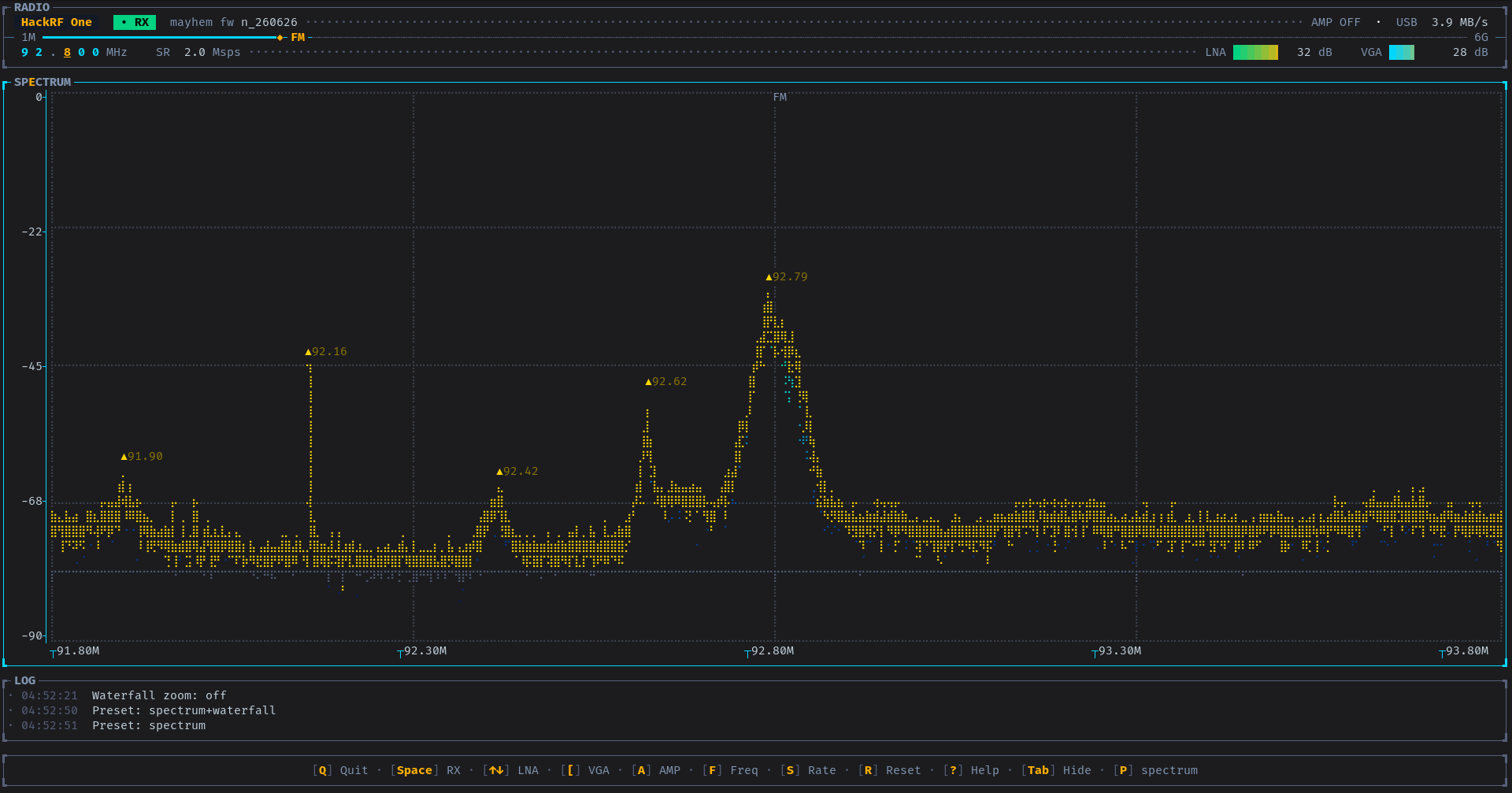
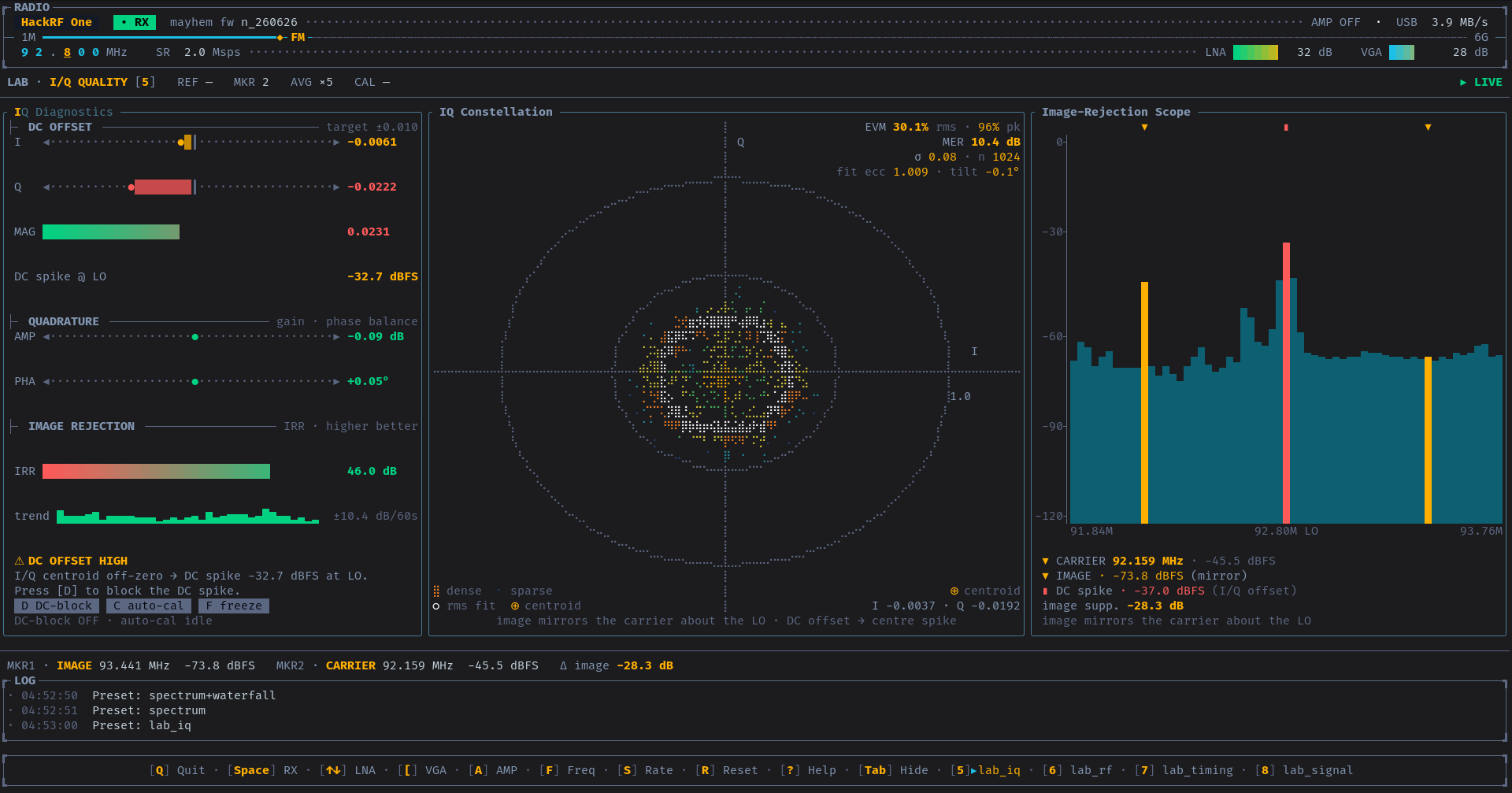
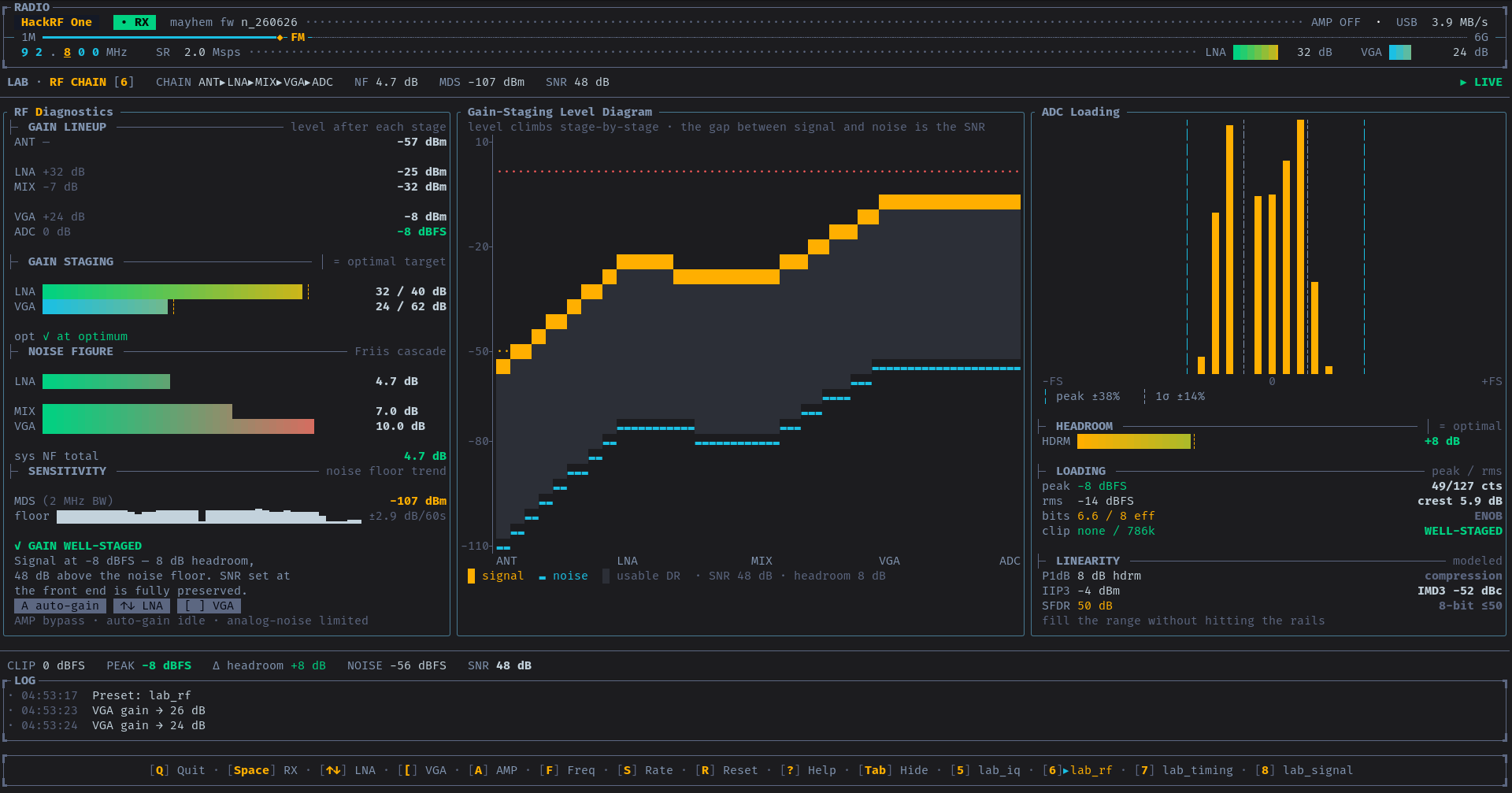
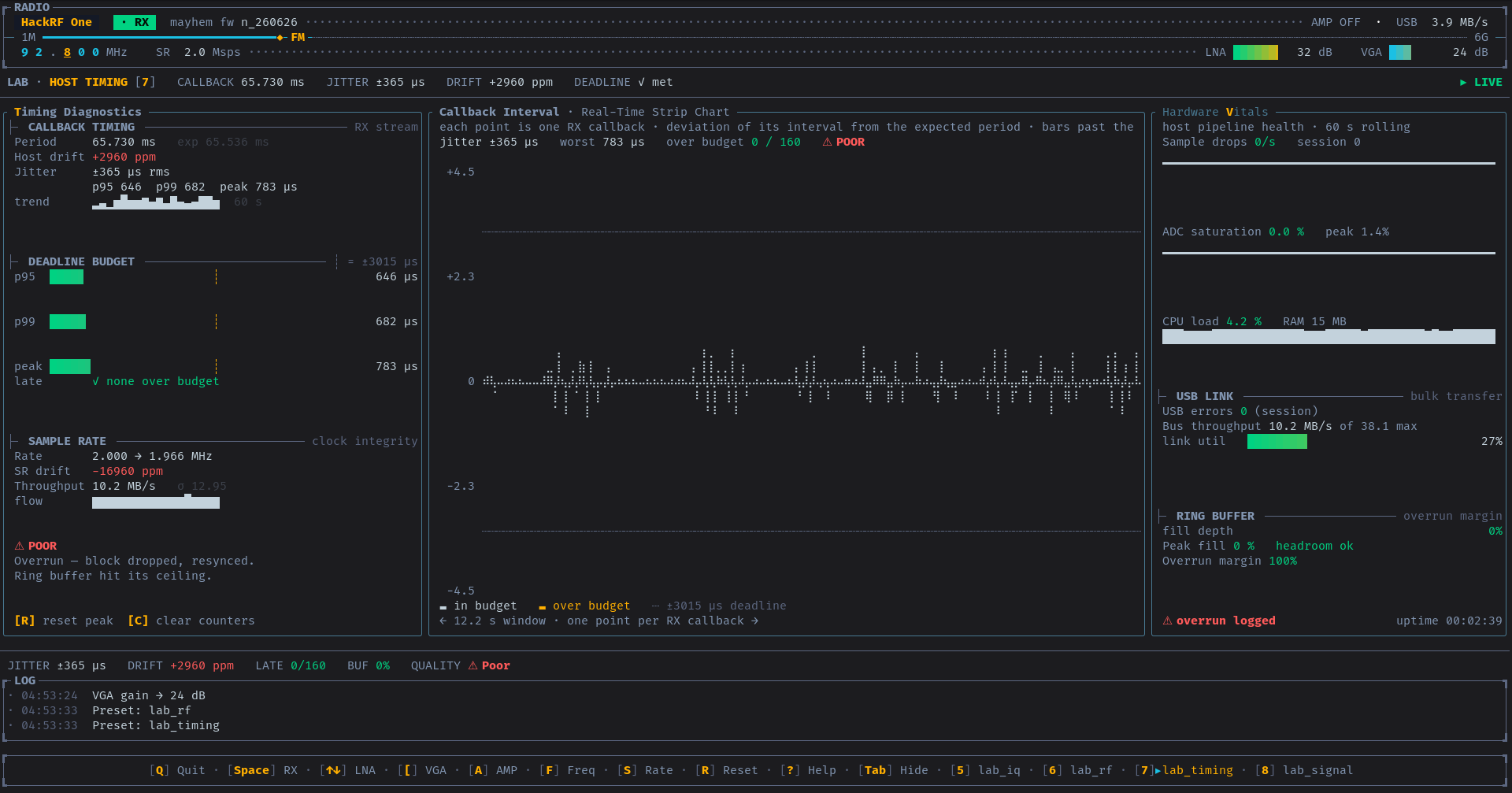
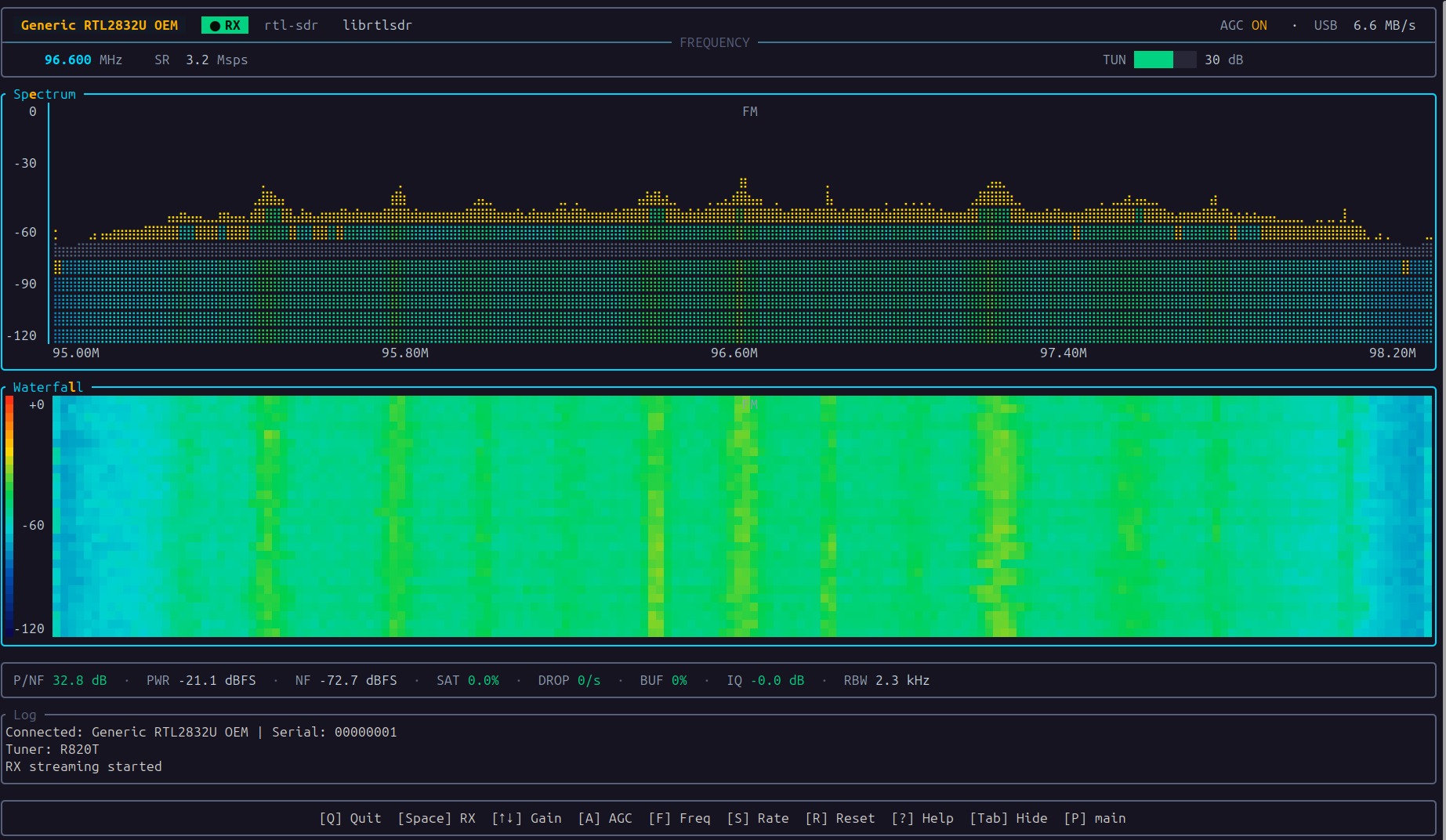
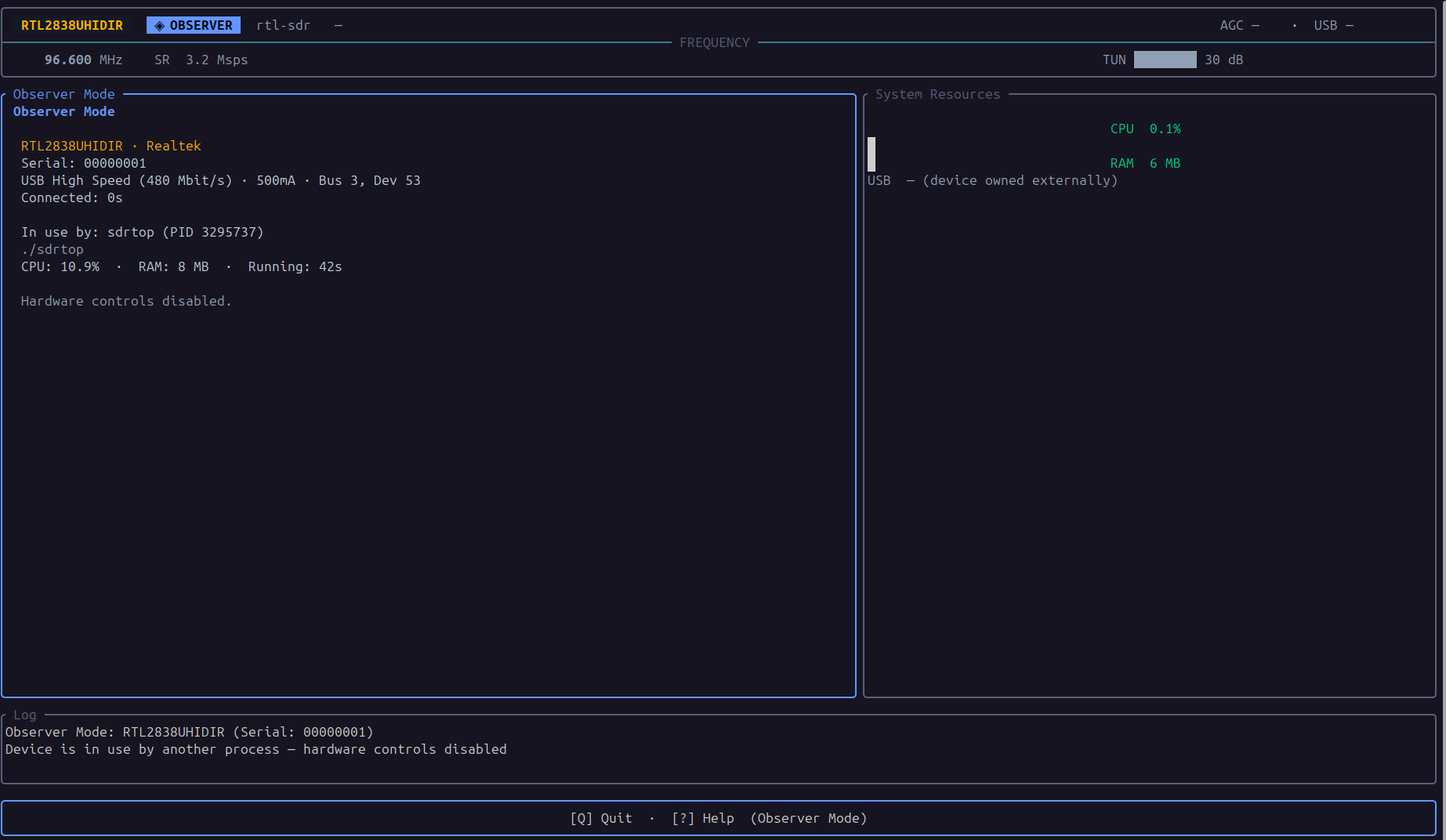
Got a clean capture on your hardware? Drop it in user_docs/pics/ and send a PR. Shots from radios I don't own are the most useful ones there are.
Everything your radio knows about itself, in real time, without leaving the terminal. It's more than I planned. Every one of these started as "that'd be a nice little readout".
- The Command Rail, the default cockpit: a big segmented frequency hero, an analog S-meter, HUNT · MONITOR · BENCH mode cards that follow what you're doing, recall slots, and SNR · PWR · NF · SAT each riding its own braille oscilloscope trace. All dials, no autopilot. It's a radio, not a self-driving car.
- Spectrum and waterfall: FFT with peak hold, noise floor tracking, zoom, band-plan overlay and persistent markers; a scrolling spectrogram in truecolor, 256 or 16 colors with history scroll-back and frame averaging.
- Focus modes: press the highlighted letter in a panel's title and the panel is yours, with cursor read-outs, holds and markers. No mouse input is handled anywhere, and nothing in sdrtop needs any.
- Four lab benches for the questions a plot can't answer: is the quadrature clean, is the front end staged right, is my computer keeping up, and what is that signal. Noise figure, MDS, IRR, occupied bandwidth, ACPR, ADC loading, jitter. The details.
- A demodulator that doesn't play audio, deliberately. It opens the channel and reports what a spectrum plot structurally cannot: FM deviation about the carrier, the MPX baseband with its 19 kHz pilot, stereo injection, CTCSS, AM depth, and RDS station name, PTY and RadioText. It reads radios, it doesn't play them. How it works.
- IQ correction, not just measurement: one key subtracts the live DC estimate from the stream, another captures a quadrature correction and applies it. Watch the spike and the mirror images actually go away.
- A band sweep wider than one window, stitched into a single curve with band-plan labels,
Enteron a peak to tune straight to it. - Micro field views, because sdrtop shouldn't need a full terminal to be useful. When the panels stop being readable, each concern strips down to the one number that matters, big enough to read across the room.
- Observer mode: if another app already holds the radio, sdrtop tells you which one, shows device identity and USB stats, and waits. No error dialog, no fight over the USB handle, and it takes the radio back the moment it's free.
- Six themes and a layout system: presets grouped into four sections,
Escfor the menu, or define your own out of any panel sdrtop draws.
Measured the awkward way rather than the easy way. Bandwidth about the carrier, not across whatever span you happened to capture, so a mistuned radio confesses instead of faking a good number. The noise floor as a density, so the same receiver reads as the same receiver whatever the sample rate. And every lab panel marks itself [STALE] the moment RX stops, so a frozen number is never mistaken for a live one.
Because the only thing worse than no data is confidently wrong data.
→ Full user guide . This page is the short version; everything below is covered properly over there.
| Getting started: install & run | Keyboard shortcuts: every key | What's on screen: panels explained |
| The Lab presets: the bench-engineer views | Configuration: config.toml & layouts | Advanced features: workflows & limits |
| Tips & tricks: gain, markers, workflows | Troubleshooting: when things go sideways | Supported hardware: what works today |
| Themes: the six palettes | What's new: the checkpoint log | The demodulator: how it was built |
Requirements: Linux · a HackRF One, an RTL-SDR, or anything SoapySDR speaks to
curl -fsSL https://raw.githubusercontent.com/musithang/sdrtop/main/packaging/install.sh | shIt works out your distribution, installs the libraries under whatever names that distribution gives them (apt, dnf, pacman, zypper, apk, xbps, emerge and nix are all handled), grabs the prebuilt binary if it can actually run on your box, and quietly falls back to compiling if it can't. The nice bit: it decides by running the thing, not by reading your distro's name off a list and hoping.
Add --soapy if you want the SoapySDR library and driver modules too; without it the installer leaves them alone and just tells you at the end what you're missing out on.
Every flag it takes, and installing without root
sh install.sh --prefix ~/.local # install under a directory, no root anywhere
sh install.sh --version v0.4.1 # a specific release instead of the latest
sh install.sh --from-source # skip the prebuilt binary, always compile
sh install.sh --git # compile the main branch, live dangerously
sh install.sh --no-verify # skip the checksum check (say why first)
sh install.sh --soapy # add SoapySDR and its driver modules
sh install.sh --deps-only # the libraries and nothing else
sh install.sh --uninstall # remove what a previous run installed
sh install.sh --help # this list, from the script itself
Piped straight into a shell they go after sh -s --. --no-verify turns off the checksum check on a download, which is the one thing standing between you and a tarball that isn't the one I published, so have a reason. The rest are explained in Getting started.
Piping a script into sh means running code you haven't read. You should read it: packaging/install.sh. I'd want to.
sdrtop is on crates.io. Cargo compiles it on your machine, so it links what your machine actually has and doesn't care about your architecture or distribution.
sudo apt install libhackrf-dev librtlsdr-dev pkg-config # Debian / Ubuntu / Mint
sudo pacman -S hackrf rtl-sdr pkgconf # Arch / Manjaro
sudo dnf install hackrf-devel rtl-sdr-devel pkgconf-pkg-config # Fedora
cargo install sdrtop --locked
You need both libraries at build time even if you only own one radio. Sorry. Wants Rust 1.88+, and your distro's Rust is quite possibly ancient (Debian 12 ships 1.63, bless it), which rustup fixes in one line.
Then go make coffee: a few minutes on a laptop, considerably more on a Raspberry Pi. It's not frozen, it's just Rust.
Beta, see Hardware. Neither of these is needed to build or run sdrtop; it looks for them at startup and shrugs if they aren't there.
sudo apt install libsoapysdr0.8 soapysdr-tools soapysdr-module-all
SoapySDRUtil --find # if this can't see your radio, sdrtop can't either
That last command is the whole diagnostic. If your radio isn't in that list, the missing piece is a driver module, and no amount of shouting at sdrtop will conjure one up.
Prefer a prebuilt binary, or on something unusual? Getting started has the release tarball, the checksum and the provenance attestation to check it against, plus the distro-by-distro package names. Short version on the tarball: it's x86_64 and it wants Debian's librtlsdr.so.0, so it won't start on Ubuntu or Mint, who package the identical library as .so.2 because of course they do.
First run: sdrtop opens on its menu. Enter takes a layout, Space starts receiving, Esc brings the menu back, q quits and saves.
Layouts are grouped into four sections and each section has its own numbers: Command Rail for the general views, Lab for the benches, Sweep for the band scan, Micro for the field views. So 2 is the RF bench inside Lab and the spectrum inside Command Rail. Esc opens the menu, which shows you the sections, the layouts in the one you're on, and the number that opens each. Nine keys, four times over, rather than one long row to memorise.
The eight that get you everywhere:
| Key | Action |
|---|---|
Esc |
Open the menu, or leave a focused panel |
Enter |
Take the highlighted layout |
Space |
Start / stop RX |
1–9 |
The nth layout of the section you're in |
↑ / ↓ |
Primary gain |
f / s |
Type a frequency / a sample rate |
c / e / l |
Focus the Command Rail / spectrum / waterfall |
q |
Quit and save |
Capitals work everywhere: C and c do the same thing, so you never have to think about whether Shift is down. The gain keys relabel themselves per device, and a control your radio doesn't have simply isn't offered rather than sitting there doing nothing.
Forgotten one mid-session? Esc, then Tab to Keys. That reference is generated from the same table the app dispatches on, so it cannot go stale. Full list including every focus mode: Keyboard shortcuts .
Saved to ~/.config/sdrtop/config.toml when you quit. Hand-editing is safe: a missing or broken file just falls back to defaults. Go ahead, mangle it; the parser has seen worse.
Frequency, gains, sample rate, markers, the sweep band, your theme and your layout all live there, plus any layouts of your own. Give a custom preset a section and a slot and it gets a place in the menu and a number key. Annotated example and every field: Configuration and Layout presets .
Themes: sdr (default) · nord · dracula · gruvbox · catppuccin · solarized, with per-field overrides. See Themes.
Polish over features. I have said that before and then went and wrote a demodulator, so this time there's a list. ✨
- HackRF One and RTL-SDR: full native support
- Spectrum, waterfall, markers, band-plan overlay
- Four lab benches: IQ, RF, Timing, Signal
- FM demodulator with RDS, MPX baseband, CTCSS
- IQ correction, band sweep, observer mode
- Six themes, layout presets, micro field views
- PortaPack H4M in HackRF mode
- Per-stage gain control on any radio, placed front to back rather than by the driver
- A measured noise-step sweep on the RF bench, not just the modelled figure
- SoapySDR feature parity: closing the gap so every panel and every measurement works through a SoapySDR device the same way it does on a HackRF or RTL-SDR. The gain chain, the timing bench and the RF bench are done; the remaining gaps are the ones that need a datasheet nobody publishes
- Math audit: derived measurements audited reading by reading until the numbers are not just present but trustworthy
- UI polish: micro view redesign, rough edges, the small things that make a good tool feel right
- Signal recording to file
- In-app config editing
- Native backends for hardware that lands on the desk
- Digital signal demodulation done properly: WiFi, Bluetooth, ADS-B, AIS, LoRa, DMR. Each gets its own UI and its own detailed info panel. Still no audio, still just data
The whole story, in order: What's new.
| Device | Status | Notes |
|---|---|---|
| HackRF One | ✅ Full support | All diagnostics, gain stages, ADC metrics |
| RTL-SDR (R820T, E4000, R828D) | ✅ Full support | Single tuner gain + AGC; no VGA, no BB filter, no Friis NF |
| Anything with a SoapySDR driver | 🧪 Beta | Airspy, SDRplay, Pluto, Lime, bladeRF, USRP, SoapyRemote. Unconfirmed on anything but a HackRF |
| PortaPack H4M (Mayhem) | ✅ Full support | HackRF mode: all HackRF diagnostics apply |
| HackRF Pro | 🔲 Planned | Needs hardware |
Native support is added only after physical testing on real devices. No guessing from datasheets. Translation: that list moves at exactly the speed of my hobby budget.
SoapySDR is the deliberate exception, because "I don't own one" was a bad answer to give every week, and buying one of everything is not a plan, it's a fantasy with a shipping address. Nothing about your radio is hardcoded: sdrtop asks the driver for the frequency range, the gain range, whether there's an AGC, the sample format and how many of its bits mean anything. What it can't ask, it refuses rather than invents. Verified against a HackRF through SoapyHackRF: the loader, enumeration, opening, capabilities and streaming. Unverified: literally every other radio. The honest version has the full reckoning, including the gotchas I already hit.
It took me a while to stop wincing at that. Before this, every row above was green and "tested on real hardware" applied to everything I shipped, which is another way of saying it separated nothing. The grey badges are what make the green ones mean something, and a rule nobody has ever had a reason to test is not a rule, it's a habit. This one now has one marked edge on it, on purpose.
Every native backend needs the device to physically exist on my desk, and development here runs on a HackRF One and a PortaPack H4M. If sdrtop is useful to you and you'd like your radio supported properly, contributions go straight into buying it. Every radio that arrives gets a real backend: tested on hardware, documented, shipped.
| Device | Why it matters | Price |
|---|---|---|
| RTL-SDR Blog V4 | The backend is in; a unit here would let me test the clone variants | ~25ドル |
| Airspy Mini | Clean 24–1700 MHz, popular with hams and scanner hobbyists | ~80ドル |
| Airspy HF+ Discovery | Best budget HF receiver, dedicated listener community | ~150ドル |
| LimeSDR Mini 2.0 | Full-duplex, wide range, and the obvious device to confirm the SoapySDR path on | ~160ドル |
No pressure, but if this scratches an itch for you, this is where it goes.
📡 (pst... you scrolled this far, might as well)
 .
 /=\
 ( |#| )
 (( |#| ))
 ((( |#| )))
 (( |#| ))
 ( |#| )
 |#|
 /|#|\
 / |#| \
 / |#| \
 /___|#|___\
 / |#| \
 '''''''''''''''
Yep, it's a radio tower. I'm a simple man, I see free time, I make ASCII art.
73 de sdrtop: ham-speak for "catch you later." 📻