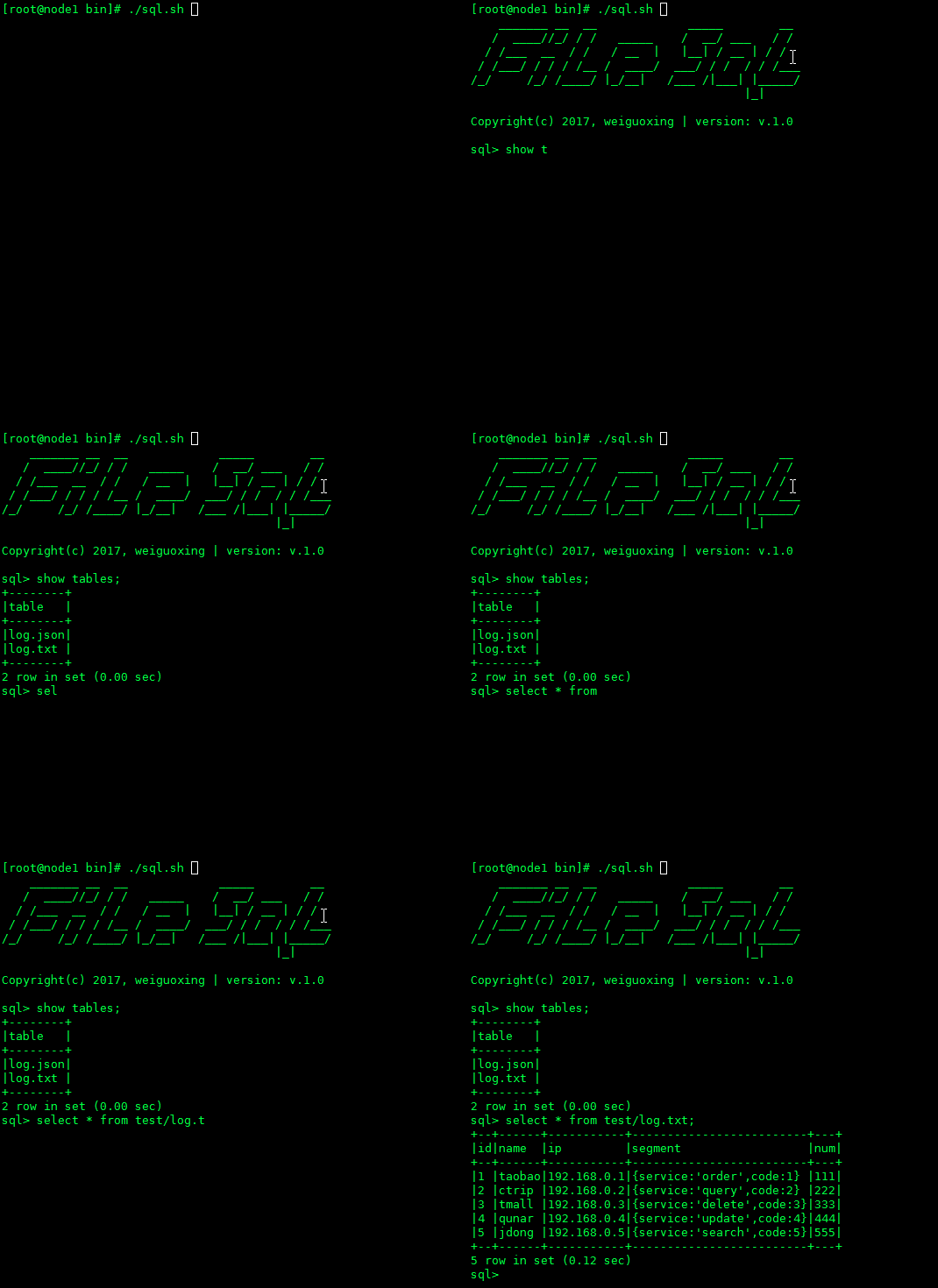
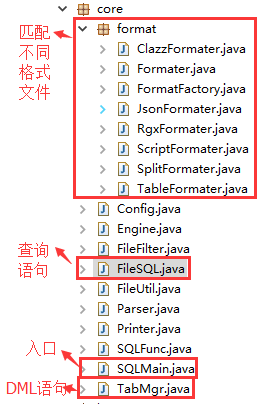
主要用于日常格式化文本分析,包括分隔符文件,JSON文件,以及分隔符JSON混排文件。项目没有额外Jar包依赖,代码简洁,功能强大。可作为日常分析小工具使用。支持多种形式的数据采集格式,如JSON,分隔符,正则分隔,自定JavaScript分隔,自定Format.class分隔等。
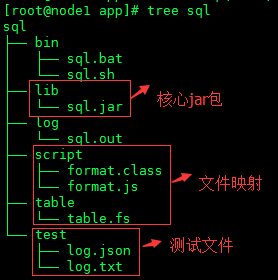
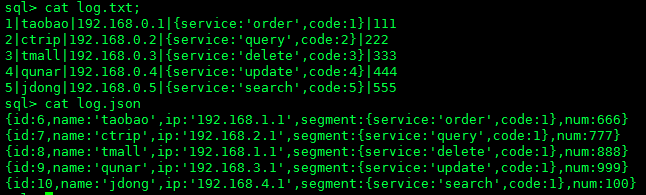
测试文件内容如下:
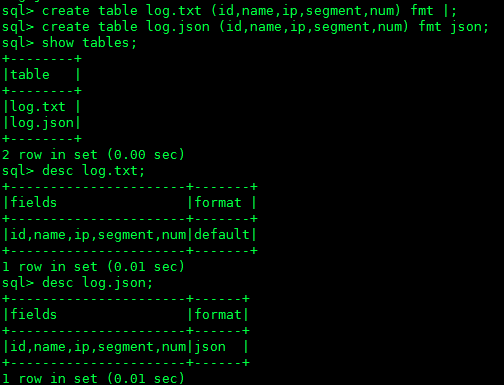
## 分隔符
create table log.txt (id,name,ip,segment,num) fmt |;
## JSON格式
create table log.json (id,name,ip,segment,num) fmt json;
## Java类提取
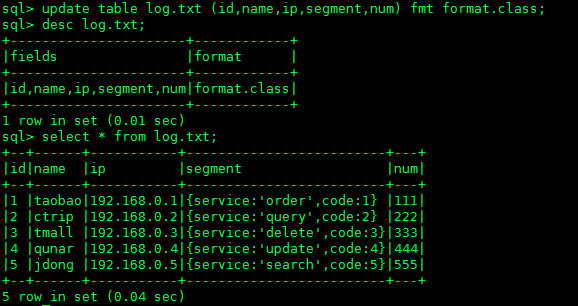
update table log.txt (id,name,ip,segment,num) fmt format.class;
desc log.txt;
select * from log.txt;
## JavaScript脚本提取
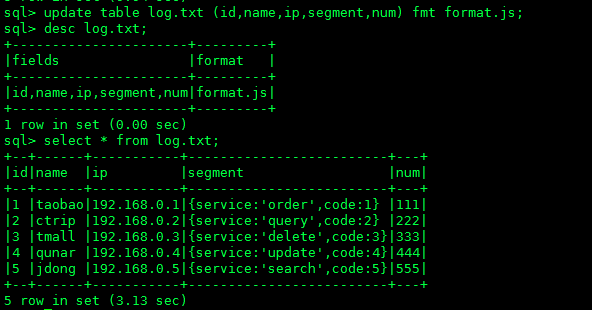
update table log.txt (id,name,ip,segment,num) fmt format.js;
desc log.txt;
select * from log.txt;
## 正则提取
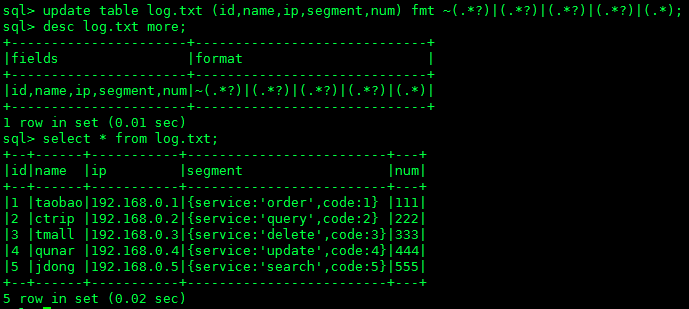
update table log.txt (id,name,ip,segment,num) fmt ~(.*?)|(.*?)|(.*?)|(.*?)|(.*);
desc log.txt more;
select * from log.txt;
# 简单查询
select name,ip from log.txt;
select name,ip from log.json;
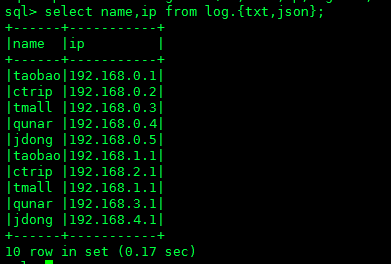
select name,ip from log.{txt,json};
# JSON提取
select name,json_path(segment,$.service) from log.txt;
select name,json_path(segment,$.service) from log.json;
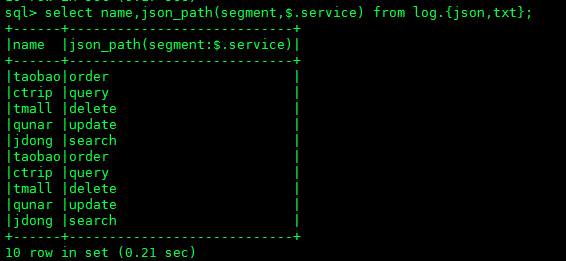
select name,json_path(segment,$.service) from log.{json,txt};
select * from log.txt where name='taobao' or name='ctrip';
select * from log.json where name='taobao' or name='ctrip';
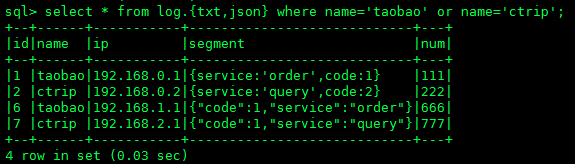
select * from log.{txt,json} where name='taobao' or name='ctrip';
select name,sum(num) as total,avg(num),max(num),min(num),count(num) from log.txt group by name;
select name,sum(num) as total,avg(num),max(num),min(num),count(num) from log.json group by name;
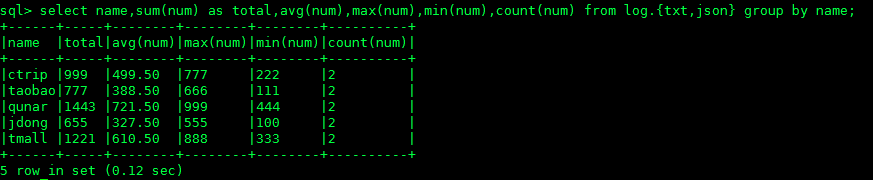
select name,sum(num) as total,avg(num),max(num),min(num),count(num) from log.{txt,json} group by name;
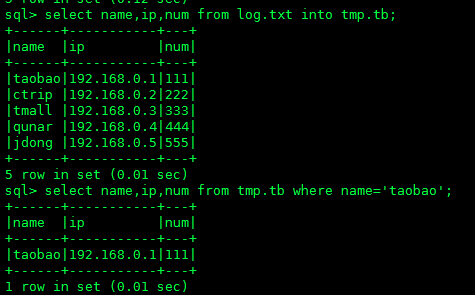
select name,ip,num from log.txt into tmp.tb;
select name,ip,num from tmp.tb where name='taobao';
drop table log.txt;
drop table log.json;