A Vue.js project

image image image image image image image



# install dependencies
npm install
# serve with hot reload at localhost:8080
npm run dev
# build for production with minification
npm run build
# build for production and view the bundle analyzer report
npm run build --report
For detailed explanation on how things work, checkout the guide and docs for vue-loader.
Functions
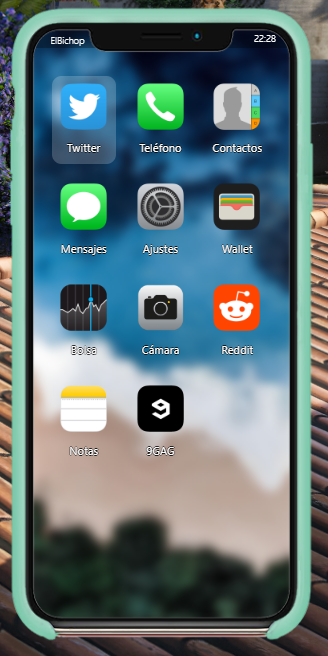
Contact list
Send SMS
Calls
Anonymous calls
Bank application with bank transfers
Reddit app
Bag Application
Notes application
Selection of ringtones
Fixed bug numeric keyboard script
Added different cases for iphone 11
Added new background images
Renewed the complete aesthetics of the gcphone as well as its dimensions
Instructions for use
To put the gcphone to work on your server you must follow these steps
1o Copy all the files from the resources folder and add them to the folder called gcphone on your server
2o For the bank application to work, you need the script on your NewBanking server, since it uses this script
3o In order to make use of sending messages to public services, you must have the following script on your server and configure it for operation
4o If once the gcphone is inserted, it does not load the images, try to delete the cache of the server and your FiveM and it will be ready for operation
Requirements
Official website esx_addons_gcphone -> https://github.com/N3MTV/gcphone/tree/master/resources/esx_addons_gcphone
Official website new_banking -> https://github.com/NewWayRP/new_banking
Credits
ElBichop (Owner gcphone v3) https://www.linkedin.com/in/manuel-jim%C3%A9nez-l%C3%B3pez-205420158/
Paty Blue (Designer) @psasfer
Original GCPhone by Gannon https://github.com/N3MTV/gcphone
License
GNU v3
Manuel (ElBichop)