- 基于swoole的定时器程序,支持秒级处理.
- 异步多进程处理。
- 完全兼容crontab语法,且支持秒的配置,可使用数组规定好精确操作时间
- 单中心-多客户端模式,能够横向扩展
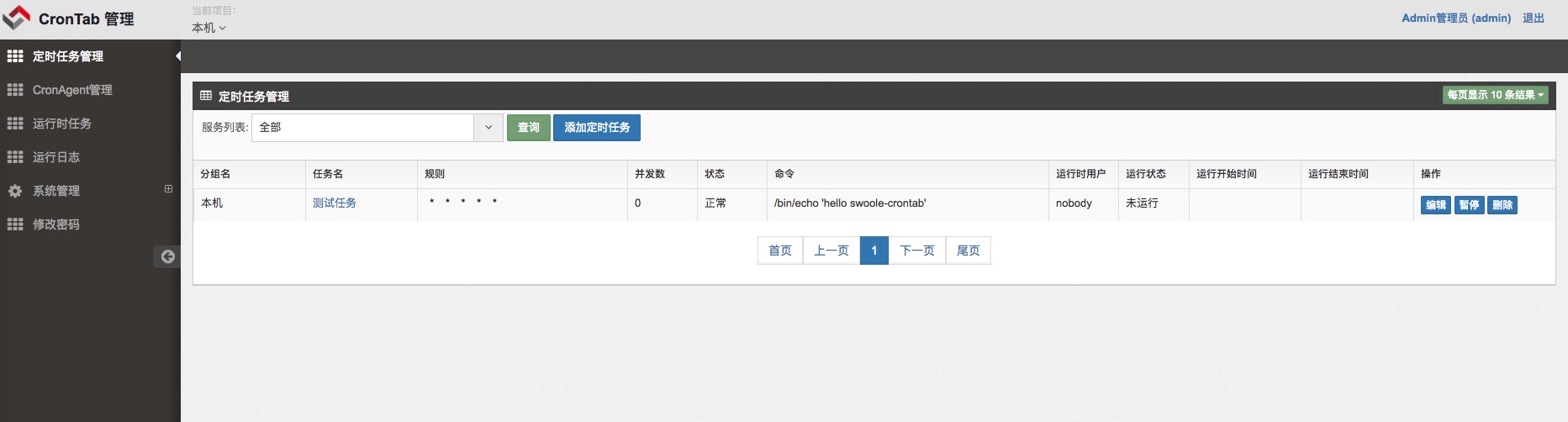
- web界面管理,增删改查任务,完整的权限控制.
- 请使用swoole扩展1.8.0+
- v0.8版本入口
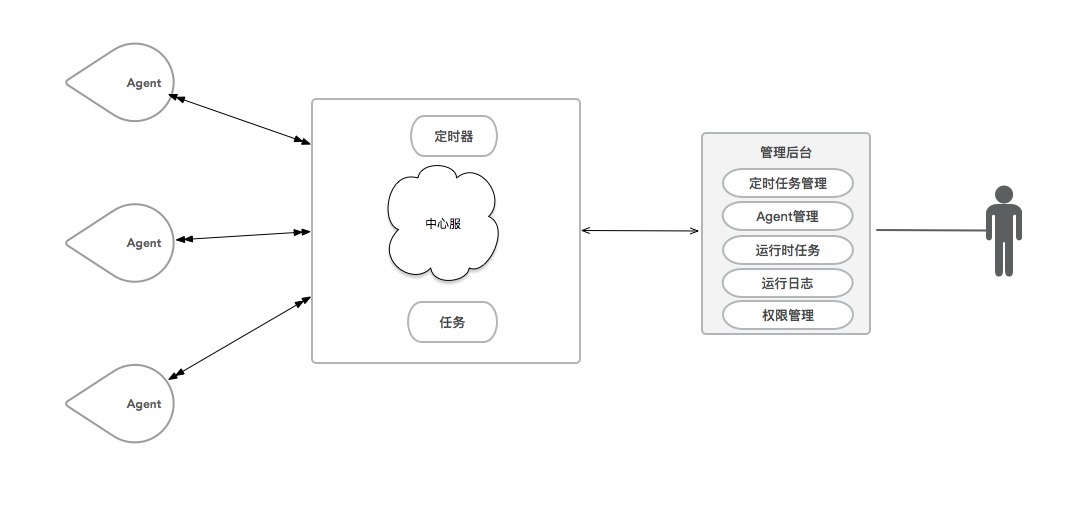
介绍一下时间配置
0 1 2 3 4 5
| | | | | |
| | | | | +------ day of week (0 - 6) (Sunday=0)
| | | | +------ month (1 - 12)
| | | +-------- day of month (1 - 31)
| | +---------- hour (0 - 23)
| +------------ min (0 - 59)
+-------------- sec (0-59)[可省略,如果没有0位,则最小时间粒度是分钟]
1.修改配置
1.1 中心服配置
/path/to/src/center/configs/dev/db.php 修改数据库配置
进入mysql数据库执行/path/to/doc/crontab.sql 的sql文件
src/center/_init.php 修改 PUBLIC_PATH swoole framework框架所在的路径
1.2 admin管理后台的配置文件修改
src/admin/configs/dev/db.php 修改数据库配置
src/admin/configs/dev/service.php 中心服启动时候监听的ip端口,需要跟中心服通讯
src/public/index.php
 修改 WEBROOT 域名
 修改 PUBLIC_PATH swoole framework框架所在的路径
2.下载swoole framework框架到本地/data/www/public/ framework
3.配置nginx,列子如下:
server {
 listen 80;
 server_name crontab.test.com;

 root /data/www/wwwroot/swoole-crontab/src/public;

 index index.php index.html;
 location / {
 if (!-e $request_filename) {
 rewrite ^/(.*)$ /index.php;
 }
 }
 location ~ \.php$ {
 fastcgi_pass 127.0.0.1:9000;
 fastcgi_index index.php;
 fastcgi_param SCRIPT_FILENAME $document_root$fastcgi_script_name;
 include fastcgi_params;
 }
}
4.启动中心服
/path/to/php /path/to/src/center/center.php start -d -h 127.0.0.1 -p 8901
5.启动客户端
-h 是指中心服地址 -p 中心服端口
/path/to/php /path/to/src/agent/agent.php start -d -h 127.0.0.1 -p 8901
6.web界面访问
输入nginx配置的地址访问web界面,默认用户名/密码是admin/admin
7.操作步骤
请按照以上步骤操作,因为admin后台是通过接口连接上中心服来进行管理.所以必须先启动中心服,再打开admin管理后台
1.后台截图
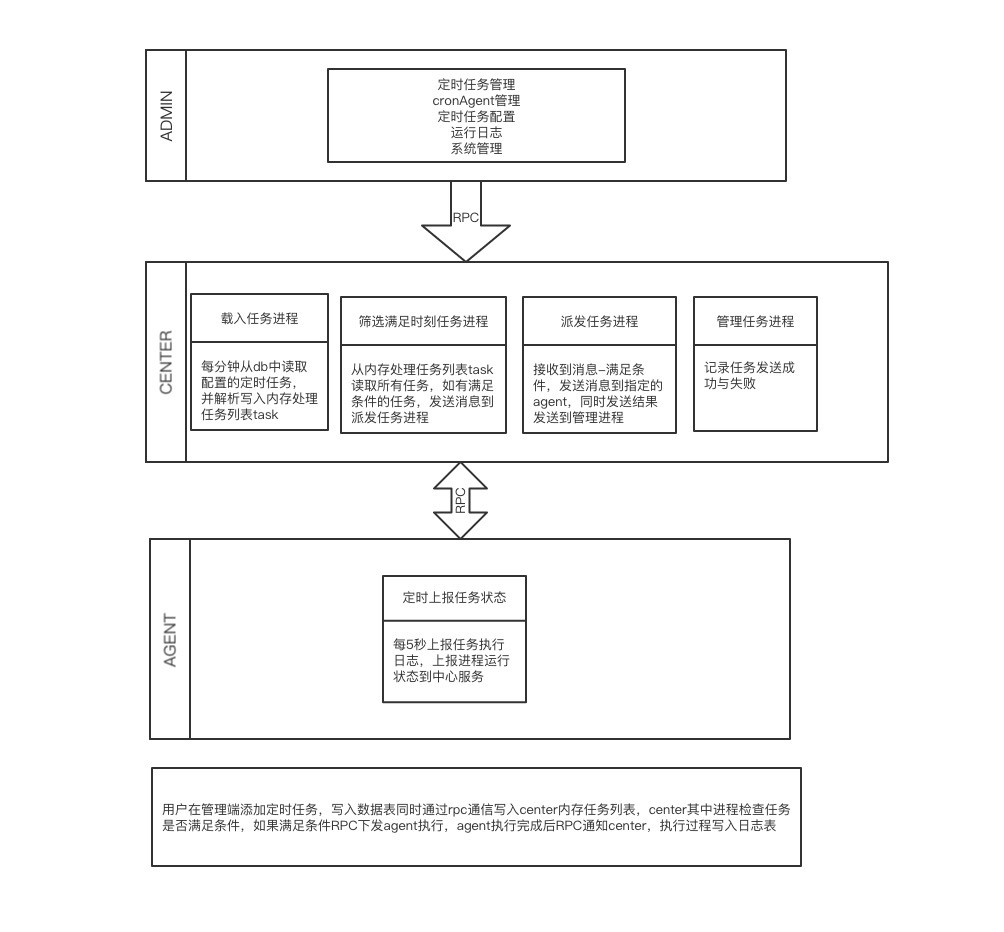
2.更加清晰的架构图.感谢@xufei100
QQ群:560807006
- 去除nginx依赖
- 配置文件统一
- 去除swoole framework框架的依赖
- restful api接口
- 通过命令行管理任务
- 无中心服依赖