TYAttributedLabel 简单,强大的属性文本的控件(无需了解CoreText),支持图文混排显示,支持添加链接,image和UIView控件,支持自定义排版显示
更新:
v2.3 新增 做题demo,代码优化(4s真机测试tableview列表非常流畅)
v2.2 新增 TYImagecache类,新增 image URL 下载缓存,功能优化,改进
v2.1 添加 tableViewCell demo, cell 滚动非常流畅
v2.0 重构优化代码,性能提升,稳定(已在项目中使用), 分离出TYTextContainer ,可以提前生成,也可以生成attributedString,显著提升cell滑动场景流畅度,可以和微博一样流畅
v1.2 添加设置行数,修复bug,增强稳定性
v1.1 添加链接高亮效果,链接便利方法,长按手势代理,优化代码
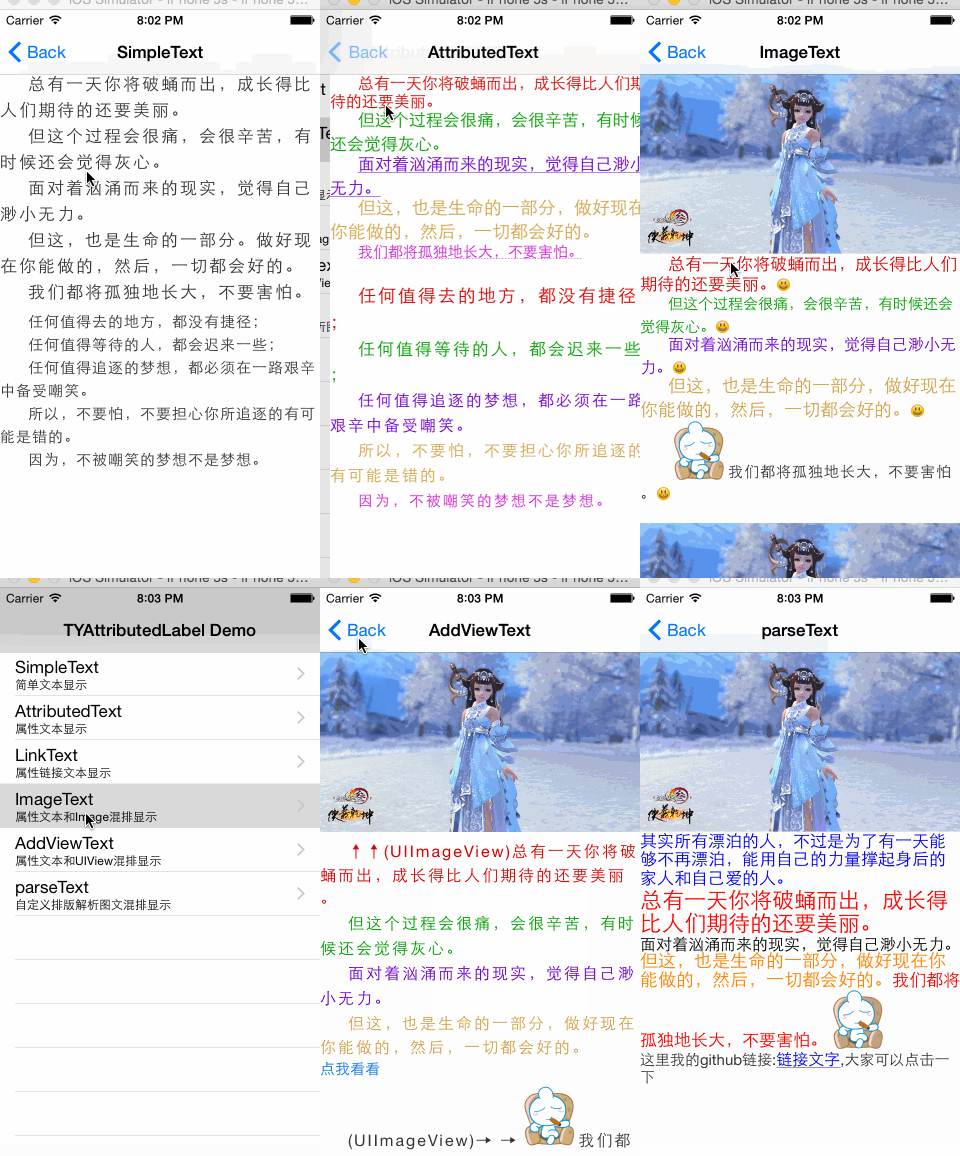
新-做题demo
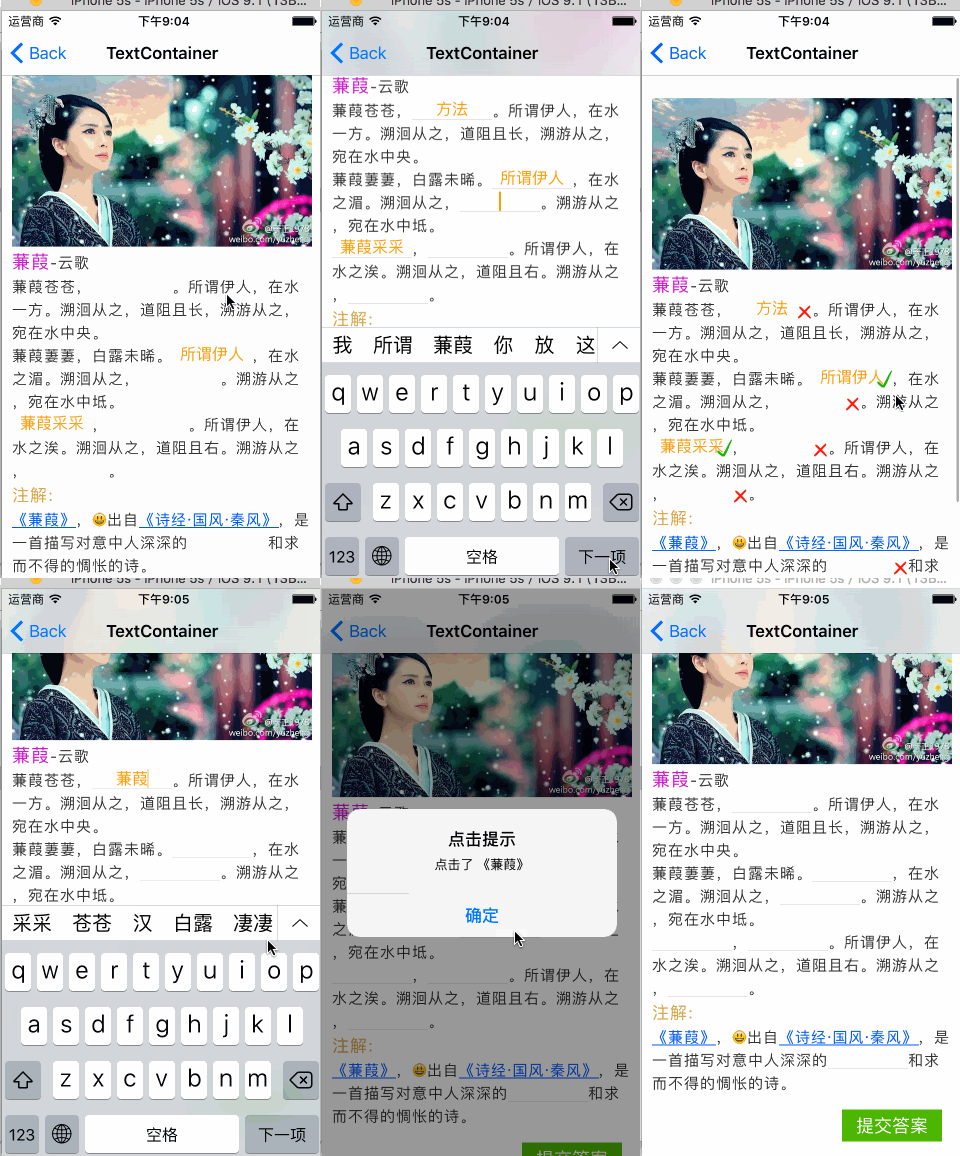
weibo demo 使用TYAttributedLabel 截图
- Xcode 5 or higher
- Apple LLVM compiler
- iOS 6.0 or higher
- ARC
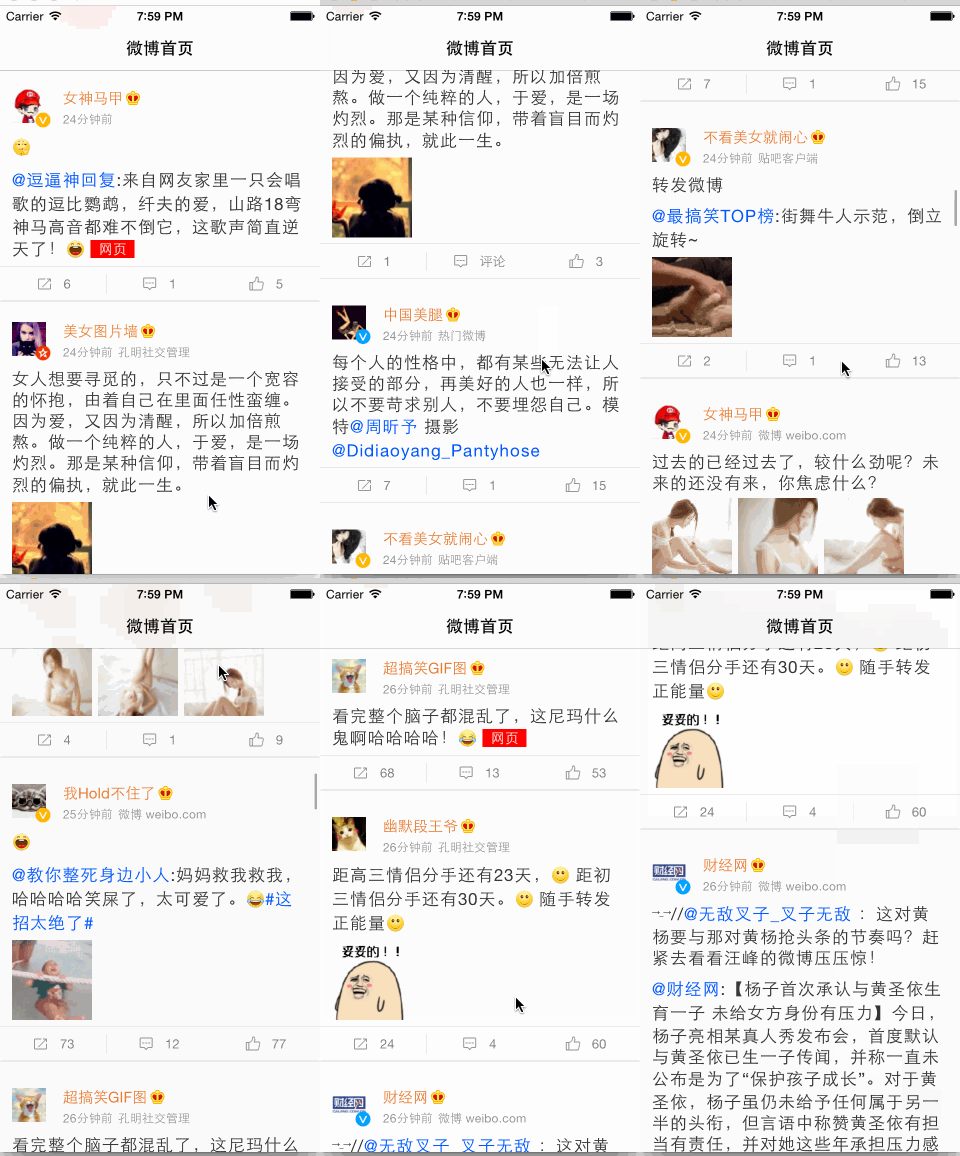
- 支持富文本,图文混排显示,支持行间距 字间距,设置行数,自适应高度
- 支持添加高度自定义文本属性
- 支持添加属性文本,自定义链接,新增高亮效果显示(文字和背景)
- 支持添加UIImage和UIView控件
运行demo可以查看效果,而且在demo中,针对各种文本和图文的实现都有详细的用例,每个头文件中都有详细的用法注释,这里简单的介绍下用法
- Category And Protocol
| Class | Function |
|---|---|
| NSMutableAttributedString (TY) | category提供便利color,font CharacterSpacing,UnderlineStyle,ParagraphStyle的属性添加,无需了解复杂的CoreText |
| TYTextStorageProtocol | 自定义文本属性 遵守最基本的协议 即可 addTextStorage 添加进去 |
| TYAppendTextStorageProtocol | 自定义文本属性协议 遵守即可appendTextStorage 添加进去 |
| TYLinkStorageProtocol | 自定义文本链接属性 继承TYAppendTextStorageProtocol |
| TYDrawStorageProtocol | 自定义显示内容协议 如 UIImage UIView |
下层协议继承上层的协议,如果觉得复杂,其实我已经实现了常用的自定义属性,拿来就可以用,或者继承,添加你想要的
- Label And Storage
| Class | Function |
|---|---|
| TYAttributedLabel | 简单易用的属性文本,富文本的显示控件, addTextStorage在已经设置文本的基础上添加属性,image或者view, appendTextStorage(无需事先设置文本)直接添加属性,image或者view到最后 |
| TYTextContainer | 文本容器,可以提前生成,也可以生成attributedString,显著提升cell滚动流畅度 |
| TYTextStorage | 自定义文本属性,支持textColor,font,underLineStyle |
| TYLinkTextStorage | 自定义链接属性,继承TYTextStorage,支持点击代理 |
| TYDrawStorage | 自定义显示内容属性,如UIImage,UIView,支持点击代理 |
| TYImageStorage | 自定义图片显示,继承TYDrawStorage |
| TYViewStorage | 自定义UIView控件,继承TYDrawStorage |
| TYImageCache | image缓存类,支持URL请求 |
如果需要更加详细的内容,请看各个头文件,有详细的注释
// 点击代理
- (void)attributedLabel:(TYAttributedLabel *)attributedLabel textStorageClicked:(id<TYTextStorageProtocol>)textStorage atPoint:(CGPoint)point;
// 长按代理 有多个状态 begin, changes, end 都会调用,所以需要判断状态
- (void)attributedLabel:(TYAttributedLabel *)attributedLabel textStorageLongPressed:(id<TYTextStorageProtocol>)textStorage onState:(UIGestureRecognizerState)state atPoint:(CGPoint)point;
- appendStorage demo
TYAttributedLabel *label = [[TYAttributedLabel alloc]init];
[self.view addSubview:label];
// 文字间隙
label.characterSpacing = 2;
// 文本行间隙
label.linesSpacing = 6;
NSString *text = @"\t总有一天你将破蛹而出,成长得比人们期待的还要美丽。\n";
[label appendText:text];
NSMutableAttributedString *attributedString = [[NSMutableAttributedString alloc]initWithString:text];
[attributedString addAttributeTextColor:[UIColor blueColor]];
[attributedString addAttributeFont:[UIFont systemFontOfSize:15]];
[label appendTextAttributedString:attributedString];
[label appendImageWithName:@"CYLoLi" size:CGSizeMake(CGRectGetWidth(label.frame), 180)];
UIImageView *imageView = [[UIImageView alloc]initWithImage:[UIImage imageNamed:@"CYLoLi"]];
imageView.frame = CGRectMake(0, 0, CGRectGetWidth(label.frame), 180);
[label appendView:imageView];
[label setFrameWithOrign:CGPointMake(0,0) Width:CGRectGetWidth(self.view.frame)];
- addStorage demo
TYAttributedLabel *label = [[TYAttributedLabel alloc]initWithFrame:CGRectMake(0, 0, CGRectGetWidth(self.view.frame), 0)];
[self.view addSubview:label];
NSString *text = @"\t总有一天你将破蛹而出,成长得比人们期待的还要美丽。\n";
[label setText:text];
// 文字间隙
label.characterSpacing = 2;
// 文本行间隙
label.linesSpacing = 6;
textStorage = [[TYTextStorage alloc]init];
textStorage.range = [text rangeOfString:@"总有一天你将破蛹而出"];
textStorage.textColor = RGB(0, 155, 0, 1);
textStorage.font = [UIFont systemFontOfSize:18];
[label addTextStorage:textStorage];
[label addLinkWithLinkData:@"www.baidu.com" range:NSMakeRange(5, 8)];
[label addImageWithName:@"haha" range:NSMakeRange(2, 1)];
UIImageView *imageView = [[UIImageView alloc]initWithImage:[UIImage imageNamed:@"CYLoLi"]];
imageView.frame = CGRectMake(0, 0, CGRectGetWidth(label.frame), 180);
[label addView:imageView range:NSMakeRange(16, 1)];
[label sizeToFit];
- TextContainer demo
NSString *text = @"\t总有一天你将破蛹而出,成长得比人们期待的还要美丽。\n";
TYTextContainer *textContainer = [[TYTextContainer alloc]init];
 textContainer.text = text;
 // 文字间隙
textContainer.characterSpacing = 2;
// 文本行间隙
textContainer.linesSpacing = 5;
textStorage = [[TYTextStorage alloc]init];
textStorage.range = [text rangeOfString:@"总有一天你将破蛹而出"];
textStorage.textColor = RGB(0, 155, 0, 1);
textStorage.font = [UIFont systemFontOfSize:18];
[textContainer addTextStorage:textStorage];
[textContainer addLinkWithLinkData:@"www.baidu.com" range:NSMakeRange(5, 8)];
[textContainer addImageWithName:@"haha" range:NSMakeRange(2, 1)];
UIImageView *imageView = [[UIImageView alloc]initWithImage:[UIImage imageNamed:@"CYLoLi"]];
imageView.frame = CGRectMake(0, 0, CGRectGetWidth(label.frame), 180);
[textContainer addView:imageView range:NSMakeRange(16, 1)];
// 生成 textContainer 文本容器
[textContainer createTextContainerWithTextWidth:CGRectGetWidth(self.view.frame)];
TYAttributedLabel *label = [[TYAttributedLabel alloc]init];
label.textContainer = textContainer;
// 也可以 生成NSAttributedString 属性文本
//NSAttributedString *attString = [textContainer createAttributedString];
//label.attributedText = attString;
[label setFrameWithOrign:CGPointZero Width:CGRectGetWidth(self.view.frame)];
[self.view addSubView:label];
如果你发现bug,please pull reqeust me
如果你有更好的想法或者建议可以联系我,Email:122074809@qq.com