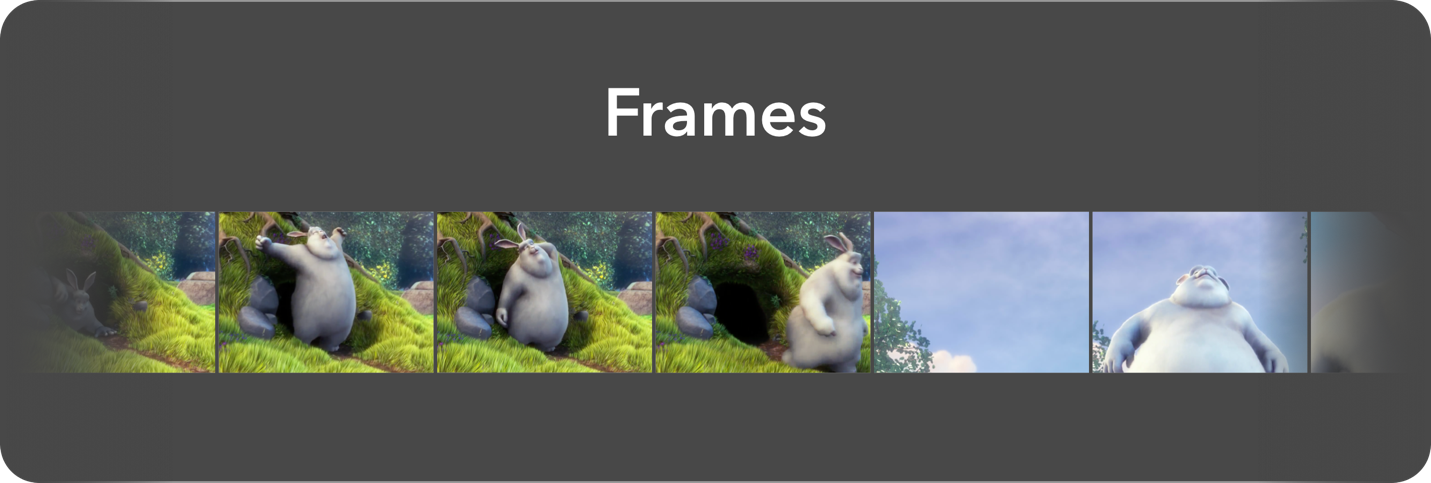
Frames library retrieves frames from video. It loads frames lazily under the hood. You can customize your frame fetching request as you need.
There are 3 types of frame request.
If you want to fetch a specific frame at the specific duration.
val singleFrameRequest = FrameRetrieveRequest.SingleFrameRequest(
 videoPath = "/storage/emulated/0/Download/sample.mp4",
 frameWidth = 400,
 frameHeight = 300,
 durationInMillis = 5213
)
If you want to fetch all frames with given interval. For instance, If you have 40 seconds video and frame duration is 2 second, Frames library gives you 20 frames.
val multiFrameRequest = FrameRetrieveRequest.MultipleFrameRequest(
 videoPath = "/storage/emulated/0/Download/sample.mp4",
 frameWidth = 400,
 frameHeight = 300,
 durationPerFrame = 2000
)
If you want to fetch frames with specific range from video with given interval. For instance, you have 40 seconds video and you want to fetch frames between 5. and 15. seconds.
val rangeFrameRequest = FrameRetrieveRequest.RangeFrameRequest(
 videoPath = "/storage/emulated/0/Download/sample.mp4",
 frameWidth = 400,
 frameHeight = 300,
 durationPerFrame = 4000,
 startDuration = 5000,
 endDuration = 15000
)
 <com.momentolabs.frameslib.ui.view.VideoFramesLayout
 android:id="@+id/layoutFramesLayout"
 android:layout_width="wrap_content"
 android:layout_height="wrap_content"/>
Frames.load(frameRequest).into(layoutFramesLayout)Frames .load(frameRetrieveRequest) .into { framesResource -> when (framesResource.status) { Status.EMPTY_FRAMES -> // emit all empty frames initially. (you can draw your own custom view with this) Status.LOADING -> // Lazily emits frames while loading. This scope will be called serially until all frames loaded Status.COMPLETED -> // Called when all frames loaded. } }
You can also change provider type.
Frames
 .load(frameRetrieveRequest)
 .setProviderType(ProviderType.FFMPEG or ProviderType.NATIVE_ANDROID)
 .into{...}
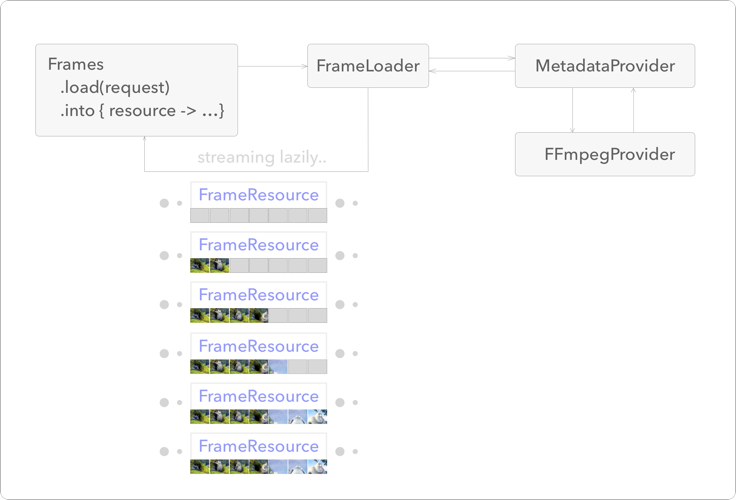
- Before using Frames library, ask for the
READ_EXTERNAL_STORAGEpermission.
allprojects {
 repositories {
 ...
 maven { url 'https://jitpack.io' }
 }
}
dependencies {
 implementation 'com.github.iammert:Frames:0.3'
}Copyright 2019 Mert Şimşek
Licensed under the Apache License, Version 2.0 (the "License");
you may not use this file except in compliance with the License.
You may obtain a copy of the License at
http://www.apache.org/licenses/LICENSE-2.0
Unless required by applicable law or agreed to in writing, software
distributed under the License is distributed on an "AS IS" BASIS,
WITHOUT WARRANTIES OR CONDITIONS OF ANY KIND, either express or implied.
See the License for the specific language governing permissions and
limitations under the License.