
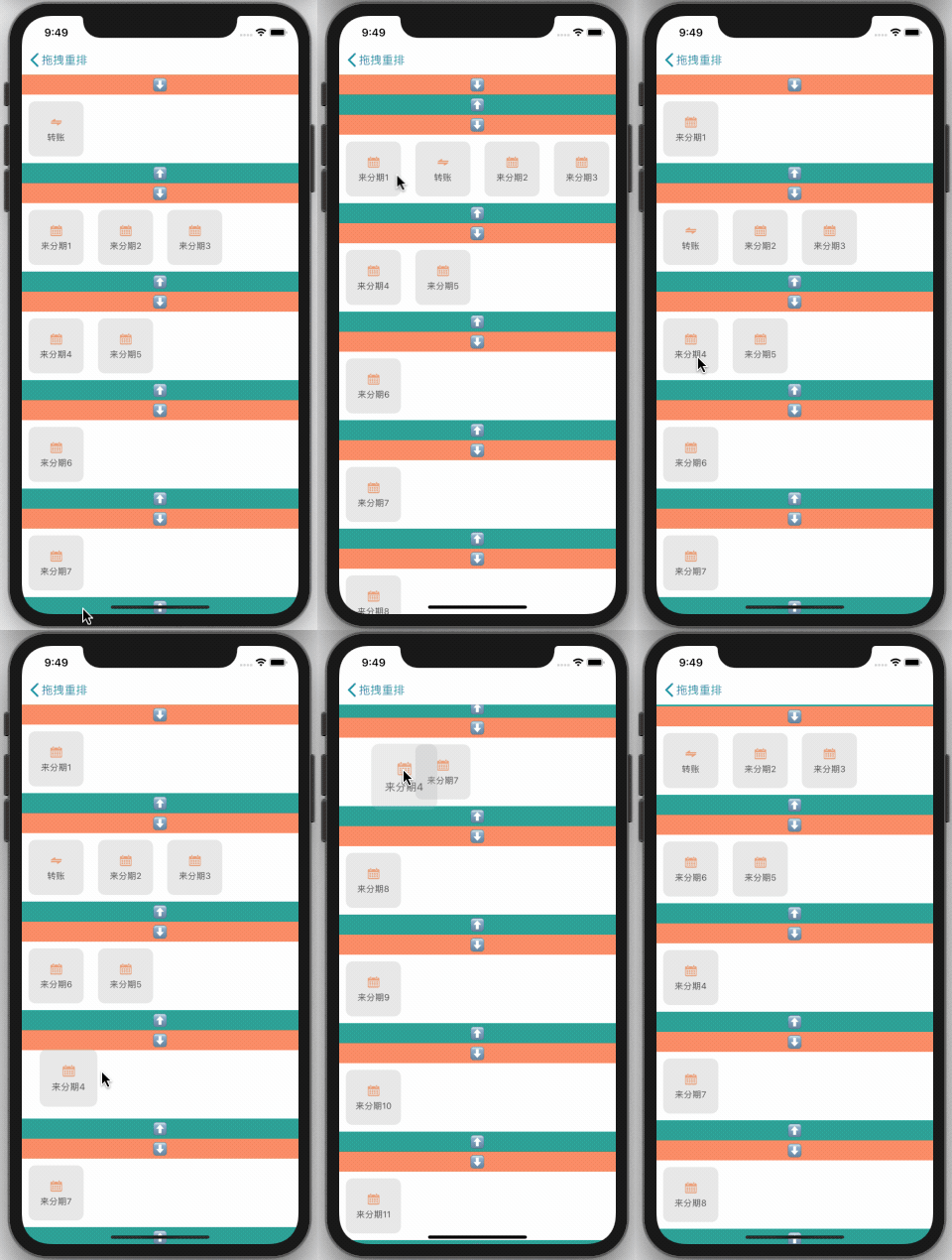


- 本框架是一个让你轻松实现类似支付宝的拖拽重排功能,支持自定义,
iOS8+,具体可查看代码。
pod 'BMLongPressDragCellCollectionView'
pod install
#import "BMLongPressDragCellCollectionView.h"
- 下载项目 「
clone https://github.com/liangdahong/BMLongPressDragCellCollectionView.git」 - 将
BMLongPressDragCellCollectionView文件夹下的全部内容拖拽到你的项目。
BMLongPressDragCellCollectionView是继自UICollectionView,其使用方式和UICollectionView一致,只需要把UICollectionView修改为BMLongPressDragCellCollectionView即可【支持 Xib,StoryBoard】。- 原来的
UICollectionViewDataSource换为 BMLongPressDragCellCollectionViewDataSource - 原来的
UICollectionViewDelegateFlowLayout换为BMLongPressDragCellCollectionViewDelegate。 - 实现数据源方法,内部会使用此方法获取数据源,必须实现。
- (nullable NSArray *)dataSourceWithDragCellCollectionView:(BMLongPressDragCellCollectionView *)dragCellCollectionView;
如下:
- (NSArray *)dataSourceWithDragCellCollectionView:(BMLongPressDragCellCollectionView *)dragCellCollectionView {
 return self.dataSourceArray;
}
- 实现代理方法,当 Cell 有交换时调用,需要外面保存最新的数据源【如果有交换时,数据源已经更新】,必须实现。
- (void)dragCellCollectionView:(BMLongPressDragCellCollectionView *)dragCellCollectionView newDataArrayAfterMove:(nullable NSArray *)newDataArray;
如下:
- (void)dragCellCollectionView:(BMLongPressDragCellCollectionView *)dragCellCollectionView newDataArrayAfterMove:(nullable NSArray *)newDataArray {
 self.dataSourceArray = [newDataArray mutableCopy];
}


- 在
Xib或者StoryBoard中只需要上面的3 步就可以让你的UICollectionView完美支持拖拽重排了。


- 在纯代码实现中只需要上面的
3 步就可以让你的UICollectionView完美支持拖拽重排了。
如果要做一些自定义的操作可以通过设置 BMLongPressDragCellCollectionView 的相关属性或者实现一些特定的协议方法来处理,可查看 BMLongPressDragCellCollectionView 的头文件和 BMLongPressDragCellCollectionViewDelegate 与 BMLongPressDragCellCollectionViewDataSource 协议。

- 定个小目标 😂 2020年08月05日 纯 Swift 正在计划中...
- 核心实现参考自XWDragCellCollectionView 特别感谢。
- 🖖高性能的自动计算采用 Autolayout 布局的 UITableViewCell 和 UITableViewHeaderFooterView 的高度,内部自动管理高度缓存。 https://github.com/liangdahong/UITableViewDynamicLayoutCacheHeight
BMLongPressDragCellCollectionView is released under the MIT license. See LICENSE for details.