Interactive bioacoustic annotation tool for measuring vocalizations.
Features:
- Changepoint Annotator, for marking temporal onset, offset, and changepoints in vocalizations. Useful for describing rapid fluctuations and identifying nonlinear phenomena.
- Peak Annotator, for marking dominant frequency peaks on the power spectrum. Useful for describing spectrally complex vocalizations.
- Harmonic Annotator, for identifying harmonics.
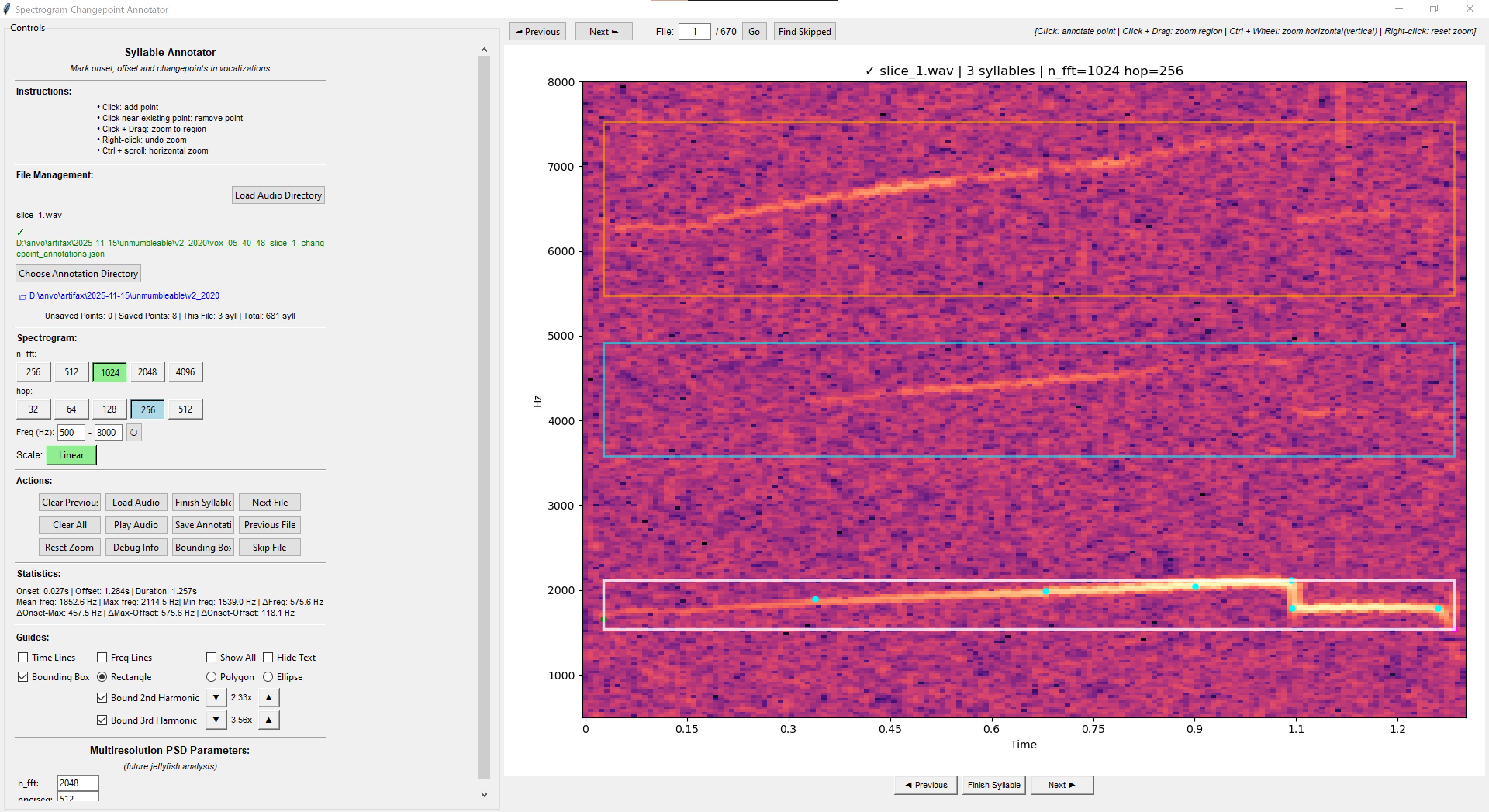
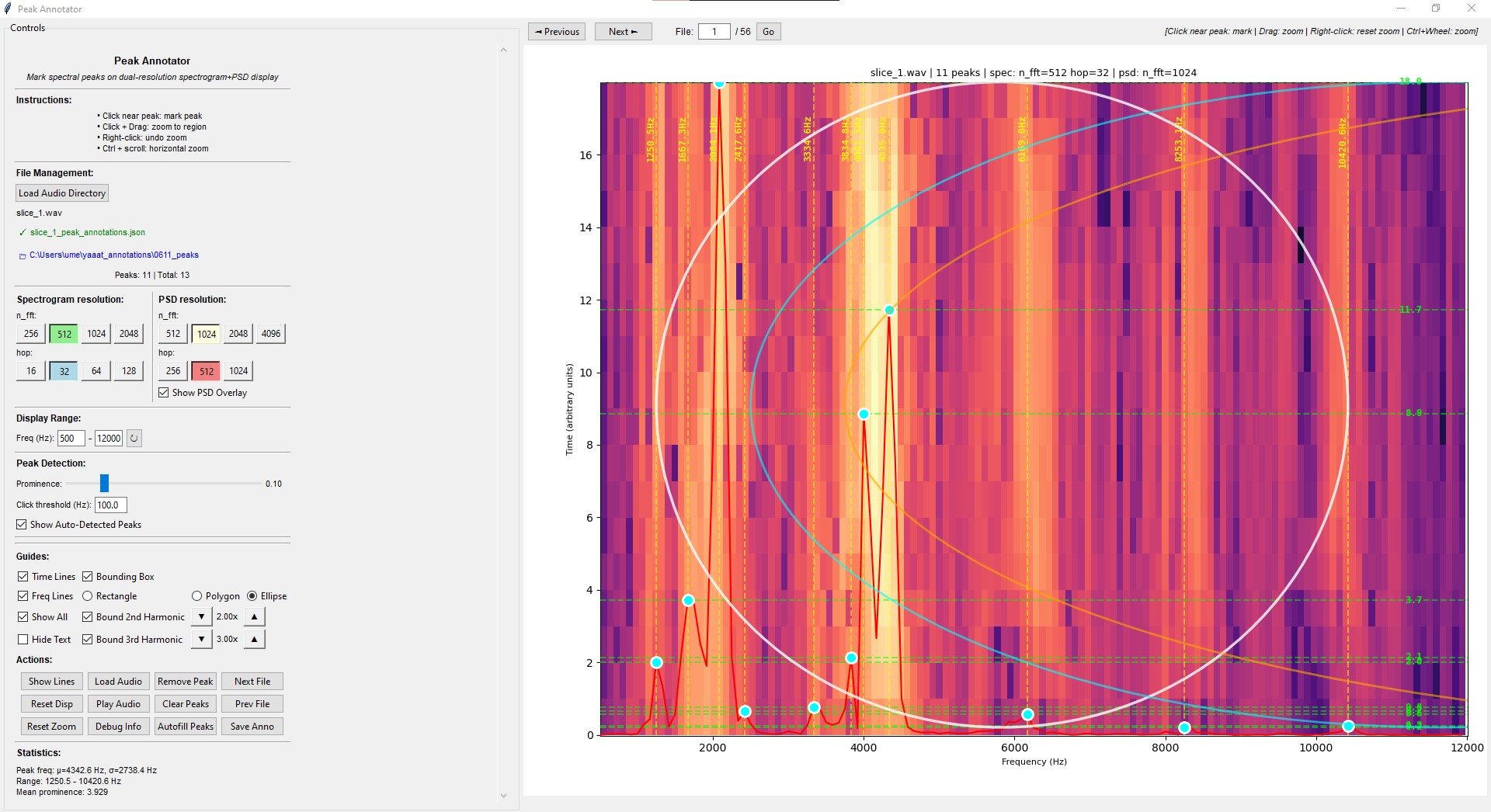
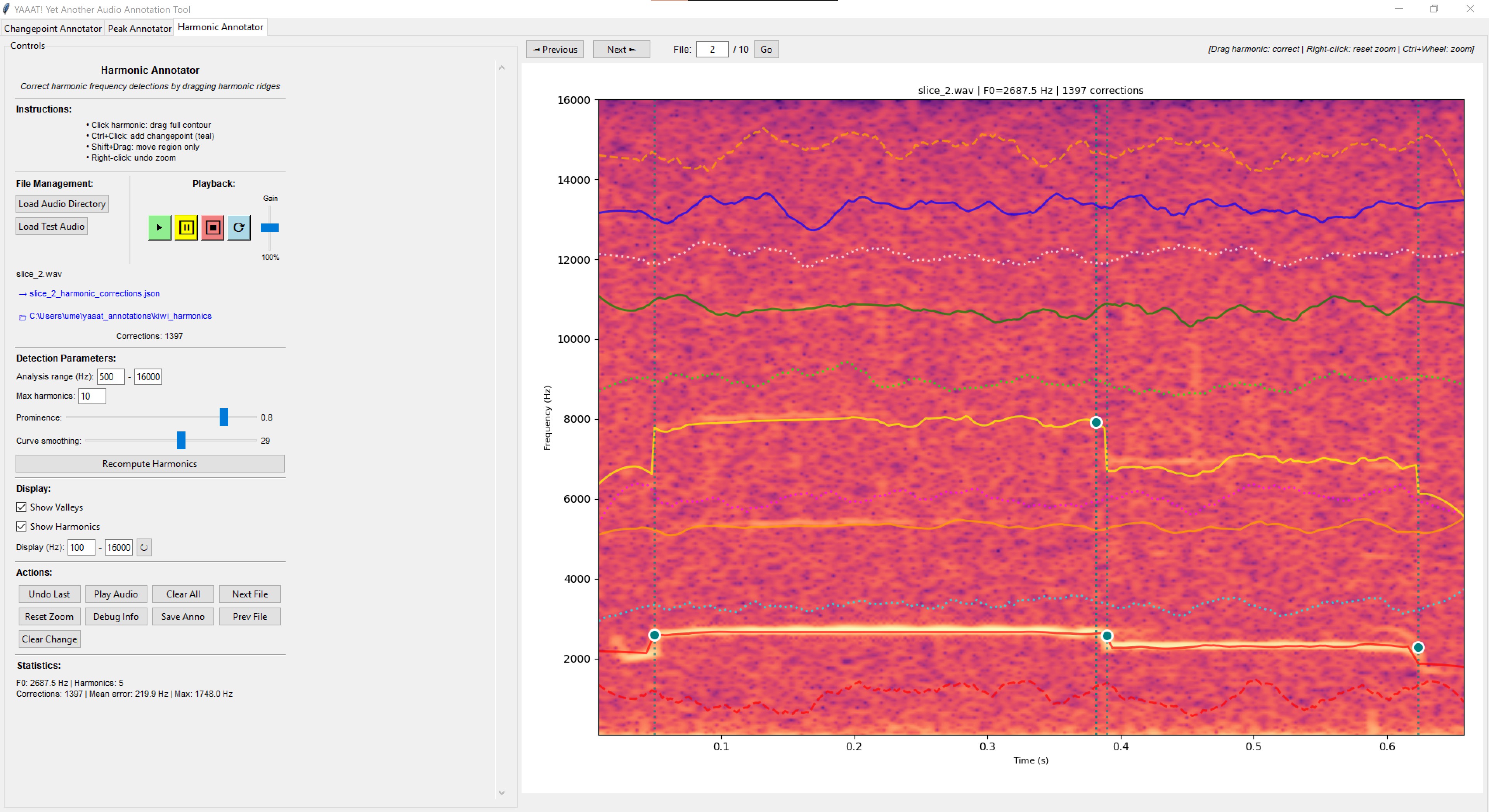
pip install yaaat
git clone https://github.com/laelume/yaaat.git
cd yaaat
pip install -e .
yaaat
Opens a tabbed interface with various annotators. Includes test audio files to get started. For some reason, auto-load is a little buggy, so clicking Load Audio Files and selecting the included test_audio yourself lets the interface work as-intended.
python -m yaaat.changepoint_annotator
python -m yaaat.peak_annotator
python -m yaaat.harmonic_annotator
from yaaat import ChangepointAnnotator, PeakAnnotator, HarmonicAnnotator
import tkinter as tk
# Launch annotator
root = tk.Tk()
app = ChangepointAnnotator(root) # or PeakAnnotator or HarmonicAnnotator
root.mainloop()
- Click Load Audio Directory to select files or Load Test Audio to explore test audio
- Choose where to save annotations (existing, new, or default directory)
- Click on the spectrogram to add annotations points
- Click Finish Syllable when done with annotation
- Move between files using Next/Previous buttons
- Annotations auto-save on file navigation or Finish syllable
-
Intuitive real-time interactive visualization with zoom, pan, and keycommand + mousewheel navigation
-
Visualize harmonics with adjustable multipliers and draggable bounding boxes
-
JSON annotations saved per-file to minimize corruption
-
Mark and track unusable files
-
Adjust spectrogram resolution for accuracy comparison
-
TODO: implement ranking system for annotation quality; inject as learning feedback mechanism
- Lasso Selection: Ctrl+Click+Drag to select regions
- Endpoint Marking: Ctrl+Click two points to extract time range
- Cross-contour extraction: Select points from multiple contours at once
- Auto-sorted table: Contours sorted by onset time
- Zoom only activates on normal Click+Drag (Ctrl excluded)
- Table updates immediately after modifications
- Better error handling and user feedback
- Python ≥3.8 (built using 3.11)
- numpy
- matplotlib
- scipy
- natsort
- pysoniq # custom minimal audio package
MIT License - Copyright (c) 2025 laelume
Contributions welcome! Please open an issue or submit a pull request. I'm especially interested in talking to people about using this in their existing AI workflows, so please feel free to reach out !!