CuraLink
CuraLink
An AI-powered clinical research platform that helps patients discover clinical trials, publications, and experts while enabling researchers to collaborate, manage studies, and connect with participants.
Key Features • How To Use • How To Contribute • Technologies • License
🌐 Live Demo🔗 curalink-research.vercel.app
For Patients
- Natural Language Search — Describe your condition in plain language
- Clinical Trial Recommendations — Personalized matches from ClinicalTrials.gov
- Expert Discovery — Search and connect with health researchers
- Publication Browser — Explore relevant medical research
- Community Forums — Post questions and get answers from researchers
- Favorites — Save trials, publications, and experts
- Meeting Requests — Schedule consultations with researchers
For Researchers
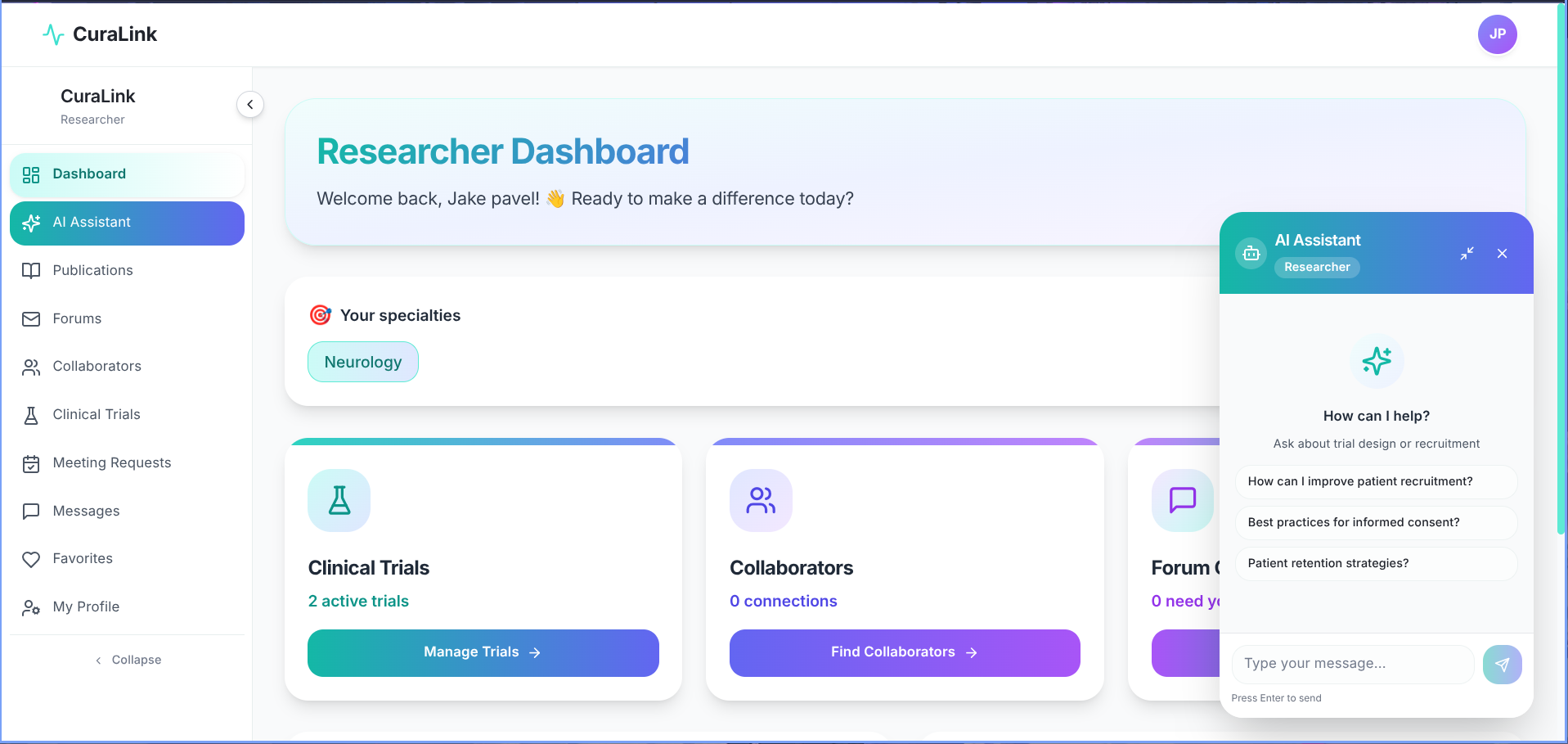
- ORCID Integration — Link and verify your research identity
- Trial Management — Create and manage your clinical trials
- Researcher Collaboration — Connect with peers across institutions
- Forum Responses — Engage with patient questions
- Publication Discovery — Browse and save relevant papers
- Meeting Management — Accept or decline patient consultation requests
Platform
- AI-Powered Summaries — Gemini Pro translates research into patient-friendly language
- Smart Keyword Extraction — Auto-extract disease terms from natural language input
- Role-Based Access — Separate, tailored experiences for patients and researchers
curalink/
├── app/ # Next.js App Router pages
│ ├── (auth)/ # Authentication routes
│ ├── (patient)/ # Patient-facing pages
│ ├── (researcher)/ # Researcher dashboard pages
│ └── api/ # API route handlers
├── components/ # Reusable UI components
├── lib/ # Database connection and utilities
├── models/ # Mongoose schemas and models
├── hooks/ # Custom React hooks
├── context/ # React context providers
├── utils/ # Helper functions and external API integrations
│ # (ClinicalTrials.gov, PubMed, ORCID, Google Scholar)
├── .env.local.example # Environment variables template
├── package.json # Dependencies and scripts
└── README.md # Project documentation
To clone and run this application, you'll need Git, Node.js, and MongoDB (or Docker) installed on your computer.
$ git clone https://github.com/your-username/curalink
$ cd curalink$ npm install
$ cp .env.local.example .env.local # Fill in your valuesRequired variables:
MONGODB_URI— MongoDB connection stringNEXTAUTH_SECRET— NextAuth.js secretGEMINI_API_KEY— Google Gemini API keyPUBMED_API_KEY(optional) — PubMed credentialsORCID_CLIENT_ID/ORCID_CLIENT_SECRET(optional) — ORCID OAuth
# Using Docker
$ docker run -d -p 27017:27017 --name mongodb mongo:latest$ npm run dev
Then open http://localhost:3000 in your browser.
- Clone the repo and create a new branch:
$ git checkout -b name_for_new_branch - Make your changes and test thoroughly
- Submit a Pull Request with a comprehensive description of your changes
This software uses the following technologies:
- Frontend: Next.js 14+ (App Router) + TypeScript + Tailwind CSS
- Backend: Next.js Server Actions
- Database: MongoDB (Mongoose ODM)
- Authentication: NextAuth.js with JWT
- AI: Google Gemini Pro — keyword extraction and patient-friendly summarization
- External APIs: ClinicalTrials.gov, PubMed, ORCID, Google Scholar
MIT