🎨 Python3 binding for
@AntV/G2Plotwhich an interactive and responsive charting library. Based on the grammar of graphics, you can easily make superior statistical charts through a few lines of code.PyG2Plotis inspired by pyecharts.
Latest Stable Version build Status Pypi Download
Document: 中文说明文档 · Drawing statistical plots · In Jupyter Notebook · Principles
$ pip install pyg2plot
from pyg2plot import Plot
line = Plot("Line")
line.set_options({
 "data": [
 { "year": "1991", "value": 3 },
 { "year": "1992", "value": 4 },
 { "year": "1993", "value": 3.5 },
 { "year": "1994", "value": 5 },
 { "year": "1995", "value": 4.9 },
 { "year": "1996", "value": 6 },
 { "year": "1997", "value": 7 },
 { "year": "1998", "value": 9 },
 { "year": "1999", "value": 13 },
 ],
 "xField": "year",
 "yField": "value",
})
# 1. render html file
line.render("plot.html")
# 2. render html string
line.render_html()
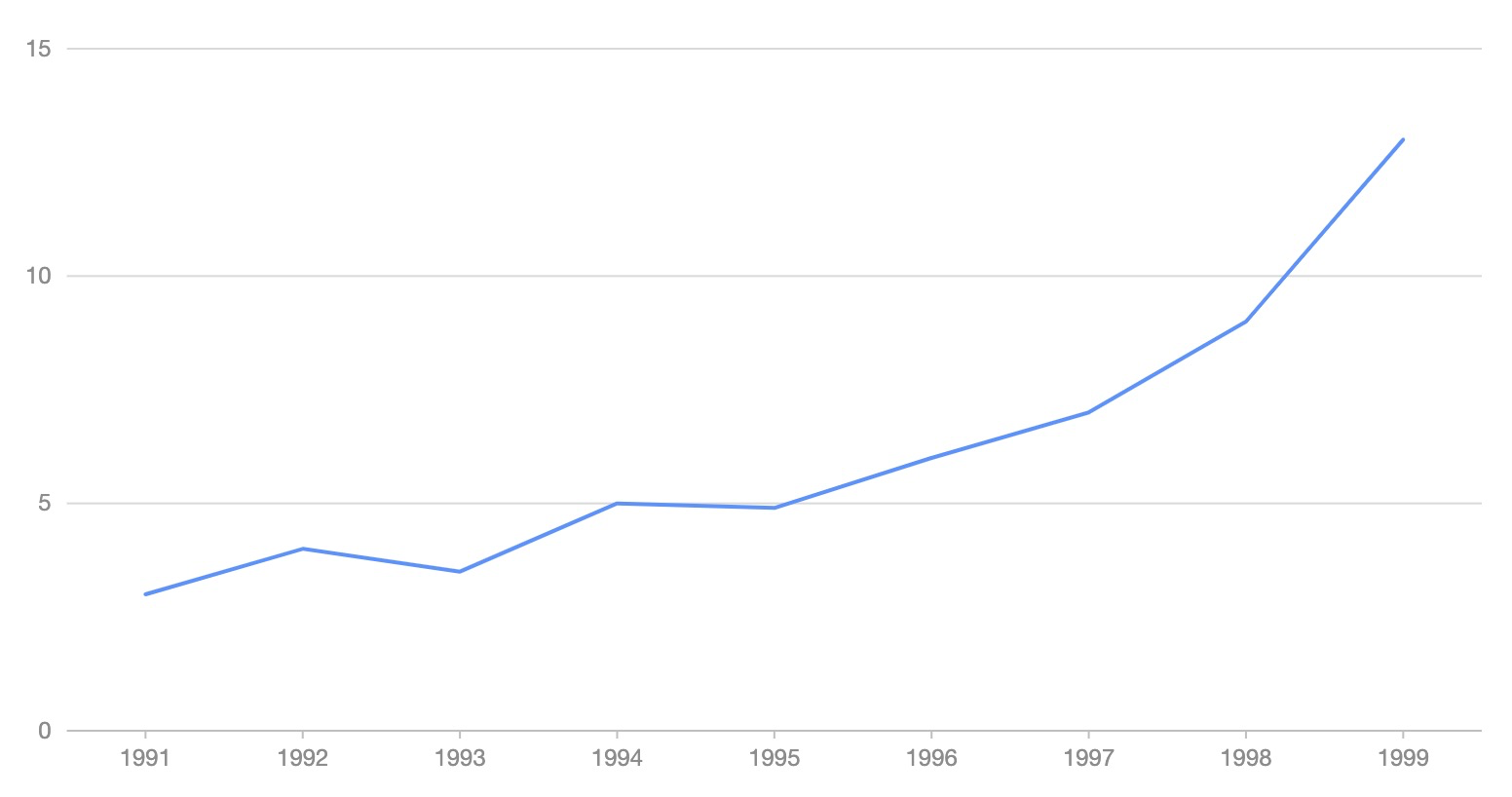
from pyg2plot import Plot
line = Plot("Line")
line.set_options({
 "height": 400, # set a default height in jupyter preview
 "data": [
 { "year": "1991", "value": 3 },
 { "year": "1992", "value": 4 },
 { "year": "1993", "value": 3.5 },
 { "year": "1994", "value": 5 },
 { "year": "1995", "value": 4.9 },
 { "year": "1996", "value": 6 },
 { "year": "1997", "value": 7 },
 { "year": "1998", "value": 9 },
 { "year": "1999", "value": 13 },
 ],
 "xField": "year",
 "yField": "value",
})
# 1. render in notebook
line.render_notebook()
# 2. render in jupyter lab
line.render_jupyter_lab()
from pyg2plot import Plot, JS
line = Plot("Line")
line.set_options({
 "height": 400, # set a default height in jupyter preview
 "data": [
 { "year": "1991", "value": 3 },
 { "year": "1992", "value": 4 },
 { "year": "1993", "value": 3.5 },
 { "year": "1994", "value": 5 },
 { "year": "1995", "value": 4.9 },
 { "year": "1996", "value": 6 },
 { "year": "1997", "value": 7 },
 { "year": "1998", "value": 9 },
 { "year": "1999", "value": 13 },
 ],
 "xField": "year",
 "yField": "value",
 "lineStye": JS('''function() {
 return { stroke: 'red' };
 }''')
})
Use JS API, you can use JavaScript syntax for callback.
Now, only has one API of pyg2plot.
- Plot
-
Plot(plot_type: str): get an instance of
Plotclass. -
plot.set_options(options: object): set the options of G2Plot into instance.
-
plot.render(path, env, **kwargs): render out html file by setting the path, jinja2 env and kwargs.
-
plot.render_notebook(env, **kwargs): render plot on jupyter preview.
-
plot.render_jupyter_lab(env, **kwargs): render plot on jupyter lab preview.
-
plot.render_html(env, **kwargs): render out html string by setting jinja2 env and kwargs.
-
plot.dump_js_options(env, **kwargs): dump js options by setting jinja2 env and kwargs, use it for HTTP request.
More apis is on the way.
MIT@hustcc.