Build Status Documentation Status PyPI - Python Version PyPI GitHub Issues GitHub Pull Requests
Konoha is a Python library for providing easy-to-use integrated interface of various Japanese tokenizers,
which enables you to switch a tokenizer and boost your pre-processing.
Also, konoha provides rule-based tokenizers (whitespace, character) and a rule-based sentence splitter.
Simply run followings on your computer:
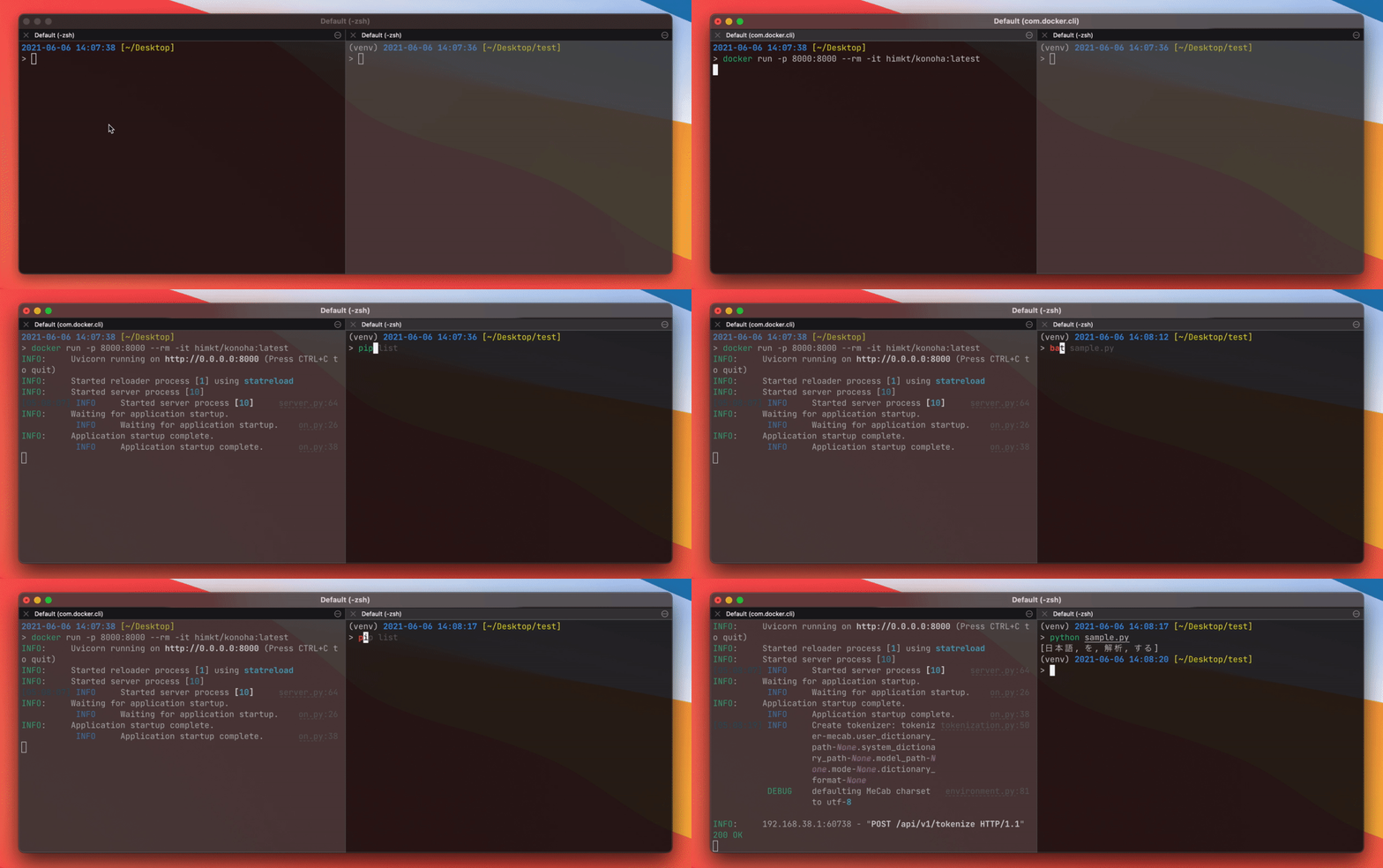
docker run --rm -p 8000:8000 -t himkt/konoha # from DockerHubOr you can build image on your machine:
git clone https://github.com/himkt/konoha # download konoha
cd konoha && docker-compose up --build # build and launch container
Tokenization is done by posting a json object to localhost:8000/api/v1/tokenize.
You can also batch tokenize by passing texts: ["1つ目の入力", "2つ目の入力"] to localhost:8000/api/v1/batch_tokenize.
(API documentation is available on localhost:8000/redoc, you can check it using your web browser)
Send a request using curl on your terminal.
Note that a path to an endpoint is changed in v4.6.4.
Please check our release note (https://github.com/himkt/konoha/releases/tag/v4.6.4).
$ curl localhost:8000/api/v1/tokenize -X POST -H "Content-Type: application/json" \
 -d '{"tokenizer": "mecab", "text": "これはペンです"}'
{
 "tokens": [
 [
 {
 "surface": "これ",
 "part_of_speech": "名詞"
 },
 {
 "surface": "は",
 "part_of_speech": "助詞"
 },
 {
 "surface": "ペン",
 "part_of_speech": "名詞"
 },
 {
 "surface": "です",
 "part_of_speech": "助動詞"
 }
 ]
 ]
}
I recommend you to install konoha by pip install 'konoha[all]'.
- Install konoha with a specific tokenizer:
pip install 'konoha[(tokenizer_name)]. - Install konoha with a specific tokenizer and remote file support:
pip install 'konoha[(tokenizer_name),remote]'
If you want to install konoha with a tokenizer, please install konoha with a specific tokenizer
(e.g. konoha[mecab], konoha[sudachi], ...etc) or install tokenizers individually.
from konoha import WordTokenizer
sentence = '自然言語処理を勉強しています'
tokenizer = WordTokenizer('MeCab')
print(tokenizer.tokenize(sentence))
# => [自然, 言語, 処理, を, 勉強, し, て, い, ます]
tokenizer = WordTokenizer('Sentencepiece', model_path="data/model.spm")
print(tokenizer.tokenize(sentence))
# => [▁, 自然, 言語, 処理, を, 勉強, し, ています]
For more detail, please see the example/ directory.
Konoha supports dictionary and model on cloud storage (currently supports Amazon S3).
It requires installing konoha with the remote option, see Installation.
# download user dictionary from S3
word_tokenizer = WordTokenizer("mecab", user_dictionary_path="s3://abc/xxx.dic")
print(word_tokenizer.tokenize(sentence))
# download system dictionary from S3
word_tokenizer = WordTokenizer("mecab", system_dictionary_path="s3://abc/yyy")
print(word_tokenizer.tokenize(sentence))
# download model file from S3
word_tokenizer = WordTokenizer("sentencepiece", model_path="s3://abc/zzz.model")
print(word_tokenizer.tokenize(sentence))
from konoha import SentenceTokenizer
sentence = "私は猫だ。名前なんてものはない。だが,「かわいい。それで十分だろう」。"
tokenizer = SentenceTokenizer()
print(tokenizer.tokenize(sentence))
# => ['私は猫だ。', '名前なんてものはない。', 'だが,「かわいい。それで十分だろう」。']
You can change symbols for a sentence splitter and bracket expression.
- sentence splitter
sentence = "私は猫だ。名前なんてものはない.だが,「かわいい。それで十分だろう」。"
tokenizer = SentenceTokenizer(period=".")
print(tokenizer.tokenize(sentence))
# => ['私は猫だ。名前なんてものはない.', 'だが,「かわいい。それで十分だろう」。']
- bracket expression
sentence = "私は猫だ。名前なんてものはない。だが,『かわいい。それで十分だろう』。"
tokenizer = SentenceTokenizer(
 patterns=SentenceTokenizer.PATTERNS + [re.compile(r"『.*?』")],
)
print(tokenizer.tokenize(sentence))
# => ['私は猫だ。', '名前なんてものはない。', 'だが,『かわいい。それで十分だろう』。']
python -m pytest
Sentencepiece model used in test is provided by @yoheikikuta. Thanks!