This is a draggable and floating Flutter widget, which can control its visibility through the scrolling event of ScrollView.
To use this plugin, add draggable_float_widget as a dependency in your pubspec.yaml file.
-
the constructor of component
DraggableFloatWidget({
 Key? key,
 this.width = defaultWidgetWidth,
 this.height = defaultWidgetHeight,
 this.eventStreamController,
 this.config = const DraggableFloatWidgetBaseConfig(),
 required this.child,
 this.onTap,
}) : super(key: key);
-
special field instructions
property description default eventStreamController The [StreamController] of [OperateEvent] null config the base config of [DraggableFloatWidget] DraggableFloatWidgetBaseConfig() -
the base config of component
DraggableFloatWidgetBaseConfig({
 this.isFullScreen = true,
 this.appBarHeight = kToolbarHeight,
 this.initPositionXInLeft = true,
 this.initPositionYInTop = true,
 this.initPositionYMarginBorder = 0,
 this.borderLeft = defaultBorderWidth,
 this.borderRight = defaultBorderWidth,
 this.borderTop = defaultBorderWidth,
 this.borderTopContainTopBar = false,
 this.borderBottom = defaultBorderWidth,
 this.exposedPartWidthWhenHidden = defaultExposedPartWidthWhenHidden,
 this.animDuration = const Duration(milliseconds: 300),
 this.delayShowDuration = const Duration(milliseconds: 500),
 this.debug = false,
});
-
the first, add scroll listener
⚠️ Ignore this step if the component is not affected by ScrollView scrolling, and you don't need to pass an StreamController instance into the instance.NotificationListener( onNotification: (notification) { if (notification is ScrollStartNotification) { eventStreamController.add(OperateEvent.OPERATE_HIDE); } else if (notification is ScrollEndNotification) { eventStreamController.add(OperateEvent.OPERATE_SHOW); } return true; }, child: ListView(...), )
-
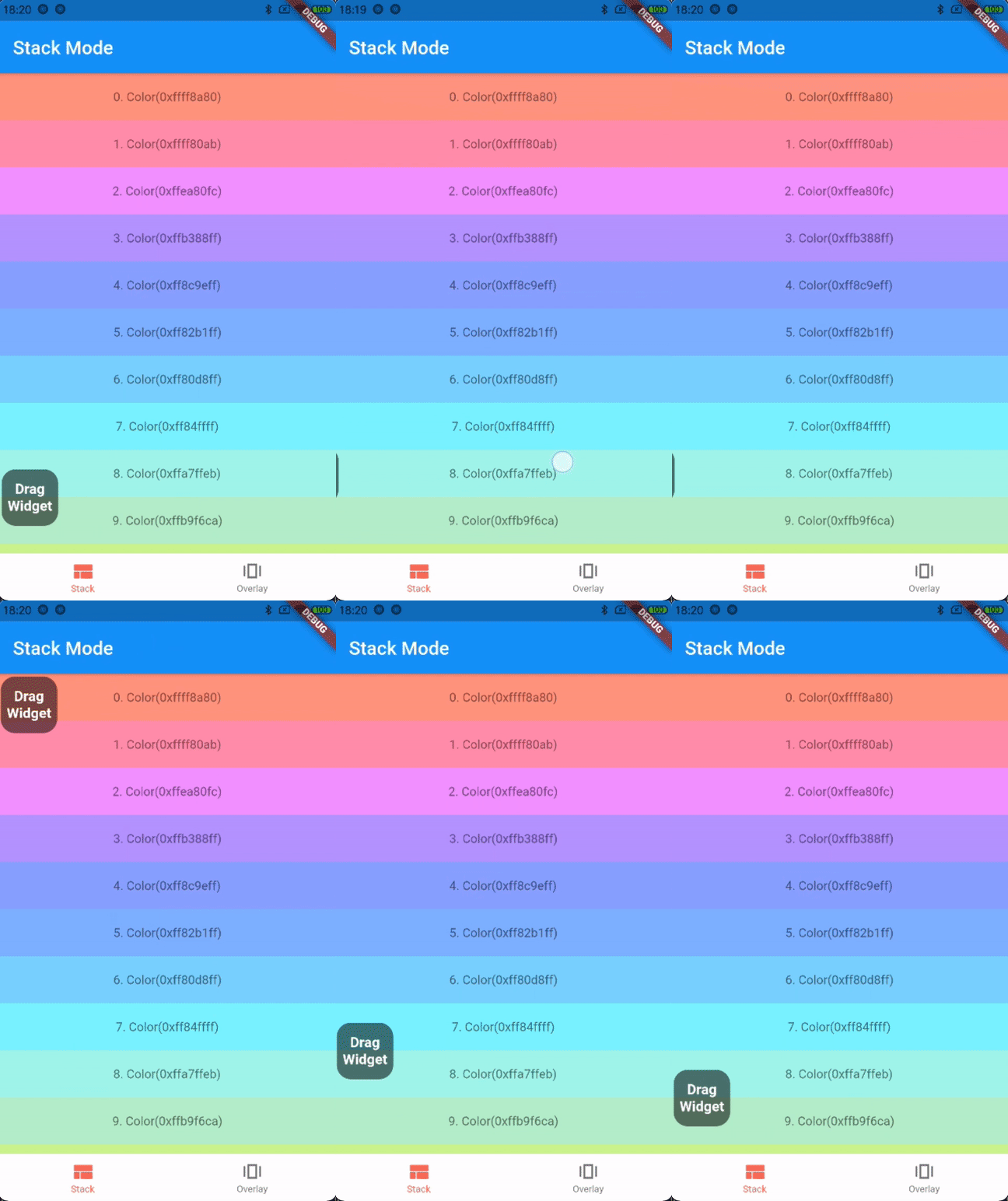
the first way: stack mode
Stack(
 children: [
 listView,
 DraggableFloatWidget(
 child: child,
 eventStreamController: eventStreamController,
 config: DraggableFloatWidgetBaseConfig(
 isFullScreen: false,
 initPositionYInTop: false,
 initPositionYMarginBorder: 50,
 borderBottom: navigatorBarHeight + defaultBorderWidth,
 ),
 onTap: () => print("Drag onTap!"),
 )
 ],
)
-
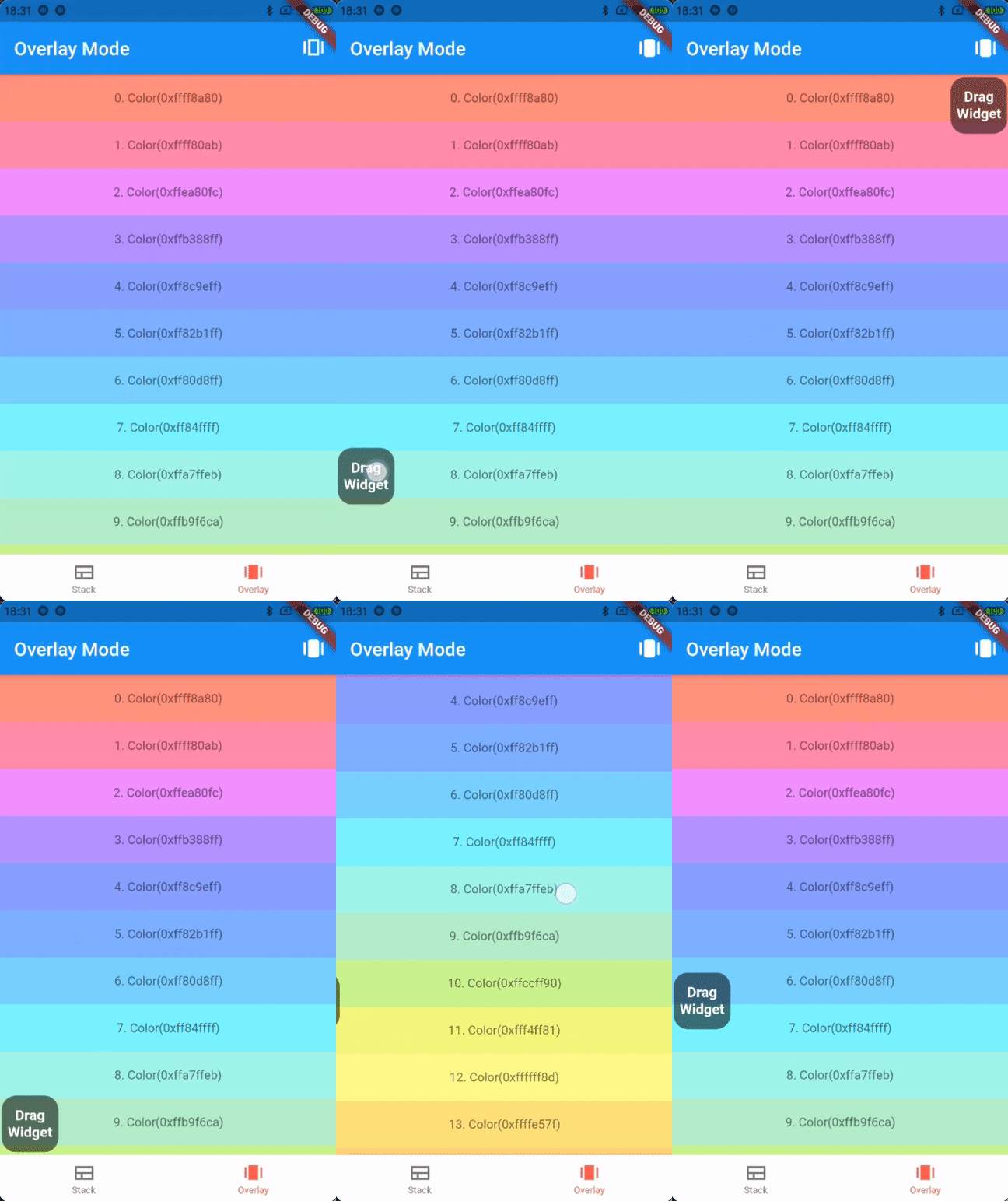
the second way: overlay mode
_overlayEntry = OverlayEntry(builder: (context) {
 return DraggableFloatWidget(
 child: widget.child,
 eventStreamController: widget.eventStreamController,
 config: DraggableFloatWidgetBaseConfig(
 initPositionYInTop: false,
 initPositionYMarginBorder: 50,
 borderTopContainTopBar: true,
 borderBottom: widget.navigatorBarHeight + defaultBorderWidth,
 ),
 onTap: () => print("Drag onTap!"),
 );
});
/// Warning: context cannot be the context of MaterialApp
Overlay.of(context)?.insert(_overlayEntry!);
If you encounter any problem or the library is missing a feature feel free to open an issue. Feel free to fork, improve the package and make pull request.