python Software License tested Release Demo

Osmedeus allows you automated run the collection of awesome tools to reconnaissance and vulnerability scanning against the target.
git clone https://github.com/j3ssie/Osmedeus
cd Osmedeus
./install.sh
This install only focus on Kali linux, check more install on Wiki page
If you have no idea what are you doing just type the command below or check out the Advanced Usage
./osmedeus.py -t example.com
Check out docker-osmedeus by mabnavarrete for docker installation and this wiki for more detail.
- Subdomain Scan.
- Subdomain TakeOver Scan.
- Screenshot the target.
- Basic recon like Whois, Dig info.
- Web Technology detection.
- IP Discovery.
- CORS Scan.
- SSL Scan.
- Wayback Machine Discovery.
- URL Discovery.
- Headers Scan.
- Port Scan.
- Vulnerable Scan.
- Seperate workspaces to store all scan output and details logging.
- REST API.
- React Web UI.
- Support Continuous Scan.
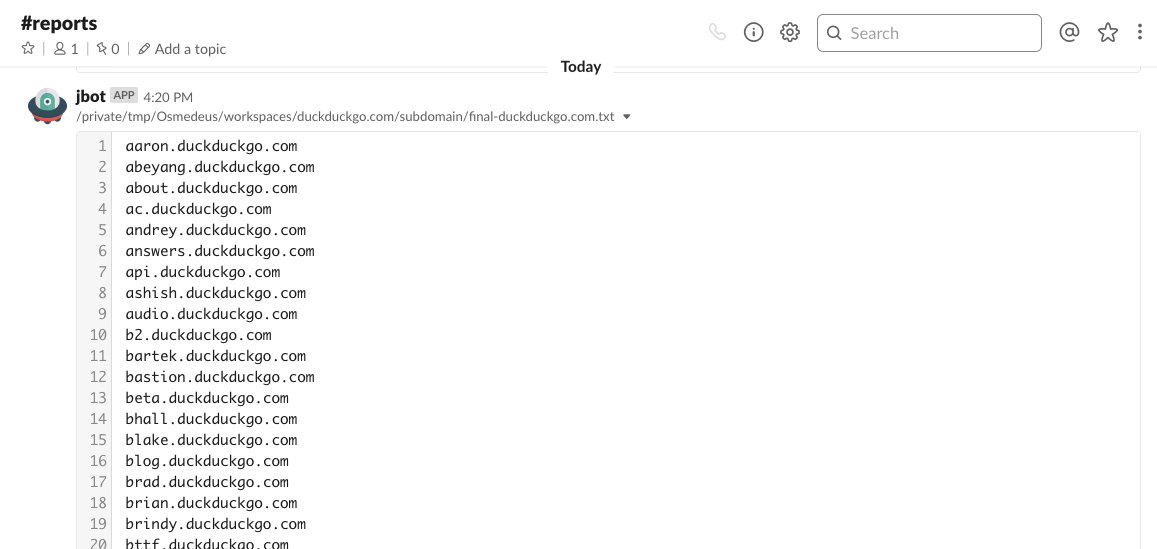
- Slack notifications.
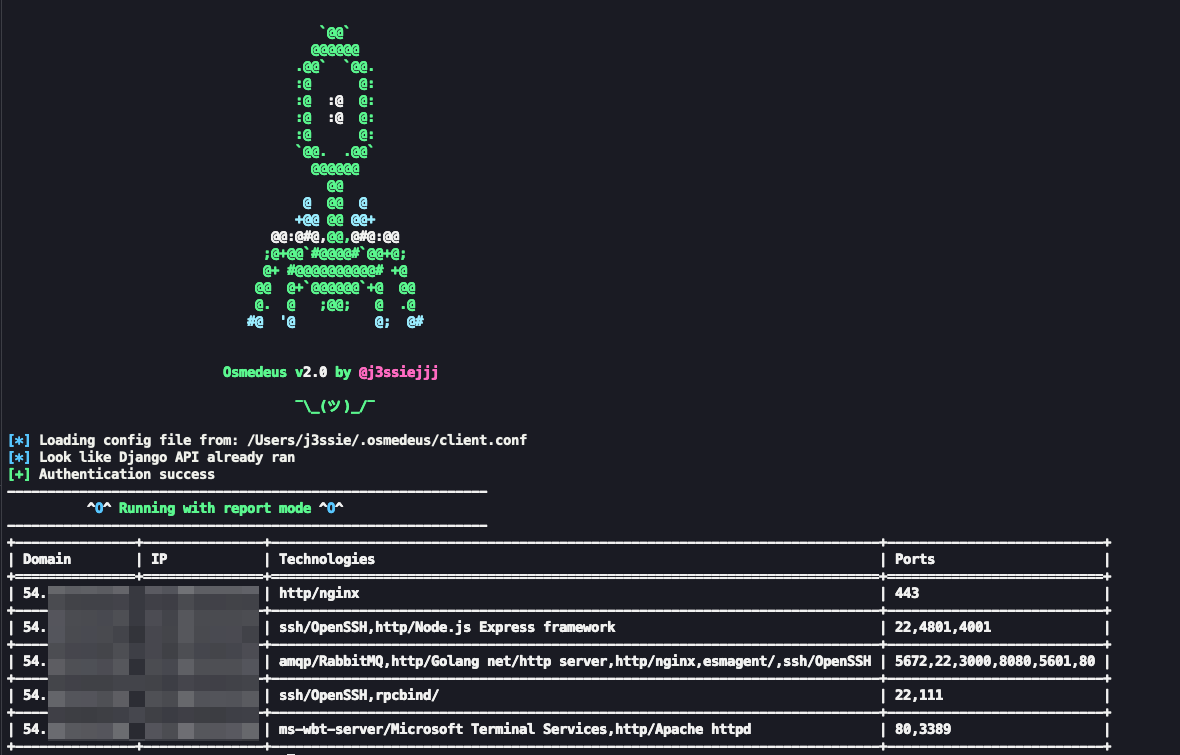
- Easily view report from commnad line.
Check this Wiki page for more detail about each module.



# normal routine
./osmedeus.py -t example.com
# normal routine but slow speed on subdomain module
./osmedeus.py -t example.com --slow 'subdomain'
# direct mode examples
./osmedeus.py -m portscan -i "1.2.3.4/24"
./osmedeus.py -m portscan -I list_of_targets.txt -t result_folder
./osmedeus.py -m "portscan,vulnscan" -i "1.2.3.4/24" -t result_folder
./osmedeus.py -m "assets" -i "example.com"
./osmedeus.py -m "assets,dirb" -i "example.com"
# report mode
./osemdeus.py -t example.com --report list
./osemdeus.py -t example.com --report sum
./osemdeus.py -t example.com -m subdomain --report short
./osemdeus.py -t example.com -m "subdomain, portscan" --report full
Basic Usage
===========
python3 osmedeus.py -t <your_target>
python3 osmedeus.py -T <list_of_targets>
python3 osmedeus.py -m <module> [-i <input>|-I <input_file>] [-t workspace_name]
python3 osmedeus.py --report <mode> -t <workspace> [-m <module>]
Advanced Usage
==============
[*] List all module
python3 osmedeus.py -M
[*] List all report mode
python3 osmedeus.py --report help
[*] Running with specific module
python3 osmedeus.py -t <result_folder> -m <module_name> -i <your_target>
[*] Example command
python3 osmedeus.py -m subdomain -t example.com
python3 osmedeus.py -t example.com --slow "subdomain"
python3 osmedeus.py -t sample2 -m vuln -i hosts.txt
python3 osmedeus.py -t sample2 -m dirb -i /tmp/list_of_hosts.txt
Remote Options
==============
--remote REMOTE Remote address for API, (default: https://127.0.0.1:5000)
--auth AUTH Specify authentication e.g: --auth="username:password"
 See your config file for more detail (default: core/config.conf)
--client just run client stuff in case you ran the flask server before
More options
==============
--update Update lastest from git
-c CONFIG, --config CONFIG
 Specify config file (default: core/config.conf)
-w WORKSPACE, --workspace WORKSPACE
 Custom workspace folder
-f, --force force to run the module again if output exists
-s, --slow "all"
 All module running as slow mode
-s, --slow "subdomain"
 Only running slow mode in subdomain module
--debug Just for debug purpose
Most of this tool done by the authors of the tool that list in CREDITS.md. I'm just put all the pieces together, plus some extra magic.
This tool is for educational purposes only. You are responsible for your own actions. If you mess something up or break any laws while using this software, it's your fault, and your fault only.
Please take a look at CONTRIBUTING.md
Please take a look at CHANGELOG.md
Please take a look at CREDITS.md