DISCLAIMER: All the rights of extracted assets belong to cygames/citail and/or its affiliates. Do not share the files extracted by the tool. I do not encourage you to use any of extracted assets in inappropriate purpose. If you use any assets extracted by this tool, you do so at your sole risk.
Asset Extraction tool for World Flipper.
This tool extracts the assets from world flipper application installed on your device / emulator using ADB and FFDEC, rename digested file paths with original file path, restore corrupted png and mp3 data, export irregular (amf, orderedmap, etc) files in regular data format such as json.
Currently only supports Global / Japan variants.
Check out the release page of this repo.
Currently only supports Windows (recommended 10 or higher)
Requires Java 8 or later to run FFDEC.
if you're willing to extract assets from real device, your device must be rooted.
The tool only tested for limited use cases, thus should has various bugs or even crahses among other enviornments. Basically this tool works best with modified, non-production adbd, which supports adb running as root permission and grants full access to data directory.
To use this tool, your device should at least have file-listing access to the /data directory.
- Nox player (version 7.0.x) - Recommended (Global)
- Pixel 2 (Android 11), Pixel 4 XL (Android 12)
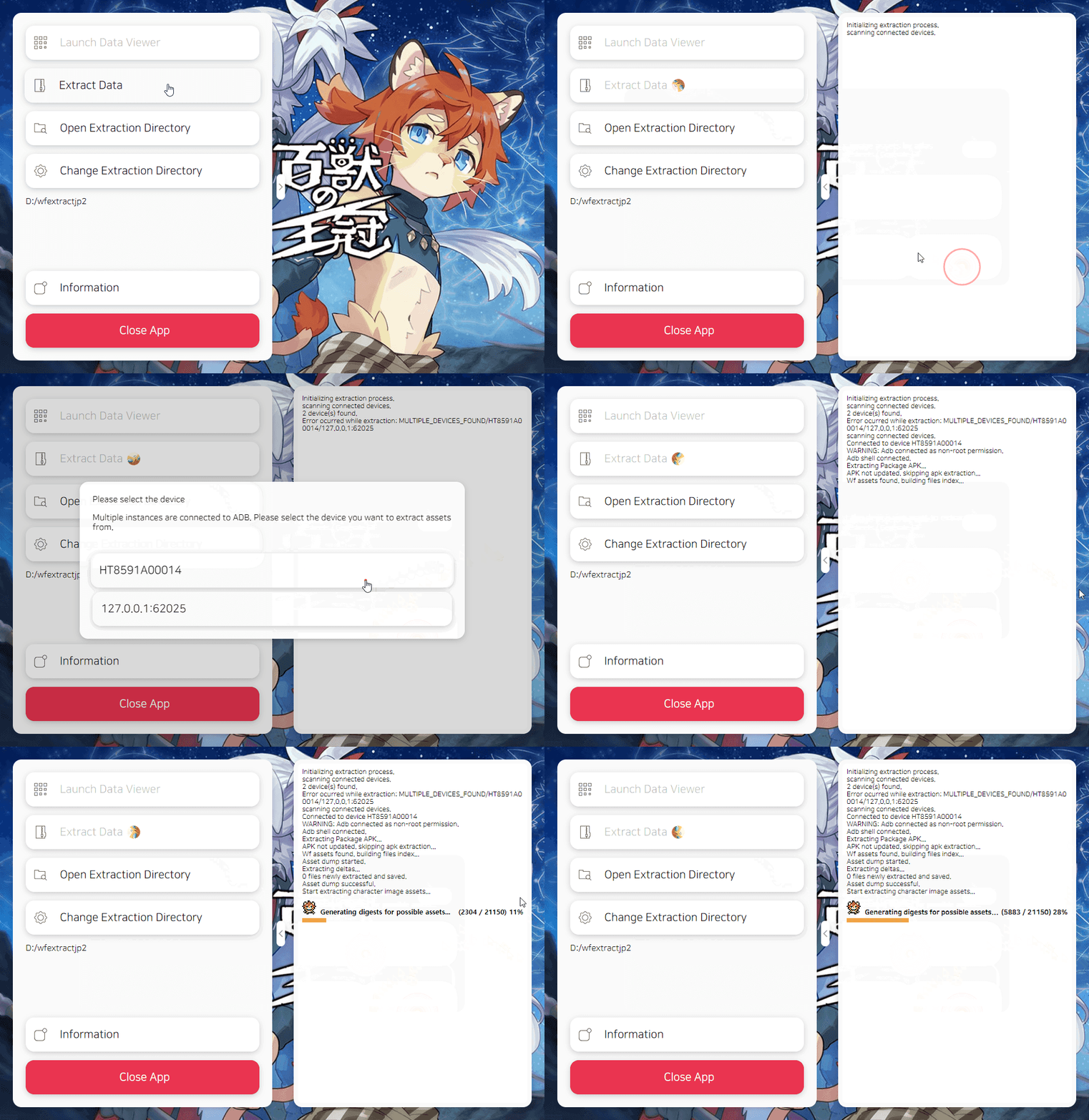
Simply just connect your device(The device must downloaded all the assets from world flipper client.), select the directory you want to save your assets, and click on the Extract Data button.
Once the extraction is done, you can find inflated asset files located in the output directory under your extraction directory.
Do not close the app even if it hangs. The process might hangs a lot and several tasks require more than dozens of minutes. Be patient while extraction is in progress
- APK
- Decompiled SWF
- Master table
- Character image assets
- Character image atlases/frame/parts/timeline (exported as json format)
- Miscellaneous image assets.
- Audio files including BGM, Character voice lines, S/E and more.
- Cropped sprites based on atlases and sprite sheet
- Animated images generated from sprites (Character images only)
- Skill/Action descriptors for characters / bosses / items, including all the details about the skills.
- Summarized Gacha, EX Boost rates table.
- Support extraction of ability texts
- Data viewer
I won't actively troubleshoot the bugs as far as it works for me, so if you're having trouble using the tool on your side, in most cases you'll have to fix the problem yourself, or at least provide me all the details about your environments, runtime context, ETC. Please include all the details when you open issue here. Also feel free to open any PR.
If you want more asset coverage added to tool, please provide the details about assets you want to export, including file formats, asset path, format of data, etc.
The application built from the electron-react-boilerplate. Refer to the repository to check how to install dependencies and start development on your local machine.