Skip to content

Navigation Menu

Sign in
Appearance settings

Search code, repositories, users, issues, pull requests...

Provide feedback

We read every piece of feedback, and take your input very seriously.

Saved searches

Use saved searches to filter your results more quickly

Sign up
Appearance settings
/ m-console Public

remote mobile console tool, console log in pc browser.

Notifications You must be signed in to change notification settings

fwon/m-console

Folders and files

NameName
Last commit message
Last commit date

Latest commit

History

24 Commits

Repository files navigation

m-console

remote mobile console tool, console log in pc browser.

手机远程调试工具,手机通过代理连接上PC后,可以在PC版浏览器打印log和错误日志,方便调试。

install

npm install -g m-console

use

step1

mcon server

default port is 3000 (开启调试服务器,默认调试器端口为3000) roadmap.path
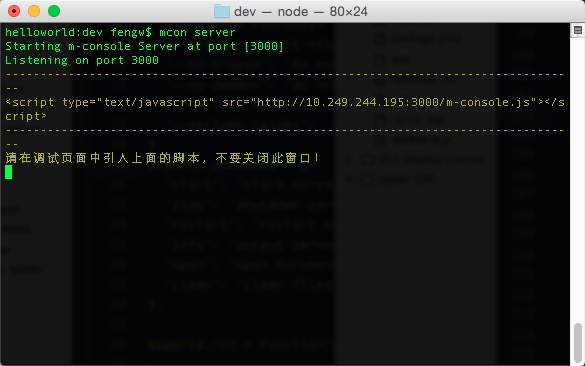
step2

copy script into html file (复制调试脚本到html文件) roadmap.path

step3

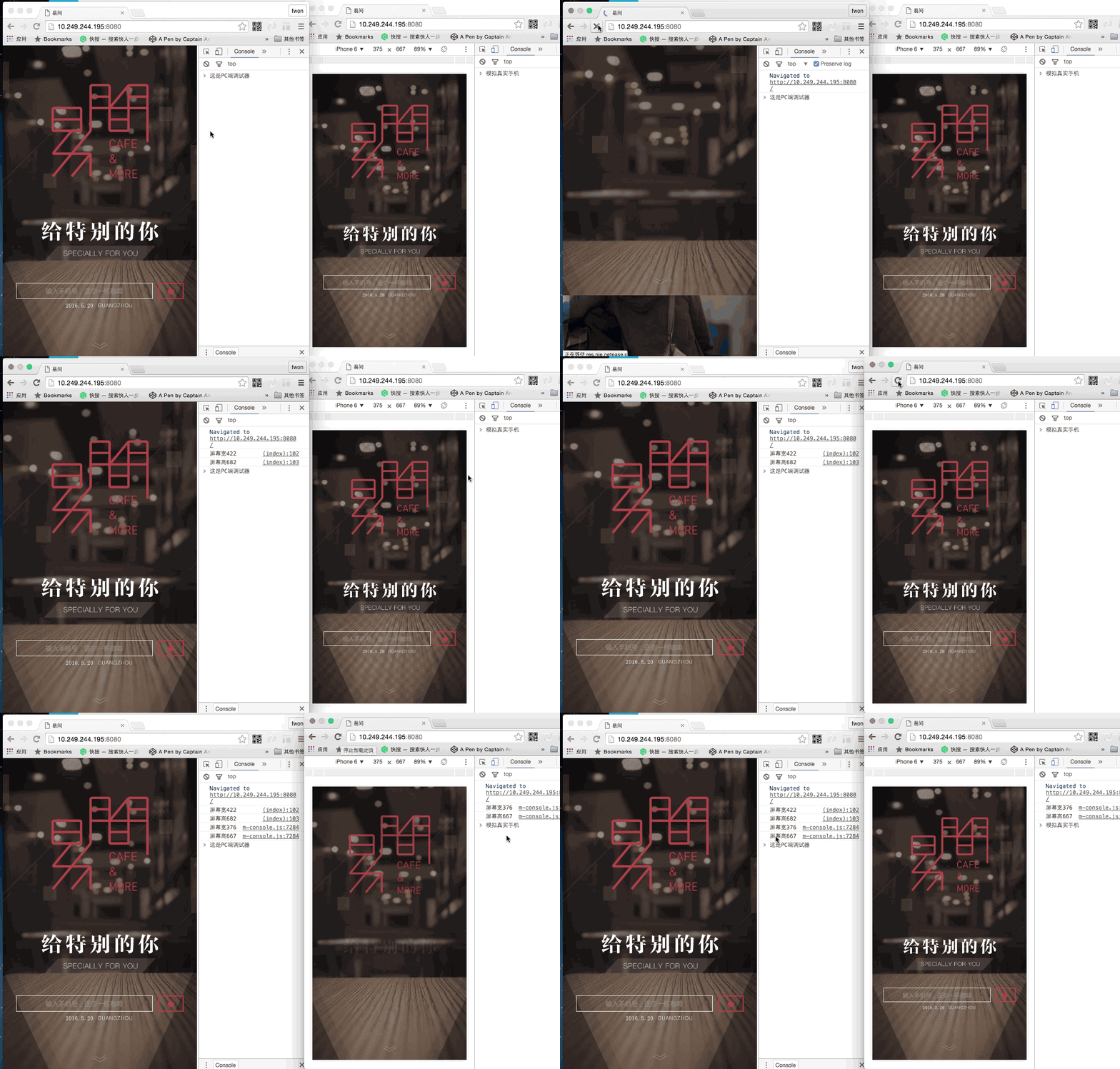
刷新浏览器查看效果 (进行本地调试时,手机需通过代理链接到电脑) 手机上刷新页面,调试信息会出现在PC的控制面板 roadmap.path
option

mcon server -p 9000

use -p to set port by yourself (可通过-p设置调试器端口号)

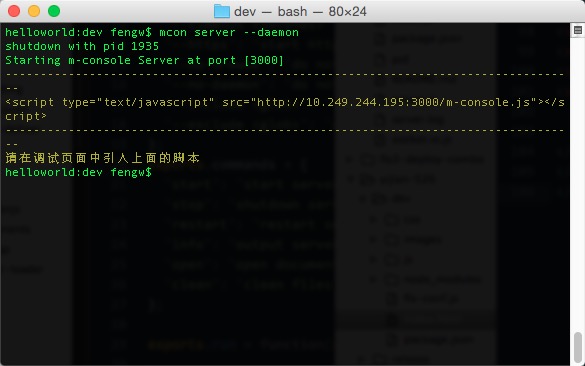
mcon server --daemon

use --daemon to runing Service on backend. (可通过--daemon参数让服务运行在后台,可关闭命名窗口) roadmap.path
About

remote mobile console tool, console log in pc browser.

Resources

Stars

Watchers

Forks

Releases

No releases published

Packages

No packages published

AltStyle によって変換されたページ (->オリジナル) /