Android Arsenal Join the chat at https://gitter.im/florent37/Carpaccio
Android app on Google PlayDeveloped to facilitate integration on Android ( Designers can thanks me :D )

Data Mapping & Smarter Views framework for android
With Carpaccio, your views became smarter, instead of calling functions on views, now your views can call functions ! You no longer need to extend a view to set a custom behavior
Carpaccio also come with a beautiful mapping engine !
<com.github.florent37.carpaccio.Carpaccio
 android:id="@+id/carpaccio"
 android:layout_width="match_parent"
 android:layout_height="match_parent"
 app:register="
 com.github.florent37.carpaccio.controllers.ImageViewController;
 com.github.florent37.carpaccio.controllers.TextViewController
 ">
 <ImageView
 android:layout_width="match_parent"
 android:layout_height="150dp"
 android:scaleType="centerCrop"
 android:tag="url(http://i.imgur.com/DSjXNox.jpg)" />
 <TextView
 android:layout_width="match_parent"
 android:layout_height="wrap_content"
 android:textSize="20sp"
 android:tag="
 font(Roboto-Thin.ttf);
 setText($user.name);"/>
</com.github.florent37.carpaccio.Carpaccio>
Add into your build.gradle
compile ('com.github.florent37:carpaccio:(lastest version)@aar'){
 transitive=true
}
<TextView
 android:tag="
 setText($user)
 "/>
<ImageView
 android:tag="
 url($user.getImageUrl())
 " />
<ImageView
 android:tag="
 url($user.imageUrl)
 "/>
<TextView
 android:text="$user.name"/>
In your activity / fragment :
Carpaccio carpaccio = (Carpaccio)findViewById("R.id.carpaccio");
carpaccio.mapObject("user",new User("florent", "www."));

You dreamed it, Carpaccio did it ! You can now bind a List with a RecyclerView !
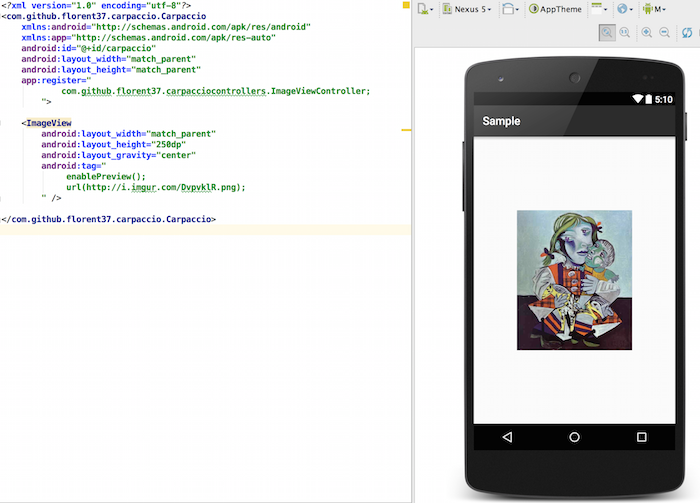
WORKS WITH ANDROID STUDIO PREVIEW !!!, don't hesitate to refresh your preview url

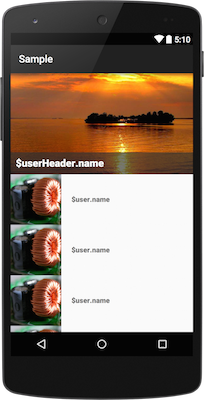
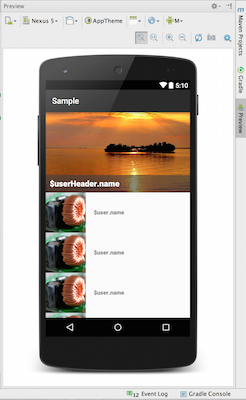
R.layout.activity_main_recyclerview_mapping
<com.github.florent37.carpaccio.Carpaccio
 android:id="@+id/carpaccio"
 app:register="
 com.github.florent37.carpaccio.controllers.RecyclerViewController;
 com.github.florent37.carpaccio.controllers.ImageViewController;
 com.github.florent37.carpaccio.controllers.TextViewController;
 ">
 <android.support.v7.widget.RecyclerView
 android:layout_width="match_parent"
 android:layout_height="match_parent"
 android:tag="
 addHeader(header,R.layout.header_user);
 adapter(user,R.layout.cell_user)
 "
 />
</com.github.florent37.carpaccio.Carpaccio>
R.layout.cell_user
<LinearLayout xmlns:android="http://schemas.android.com/apk/res/android"
 android:layout_width="match_parent"
 android:layout_height="100dp"
 android:gravity="center_vertical"
 android:orientation="horizontal">
 <ImageView
 android:layout_width="100dp"
 android:layout_height="match_parent"
 android:layout_marginRight="20dp"
 android:tag="
 enablePreview();
 previewUrl(http://lorempixel.com/400/400/);
 url($user.image);
 " />
 <TextView
 android:layout_width="match_parent"
 android:layout_height="wrap_content"
 android:tag="
 setText($user.name);
 setFont(Roboto-Black.ttf);"
 />
</LinearLayout>
Finally, in your activiy/fragment you just have to indicate the List to map !
setContentView(R.layout.activity_main_recyclerview_mapping);
Carpaccio carpaccio = (Carpaccio)findViewById("R.id.carpaccio");
carpaccio.mapList("user", this.users);
carpaccio.mapObject("header", this.headerObject);
Carpaccio provide some awesome ViewControllers, you can use them directly into your project. Read the Wiki to have a list of all provided viewControllers
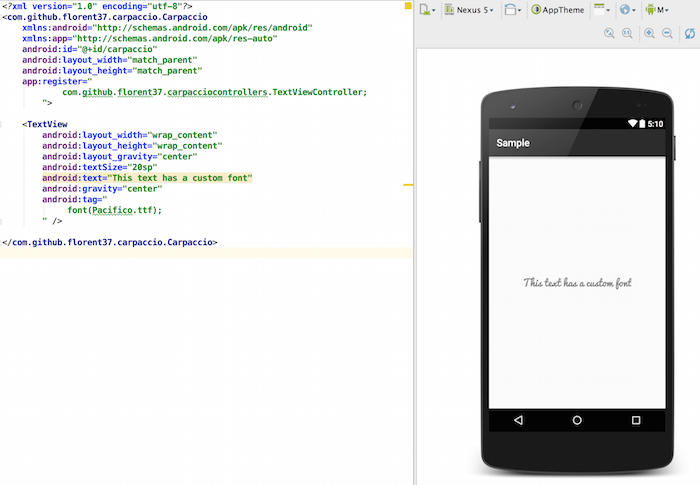
TextViewController can set a custom font (from assets/fonts/) to a TextView and provide text binding
WORKS WITH ANDROID STUDIO PREVIEW !!!
<com.github.florent37.carpaccio.Carpaccio
 app:register="
 com.github.florent37.carpaccio.controllers.TextViewController;
 ">
 <TextView
 android:tag="
 font(Pacifico.ttf);
 android:text="$user.getName()"
 "/>
</com.github.florent37.carpaccio.Carpaccio>
<com.github.florent37.carpaccio.Carpaccio
 app:register="
 com.github.florent37.carpaccio.controllers.ImageViewController;
 ">
 <ImageView
 android:tag="
 url(http://i.imgur.com/DvpvklR.png)
 " />
</com.github.florent37.carpaccio.Carpaccio>
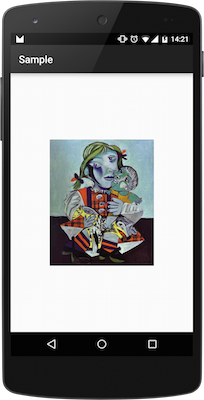
WORKS WITH ANDROID STUDIO PREVIEW !!!, don't hesitate to refresh your preview url
Preview an url image
<ImageView
 android:tag="
 enablePreview();
 url(http://i.imgur.com/DvpvklR.png);
 " />
And some awesome customisations
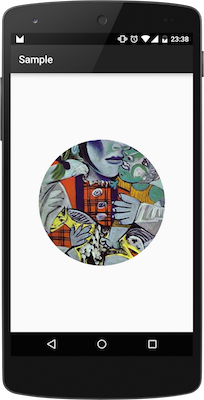
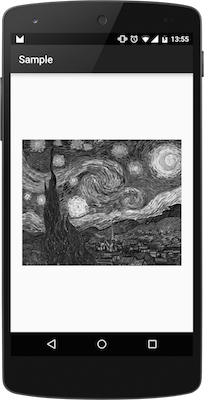
<ImageView
 android:tag="

 circle();
 blur(); OR willBlur();
 greyScale(); OR willGreyScale();

 url(http://i.imgur.com/DvpvklR.png);
 " />
<ImageView
 android:tag="
 animateMaterial(6000);
 kenburns();
 url(http://i.imgur.com/DvpvklR.png);
 " />
Looking for contributors, feel free to fork !
Tell me if you're using my library in your application, I'll share it in this README
- Picasso (from Square)
- KenBurnsView (from flavioarfaria)
- Android-Observablescrollview (from ksoichiro)
Author: Florent Champigny www.florentchampigny.com/
Android app on Google Play Follow me on Google+ Follow me on Twitter Follow me on LinkedInCopyright 2015 florent37, Inc.
Licensed under the Apache License, Version 2.0 (the "License");
you may not use this file except in compliance with the License.
You may obtain a copy of the License at
http://www.apache.org/licenses/LICENSE-2.0
Unless required by applicable law or agreed to in writing, software
distributed under the License is distributed on an "AS IS" BASIS,
WITHOUT WARRANTIES OR CONDITIONS OF ANY KIND, either express or implied.
See the License for the specific language governing permissions and
limitations under the License.