
Be Cool with Vue and WeUI.
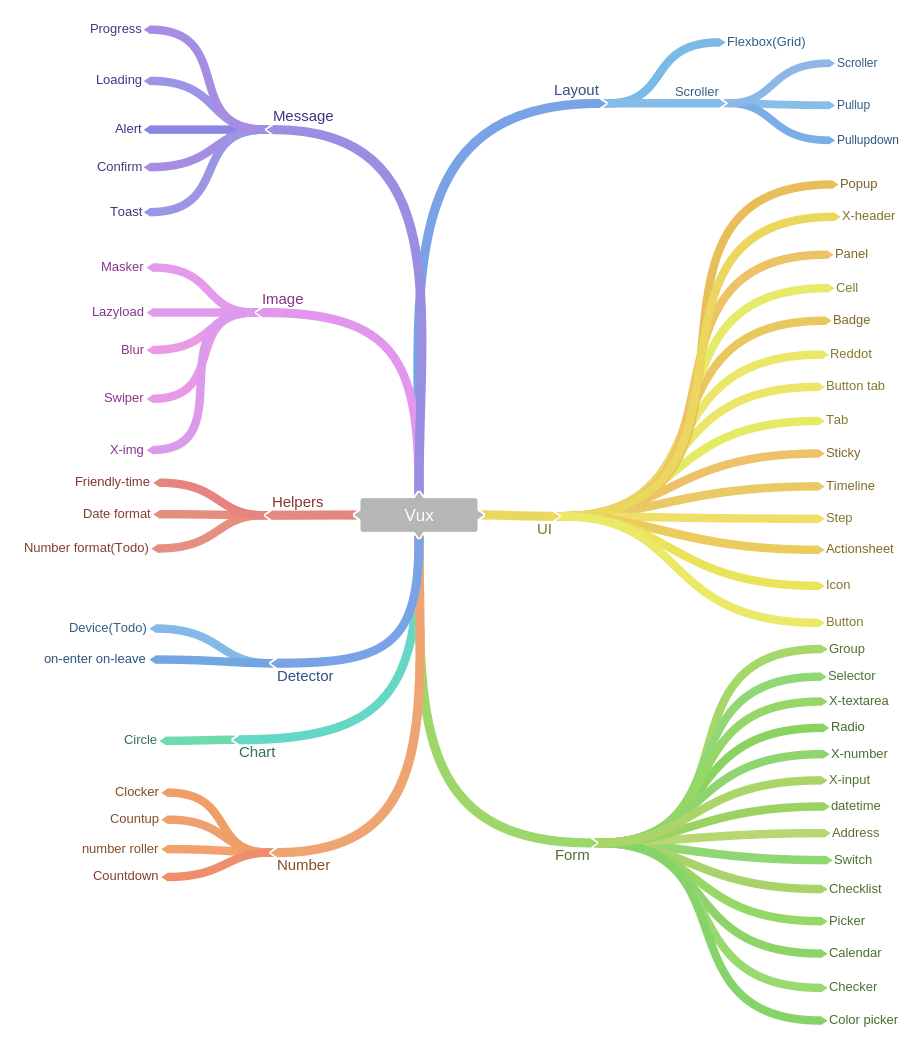
Vux = Vue + WeUI + A Bunch of Components
- This is not an Official Project of Wechat.
- [For 中文开发者]提问题时若使用
不能用,没效果,有问题,报错此类模糊表达,但又没给出任何代码截图报错的,将绝对不会有任何反馈。(参阅 《提问的智慧》)
https://vux.li
(You can view the demos' codes in /src/demos)

If you need a new component, don't hesitate to raise an issue.
# install vue-cli
npm install -g vue-cli
# init a webpack project
vue init webpack my-project
cd my-project
npm install
npm install vux
npm run dev
<template>
 <div>
 <group>
 <cell title="vue" value="cool"></cell>
 </group>
 </div>
</template>
<script>
import Group from 'vux/dist/components/group'
import Cell from 'vux/dist/components/cell'
export default {
 components: {
 Group,
 Cell
 }
}
</script>
<style>
@import '~vux/dist/vux.css';
</style>
make sure less and less-loader are installed
add a js loader in webpack.base.conf.js
{
 test: /vux.src.*?js$/,
 loader: 'babel'
}
import the components you need
import Group from 'vux/src/components/group'
import Cell from 'vux/src/components/cell'
you can use a shorter path by adding resolve.alias in webpack.base.conf.js
resolve: {
 alias: {
 'vux-components': 'vux/src/components/'
 }
}
now you can import like this:
import Group from 'vux-components/group'
import Cell from 'vux-components/cell'
You can download vux from the releases
or install from bower
bower install vux
checkout examples/scripts.html
<!--include Vux style-->
<link rel="stylesheet" href="vux/vux.css">
<!--include Vue yourself-->
<script src="vue.js"></script>
<div id="demo">
 <group>
 <cell title="vue" value="cool"></cell>
 </group>
</div>
<!--include the components you need-->
<script src="vux/components/dist/group/index.js"></script>
<script src="vux/components/dist/cell/index.js"></script>
<script>
// register components
Vue.component('group', vuxGroup)
Vue.component('cell', vuxCell)
new Vue({
 el: '#demo'
})
</script>
const FastClick = require('fastclick')
FastClick.attach(document.body)
// import Countup from './demos/Countup'
const Countup = function (resolve) {
 require(['./demos/Countup'], resolve) // webpack will do the rest things
}
# install dependencies
npm install
# serve with hot reload at localhost:8080
npm run dev
# you can also custom host and port
npm run dev -- --host 127.0.0.1 --port 8085
# build for production with minification
npm run build
# build components before publishing
npm run xbuild
# publish and deploy to gh-pages
npm run xpublish
# run unit tests
npm test
For detailed explanation on how things work, consult the docs for vue-loader.

MIT
It takes much time and energy to maintain and improve this project. It Vux helps you, you may want to buy me a coffee :).