This is an Android library which can be used to add chat functionality to your android application with just a few lines of code.
Add this to your root build.gradle at the end of repositories:
allprojects {
	repositories {
		...
		maven { url 'https://jitpack.io' }
	}
}
Then add dependency
dependencies {
	implementation 'com.github.fasilthottathil:SimpleChatView:1.0.0'
}
Drop the ChatView in your XML layout as is shown below:
 <com.fasilthottathil.simplechatview.widget.SimpleChatView
 android:id="@+id/simpleChatView"
 android:layout_width="match_parent"
 android:layout_height="match_parent" />
don't forget to add this attribute to your root layout.
xmlns:app="http://schemas.android.com/apk/res-auto"
And then in your Activity or Fragment
val simpleChatView = findViewById<SimpleChatView>(R.id.simpleChatView)
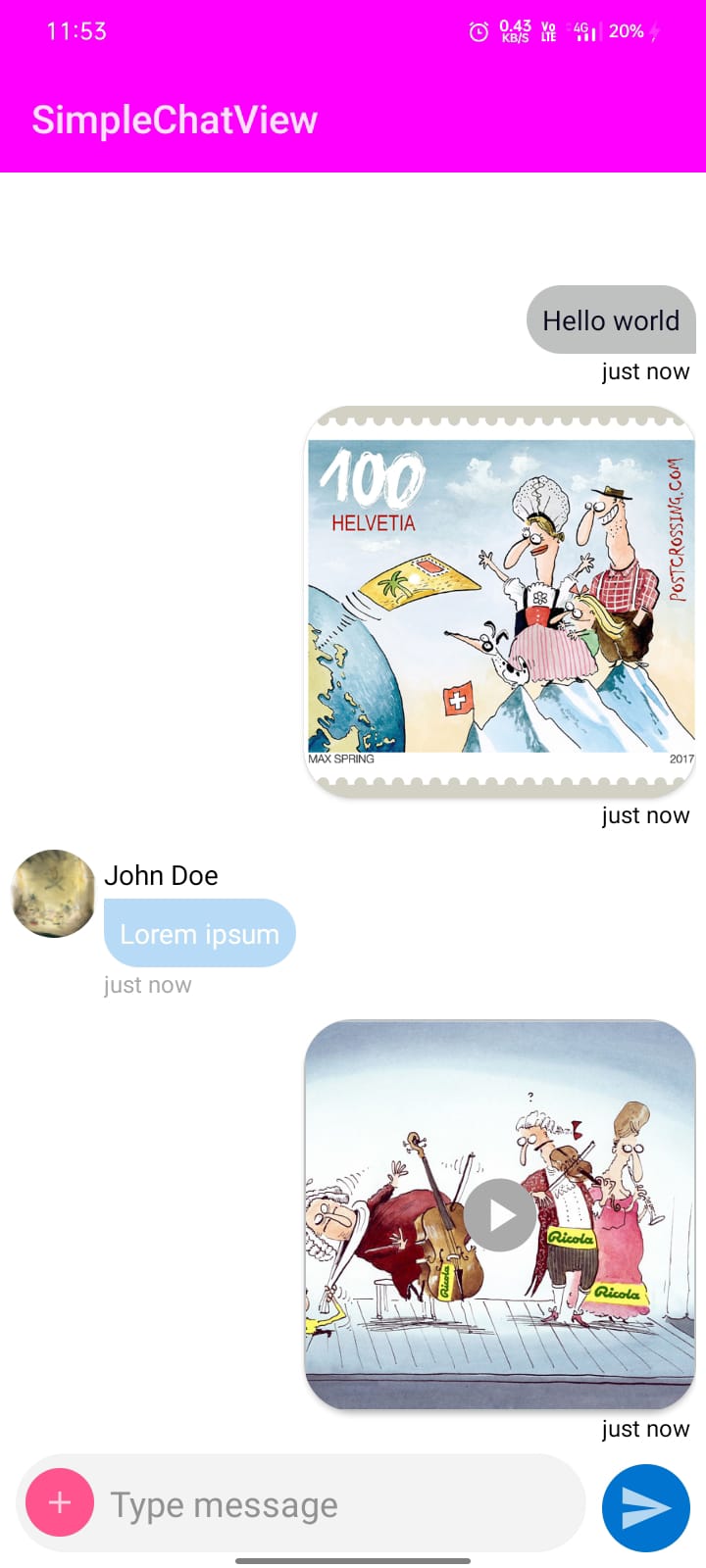
Sample code
 val simpleChatView = findViewById<SimpleChatView>(R.id.simpleChatView)
 //sending text message
 simpleChatView.addMessage(
 ChatMessage(
 UUID.randomUUID().toString(),//message id
 "Hello world",//message
 "John Doe",//username
 "http://www.maxspring.ch/images/cartoons/4.jpg",//profile url
 true,//for setting left or right position of the chat
 System.currentTimeMillis(),//timestamp
 SimpleChatView.TYPE_TEXT//message type
 )
 )
 //sending image message
 simpleChatView.addMessage(
 ChatMessage(
 UUID.randomUUID().toString(),//message id
 "http://www.maxspring.ch/images/cartoons/c71.png",//image url
 "John Doe",//username
 "http://www.maxspring.ch/images/cartoons/4.jpg",//profile url
 true,//for setting left or right position of the chat
 System.currentTimeMillis(),//timestamp
 SimpleChatView.TYPE_IMAGE//message type
 )
 )
 //sending video message
 simpleChatView.addMessage(
 ChatMessage(
 UUID.randomUUID().toString(),//message id
 "http://www.maxspring.ch/images/cartoons/Kultursponsoring.jpg",//video url
 "John Doe",//username
 "http://www.maxspring.ch/images/cartoons/4.jpg",//profile url
 true,//for setting left or right position of the chat
 System.currentTimeMillis(),//timestamp
 SimpleChatView.TYPE_VIDEO//message type
 )
 )
 //adding list of messages
 simpleChatView.addMessage(chatMessageList)
 //removing message
 simpleChatView.remove(position)
 simpleChatView.remove(ChatMessage())
 simpleChatView.clearMessages()//clears all the added messages
 simpleChatView.setOnMessageSendListener { message ->
 //user clicked on send message button
 }
 simpleChatView.setOnMessageClickListener { chatMessage ->
 //user clicked on the Text Message
 }
 simpleChatView.setOnChatImageClickListener { chatMessage ->
 //user clicked on the image message
 }
 simpleChatView.setOnChatVideoClickListener { chatMessage ->
 //user clicked on the video message
 }
 simpleChatView.setOnChatUserImageClickListener { chatMessage ->
 //user clicked on the profile pic
 }
 simpleChatView.setOnChatUsernameClickListener { chatMessage ->
 //user clicked on the username
 }
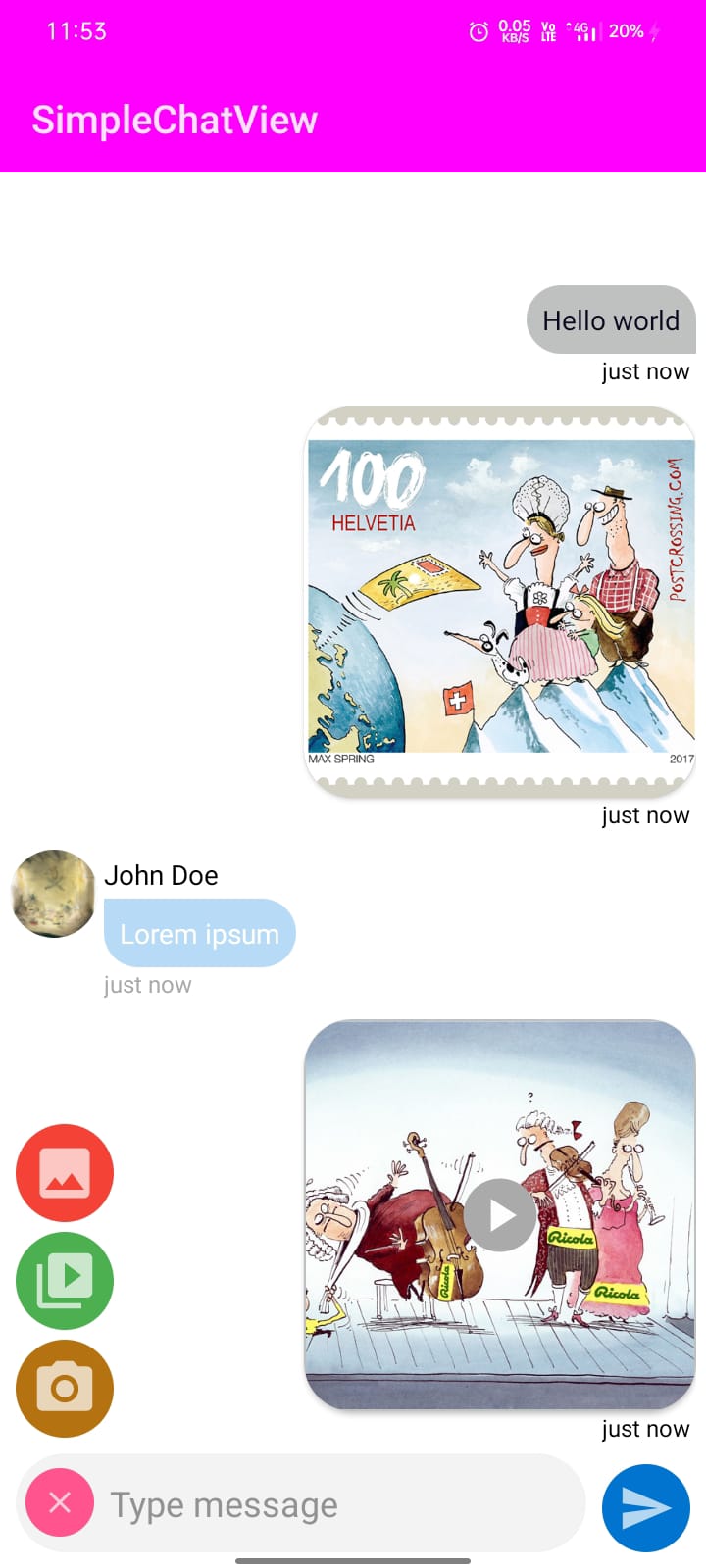
 simpleChatView.setOnSelectImageClickListener {
 //user clicked on the image selection button
 }
 simpleChatView.setOnSelectVideoClickListener {
 //user clicked on the video selection button
 }
 simpleChatView.setOnSelectCameraClickListener {
 //user clicked on the camera button
 }
customize using xml code
 <com.fasilthottathil.simplechatview.widget.SimpleChatView
 android:id="@+id/simpleChatView"
 app:hint="Type message"
 app:hintTextColor="@android:color/darker_gray"
 app:chatInputBackgroundColor="@color/white"
 app:chatInputBackground="@drawable/chat_input_shape"
 app:chatViewBackgroundColor="@color/white"
 app:showAddButton="true or false"
 app:showCameraButton="true or false"
 app:showImageButton="true or false"
 app:showVideoButton="true or false"
 app:showSenderLayout="true or false"
 app:addButtonColor="@color/teal_200"
 app:sendButtonColor="@color/purple_700"
 app:textColor="@color/black"
 android:layout_width="match_parent"
 android:layout_height="match_parent" />
customize using kotlin code
 	simpleChatView.setChatViewBackground(Color.WHITE)
 simpleChatView.setSendButtonColor(Color.BLUE)
 simpleChatView.setAddButtonColor(Color.RED)
 simpleChatView.setChatInputBackgroundColor(Color.LTGRAY)
 simpleChatView.setChatInputBackground(R.drawable.chat_input_shape)
 simpleChatView.setShowAddButton(true or false)
 simpleChatView.setShowSenderLayout(true or false)
 simpleChatView.setShowImageButton(true or false)
 simpleChatView.setShowVideoButton(true or false)
 simpleChatView.setShowCameraButton(true or false)
 simpleChatView.setHint("Type message...")
 simpleChatView.setHintTextColor(Color.parseColor("#929292"))
 simpleChatView.setTextColor(Color.BLACK)